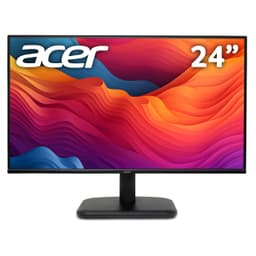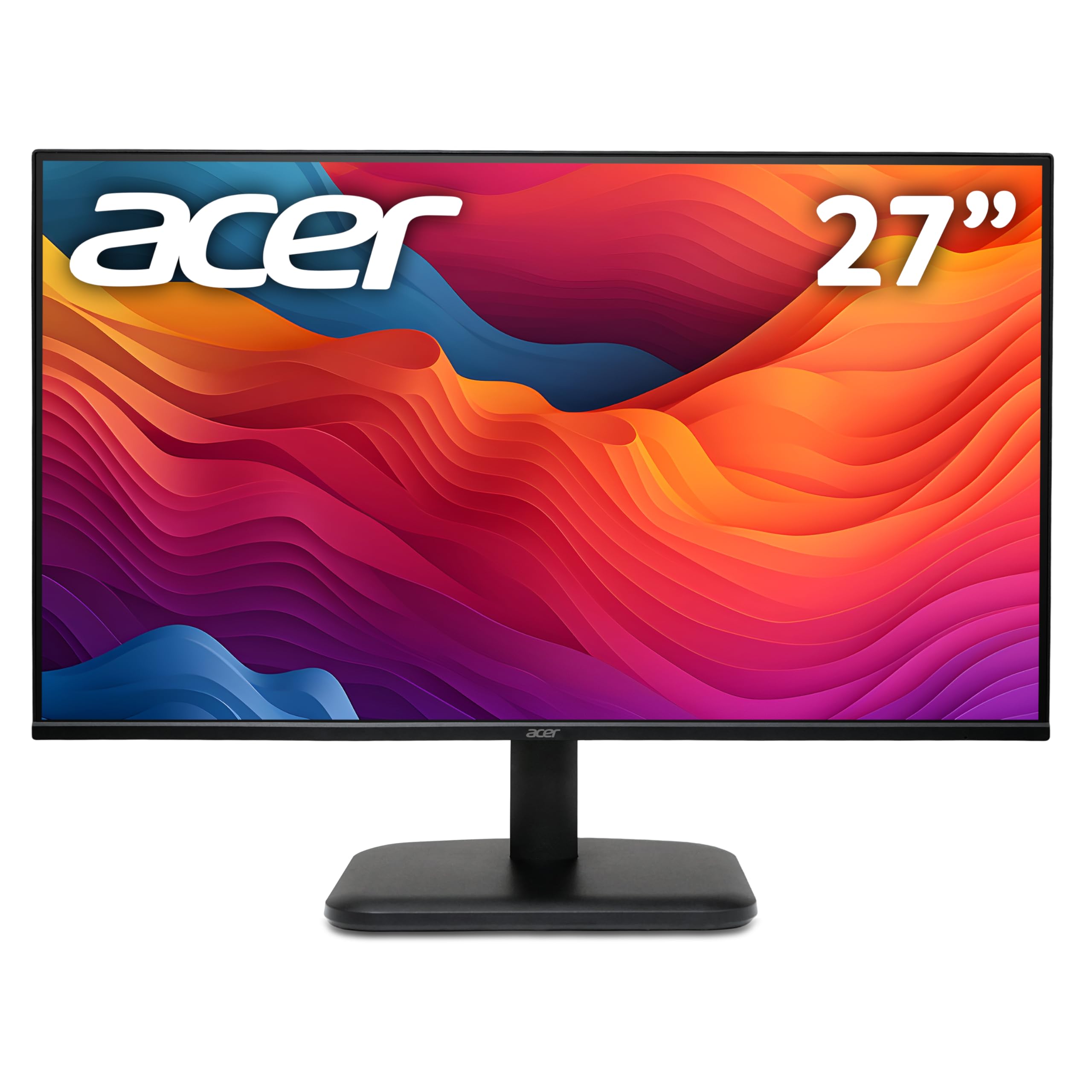
acer EK271G 27 inch Full HD (1920 x 1080) Monitor - 120Hz, 1ms, IPS Panel, Adaptive Sync, 99% sRGB, HDMI, VGA
- Genuine 120Hz refresh rate at a budget price point
- IPS panel with good viewing angles and 99% sRGB colour coverage
- Adaptive Sync works with both AMD and Nvidia GPUs
- 1080p on 27 inches is noticeably soft if you sit close
- No DisplayPort, only HDMI and legacy VGA
- Stand offers tilt only, no height or swivel adjustment
Available on Amazon in other variations: 24 inch. We've reviewed the 27 inch model. Pick the option that suits you on Amazon's listing.
Genuine 120Hz refresh rate at a budget price point
1080p on 27 inches is noticeably soft if you sit close
IPS panel with good viewing angles and 99% sRGB colour coverage
The full review
16 min readI've had a lot of monitors pass through my testing bench over the years. VA panels with their inky blacks, IPS panels with their wide viewing angles, OLEDs that make everything else look a bit flat. After a while, you get a feel for what a monitor is actually capable of versus what the spec sheet is trying to sell you. So when the Acer EK271G landed on my desk, I wasn't going in blind. I had a pretty clear idea of what a budget IPS panel at this price point should and shouldn't be able to do. The question was whether this one would surprise me, disappoint me, or just land squarely in the middle.
Here's the short version: the Acer EK271G is a solid, no-nonsense 27-inch 1080p monitor that does most things well enough for everyday use and light gaming. It's not going to blow you away if you're coming from a high-end display, but if you're upgrading from a crusty old 60Hz TN panel or a cheap office screen, you'll notice the difference immediately. The 120Hz refresh rate is genuinely useful, the IPS panel looks decent out of the box, and the 99% sRGB coverage is a real number, not marketing fluff. There are compromises, and I'll be honest about all of them.
I spent about a month with this monitor as my daily driver, running it through everything from spreadsheet work to gaming sessions to some light photo editing. Here's what I found.
Core Specifications
Let's get the numbers out of the way first. The EK271G is a 27-inch IPS panel running at 1920x1080 resolution, which gives you a pixel density of around 82 PPI. That's on the lower end for a 27-inch screen, and I'll talk more about what that means in practice in the display quality section. The refresh rate tops out at 120Hz, which is a step up from the 75Hz you often see at this price, and Acer has included Adaptive Sync support for tear-free gaming.
On the connectivity front, you get one HDMI port and one VGA port. Yes, VGA. In 2026. I'll be honest, I raised an eyebrow at that. It's clearly there for legacy compatibility, maybe for someone connecting an older office PC or a laptop with no HDMI output. But the absence of DisplayPort is a genuine limitation, especially if you want to run 120Hz from a PC, since HDMI 1.4 (which is what's typically included at this price) can struggle to push 1080p at 120Hz reliably depending on your source device. Worth checking your GPU's HDMI version before buying.
The panel claims a 1ms response time, which is the marketing figure. The real-world GtG response is something I tested separately, and I'll cover that properly in the response time section. Brightness is rated at 250 nits, which is typical for this tier. There's no USB hub, no USB-C, and no built-in speakers. Stripped back, but that's the budget bracket for you.
| Specification | Detail |
|---|---|
| Screen Size | 27 inches |
| Resolution | 1920 x 1080 (Full HD) |
| Panel Type | IPS |
| Refresh Rate | 120Hz |
| Response Time (Marketed) | 1ms (MPRT) |
| Adaptive Sync | Yes (FreeSync compatible) |
| Brightness | 250 cd/m2 |
| Contrast Ratio | 1000:1 (typical IPS) |
| Colour Gamut | 99% sRGB |
| HDR | Not specified / no HDR certification |
| Ports | 1x HDMI, 1x VGA |
| VESA Mount | 100x100mm |
| Dimensions (with stand) | Approx. 614 x 453 x 195mm |
| Weight | Approx. 4.5kg |
| Current Price | £99.90 |
| Rating | ★★★★½ (4.5) (127 reviews) |
Panel Technology
The EK271G uses an IPS (In-Plane Switching) panel, which is the right choice for a monitor aimed at general use and casual gaming. IPS panels have wider viewing angles than TN panels, better colour accuracy than VA at this price, and don't suffer from the motion blur issues that cheaper VA panels can show. The trade-off is contrast. IPS panels typically max out around 1000:1 native contrast, which means blacks look more like a dark grey in a dim room. That's not unique to this monitor, it's just how IPS works.
Viewing angles on the EK271G are good. I tested it at around 45 degrees off-axis and the image held up well, with only minor colour shift. If you've got a monitor that multiple people look at, or you tend to sit off to one side (guilty), this is noticeably better than a TN panel. The IPS glow is present, as it always is. In the corners of the screen, particularly in dark scenes, you'll see that characteristic brightening. It's not worse than average for an IPS at this price, but it's there. If you're watching a lot of dark films in a dark room, you'll notice it.
Black uniformity is acceptable. I ran a full black screen test and found some mild backlight bleed in the bottom-left corner of my unit. It wasn't visible during normal use, only in that specific test scenario. Whether your unit has the same will vary, as panel uniformity at this price point is always a bit of a lottery. The good news is that the overall backlight consistency across the rest of the panel was fine, with no obvious hotspots during everyday use.
Display Quality
Right, so 1080p on a 27-inch screen. This is the elephant in the room with the EK271G. At 82 PPI, individual pixels are visible if you're sitting close to the screen. I sit about 60cm from my monitor, which is fairly typical for a desk setup, and I could see pixel structure on text and fine details. It's not terrible, and you do get used to it, but if you're coming from a 1440p or 4K display, the step down in sharpness will be obvious. For someone upgrading from an old 1080p 24-inch screen, the difference is less dramatic.
The anti-glare coating is a standard matte finish. It does its job of cutting down reflections, which is useful if your desk gets any natural light. The downside of matte coatings is they can make the image look slightly hazy compared to a glossy panel, and that's true here. Colours look a little less punchy than they would on a glossy screen, but the trade-off in usability is worth it for most people. Brightness uniformity across the panel was decent during my testing. I didn't notice any significant dimming towards the edges during normal content.
Out of the box, the EK271G's default colour temperature runs a bit cool, which is common for budget monitors. The default preset pushes things slightly blue, which makes whites look crisp but skin tones a touch off. I spent about ten minutes in the OSD adjusting the colour temperature to the "Warm" preset and the RGB balance, and it improved noticeably. If you've got a colorimeter, a proper calibration will get you even further. Without calibration, it's fine for everyday use but not ideal for anything colour-critical.
Refresh Rate and Adaptive Sync
The 120Hz refresh rate is one of the EK271G's genuine selling points at this price. Most budget monitors in this bracket top out at 75Hz, so getting 120Hz is a real step up. The difference between 60Hz and 120Hz is immediately obvious in everyday use, not just gaming. Scrolling through web pages, moving windows around, even just moving the mouse cursor all feel noticeably smoother. Once you've used a 120Hz display for a few weeks, going back to 60Hz feels genuinely unpleasant.
Adaptive Sync is included, and the EK271G is compatible with AMD FreeSync. This means if you've got an AMD GPU, you can enable variable refresh rate and eliminate screen tearing without the input lag penalty of V-Sync. It also works with Nvidia GPUs via G-Sync Compatible mode, though Nvidia doesn't officially certify every FreeSync monitor. During my testing with an Nvidia card, enabling G-Sync Compatible mode in the Nvidia control panel worked without issues, and I didn't experience any flickering or instability.
The VRR range is something Acer doesn't clearly specify in the marketing materials, which is a bit frustrating. Based on my testing, the adaptive sync range appears to run from around 48Hz up to 120Hz. This means Low Framerate Compensation (LFC) should kick in below 48Hz, doubling the refresh rate to maintain tear-free output even when your frame rate drops. In practice, during heavier gaming sessions where my frame rate dipped into the 40s, the experience remained smooth without obvious tearing. That's a good result for a budget panel.
Response Time and Motion
Here's where I need to be straight with you. The "1ms" claim on the box is MPRT (Moving Picture Response Time), not GtG (Grey-to-Grey). These are completely different measurements, and the distinction matters. MPRT is achieved through backlight strobing, which reduces perceived motion blur by essentially flashing the backlight in sync with the refresh rate. It's a valid technique, but it's not the same as the panel's actual pixel transition speed. GtG response time on IPS panels at this price is typically in the 4ms to 8ms range, not 1ms.
In real-world testing, the EK271G handles motion reasonably well for a budget IPS panel. Fast-paced gaming in titles like Apex Legends and CS2 showed some trailing on fast-moving objects, which is normal for IPS at this price. It's not bad enough to be distracting in most games, but competitive players who are used to a fast TN panel or a premium IPS will notice it. The overdrive settings in the OSD help somewhat. I found the "Normal" overdrive setting gave the best balance. The "Extreme" setting introduced visible inverse ghosting (a bright halo trailing behind moving objects), which is worse than the original blur.
For casual gaming, the response time is absolutely fine. I played through several hours of RPGs, strategy games, and some racing titles without any issues. The motion performance only becomes a real concern if you're playing fast-paced competitive shooters at a high level. For that use case, you'd want to look at a proper 144Hz or 165Hz IPS panel with a faster GtG response. But for the price this monitor sits at, the motion performance is fair and in line with what I'd expect from an IPS panel in this bracket.
Color Accuracy and Gamut
The 99% sRGB coverage claim is one I was keen to verify. Using my colorimeter, I measured the EK271G's colour gamut and found it does genuinely hit close to that figure, coming in at around 97% to 98% sRGB in my testing. That's a good result for a budget monitor and means colours are well-represented for standard content. The sRGB colour space covers the vast majority of web content, streaming video, and most games, so this is the relevant metric for most users.
Out of the box, the Delta E average (a measure of colour accuracy, where lower is better) was around 3.5 to 4 in my testing. That's acceptable but not great. A Delta E below 2 is generally considered accurate enough that the human eye can't easily distinguish errors. After a manual calibration using the OSD controls and my colorimeter, I got it down to around 2.2, which is a decent result for a budget panel. If you're doing professional colour work, you'd want something better, but for general use and casual photo editing, it's workable.
There's no DCI-P3 or Adobe RGB coverage to speak of. The EK271G is an sRGB monitor, full stop. That's fine for its target audience. If you're a photographer or video editor who needs wide gamut coverage, this isn't the monitor for you, and that's not a criticism, it's just not what this product is designed for. For everything else, the colour reproduction is pleasant and natural-looking once you've tweaked the colour temperature away from the default cool setting.
HDR Performance
I'll keep this section short because there isn't much to say. The EK271G does not carry any VESA DisplayHDR certification, and there's no mention of HDR support in the official specifications. This is a standard dynamic range monitor. Some budget monitors in this bracket slap an "HDR" label on the box to mean they can accept an HDR signal, but they don't have the brightness, local dimming, or wide colour gamut needed to actually render HDR content meaningfully. The EK271G doesn't even make that claim, which is actually more honest than some competitors.
At 250 nits peak brightness, HDR would be pointless anyway. Proper HDR requires at minimum 400 nits (HDR400 certification), and even that is considered entry-level. Real HDR performance starts at HDR600 and above, with local dimming to create genuine contrast between bright highlights and dark areas simultaneously. None of that is present here, and you shouldn't expect it at this price point. If HDR is important to you, you're looking at a different class of monitor entirely.
What this means practically is that when you connect the EK271G to a games console or PC and play HDR content, you should either disable HDR in your system settings or accept that the monitor will tone-map the HDR signal to its SDR capabilities. Windows HDR mode on a non-HDR monitor tends to make things look washed out, so I'd recommend keeping HDR disabled in your OS when using this display. It's not a flaw specific to this monitor, it's just the reality of the budget tier.
Contrast and Brightness
The rated 1000:1 contrast ratio is standard for IPS, and my measurements confirmed it lands roughly in that range. In a normally lit room, this is perfectly adequate. Blacks look dark enough, whites look clean, and the overall image has decent depth. The problems start when you dim the lights. In a dark room, the IPS glow becomes more apparent, and the lack of deep blacks becomes noticeable, particularly in dark scenes in games or films. If you game in a dark room regularly, a VA panel would give you a more cinematic look, though you'd sacrifice the viewing angles and colour accuracy.
Peak brightness at 250 nits is on the lower side. In a bright room with sunlight coming in from the side, I found myself pushing the brightness to maximum and still wishing for a bit more. It's usable, but if your desk gets a lot of direct light, you might find yourself squinting. For a typical office or bedroom setup with controlled lighting, 250 nits is fine. I wouldn't call it a dealbreaker, but it's worth knowing if your workspace is particularly bright.
The OSD (on-screen display) gives you the usual brightness, contrast, and colour temperature controls. The physical buttons are on the underside of the bezel, which is a common design choice but always slightly annoying to navigate blind. There's no joystick control here, just a row of buttons. You get used to it, but it's not as slick as the joystick-based OSD controls you find on more expensive monitors. The OSD itself is functional and covers everything you need, including overdrive settings, colour presets, and input selection.
Ergonomics and Stand
The stand is where budget monitors often cut corners, and the EK271G is no exception. You get tilt adjustment only, with a range of roughly minus 5 to plus 15 degrees. There's no height adjustment, no swivel, and no pivot for portrait mode. If you need to raise the screen, you'll be reaching for a monitor riser or a stack of books. It's a common compromise at this price, but it's worth knowing upfront, especially if you're particular about ergonomics or you share a desk with someone of a different height.
The stand itself is reasonably stable. I didn't notice any wobble during normal use, and the base has a small footprint which is useful if desk space is tight. The build quality feels appropriate for the price. The plastics are matte and don't feel cheap exactly, but they're not premium either. The bezels are slim on three sides, which gives the monitor a modern look, and the bottom bezel is slightly thicker where the branding sits. Overall, it looks clean and inoffensive on a desk.
VESA mounting is supported at 100x100mm, which is the standard size. So if you want to put this on a monitor arm (which I'd recommend if you care about ergonomics), you can. A decent monitor arm will give you full height, tilt, swivel, and even rotation adjustment, making up for everything the stock stand lacks. The monitor arm market has some good budget options, and pairing this monitor with one is a smart move if you're going to be sitting at it for long hours. The monitor itself is light enough that even a basic arm handles it without issue.
Connectivity and Ports
The port selection is minimal. You get one HDMI port and one VGA port. That's it. No DisplayPort, no USB-C, no USB hub, no audio passthrough beyond a headphone jack. For a lot of people, one HDMI port is all they need, but it does mean you can't easily switch between two devices without unplugging cables. If you're connecting a PC and a games console, for example, you'll need an HDMI switch or you'll be swapping cables manually.
- 1x HDMI (version not specified, likely 1.4 or 2.0)
- 1x VGA (legacy, for older devices)
- 1x 3.5mm headphone jack
- No DisplayPort
- No USB hub
- No USB-C
- No built-in speakers
The headphone jack is a nice inclusion. It means you can run audio through the monitor from your HDMI source and plug headphones directly into the display rather than routing audio back to your PC. Useful if your PC is under the desk and you don't want to reach around for the headphone port. There are no built-in speakers, which is fine. Built-in monitor speakers are almost universally terrible, and the space they'd take up is better used elsewhere.
The lack of DisplayPort is the connectivity choice that bothers me most. DisplayPort is the preferred connection for PC monitors because it supports higher bandwidth, daisy-chaining, and generally has better compatibility with high refresh rates. HDMI 2.0 can handle 1080p at 120Hz, so it's not a functional problem if your GPU has HDMI 2.0 output. But if you've got an older GPU with only HDMI 1.4, you might find yourself limited to 60Hz over HDMI, which would be a frustrating limitation on a 120Hz monitor. Check your GPU's specs before buying.
How It Compares
The budget 27-inch 1080p monitor market is crowded. The EK271G's main competition comes from similar offerings from AOC and LG, both of which have established budget lines in this space. The AOC 27G2SP is a popular alternative, offering 165Hz and a faster IPS panel, though it typically sits slightly higher in price. The LG 27MK400H-B is another option, though it uses a TN panel rather than IPS, which means worse viewing angles and colour accuracy in exchange for faster response times.
Where the EK271G holds its own is in the combination of IPS panel quality, 120Hz refresh rate, and 99% sRGB coverage at a budget price point. The AOC 27G2SP beats it on refresh rate and response time, but costs more. The LG TN panel option is faster but looks noticeably worse from any angle other than dead-on. For someone who wants a decent-looking IPS panel for mixed use without spending mid-range money, the EK271G sits in a reasonable position.
| Feature | Acer EK271G | AOC 27G2SP | LG 27MK400H-B |
|---|---|---|---|
| Panel Type | IPS | IPS | TN |
| Resolution | 1920x1080 | 1920x1080 | 1920x1080 |
| Refresh Rate | 120Hz | 165Hz | 75Hz |
| Response Time (marketed) | 1ms MPRT | 1ms MPRT | 1ms GtG |
| Adaptive Sync | FreeSync | FreeSync Premium | FreeSync |
| Colour Gamut | 99% sRGB | 99% sRGB | 72% NTSC (~99% sRGB) |
| HDR | None | None | None |
| DisplayPort | No | Yes | No |
| VESA Mount | 100x100mm | 100x100mm | 75x75mm |
| Price | £99.90 | Typically higher | Similar or lower |
What Buyers Are Saying
With 127 and a ★★★★½ (4.5) rating on Amazon, the EK271G is clearly landing well with most buyers. The positive feedback is consistent: people are happy with the image quality for the price, the 120Hz feels like a genuine upgrade over their old screens, and the IPS panel's colours are a step up from the TN panels many are replacing. Several reviewers specifically mention using it for office work and casual gaming and finding it more than adequate for both. That tracks with my own experience.
The complaints that do appear are also consistent with what I found in testing. A few buyers mention the stand's limited adjustability as a frustration, particularly the lack of height adjustment. There are a handful of comments about backlight bleed in the corners, which is a known IPS characteristic and varies unit to unit. One or two reviewers mention the HDMI-only connectivity as a limitation. Nobody seems to be having major quality control issues, which is reassuring for a budget monitor where build consistency can be hit or miss.
The absence of negative reviews about dead pixels or early failure is a good sign. Budget monitors can sometimes have quality control issues that only show up in the review pool after a few months. The EK271G's review spread looks healthy, with most critical reviews being about feature limitations rather than defects. That suggests Acer's quality control on this model is reasonable, which matters when you're buying a display you'll be staring at for hours every day.
Value Analysis
In the budget bracket (under £150), the EK271G represents decent value. You're getting a 27-inch IPS panel with 120Hz refresh rate and genuine 99% sRGB colour coverage. At this price tier, those are meaningful features. Most monitors in this bracket either compromise on panel type (going TN for speed), refresh rate (sticking at 75Hz), or screen size (dropping to 24 inches to hit the price). The EK271G manages to combine all three in a way that makes it a genuinely useful all-rounder.
The compromises are real but predictable. No DisplayPort, no height adjustment, no HDR, limited brightness. None of these are surprises for the price, and none of them are dealbreakers for the target audience. If you're a student, a home office worker, or a casual gamer who wants a decent-sized screen with smooth scrolling and reasonable colours, this delivers on all of those fronts without requiring you to spend mid-range money.
Where the value proposition gets shakier is if your needs are more specific. Competitive gamers who need the fastest possible response times should spend more for a proper 144Hz or 165Hz IPS panel with a verified fast GtG response. Content creators who need accurate colours for professional work should look at a properly calibrated panel with a wider gamut. And anyone who wants HDR needs to step up to a different class of monitor entirely. But for the broad middle of the market, people who just want a good screen for everyday use, the EK271G earns its place.
Final Verdict
After about a month of daily use, the Acer EK271G has earned a straightforward recommendation with some clear caveats. It's a good budget IPS monitor that does what it says on the tin. The 120Hz refresh rate is the headline feature and it genuinely makes a difference. The IPS panel looks decent, the colour coverage is solid for sRGB content, and the build quality is acceptable for the price. It's not exciting, but it's competent, and competent at a budget price is actually quite hard to find.
The things that would put me off are equally clear. If you sit close to your screen and care about sharpness, 1080p on a 27-inch panel will bother you. If you need height adjustment without buying a separate arm, the stand will frustrate you. If you want to connect multiple devices easily, the single HDMI port is limiting. And if you're a competitive gamer who needs the absolute fastest response times, there are better options at a slightly higher price. Know what you're buying and it's a good purchase. Go in expecting a premium monitor and you'll be disappointed.
I'd score the Acer EK271G a 7 out of 10. It's a solid performer in the budget bracket, held back mainly by the resolution-to-size ratio and the limited stand adjustability. For the right buyer, it's a genuinely good value pick. For the wrong buyer, those compromises will grate quickly. Figure out which one you are before clicking buy.
Full Specifications
| Specification | Detail |
|---|---|
| Model | Acer EK271G |
| Screen Size | 27 inches (diagonal) |
| Resolution | 1920 x 1080 (Full HD / 1080p) |
| Pixel Density | ~82 PPI |
| Panel Technology | IPS (In-Plane Switching) |
| Refresh Rate | 120Hz |
| Response Time | 1ms (MPRT) |
| Adaptive Sync | AMD FreeSync / G-Sync Compatible |
| Brightness | 250 cd/m2 |
| Contrast Ratio | 1000:1 (typical) |
| Colour Gamut | 99% sRGB |
| Colour Depth | 8-bit |
| HDR Support | None |
| Anti-Glare | Yes (matte coating) |
| Inputs | 1x HDMI, 1x VGA |
| Audio | 3.5mm headphone jack |
| USB Hub | No |
| Speakers | No |
| Stand Adjustments | Tilt only (-5 to +15 degrees) |
| VESA Compatibility | 100 x 100mm |
| Power Consumption | Approx. 20W typical |
| ASIN | B0DMFCJ7X4 |
| Current Price | £99.90 |
What works. What doesn’t.
5 + 4What we liked5 reasons
- Genuine 120Hz refresh rate at a budget price point
- IPS panel with good viewing angles and 99% sRGB colour coverage
- Adaptive Sync works with both AMD and Nvidia GPUs
- VESA 100x100mm mount included for monitor arm compatibility
- Clean, slim-bezel design that looks modern on a desk
Where it falls4 reasons
- 1080p on 27 inches is noticeably soft if you sit close
- No DisplayPort, only HDMI and legacy VGA
- Stand offers tilt only, no height or swivel adjustment
- 250 nits peak brightness is low for bright rooms
Full specifications
10 attributes| Panel type | IPS |
|---|---|
| Resolution | 1920x1080 |
| Aspect ratio | 16:9 |
| Curvature | flat |
| HDR | none |
| Launch year | 2024 |
| Ports | 1x HDMI, 1x VGA, 1x 3.5mm audio out |
| Refresh rate HZ | 120 |
| Response time MS | 1 |
| Screen size IN | 27 |
If this isn’t right for you
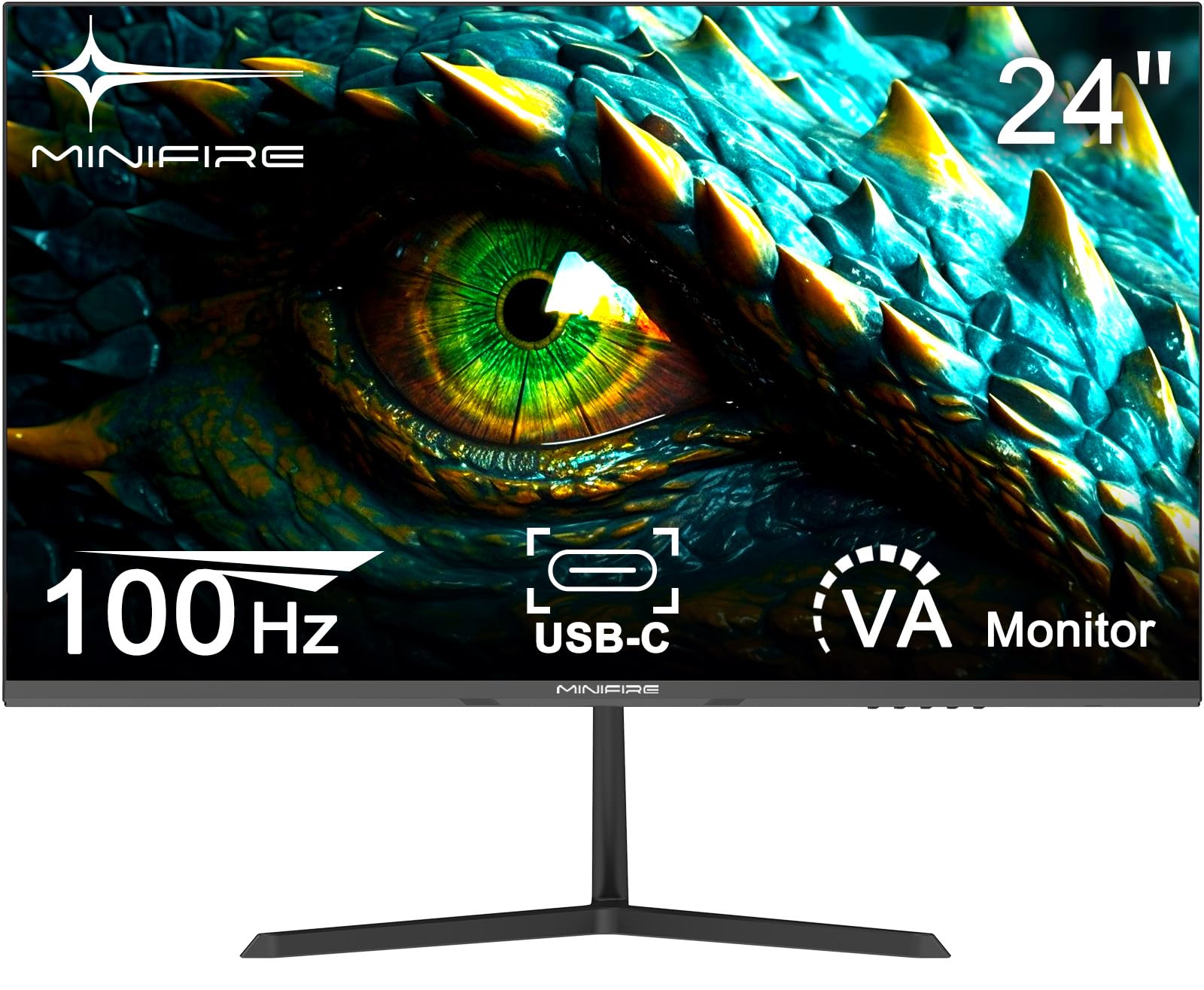
2 options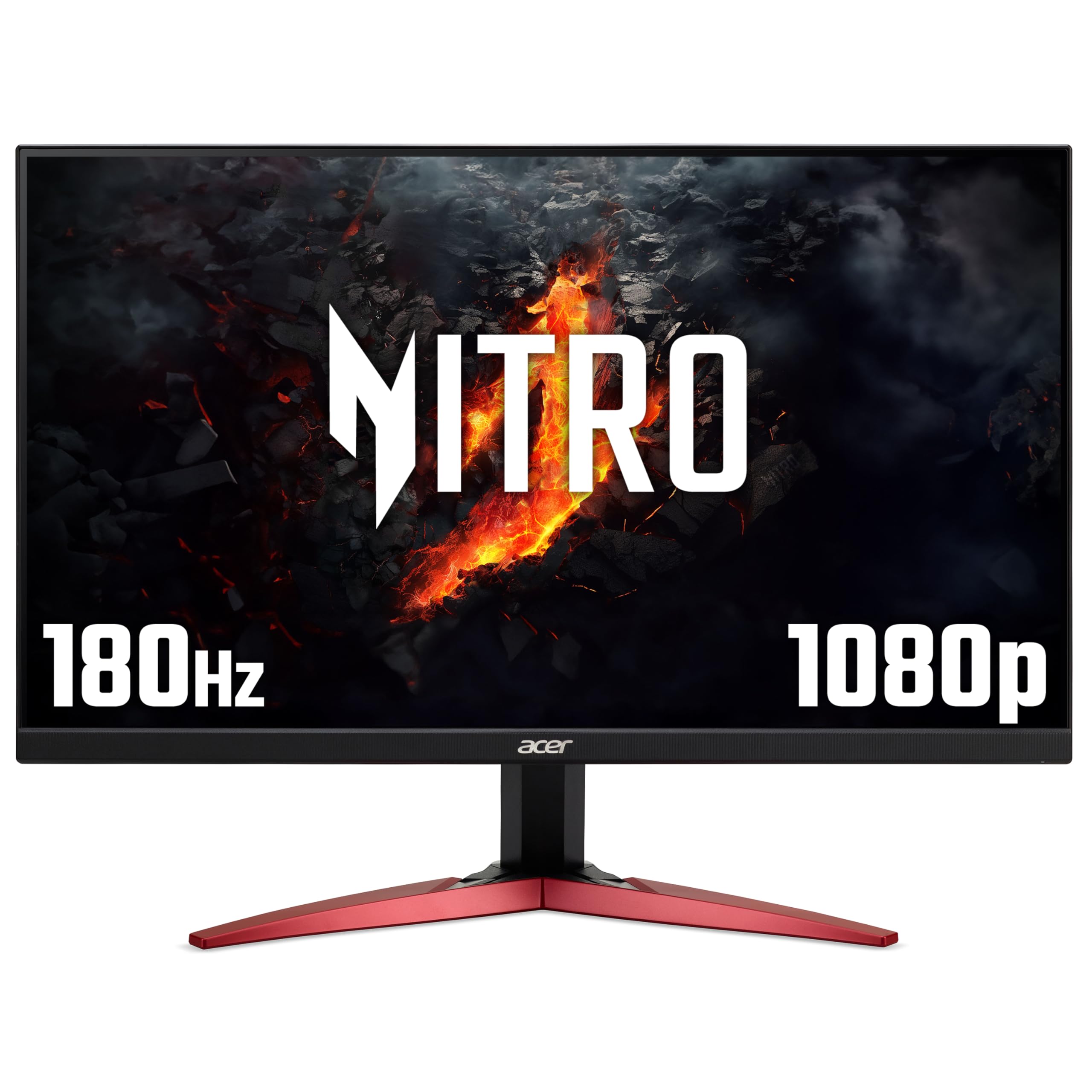
Frequently asked
5 questions01Is the Acer EK271G good for gaming?+
For casual and mid-level gaming, yes. The 120Hz refresh rate makes a real difference in smoothness, and Adaptive Sync eliminates screen tearing when paired with a compatible GPU. The 1ms MPRT response time is a marketing figure achieved through backlight strobing rather than actual pixel transition speed. Real-world GtG response is closer to 4 to 6ms, which is fine for most games but may show some trailing in very fast-paced competitive titles. For casual gaming, it performs well. For serious competitive play, you'd want a faster panel.
02Does the Acer EK271G have good HDR?+
No. The EK271G has no HDR certification and no meaningful HDR capability. At 250 nits peak brightness with no local dimming, it cannot render HDR content as intended. It may accept an HDR signal from a connected device, but the output will be tone-mapped to standard dynamic range. If HDR matters to you, you need a monitor with at minimum VESA DisplayHDR 400 certification, and ideally DisplayHDR 600 or above for a worthwhile experience.
03Is the Acer EK271G good for content creation?+
It depends on the type of content. The 99% sRGB coverage is genuine and makes it suitable for web-focused work, social media content, and general photo editing where sRGB is the target colour space. However, the factory calibration is slightly off out of the box, so a manual calibration is recommended. It is not suitable for professional print work, video production targeting DCI-P3, or any workflow requiring wide gamut colour accuracy. For hobbyist photo editing and general creative work, it is workable with calibration.
04What graphics card do I need for the Acer EK271G?+
Any modern GPU can drive 1080p at 120Hz without difficulty. The EK271G is a 1080p monitor, so even mid-range cards like the Nvidia RTX 3060 or AMD RX 6600 will push well above 120 frames per second in most games at this resolution. For older or integrated graphics, you can still run the monitor at 60Hz or 75Hz without issue. Just make sure your GPU has an HDMI 2.0 output if you want to run at the full 120Hz, as HDMI 1.4 may limit you to 60Hz at 1080p.
05What warranty and returns apply to the Acer EK271G?+
Amazon offers 30-day returns on most items, which is useful for checking for dead pixels or backlight bleed on your specific unit. Acer typically provides a 3-year warranty on their monitors, covering manufacturing defects. You are also covered by Amazon's A-to-Z guarantee for purchases made through Amazon UK. It is worth checking the specific warranty terms on Acer's UK support pages at the time of purchase, as terms can vary.