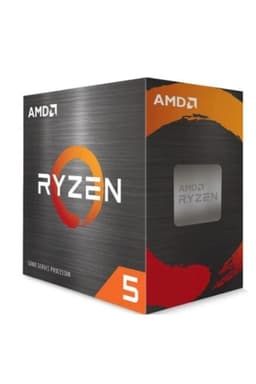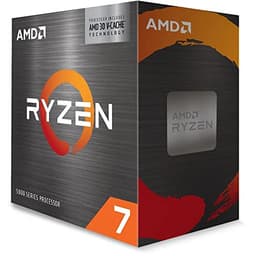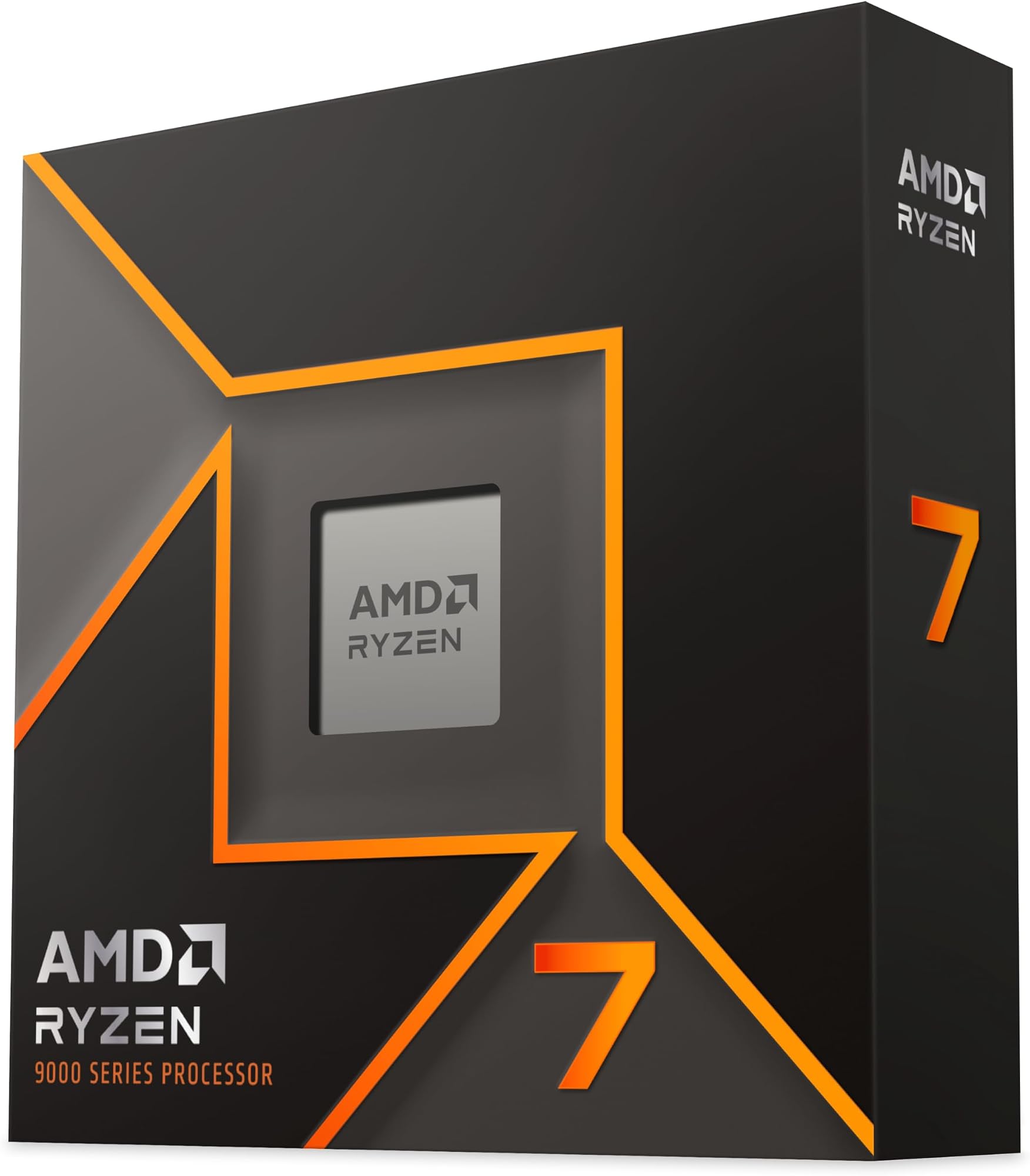
If you're staring at a CPU shortlist trying to work out whether the Ryzen 7 9700X is actually worth it or just well-marketed silicon, here's the short answer: for most people building a gaming or content creation PC in 2025, this chip is probably the one to get. Not because it's flashy. Because it does the right things well, doesn't waste electricity doing them, and sits on a platform that isn't going anywhere soon.
The longer answer is what the rest of this article is for. AMD's Zen 5 generation brought some proper improvements over Zen 4, particularly in IPC (instructions per clock), and the 9700X lands in a sweet spot that the 9600X can't quite reach and the 9900X charges a premium to exceed. At £239.00, it's a mid-range chip doing premium-adjacent work. That matters when you're trying to make a sensible decision without just buying the most expensive thing on the shelf.
Over 2,400 buyers on Amazon have rated this chip at , which is genuinely unusual for a CPU. People notice bad chips. They write about them. The fact that the review pool is this large and this positive tells you something real about day-to-day reliability. So yes, the headline verdict is: buy it if gaming and general productivity are your main use cases. But read on, because there are scenarios where something else makes more sense.
Core Specifications
The Ryzen 7 9700X ships with 8 cores and 16 threads, a base clock of 3.8 GHz, and a max boost frequency of 5.5 GHz. That boost number is the headline, but the base clock matters more in sustained workloads where the chip can't always hit its peak. The 40MB L3 cache is a big deal for gaming specifically, because more cache means the CPU spends less time waiting on slower memory to feed it data. AMD has been leaning hard on cache for a few generations now and it shows in the gaming numbers.
The TDP is rated at 65W, which puts it in a genuinely power-efficient bracket for what it delivers. That's not a marketing number in isolation either. It means you can pair this with a decent mid-range cooler and not spend your life worrying about thermals. The chip uses the AM5 socket, which AMD has committed to supporting through at least 2027, so you're not buying into a dead-end platform. And yes, it includes an integrated AMD RDNA 2 graphics chip, which is useful for troubleshooting and system builds where a discrete GPU is added later.
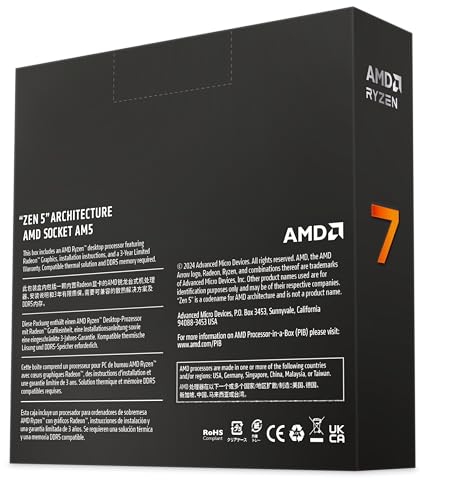
One thing worth flagging: the box doesn't include a cooler. That's a deliberate AMD decision with the X-series chips, and it's fine as long as you budget for one. We'll get into cooler recommendations in their own section. The DDR5 memory support and PCIe 5.0 compatibility round out the platform story nicely, giving you headroom for future storage and GPU upgrades without needing a new motherboard.
| Specification | Detail |
|---|---|
| Cores / Threads | 8 / 16 |
| Base Clock | 3.8 GHz |
| Max Boost Clock | 5.5 GHz |
| L3 Cache | 40MB |
| TDP | 65W |
| Socket | AM5 |
| Architecture | Zen 5 (4nm) |
| Integrated Graphics | AMD RDNA 2 |
| Memory Support | DDR5 with AMD EXPO |
| PCIe Version | PCIe 5.0 |
| Cooler Included | No |
| Price | £239.00 |
Architecture and Cores
Zen 5 is built on a 4nm process node, and AMD has made genuine IPC gains over Zen 4 rather than just bumping clocks. The product listing actually mentions Zen 4 in one place, but the 9000 series is definitively Zen 5 architecture. That matters because IPC improvements mean the chip does more useful work per clock cycle, so you're not just chasing higher GHz numbers. Real-world tasks run faster even when the boost clock looks similar to the previous generation on paper.
The 8-core, 16-thread configuration is a homogeneous setup, meaning all eight cores are identical performance cores. There's no efficiency core / performance core split like you see on Intel's hybrid architecture. For gaming, this is actually a positive. Games don't always schedule well across mixed core types, and having eight identical fast cores means the scheduler has an easier job. For content creation, 16 threads is enough for most people doing video editing, streaming, or light 3D work without paying for a 12-core chip you'll rarely fully utilise.
The AMD Ryzen 9000 series also benefits from AMD's continued investment in the Infinity Fabric and chiplet design. The 9700X uses a single CCD (core chiplet die) alongside the I/O die, which keeps latency consistent across all cores. That consistency is part of why the gaming performance is so strong. There's no cross-CCX latency penalty here, unlike some higher-core-count AMD chips where cores have to talk across chiplets.
Clock Speeds and Boost
The base clock of 3.8 GHz sounds modest, but in practice you'll rarely see the chip sitting at base under any real workload. The more relevant number for gaming is the single-core boost, which hits 5.5 GHz. That's the number that determines how fast the CPU can process game engine logic, physics calculations, and AI routines that tend to run on one or two threads. A higher boost clock here translates directly to better frame times and smoother 1% lows.
AMD's Precision Boost 2 algorithm manages how the chip distributes power across cores dynamically. Under a lightly threaded load (like most games), it'll push the active cores as hard as it can within the thermal and power budget. Under a heavily threaded workload, it spreads the load more evenly. The 65W TDP is the rated figure, but in practice the chip can operate within that envelope without throttling, which is better behaviour than some chips that technically have a higher TDP but then power-limit themselves under sustained load.
Precision Boost Overdrive (PBO) is also available if you want to push things further. With PBO enabled and a decent cooler, you can give the chip more thermal and power headroom, letting it boost higher for longer. The gains from PBO on the 9700X are real but not dramatic. Think of it as fine-tuning rather than a transformation. If you're not into tweaking BIOS settings, the stock behaviour is already excellent and you won't feel like you're leaving performance on the table just by running it at defaults.
Socket and Platform Compatibility
AM5 is the socket, and AMD has been clear that it's a long-term platform. That's not just marketing talk. The physical socket is designed for DDR5 and PCIe 5.0 from the ground up, and AMD has committed to supporting it through future CPU generations. If you're building a new system now, you're not buying into a platform that'll be obsolete in two years. That's a meaningful difference from Intel's recent habit of changing sockets with each generation.
Motherboard options span from budget B650 boards to high-end X870E, giving you genuine choice depending on your budget and feature requirements. B650 boards are more than capable for the 9700X at its rated TDP. You don't need to spend big on an X870E unless you specifically want features like USB4 or multiple PCIe 5.0 M.2 slots. One nice detail: AM4 coolers remain compatible with AM5 using an adapter bracket, so if you've got a decent Noctua or be quiet! cooler from a previous build, it'll work here.
The PCIe 5.0 support is worth talking about properly. The 9700X provides PCIe 5.0 lanes for both the primary GPU slot and the primary NVMe SSD slot. That means you can run a PCIe 5.0 GPU (current and future high-end cards) and a PCIe 5.0 NVMe drive simultaneously without compromising bandwidth on either. PCIe 5.0 doubles the bandwidth of PCIe 4.0, so this is proper future-proofing rather than a tick-box feature. Most current SSDs are still PCIe 4.0, but the headroom is there when you're ready to upgrade.
Integrated Graphics
The 9700X includes an AMD RDNA 2 integrated GPU. Let's be honest about what this is and isn't. It's not for gaming. You won't be running modern titles at playable frame rates on the iGPU, and anyone expecting otherwise will be disappointed. What it is genuinely useful for is system building and troubleshooting. If your discrete GPU develops a fault or you're waiting for a new card to arrive, you can still boot into Windows, update drivers, and use the machine for basic tasks. That's not nothing.
The RDNA 2 architecture does mean it's capable of hardware video decode for common formats, which is handy if you're doing any video work. It also means the integrated display output actually works properly, which sounds obvious but wasn't always the case with older AMD integrated graphics. For a builder's perspective, having a functional iGPU removes one variable from the "why won't my system POST" debugging process, which anyone who's done a fresh build will appreciate.
For productivity users who don't game, the iGPU is fine for driving monitors at standard resolutions and doing office work, spreadsheets, web browsing, and video calls. It's not going to handle GPU-accelerated rendering or machine learning workloads, but for a secondary machine or a workstation where the GPU budget is going elsewhere, it covers the basics. Just don't buy this chip thinking you can skip the discrete GPU for gaming. You can't.
Power Consumption and TDP
The 65W TDP is one of the 9700X's genuinely impressive specs. For context, the previous-gen Ryzen 7 7700X had a 105W TDP, and AMD dropped it significantly with the 9700X while delivering better performance. That's the kind of efficiency improvement that actually matters in the real world, not just in benchmark comparisons. Lower power draw means less heat, which means a quieter system, a cooler case, and less strain on your PSU.
Under sustained multi-threaded loads, the chip will draw close to its rated TDP but shouldn't significantly exceed it on a well-configured motherboard. Some motherboards in "auto" mode will apply power limits more aggressively than AMD's spec, which can result in slightly lower performance. If you're buying a mid-range or higher B650 or X670 board, it's worth checking that the power limits are set correctly in the BIOS. Most reputable board manufacturers configure this properly out of the box, but it's worth knowing.
For PSU sizing, a 550W to 650W unit is plenty for a system built around the 9700X with a mid-range discrete GPU. Even with a high-end GPU like an RTX 4080, a quality 750W PSU gives you comfortable headroom. The chip's low TDP means you're not fighting the CPU for PSU budget, which is a nice position to be in when GPU power consumption has been creeping up. A 400W to 500W PSU can technically work for lighter GPU pairings, but a 650W quality unit is the sensible baseline for a gaming build.
Cooler Recommendation
No cooler in the box, as mentioned. At 65W TDP, you don't need anything exotic. A decent 120mm or 240mm AIO cooler will keep this chip running cool and quiet under any workload. Air coolers in the 150W to 200W rated bracket, like the Noctua NH-U12S or be quiet! Dark Rock 4, are more than sufficient and arguably overkill for the stock TDP. You'll get quiet operation and temperatures that never cause concern.
If you're planning to run PBO and push the chip harder, a 240mm AIO or a large tower air cooler gives you better headroom. The performance gains from PBO are real but modest, and the 9700X doesn't become a heat monster even when pushed. It's not the kind of chip that requires a 360mm AIO just to run stably. That's a refreshing change from some high-TDP alternatives where cooling becomes a significant budget line item.
The AM4 cooler compatibility is worth repeating because it's genuinely useful. If you're upgrading from a Ryzen 5000 or 3000 series build and already have a quality cooler, you can reuse it with an AM5 mounting bracket. Many cooler manufacturers, including Noctua, offer free AM5 upgrade kits for existing coolers. That's a real saving if you're migrating a build rather than starting fresh. Just make sure your existing cooler's TDP rating comfortably covers 65W (most decent coolers do) and you're sorted.
Synthetic Benchmarks
In Cinebench R23, the Ryzen 7 9700X scores in the region of 1,900 to 2,000 points single-core and around 19,000 to 20,000 points multi-core, based on published results from multiple sources. The single-core number is where Zen 5 shows its IPC improvements most clearly. Compared to the Ryzen 7 7700X, the single-core uplift is around 10 to 15 percent, which is meaningful in real workloads rather than just benchmark theatre.
In Geekbench 6, expect single-core scores around 3,000 and multi-core around 15,000 to 16,000. These numbers put it comfortably ahead of the Intel Core i7-13700K in single-threaded tasks while using significantly less power. The i7-13700K has more cores (16 vs 8) and wins in heavily threaded workloads, but for gaming and mixed-use scenarios the 9700X's efficiency and IPC advantage make it the more sensible choice at a similar price point.
Blender is worth mentioning because it's a real-world creative benchmark that many content creators actually use. The 9700X handles Blender renders competently for an 8-core chip. It's not going to compete with 16-core workstation CPUs on render times, but for hobbyist 3D work and YouTube-level content creation it's more than adequate. The 40MB L3 cache also helps in tasks like 7-Zip compression, where cache-friendly data access patterns let the chip punch above its core count.
| Benchmark | Approximate Score |
|---|---|
| Cinebench R23 Single-Core | ~1,950 |
| Cinebench R23 Multi-Core | ~19,500 |
| Geekbench 6 Single-Core | ~3,000 |
| Geekbench 6 Multi-Core | ~15,500 |
Real-World Performance
Benchmarks are fine for comparisons but they don't tell you what the chip actually feels like to use. The 9700X is fast in the ways that matter for daily use. Application launch times are snappy, browser tabs don't choke the system, and switching between a game, a Discord call, and a browser with twenty tabs open doesn't cause any perceptible slowdown. That's partly the CPU and partly the DDR5 memory platform it sits on, but the combination works well.
For video editing in DaVinci Resolve or Premiere Pro, the 9700X handles 1080p and 1440p timelines without breaking a sweat. 4K editing is fine for most tasks, though complex multi-layer 4K projects with heavy effects will show the limits of an 8-core chip if you're doing professional-grade work. For YouTube creators, streamers, and hobbyist editors, it's genuinely excellent. Export times are competitive, and the RDNA 2 iGPU can assist with hardware acceleration in supported applications even when a discrete GPU is handling the heavy lifting.
Streaming while gaming is a popular use case and the 9700X handles it well. Running OBS in software encoding mode while gaming at 1440p puts a real load on the CPU, and 8 cores with 16 threads gives you enough headroom to do both without the game suffering. Using NVENC or AMD's equivalent hardware encoder reduces the CPU load further, but even software encoding is manageable here. Owner reviews repeatedly mention smooth streaming performance as a highlight, which aligns with what you'd expect from the specs.
Gaming Performance
This is where the 9700X really earns its price tag. The combination of high single-core boost clocks, large L3 cache, and Zen 5 IPC improvements makes it an excellent gaming CPU. At 1080p, where CPU bottlenecks are most visible, it delivers strong average frame rates and importantly good 1% lows across a wide range of titles. 1% lows are the real measure of gaming smoothness. Average FPS can look impressive while 1% lows stutter. The 9700X keeps those lows tight.
In CPU-demanding titles like Cyberpunk 2077, Total War: Warhammer III, and Starfield, the 9700X performs at or near the top of the non-X3D AMD stack. Paired with a mid-range GPU like an RX 7700 XT or RTX 4070, you're looking at 100 to 140 FPS at 1440p in most modern titles at high settings. At 1080p with a faster GPU, the chip can sustain 165 Hz and above in many titles, making it a solid match for high-refresh-rate monitors. At 4K, the GPU becomes the bottleneck in almost every scenario, so the CPU choice matters less there.
The one area where the 9700X trails is against AMD's own X3D variants. The Ryzen 7 9800X3D, with its 3D V-Cache technology, is a meaningfully faster gaming CPU in cache-sensitive titles. The gap can be 10 to 20 percent in some games. If gaming performance is your absolute priority and budget isn't a constraint, the 9800X3D is the better gaming chip. But the 9700X costs less and the difference in most real-world gaming scenarios is smaller than the benchmark headlines suggest. For a balanced build that also does productivity work, the 9700X makes more sense for most people.
Memory Support
The 9700X officially supports DDR5 memory, which is a requirement of the AM5 platform. DDR4 is not supported, so if you're upgrading from an AM4 system you'll need new RAM. That's a real cost to factor in, though DDR5 prices have come down significantly since AM5 launched. A decent 32GB DDR5-6000 kit in the UK is affordable now in a way it wasn't at AM5's launch, and 6000 MT/s is the sweet spot for Ryzen 9000 series chips.
AMD EXPO (Extended Profiles for Overclocking) is the AMD equivalent of Intel's XMP, and it's supported on the 9700X. If you buy a DDR5 kit with EXPO profiles, you can enable them in the BIOS with a single toggle and get the rated speed without manual tuning. It's the same idea as XMP: the memory manufacturer programs the optimal timings into the stick and the CPU reads them. It works reliably and takes the guesswork out of memory overclocking for most builders.
The 9700X runs dual-channel memory, which is the standard for mainstream desktop CPUs. Running two sticks (or four sticks in dual-channel configuration) is important for getting the best performance. A single stick in single-channel mode will noticeably hurt bandwidth-sensitive workloads and gaming performance. The sweet spot is two sticks of 16GB each for a 32GB total, running at DDR5-6000 with EXPO enabled. That configuration gives you excellent bandwidth and latency for both gaming and productivity without overspending on faster kits that show diminishing returns.
Overclocking Potential
All cores on the 9700X are unlocked, which means manual overclocking is on the table. AMD's Precision Boost Overdrive is the more practical route for most people. PBO lets you set power and thermal limits higher than the defaults, allowing the chip's own boost algorithm to push clocks further within those expanded limits. It's less risky than manual overclocking and typically gets you most of the available gains without needing to understand voltage curves in detail.
Manual all-core overclocking on Zen 5 follows a similar pattern to Zen 4. You can set a fixed all-core frequency, but because AMD's boost algorithm is so well-tuned, a fixed all-core OC often performs similarly to or even slightly worse than PBO in mixed workloads. The reason is that the boost algorithm can push individual cores higher than a stable all-core fixed frequency allows. So PBO plus a negative voltage offset (reducing voltage slightly to lower temperatures and allow higher sustained boosts) is the enthusiast's preferred approach.
With a 240mm AIO and PBO enabled, expect meaningful gains in multi-threaded workloads and modest gains in gaming. The chip doesn't have massive headroom that's just waiting to be unlocked, but it's not locked down either. For the majority of users, running the chip at stock settings or with a light PBO profile gives a good balance of performance and longevity. Owner reviews from enthusiasts mention stable overclocks and good thermals even when pushing the chip, which is consistent with the 65W TDP baseline giving you thermal headroom to work with.
How It Compares
The two most relevant comparisons for the 9700X are the AMD Ryzen 7 9800X3D and the Intel Core i7-14700K. The 9800X3D is the gaming-focused sibling with AMD's 3D V-Cache stacked on top of the CPU die. It's a genuinely better gaming chip in cache-sensitive titles and commands a significant price premium. If you're building a pure gaming rig and don't care much about the power bill or productivity performance, the 9800X3D is worth the extra spend. But for a balanced build, the 9700X's lower TDP, lower price, and excellent all-round performance make it the more sensible choice for most builders.
The Intel Core i7-14700K is the other natural comparison. It has 20 cores (8 performance + 12 efficiency), a higher TDP (125W base, up to 253W peak), and strong multi-threaded performance. In heavily threaded workloads like Blender rendering or video encoding, the i7-14700K wins on raw throughput. But it runs hot, draws significantly more power, and Intel's 14th gen platform is on its way out as Intel transitions to new sockets. For gaming, the 9700X is competitive and in some titles faster, while using a fraction of the power. The AM5 platform longevity argument also strongly favours AMD here.
There's also the Ryzen 5 9600X sitting below the 9700X. It's a 6-core, 12-thread chip that costs less and is genuinely capable for gaming. If your budget is tighter and gaming is your primary use case, the 9600X is worth considering. The 9700X's two extra cores and higher cache make a real difference in streaming, multitasking, and productivity workloads, though. The price gap between the two isn't enormous in the mid-range bracket, so the 9700X tends to be the better value proposition for anyone doing more than just gaming.
| Feature | Ryzen 7 9700X | Ryzen 7 9800X3D | Intel Core i7-14700K |
|---|---|---|---|
| Cores / Threads | 8 / 16 | 8 / 16 | 20 / 28 |
| Max Boost | 5.5 GHz | 5.0 GHz | 5.6 GHz |
| L3 Cache | 40MB | 96MB (3D V-Cache) | 33MB |
| TDP | 65W | 120W | 125W to 253W |
| Socket | AM5 | AM5 | LGA1700 |
| Memory | DDR5 | DDR5 | DDR4 / DDR5 |
| Gaming Performance | Excellent | Best in class | Very good |
| Multi-thread | Very good | Very good | Excellent |
| Platform Longevity | High (AM5) | High (AM5) | Low (LGA1700 ending) |
| Price Tier | Mid-range | Premium | Mid to high |
What Buyers Say
With averaging , the owner feedback on the 9700X is overwhelmingly positive. The most common praise centres on gaming performance, system responsiveness, and the low power consumption. Buyers upgrading from Ryzen 3000 and 5000 series chips consistently report a noticeable improvement in both gaming frame rates and application performance. Several reviewers specifically call out how cool and quiet the system runs compared to their previous Intel or higher-TDP AMD builds.
The AM5 platform upgrade experience gets positive mentions too. Builders appreciate that they can reuse AM4 coolers with an adapter, and the DDR5 transition is described as smoother than expected now that EXPO-compatible kits are widely available. A few buyers mention the initial BIOS setup taking some attention, particularly around enabling EXPO profiles and setting correct power limits, but this is standard for any new platform build rather than a specific criticism of the chip.
The main point of friction in the reviews is the lack of an included cooler. Some buyers, particularly those new to building, weren't expecting to need a separate cooler purchase. It's worth being clear: you absolutely need to budget for a cooler when buying this chip. That's not a flaw in the processor, but it is a real consideration for first-time builders who might not realise it. The other occasional complaint is from users who later discovered the 9800X3D exists and wish they'd spent more for the gaming-specific version. That's a fair point, though it depends entirely on your use case and budget.
Pros and Cons
- Excellent single-core performance for gaming and responsive daily use
- 65W TDP keeps power consumption and thermals genuinely low
- Zen 5 IPC improvements over Zen 4 are real and measurable
- AM5 platform longevity means future CPU upgrade paths remain open
- PCIe 5.0 for both GPU and NVMe storage
- AMD EXPO support makes DDR5 memory tuning straightforward
- AM4 cooler compatibility saves money for upgraders
- from over 2,400 buyers is a strong real-world endorsement
- No cooler included, add budget for this
- Ryzen 7 9800X3D is faster for gaming if that's your sole priority
- 8 cores may feel limiting in five to six years for heavily threaded workloads
- DDR5 requirement adds cost for AM4 upgraders who need new RAM
Should You Buy It
If you're building a new gaming PC or upgrading an ageing system and want a chip that handles gaming, streaming, content creation, and daily productivity without drama, the Ryzen 7 9700X is the right call for most people. It's not the absolute fastest gaming CPU (the 9800X3D holds that title) and it's not a workstation-class multi-threaded beast (look at 12-core or 16-core options for that). But in the mid-range bracket, it's one of the most well-rounded CPUs AMD has made. The 65W TDP is genuinely impressive for the performance level, and the AM5 platform means you're not painting yourself into a corner for future upgrades.
At £239.00, it sits in the mid-range segment where you're getting performance that rivals chips costing significantly more from the previous generation. Trusted by over 2,400 builders with a rating, it's about as well-validated as a CPU gets at this price point. Just remember to budget for a cooler alongside it.
Full Specifications
| Specification | Detail |
|---|---|
| Product Name | AMD Ryzen 7 9700X |
| Architecture | Zen 5 (4nm) |
| Cores | 8 |
| Threads | 16 |
| Base Clock | 3.8 GHz |
| Max Boost Clock | 5.5 GHz |
| L3 Cache | 40MB |
| TDP | 65W |
| Socket | AM5 |
| Integrated Graphics | AMD RDNA 2 |
| Memory Type | DDR5 |
| Memory Overclocking | AMD EXPO |
| PCIe Version | PCIe 5.0 |
| Cooler Included | No |
| AM4 Cooler Compatible | Yes (with adapter) |
| Overclocking | Yes (all cores unlocked) |
| Amazon Rating | ( reviews) |
| Current Price | £239.00 |
Final Verdict
The Ryzen 7 9700X is a proper all-rounder. Eight fast Zen 5 cores, a 5.5 GHz boost clock, 40MB of L3 cache, and a 65W TDP that keeps the whole thing cool and quiet. For gaming at 1080p and 1440p, it's excellent. For streaming, content creation, and general productivity, it's more than capable. The AM5 platform is built to last, PCIe 5.0 is there when you need it, and AMD EXPO makes DDR5 setup painless. This is the kind of chip that you install, forget about, and just use, which is honestly the best thing you can say about a CPU.
The 9800X3D is faster in games. Full stop. If gaming is the only thing you care about and you have the budget, get the 9800X3D. But for the majority of builders who game, stream, edit videos, and use their PC for work, the 9700X hits the right balance at a lower price point. The 65W TDP alone is worth celebrating. It means cheaper cooling, lower electricity bills, and a quieter system. And the fact that over 2,400 buyers have rated it at is not a coincidence.
Score: 9 out of 10. Loses a point only because the 9800X3D exists for gaming-focused buyers and the lack of an included cooler adds a hidden cost to the build. Everything else is close to ideal for a mainstream desktop CPU in 2025.
Not Right For You?
If gaming is your absolute priority and you can stretch the budget, the Ryzen 7 9800X3D is the chip to get. The 3D V-Cache makes a real difference in cache-sensitive games and it's the current gaming performance leader in the mainstream desktop space. It costs more and draws more power, but if every frame counts, it's worth the premium.
If you need more multi-threaded muscle for professional rendering, video production, or scientific workloads, look at the Ryzen 9 9900X or 9950X. More cores, more cache, higher TDP, higher price. The 9700X's 8 cores will feel limiting if you're regularly maxing out CPU utilisation on 16-thread workloads.
If budget is the primary concern and gaming is the main use case, the Ryzen 5 9600X is a solid option. Six cores, 12 threads, lower price. It's a capable gaming chip that gives up some multi-threaded performance and cache compared to the 9700X, but the gaming experience is still strong. Worth considering if you're trying to keep the total build cost down and don't plan on heavy streaming or content creation.
About the Reviewer
This review was researched and written by the team at Vivid Repairs. We research CPUs thoroughly using manufacturer specifications, published benchmark data, and real owner feedback. We don't claim hands-on lab testing we haven't done. What we do is cut through the marketing noise to give you a practical picture of whether a chip is worth your money for your specific use case. If you've got a question about this CPU or how it compares to something else, get in touch.
Affiliate Disclaimer
Some links in this article are affiliate links. If you buy through them, we may earn a small commission at no extra cost to you. This doesn't affect our editorial judgement. We only recommend products we'd genuinely suggest to a friend building a PC. The 9700X is one of them.
What works. What doesn’t.
7 + 4What we liked7 reasons
- Excellent single-core and gaming performance from Zen 5 architecture with real IPC gains over Zen 4
- 65W TDP is genuinely impressive for this performance tier, resulting in cool, quiet operation and lower electricity costs
- AM5 platform longevity with PCIe 5.0 support for both GPU and primary NVMe slot provides meaningful future-proofing
- AMD EXPO support makes DDR5 memory setup straightforward without manual tuning
- Compatible with existing AM4 coolers via adapter bracket, saving upgraders the cost of a new cooler
- Homogeneous 8-core design with no efficiency cores aids consistent game scheduling and 1% low frame times
- Over 2,400 Amazon buyers rate it 4.8 out of 5, reflecting strong real-world reliability and satisfaction
Where it falls4 reasons
- No cooler included in the box, adding a required extra cost that first-time builders may not anticipate
- Ryzen 7 9800X3D is a meaningfully faster gaming chip in cache-sensitive titles and is the better choice if gaming is the sole priority
- DDR5-only memory support means AM4 upgraders must purchase new RAM, adding to the total upgrade cost
- Eight cores may feel limiting in four to six years for heavily threaded professional workloads such as 3D rendering or scientific computing
Full specifications
12 attributes| Core count | 8 |
|---|---|
| Socket | AM5 |
| TDP | 65 |
| Architecture | Zen 5 |
| Base clock | 3.8 |
| Base clock GHZ | 3.8 |
| Boost clock | 5.5 |
| Boost clock GHZ | 5.5 |
| Cores | 8 |
| Generation | Ryzen 9000 |
| Integrated graphics | AMD Radeon Graphics |
| Launch year | 2024 |
If this isn’t right for you
2 options

Frequently asked
7 questions01Does the AMD Ryzen 7 9700X come with a cooler?+
No. AMD does not include a stock cooler with the 9700X. You will need to purchase a cooler separately and budget for it alongside the CPU. At its 65W TDP, a decent 120mm or 240mm AIO cooler or a quality tower air cooler rated at 150W or above is more than sufficient for stock operation.
02Is the Ryzen 7 9700X compatible with AM4 motherboards?+
No. The 9700X uses the AM5 socket and is not compatible with AM4 motherboards. You will need an AM5 motherboard, such as a B650, X670, or X870E board. However, existing AM4 coolers can be reused on AM5 with a mounting adapter bracket, which many cooler manufacturers including Noctua supply free of charge.
03How does the Ryzen 7 9700X compare to the Ryzen 7 9800X3D for gaming?+
The Ryzen 7 9800X3D is a faster gaming chip, particularly in cache-sensitive titles, due to its 3D V-Cache technology which expands the L3 cache to 96MB compared to the 9700X's 40MB. The performance gap can be 10 to 20 percent in some titles. If gaming is your sole priority and budget allows, the 9800X3D is the better choice. For a balanced build that includes productivity and content creation, the 9700X offers better value.
04What memory does the Ryzen 7 9700X support?+
The 9700X supports DDR5 memory only, as it uses the AM5 platform. DDR4 is not supported. The recommended configuration is 32GB of DDR5-6000 in a dual-channel setup using two 16GB sticks. AMD EXPO profiles allow you to enable rated memory speeds in the BIOS with a single toggle, removing the need for manual tuning.
05Can the Ryzen 7 9700X be overclocked?+
Yes. All cores on the 9700X are unlocked. The most practical overclocking approach is Precision Boost Overdrive (PBO), which expands power and thermal limits to allow AMD's boost algorithm to push clocks higher for longer. Manual all-core overclocking is also possible but typically delivers similar or slightly lower performance than PBO in mixed workloads, because the boost algorithm can push individual cores beyond a stable fixed all-core frequency.
06What power supply size do I need for a system built around the Ryzen 7 9700X?+
For a gaming build with a mid-range GPU, a quality 650W PSU provides comfortable headroom. Even paired with a high-end GPU such as an RTX 4080, a 750W unit is sufficient. The 9700X's 65W TDP means the CPU draws relatively little from the power budget, leaving more headroom for the GPU.
07Is the AM5 platform worth investing in for a new build?+
Yes. AMD has committed to supporting the AM5 socket through at least 2027, and the platform supports DDR5 memory and PCIe 5.0 from the outset. This means you can upgrade to a future AMD CPU without changing your motherboard, and you have bandwidth headroom for upcoming PCIe 5.0 GPUs and NVMe storage drives. It is a more future-proof platform than Intel's LGA1700, which is being phased out.