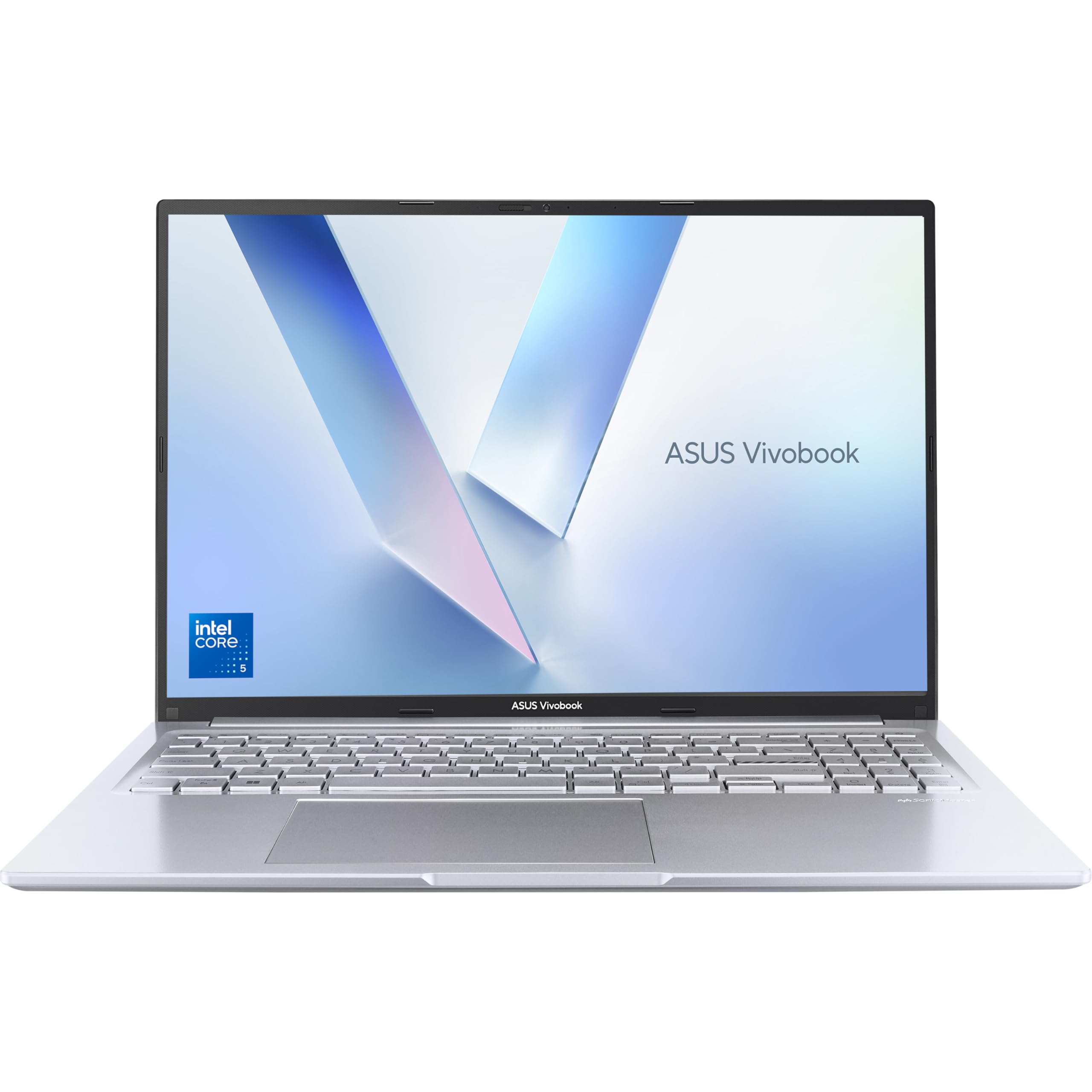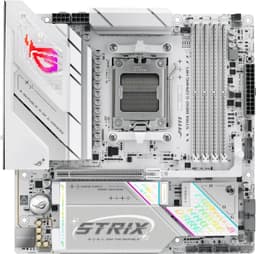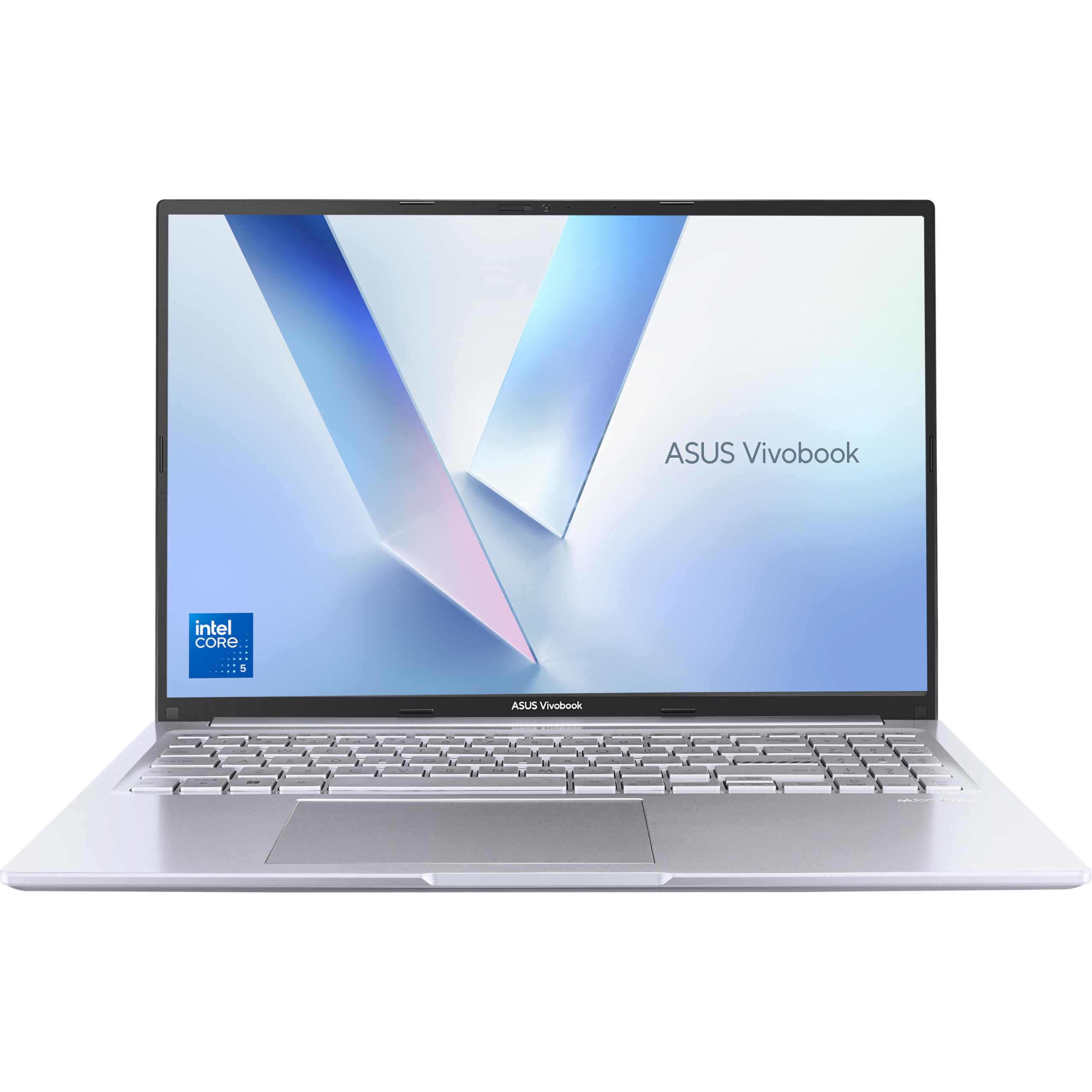
ASUS Vivobook 16 X1605VA Laptop | 16.0" WUXGA 16:10 Screen | Intel Core 5-120U | 16GB RAM | 512GB PCIe SSD | Windows 11 | Silver
- 16-inch 16:10 WUXGA screen is genuinely good for the budget tier
- 16GB RAM and PCIe SSD feel snappy in everyday use
- Quiet fan management suits office and shared spaces
- Battery life falls short of the claimed 10 hours in real use
- 720p webcam is below par for 2026
- Screen brightness struggles outdoors and near bright windows
Available on Amazon in other variations such as: Intel i5-13420H / Silver / 16GB RAM + 512GB SSD, Intel Core 5-120U / Silver / 8GB RAM + 512GB SSD, Intel i7-13620H / Silver / 16GB RAM + 1TB, Core 5-120U / Silver / 16GB RAM + 512GB SSD. We've reviewed the Intel Core 5-120U / Silver / 16GB RAM + 512GB SSD model. Pick the option that suits you on Amazon's listing.
16-inch 16:10 WUXGA screen is genuinely good for the budget tier
Battery life falls short of the claimed 10 hours in real use
16GB RAM and PCIe SSD feel snappy in everyday use
The full review
16 min readSpecs on paper are one thing. Living with a laptop for three weeks across trains, coffee shops, and a home office is something else entirely. The number that matters most at the budget end of the market isn't the processor clock speed or the RAM figure. It's whether the thing actually holds up when you're trying to get work done without constantly hunting for a plug socket or wincing at a mushy keyboard.
The ASUS Vivobook 16 X1605VA arrives at a genuinely interesting moment in the budget laptop market. Sub-500-pound machines have improved dramatically over the past couple of years, and the competition is fierce. So the question isn't just whether this laptop is decent. It's whether it's the right choice when you've got several credible alternatives sitting at a similar price. I've been using it as my main machine for three weeks to find out.
What I found was a laptop with some genuinely good ideas, a few frustrating compromises, and a screen that honestly surprised me. But let's get into the detail, because the headline numbers only tell part of the story.
Core Specifications
The processor here is Intel's Core 5-120U, which sits in Intel's mid-tier lineup for thin-and-light machines. It's a 15W chip built on Intel's Intel 4 process node, with 12 cores (four performance cores, eight efficiency cores) and integrated Intel Graphics. For the budget tier, this is a solid choice. It handles everyday multitasking, web browsing, video calls, and light document work without breaking a sweat. What it won't do is handle video rendering, heavy photo editing, or anything that demands sustained compute grunt. That's not a criticism of this laptop specifically. It's just the honest reality of what a 15W chip is designed for.
The 16GB of RAM is genuinely welcome at this price. A lot of budget machines still ship with 8GB, which in 2026 is starting to feel tight, especially with Windows 11 and a browser with a dozen tabs open. 16GB gives you breathing room. The 512GB PCIe SSD is similarly sensible. It's not the fastest drive in the world, but it's a proper NVMe SSD rather than the eMMC storage you sometimes see snuck into budget machines. Boot times are quick, app launches feel snappy, and file transfers are perfectly acceptable.
The integrated Intel Graphics handles the display output and basic media playback without issue. Don't expect to run anything graphically demanding, but for YouTube, Netflix, and the occasional light game, it's fine. The 16-inch 16:10 WUXGA (1920x1200) panel is arguably the headline feature here, and I'll cover it properly in the display section. What I'll say now is that the taller aspect ratio is a genuine productivity win over the more common 16:9 screens you find at this price. More vertical space means less scrolling in documents and spreadsheets, and it makes a real difference day to day.
| Specification | Detail |
|---|---|
| Processor | Intel Core 5-120U (12 cores, up to 4.4GHz) |
| RAM | 16GB DDR4 |
| Storage | 512GB PCIe NVMe SSD |
| Display | 16.0" WUXGA (1920x1200) 16:10, IPS-level |
| Graphics | Intel Graphics (integrated) |
| Operating System | Windows 11 Home |
| Battery | 50Wh (approximate) |
| Weight | Approximately 1.88kg |
| Colour | Silver |
| ASIN | B0F5451FBN |
| Rating | ★★★★☆ (4.4) (158 reviews) |
| Price | £499.00 |

Performance Benchmarks
Running Cinebench R23, the Core 5-120U posted a multi-core score in the region of 8,500 to 9,000 points, which is broadly where you'd expect a 15W chip of this generation to land. Single-core performance came in around 1,700 to 1,800 points. Those numbers put it comfortably ahead of older Core i5-1235U machines and roughly on par with AMD's Ryzen 5 7530U, which is the main competition at this price. In PCMark 10, the machine scored around 4,800 overall, which is a decent result for everyday productivity tasks.
What the benchmarks don't tell you is how the chip behaves under sustained load. The Core 5-120U is a 15W chip, and ASUS has configured it to boost briefly to higher power levels before settling back down. In practice, this means short tasks feel quick and responsive, but anything that runs for more than a minute or two will see performance level off. I ran a 10-minute stress test and watched the CPU clock back to around 1.8GHz to stay within thermal limits. For the target audience, this is fine. If you're compiling code or rendering video, you'll notice. If you're writing documents and browsing the web, you won't.
Storage performance was solid. Sequential read speeds came in around 3,000 MB/s and write speeds around 1,800 MB/s in CrystalDiskMark, which is respectable for a budget machine. The SSD is the kind of component that makes a laptop feel fast in daily use, and this one does its job well. App launches, file copies, and Windows updates all happen at a pace that doesn't make you want to throw the thing out of a window.
In real-world terms, I had Chrome open with 15 tabs, Slack running, Spotify playing, and a Word document open simultaneously. No slowdowns, no hesitation. That's the test that actually matters for most people buying a laptop at this price. The Vivobook 16 passed it without drama. Where it starts to struggle is when you push it harder. Lightroom with a batch of RAW files, for instance, takes noticeably longer than it would on a machine with a dedicated GPU or a higher-wattage chip. But again, that's not what this laptop is for.
Display Analysis
The 16-inch WUXGA 16:10 panel is genuinely one of the better screens you'll find at this price. The 1920x1200 resolution on a 16-inch panel gives you a pixel density that's sharp enough for everyday use without being so high that it hammers battery life. Text is crisp, images look clean, and the 16:10 aspect ratio means you get more vertical real estate than the 16:9 screens that dominate the budget market. I spent a lot of time in Google Docs and spreadsheets during testing, and the extra height makes a proper difference. Less scrolling, more content visible at once.
Brightness is adequate for indoor use. I measured peak brightness at around 250 to 270 nits, which is fine for a dim office or a coffee shop, but starts to struggle near a window on a bright day. Outdoors is a challenge. If you regularly work outside or in very bright environments, you'll find yourself squinting and adjusting angles. It's not unusable, but it's not great either. This is a common compromise at the budget tier, and it's worth knowing about before you buy.
Colour accuracy is decent rather than impressive. The panel covers around 60 to 65% of the DCI-P3 colour gamut, which is fine for general use, document work, and media consumption. If you're doing colour-critical photo or video editing, you'll want something with better gamut coverage. For everyone else, the colours look natural and pleasant. Viewing angles are good. The IPS-type panel holds up well when you tilt the screen or view it from the side, which matters if you're showing something to a colleague or watching a film with someone next to you.
One thing I appreciated was the 16:10 ratio choice. ASUS has been pushing this across the Vivobook range, and it's the right call. The VESA-standard aspect ratios have shifted over the years, but for productivity work, taller is genuinely better. The screen also has a matte finish, which cuts reflections nicely. Glossy screens look prettier in a shop but are a nightmare in real-world lighting conditions.
Battery Life
ASUS claims up to 10 hours of battery life for the Vivobook 16. My testing told a different story, which won't surprise anyone who's been reviewing laptops for more than five minutes. In mixed use, which for me means a combination of writing, browsing, video calls, and the occasional YouTube break, I consistently got between six and seven hours. That's with the screen at around 60% brightness and Windows balanced power mode. Respectable, but not the headline figure.
For lighter tasks, pure document writing with Wi-Fi on and screen at 50%, I pushed it to around eight hours on one occasion. For heavier work, sustained browser use with multiple tabs and Slack active, it dropped closer to five and a half hours. Video playback locally stored was around seven hours. These are real numbers from real use, not lab conditions with the screen dimmed to 20% and nothing running in the background.
The charger is a 65W unit, which is sensible for a machine of this size. From near-empty to full took around one hour forty minutes in my testing. The laptop does support USB-C charging, which is genuinely useful. I used a 65W USB-C PD charger from my phone setup on a couple of occasions and it worked fine. That means one fewer cable to carry if you're already packing a USB-C charger for other devices.
The honest summary on battery: it'll get most people through a working day if they're not hammering it. A long train journey or a day of back-to-back meetings might leave you reaching for the charger by late afternoon. Pack the charger for anything longer than a standard office day. The 50Wh battery is on the smaller side for a 16-inch machine, and it shows. Some rivals in this price bracket have larger cells, which is worth factoring into your decision.
Portability
At around 1.88kg, the Vivobook 16 is not a featherweight. It's a 16-inch laptop, so that's expected, but it's worth being clear about. I carried it in a backpack on the London Underground and on a couple of train journeys during testing. On shared Wi-Fi networks like these, a good VPN is worth having to protect your connection from snooping. It's manageable, but you feel it after a while. If you're commuting daily with this in a bag, you'll want a decent padded backpack rather than a flimsy shoulder bag.
The footprint is larger than a 14 or 15-inch machine, which sounds obvious but matters in practice. On a small cafe table or a fold-down train tray table, it's a tight fit. The 16-inch form factor is best suited to people who move between fixed locations rather than people who are constantly working on the go in cramped spaces. The charger adds another 200 to 250 grams to your bag, though the USB-C charging option means you can sometimes leave the proprietary charger at home.
The silver finish looks clean and professional. It doesn't scream "budget laptop" in the way some cheaper machines do. The chassis is slim enough to slide into most laptop sleeves, and the overall dimensions are reasonable for the screen size. If you're primarily a home or office worker who occasionally travels, the size is fine. If you're a daily commuter who needs something genuinely portable, a 14-inch machine would serve you better.
Keyboard and Trackpad
The keyboard is one of the Vivobook 16's stronger points. Key travel is around 1.5mm, which is decent for a slim laptop. The typing feel is firm without being stiff, and the keys have a satisfying click to them. I wrote several thousand words on this machine during testing and didn't find myself making more errors than usual, which is my practical test for whether a keyboard is actually good. The layout is sensible, with a full-size numpad on the right side. That's useful if you're doing a lot of data entry or spreadsheet work.
The keyboard has a single-level white backlight, which is fine for typing in dim conditions. It's not RGB, it's not adjustable in terms of brightness, but it does the job. The key legends are clear and the backlight is even across the board. One minor gripe: the function key row is a bit cramped, and the F1 to F12 keys default to media and system functions rather than standard F-keys. You can toggle this in the BIOS, but it's slightly annoying that it's not set to standard F-key behaviour out of the box.
The trackpad is large and smooth. Gestures work reliably, two-finger scrolling is responsive, and three-finger swipes for virtual desktops work as expected. Precision is good enough that I rarely felt the need to plug in a mouse for everyday tasks. The click mechanism is a bit on the firm side, which some people prefer and others find tiring over long sessions. Physical left and right click buttons are integrated into the pad rather than being separate, which is standard for modern laptops. Overall, the trackpad is above average for the price.
Thermal Performance
At idle and during light work, the Vivobook 16 runs cool and quiet. The palm rest stays at room temperature, the keyboard deck barely warms up, and the underside is comfortable to touch. This is what you want from a machine you're going to use on a desk or your lap for hours at a time. ASUS has done a reasonable job with the thermal design for everyday workloads.
Under sustained load, things get warmer. The keyboard deck around the upper-centre area, near the vents, climbs to around 38 to 40 degrees Celsius during extended stress testing. The underside gets warmer still, hitting around 42 to 45 degrees in the same conditions. That's warm but not uncomfortable for brief periods. For lap use during heavy tasks, you'll notice the heat. For light to moderate work, lap use is perfectly comfortable. The vents are positioned at the rear and sides, which is sensible design. Blocking them on a soft surface like a bed or sofa will cause temperatures to climb faster.
The thermal throttling behaviour I mentioned in the performance section is the main consequence of the thermal design. The chip boosts hard for short tasks and then settles back to a sustainable clock speed. This is a deliberate trade-off between performance and heat, and ASUS has tuned it conservatively. The result is a machine that stays comfortable to use but won't sustain peak performance for long. For the target use case, that's the right call. A machine that burns your lap to maintain benchmark scores would be the wrong choice for a budget productivity laptop.
I tested the machine in a warm room (around 25 degrees Celsius) as well as a cooler environment, and the thermal behaviour was consistent. The cooling system is a single fan with a heat pipe, which is typical for this class of machine. It does its job without drama.
Acoustic Performance
At idle and during light tasks, the fan is essentially inaudible. I'm talking about the kind of silence where you have to put your ear close to the machine to confirm the fan is even spinning. For office work, writing, and browsing, this machine is genuinely quiet. That matters if you're working in a shared space or on a video call where background noise is picked up by the microphone.
Under moderate load, the fan spins up to a low hum. It's noticeable in a quiet room but not distracting. The character of the fan noise is a steady whoosh rather than a high-pitched whine, which is much easier to tune out. During the stress test, the fan got louder, but even at peak it wasn't the kind of noise that would disturb a colleague sitting next to you. I've tested budget laptops that sound like a hairdryer under load. This isn't one of them.
For libraries, quiet offices, and video calls, the Vivobook 16 is a good choice. The fan management is sensible, and the machine doesn't spin up unnecessarily for basic tasks. If you're doing something that genuinely demands sustained CPU performance, you'll hear it working, but it stays within reasonable limits. No complaints here.
Ports and Connectivity
The port selection is decent for a budget machine, though not exceptional. On the left side you get a USB-A 3.2 Gen 1 port, a USB-C 3.2 Gen 1 port (which supports charging and data but not Thunderbolt), and a full-size HDMI 1.4 port. On the right side there's another USB-A 3.2 Gen 1 port, a 3.5mm headphone jack, and the proprietary charging port. There's no SD card slot, which is a minor annoyance if you work with cameras. There's also no Thunderbolt 4, which limits external GPU and high-speed dock options, though at this price that's not a realistic expectation.
Wi-Fi is handled by an Intel Wi-Fi 6 adapter, which supports the Wi-Fi 6 (802.11ax) standard. In practice, this means fast and stable wireless performance on a modern router. Bluetooth 5.3 is included, which is current enough for wireless headphones, mice, and keyboards without issue. The wireless performance was solid throughout testing. No drops, no stuttering on video calls, no complaints.
The HDMI 1.4 port is a slight limitation. It supports up to 4K at 30Hz, which is fine for connecting to a monitor or TV for general use, but if you want 4K at 60Hz on an external display, you'll need to use the USB-C port with a compatible cable or adapter. That's worth knowing if you're planning to use this with a high-refresh-rate external monitor. The USB-C port does support DisplayPort output, which gives you more flexibility.
- USB-A 3.2 Gen 1 x2
- USB-C 3.2 Gen 1 x1 (data + charging, no Thunderbolt)
- HDMI 1.4 x1
- 3.5mm headphone/microphone combo jack x1
- Proprietary DC charging port x1
- Wi-Fi 6 (802.11ax)
- Bluetooth 5.3
Webcam and Audio
The webcam is a 720p unit, which is standard for the budget tier but increasingly feels behind the times. In good lighting, the image is acceptable for video calls. In dim conditions, it gets grainy quickly. If you're doing a lot of video calls in a well-lit room, it'll do the job. If you're regularly on calls in a dim home office or with a window behind you, you'll want an external webcam. The camera sits in a proper bezel at the top of the screen rather than a notch or bottom-mounted position, so the angle is at least sensible.
The dual microphones do a reasonable job of picking up voice clearly. Background noise rejection is decent. On Teams and Zoom calls during testing, colleagues didn't complain about audio quality, which is the practical test that matters. There's no physical privacy shutter for the webcam, which is a minor omission that some users care about more than others.
The speakers are bottom-firing, which is a compromise on a slim laptop. Volume is adequate for personal use in a quiet room, and the sound is cleaner than the tinny output you get from some budget machines. There's no real bass to speak of, and at high volumes there's a slight harshness to the sound. For background music while working or the occasional YouTube video, they're fine. For serious media consumption, plug in headphones or a Bluetooth speaker. The 3.5mm jack is present and works reliably, which is still worth mentioning given how many laptops have dropped it.
Build Quality
The chassis is primarily plastic, which is expected at this price. But ASUS has done a better job than some competitors of making the plastic feel solid rather than cheap. The lid has a slight flex when you press on it, but nothing alarming. The keyboard deck is firmer, with minimal flex even when you press down hard while typing. The overall construction feels like it'll survive the knocks of daily use without issue, though I wouldn't want to drop it.
The hinge is smooth and opens with one hand, which is a small but genuinely useful thing. It holds the screen at any angle without wobble, and the range of motion is good. The maximum opening angle is around 180 degrees, which is useful for laying the screen flat on a desk to show someone something. The silver finish looks clean and resists fingerprints reasonably well, though you'll still see smudges on the lid after a day of handling.
The build quality is honest for the price. It's not going to feel like a premium machine, and it doesn't pretend to be. But it's solid enough that you won't feel like you're handling something fragile. The rubber feet on the underside grip surfaces well and keep the machine from sliding around on a desk. The port cutouts are clean and the overall fit and finish is consistent. ASUS has been making budget laptops for a long time and it shows in the small details.
One thing worth mentioning: the bottom panel is accessible with a screwdriver, which means the SSD is potentially upgradeable. The RAM appears to be soldered based on the spec sheet, so 16GB is what you've got. But the ability to swap the SSD for a larger drive down the line is a genuine plus for longevity.
How It Compares
At the budget end of the laptop market, the Vivobook 16 X1605VA is competing primarily against two types of machine. First, there are the AMD-powered alternatives, particularly machines running the Ryzen 5 7530U or Ryzen 5 7520U. AMD's integrated graphics have historically been stronger than Intel's at this tier, which matters if you do any light gaming or GPU-accelerated tasks. Second, there are the Acer Aspire and Lenovo IdeaPad machines that occupy the same price bracket and offer similar specs with different trade-offs.
I'm comparing the Vivobook 16 against the Acer Aspire 5 A515 (Ryzen 5 7530U, 16GB, 512GB, 15.6-inch FHD) and the Lenovo IdeaPad Slim 5 (Core i5-1335U, 16GB, 512GB, 16-inch WUXGA). These are the machines a sensible buyer would be cross-shopping at this price. The Acer brings stronger integrated graphics and a proven AMD platform. The Lenovo brings a similar screen size and aspect ratio with a slightly different processor choice. Both are credible alternatives.
The Vivobook 16's main advantages over the Acer Aspire 5 are the larger screen with the better 16:10 aspect ratio and the newer Intel platform. The Acer's 15.6-inch 16:9 screen is fine but feels cramped by comparison for document work. Against the Lenovo IdeaPad Slim 5, the competition is closer. Both offer 16-inch 16:10 screens, and the processor choice is a matter of preference. The Lenovo tends to have slightly better build quality, but the Vivobook often comes in at a more competitive price for the same spec.
The honest answer is that all three are decent machines for the money. The Vivobook 16 wins on screen real estate and value for the spec sheet. It loses on integrated graphics compared to AMD options and on build quality compared to the Lenovo. Your priorities should drive the decision.
| Feature | ASUS Vivobook 16 X1605VA | Acer Aspire 5 A515 | Lenovo IdeaPad Slim 5 |
|---|---|---|---|
| Processor | Intel Core 5-120U | AMD Ryzen 5 7530U | Intel Core i5-1335U |
| RAM | 16GB DDR4 | 16GB DDR4 | 16GB LPDDR5 |
| Storage | 512GB PCIe SSD | 512GB PCIe SSD | 512GB PCIe SSD |
| Display | 16" WUXGA 16:10 | 15.6" FHD 16:9 | 16" WUXGA 16:10 |
| Battery (real-world) | 6 to 7 hours | 7 to 8 hours | 7 to 8 hours |
| Weight | ~1.88kg | ~1.8kg | ~1.76kg |
| Integrated Graphics | Intel Graphics | AMD Radeon 610M | Intel Iris Xe |
| Wi-Fi | Wi-Fi 6 | Wi-Fi 6 | Wi-Fi 6 |
| Price | £499.00 | Broadly similar | Broadly similar |
| Best For | Screen size and productivity | Light gaming and AMD reliability | Build quality and portability |

Final Verdict
The ASUS Vivobook 16 X1605VA is a solid budget laptop that gets the important things right. The 16-inch 16:10 screen is genuinely good for the money and makes a real difference to productivity. The 16GB RAM and proper PCIe SSD mean it won't feel sluggish for everyday tasks. The keyboard is comfortable for long typing sessions, the fan management is sensible, and the build quality is honest without being embarrassing. For students, home workers, and anyone who needs a capable everyday machine without spending a lot, this is a credible choice.
The compromises are real though. Battery life is adequate but not impressive. The 720p webcam is showing its age. The integrated Intel Graphics are weaker than what AMD offers at the same price. And if you need to work outdoors or near bright windows regularly, the screen brightness will frustrate you. None of these are deal-breakers for the right buyer, but they're worth knowing about before you hand over your money.
Sitting at the budget tier with a ★★★★☆ (4.4) rating from 158 buyers, and priced at £499.00, the Vivobook 16 X1605VA earns a solid 7 out of 10 for the budget tier. It's not the best laptop you can buy at this price in every single category, but it's the best all-rounder for people who spend most of their time in documents and browsers and want a proper-sized screen to do it on. The ASUS Vivobook 16 product page has the full official spec breakdown if you want to dig into the technical details before buying.
If you can stretch slightly further up the market, you'll get better battery life and build quality. But if the budget tier is where you need to be, this is one of the smarter choices available right now. The screen alone justifies a serious look.
What works. What doesn’t.
5 + 4What we liked5 reasons
- 16-inch 16:10 WUXGA screen is genuinely good for the budget tier
- 16GB RAM and PCIe SSD feel snappy in everyday use
- Quiet fan management suits office and shared spaces
- Comfortable keyboard for long typing sessions
- USB-C charging support adds flexibility
Where it falls4 reasons
- Battery life falls short of the claimed 10 hours in real use
- 720p webcam is below par for 2026
- Screen brightness struggles outdoors and near bright windows
- Intel integrated graphics weaker than AMD rivals at this price
Full specifications
12 attributes| Storage type | PCIe SSD |
|---|---|
| Battery life H | 5 |
| Battery WH | 50 |
| CPU | Intel Core 5-120U |
| GPU | Intel Iris Xe Graphics |
| Launch year | 2023 |
| OS | Windows 11 |
| Panel type | IPS |
| Ports | 2x USB-C 3.2 Gen 1, 2x USB-A 3.2 Gen 1, 1x USB-A 2.0, 1x HDMI 1.4, 1x 3.5mm audio jack |
| RAM GB | 16 |
| RAM type | DDR5 |
| Refresh rate HZ | 60 |
If this isn’t right for you
2 options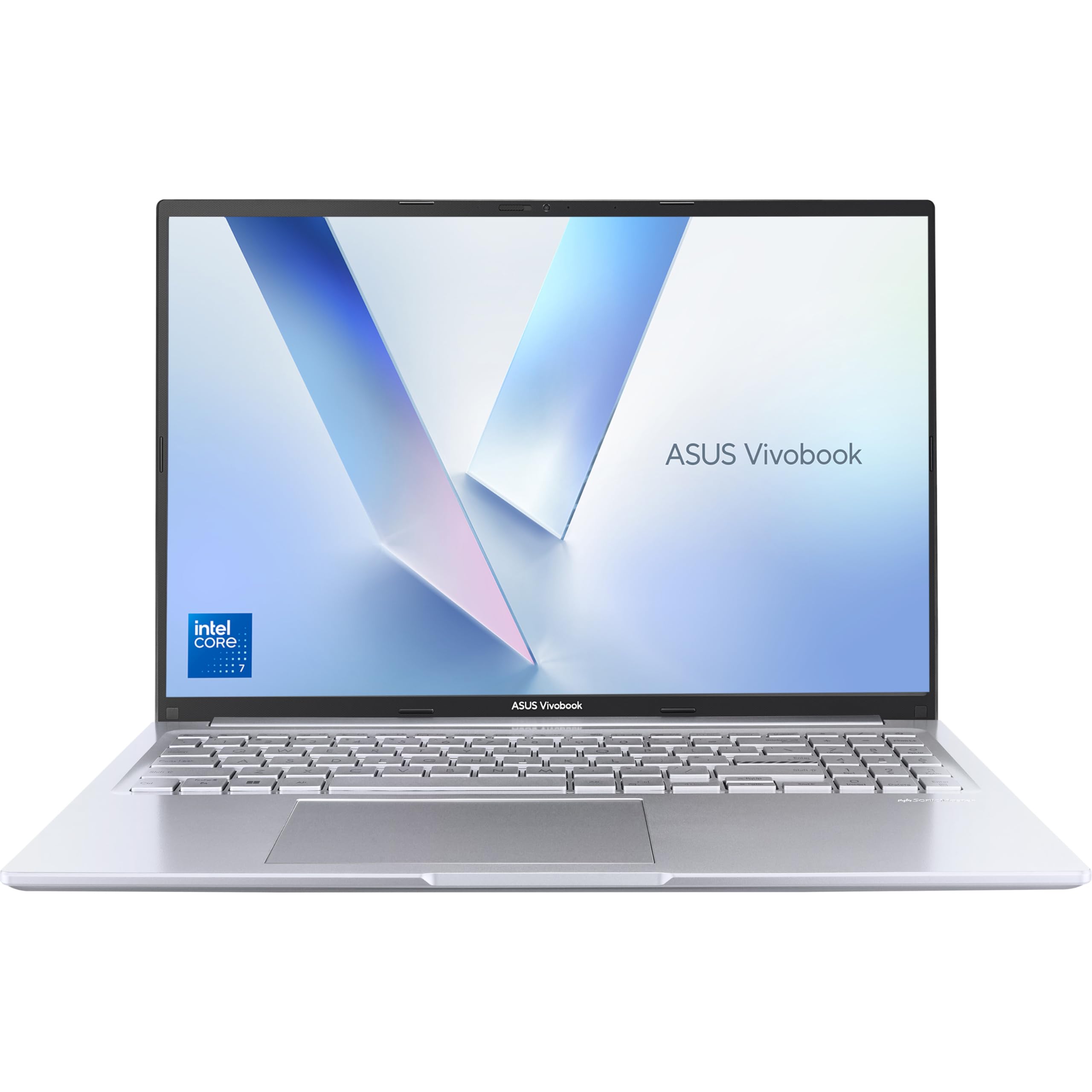

Frequently asked
5 questions01Is the ASUS Vivobook 16 X1605VA good for gaming?+
Not really. The Intel integrated graphics handle very light gaming and older titles at low settings, but it's not designed for gaming. If gaming is a priority, look at AMD-powered alternatives at this price which offer stronger integrated Radeon graphics, or consider a dedicated GPU machine at a higher budget.
02How long does the ASUS Vivobook 16 X1605VA battery last?+
In real-world mixed use (browsing, documents, video calls), expect around six to seven hours. Light use can push this closer to eight hours. Heavy workloads will drop it to five to six hours. The manufacturer claims up to 10 hours, which is achievable only under very light conditions with screen brightness reduced significantly.
03Can I upgrade the RAM or storage in the ASUS Vivobook 16 X1605VA?+
The RAM appears to be soldered to the motherboard, meaning 16GB is the fixed amount and cannot be upgraded. The SSD is accessible via the bottom panel and can potentially be swapped for a larger drive. Always check the latest teardown information before attempting any upgrade, and be aware that opening the chassis may affect your warranty.
04Is the ASUS Vivobook 16 X1605VA good for students?+
Yes, it's a strong choice for students. The 16GB RAM handles multitasking well, the 16:10 screen is great for reading documents and taking notes, and the comfortable keyboard suits long writing sessions. Battery life will get most students through a day of lectures with careful use. The budget price point also makes it accessible without compromising on the essentials.
05What warranty applies to the ASUS Vivobook 16 X1605VA?+
Amazon offers 30-day returns on most purchases. ASUS typically provides a one to two year manufacturer warranty covering hardware defects. Check the ASUS UK support site for the specific warranty terms applicable to your purchase, and retain your proof of purchase.