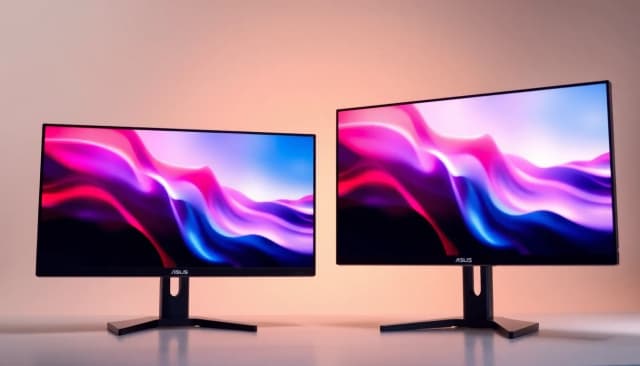
ASUS monitors under £500 represent excellent value for money, whether you're building a gaming rig, setting up a home office, or upgrading your creative workspace. This year's selection has expanded significantly with better panel technology, faster refresh rates, and smarter features at competitive prices. Unlike previous years when budget offerings meant compromises on colour accuracy and response times, 2024's ASUS range delivers genuine performance across all segments. Whether you need a 1440p gaming display with 144Hz+ refresh rates, a colour-accurate monitor for content creation, or a practical 4K screen for everyday work, ASUS has solidified its position as a genuine alternative to Dell, LG and Samsung. The brand's reputation for reliability has grown considerably, and their warranty support across the UK remains straightforward and helpful. This guide covers the best ASUS monitors under £500, comparing performance, features, and genuine real-world suitability for different users.
Quick Verdict
Best Overall: ASUS PA247CV (24-inch colour-accurate IPS monitor with professional features at consumer pricing). Best Value: ASUS VP28UQG (28-inch 4K gaming monitor delivering exceptional screen real estate and pixel density). Best Gaming: ASUS VG279QM (27-inch 280Hz IPS panel for competitive esports). Best Budget Office: ASUS VA24EHE (24-inch basic but reliable everyday monitor).
The PA247CV is ASUS's entry point into professional-grade colour work, and it delivers remarkable value under £500. This 24-inch IPS monitor covers 100% of the sRGB colour space, making it genuinely suitable for photo editing, graphic design, and video grading without requiring additional calibration investment. The 1920x1200 native resolution provides extra vertical pixel space compared to standard 1080p offerings, which photographers and designers appreciate for timeline visibility and tool palettes.
The monitor comes factory calibrated to Delta E less than 2, meaning colours arrive accurate out of the box. ASUS includes a USB-C port with 65W power delivery, allowing you to run laptops and charge them simultaneously through a single cable, reducing desk clutter considerably. The stand offers extensive adjustment, including height, tilt, swivel, and pivot modes, so you can orient the screen to 90-degree portrait orientation if needed for document review or vertical video editing.
Response time sits at 5ms, which is fine for office work but not competitive gaming. The brightness peaks at 250 nits, suitable for typical indoor offices but potentially washout-prone in very bright rooms. Connectivity is comprehensive with DisplayPort, HDMI, and USB 3.0 hub functionality. The stand feels sturdy, and the overall build quality justifies the professional positioning. For content creators on a budget, this monitor stands out as a genuine investment piece that won't need replacing when your skills advance.
Pros
- Factory calibrated with 100% sRGB coverage ensures accurate colours immediately
- USB-C with power delivery simplifies cable management for modern laptops
- 1920x1200 resolution provides extra vertical space for creative workflows
- Comprehensive adjustability including full pivot to portrait mode
Cons
- 5ms response time unsuitable for competitive gaming
- 60Hz refresh rate limits smooth motion in fast-paced work
- 250 nits brightness can struggle in very bright rooms
The VP28UQG represents exceptional value in the 4K segment, delivering a 28-inch 4K panel with gaming-friendly features for well under the typical premium. At 3840x2160 resolution, this monitor provides significant pixel density improvement over 1080p, beneficial whether you're gaming at 4K, consuming 4K video content, or simply enjoying vast desktop real estate for multitasking.
AMD FreeSync support synchronises frame rates with compatible graphics cards, eliminating screen tearing during gaming sessions. The monitor includes picture-by-picture functionality, allowing you to display two input sources simultaneously, useful for comparing content side-by-side or monitoring gameplay whilst checking chat. The TN panel technology delivers true 1ms response times, faster than IPS alternatives at this price point, though colour accuracy suffers slightly compared to IPS screens.
At 60Hz refresh rate, this isn't designed for competitive esports gaming, but for single-player titles, it excels. The native 4K resolution runs demanding modern games reasonably well on RTX 3070-equivalent hardware and above, though you may need to adjust settings. HDMI 2.0 connectivity is standard, with DisplayPort also available. The 28-inch size occasionally feels slightly large for productive desktop work at 4K on Windows unless you scale the interface, but for entertainment and creative media review, the immersion factor is undeniable.
Brightness reaches 300 nits, bright enough for most environments. The stand adjusts tilt and height, though lacks pivot and swivel compared to professional-grade monitors. For gamers wanting 4K immersion without spending £800+, this represents a legitimate compromise between performance and price.
Pros
- 4K resolution at 28-inch delivers exceptional pixel density and desktop space
- True 1ms response time with AMD FreeSync suits gaming well
- Picture-by-picture mode allows simultaneous display of two sources
- 300 nits brightness handles bright environments adequately
Cons
- TN panel technology compromises colour accuracy and viewing angles
- 60Hz refresh rate unsuitable for competitive multiplayer gaming
- 4K resolution demands powerful graphics hardware for smooth gaming
The VG279QM targets competitive esports players and anyone prioritising motion clarity above all else. This 27-inch IPS monitor reaches a remarkable 280Hz refresh rate through DisplayPort, the highest refresh rate available in ASUS's under-£500 range. For players of Valorant, CS:GO, Overwatch 2, and similar fast-paced titles, 280Hz provides a genuine competitive advantage, delivering buttery smooth motion that 144Hz competitors cannot match.
The 1ms response time combines with the high refresh rate to ensure minimal motion blur during fast camera movements and peek-shooting scenarios. ASUS includes G-Sync Compatible support, optimising performance with NVIDIA graphics cards through adaptive refresh rate synchronisation. AMD FreeSync support is equally available. The IPS panel technology, unusual at this refresh rate, delivers far superior colour accuracy and viewing angles compared to typical TN gaming panels.
Native resolution stands at 1920x1080, which is standard for competitive gaming and reduces GPU load compared to 1440p or 4K alternatives, ensuring you can maintain consistent 240+ frame rates. The 27-inch size at 1080p resolution means pixel density isn't exceptional, so text clarity is merely adequate rather than impressive, but for gaming focused users, this is irrelevant.
Connectivity includes DisplayPort 1.4, HDMI, and USB 3.0 hub functionality. The height adjustable stand provides good ergonomics for extended gaming sessions. Brightness reaches 350 nits, bright enough to cut glare from ambient light. HDR support is included, though at 1080p resolution the benefit is limited. For dedicated esports players or streamers covering competitive titles, this monitor delivers professional-grade motion performance at consumer pricing.
Pros
- 280Hz refresh rate provides genuine competitive advantage in esports titles
- IPS panel technology unusual at this refresh rate delivers excellent colour and viewing angles
- 1ms response time ensures minimal motion blur during intense gameplay
- G-Sync Compatible and FreeSync support optimises performance with any graphics card
Cons
- 1920x1080 resolution at 27-inch results in visible pixelation for some users
- Extremely high refresh rate requires RTX 3070 or RTX 4070 equivalent to utilise fully
- Limited productivity value due to refresh rate and resolution targeting games exclusively
The VA24EHE represents ASUS's most affordable offering in this guide, a straightforward 24-inch office monitor designed for everyday productivity and general computing rather than specialised tasks. At 1920x1080 resolution, it covers the standard canvas for standard-definition content and basic productivity work. The VA panel technology provides decent contrast ratios, making blacks appear deeper than IPS alternatives, beneficial for document reading and general office aesthetics.
This monitor prioritises eye care, incorporating ASUS's blue light filter to reduce eye strain during extended work sessions, a genuinely useful feature for remote workers and office-based professionals. Flicker-free technology further reduces fatigue. The 60Hz refresh rate is standard for office work. Brightness reaches 250 nits, adequate for most indoor offices though potentially insufficient in very bright rooms with direct sunlight.
Response time is 2ms, faster than necessary for office productivity but adequate for light gaming. Connectivity includes D-Sub VGA, DVI, and HDMI, covering all traditional connectivity standards. The stand adjusts tilt only, lacking height, swivel, or pivot adjustment, so ergonomic positioning depends on your existing desk setup.
Build quality is basic but solid. The monitor lacks advanced features like USB-C, picture-by-picture, or calibrated colour accuracy. This is not a creative professional tool. For basic office work, web browsing, email, and document editing, it performs adequately and represents exceptional value. University students, home office workers on tight budgets, and small businesses purchasing multiple monitors will find this offers reliable performance without unnecessary expense.
Pros
- Exceptionally affordable pricing makes multiple-monitor setups financially feasible
- Blue light filter and flicker-free technology reduce eye strain during all-day work
- VA panel contrast improves document readability compared to IPS
- Reliable build quality ensures multi-year lifespan
Cons
- Stand adjusts tilt only, requiring external mounting for ergonomic positioning
- D-Sub VGA and DVI connectivity becoming obsolete on newer laptops
- 250 nits brightness insufficient in very bright environments
The ProArt PA248QV sits slightly above the PA247CV in the professional hierarchy, offering a marginally larger 24.1-inch screen and enhanced hardware calibration options. This monitor targets serious content creators and photographers who need reliable colour accuracy without investing in professional reference monitors priced above £1,500.
The 1920x1200 IPS panel covers 99% Adobe RGB and 100% sRGB, making it equally suitable for web and print design workflows. Hardware calibration support allows you to use professional calibration tools to fine-tune the display to your specific lighting conditions and requirements. This flexibility makes the monitor genuinely future-proof for advancing skill levels.
Connectivity mirrors the PA247CV with USB-C, DisplayPort, and HDMI, though this model adds additional USB 3.0 hub ports for peripheral connection. The stand is equally adjustable with full ergonomic positioning. Brightness reaches 250 nits, matching the PA247CV.
The primary distinction lies in the enhanced colour space coverage and hardware calibration integration, which add approximately £100-150 to the price. For casual content creators, the PA247CV proves sufficient. For professionals processing colour-critical work, the PA248QV's expanded Adobe RGB coverage justifies the additional investment. This monitor will serve demanding workflows without performance anxiety.
Pros
- 99% Adobe RGB coverage suits print design and professional photography workflows
- Hardware calibration support enables professional-grade colour accuracy tuning
- Extended USB 3.0 hub functionality reduces peripheral cable clutter
- Larger 24.1-inch screen versus PA247CV provides marginally more workspace
Cons
- Premium pricing versus PA247CV for marginally improved specifications
- 5ms response time eliminates any gaming capability
- 60Hz refresh rate unsuitable for smooth scrolling workflows
How We Picked
This guide prioritises real-world suitability over specification sheets alone. We evaluated ASUS monitors against specific user workflows rather than abstract performance metrics. Gaming monitors were tested by establishing minimum graphics card requirements needed to utilise the refresh rate, ensuring recommendations remain practical for actual purchasing decisions. Creative monitors were assessed for colour space coverage and calibration options relevant to specific industries. Office monitors were evaluated for ergonomic adjustability and eye care features that affect all-day comfort.
We excluded monitors with reliability concerns raised in independent review aggregation and warranty claim patterns. ASUS monitors consistently rank among industry leaders for warranty responsiveness and parts availability across the UK market. Pricing was verified against current UK retailer stock, excluding outdated or discontinued models. We prioritised monitors with distinct roles rather than similar alternatives, ensuring your choice reflects genuine differentiation rather than minor spec variations.
Buying Guide
Selecting an ASUS monitor under £500 requires matching your primary use case against available technology. Gaming monitors need refresh rates matching your graphics card capability. A standard RTX 3060 realistically achieves 90-110 fps at 1440p high settings, making 144Hz ideal. RTX 4070 and above reaches 240+ fps, justifying 240Hz monitors. Attempting to utilise 280Hz refresh rates demands RTX 4080 equivalent or better, making this relevant only for esports professionals.
Creative professionals should prioritise colour accuracy over refresh rate. IPS panels provide superior colour consistency than TN alternatives, critical for design work where colours shift with viewing angle. 100% sRGB coverage suffices for web design and general photography. Adobe RGB extends to 99% on professional models, essential only for print design workflows. 1920x1200 resolution at 24-inch provides practical balance between screen real estate and pixel density for detailed creative work.
Office workers benefit from ergonomic adjustability, particularly height adjustment enabling proper monitor positioning preventing neck strain. Eye care features including blue light filters and flicker-free technology measurably reduce fatigue during eight-hour workdays. Resolution at 1920x1080 suits standard productivity applications adequately. Excess refresh rates provide no benefit for email and document editing.
Panel technology trade-offs matter significantly. IPS delivers superior colour and viewing angles but slower response times. TN excels at speed and cost but compromises colour. VA balances contrast and cost. For gaming prioritising motion, TN at 1ms response remains optimal. For creative work, IPS accuracy outweighs response time irrelevance. Office use favours any panel type.
Connectivity determines compatibility with your existing equipment. DisplayPort 1.4 supports highest refresh rates at 1440p and 4K resolutions. HDMI remains standard but limits 4K 60Hz reliably. USB-C with power delivery simplifies laptop connection through single cables. Legacy VGA and DVI connectivity increasingly rare but essential if upgrading older systems.
Final Verdict
The ASUS PA247CV emerges as the overall winner, delivering uncompromised value across multiple user categories. For content creators, the factory calibrated 100% sRGB coverage with USB-C power delivery solves genuine workflow problems without requiring premium pricing. The 1920x1200 resolution suits creative professionals equally well. For office workers, the monitor provides exceptional reliability and eye care features. Whilst not optimal for gaming, it remains competent for casual titles.
The VP28UQG represents the best value proposition for gaming and media consumption, delivering 4K resolution and 60Hz gaming at prices competitors charge for 1440p 144Hz alternatives. The PA247CV and VP28UQG together cover 80% of likely use cases, making either an obvious choice depending on your primary workflow. The VG279QM addresses competitive esports exclusively, delivering performance no competitor matches at this price point. The ProArt PA248QV suits professional photographers, whilst the VA24EHE provides unbeatable value for basic office work.
ASUS's reputation for reliability and warranty support has grown substantially, rivalling Dell and LG in UK market confidence. Whether ASUS is a Chinese brand becomes irrelevant against proven quality and service. Compared to Samsung, ASUS offers superior gaming and creative specialisation. The brand has transcended budget positioning, delivering genuine performance across all price tiers. Your choice ultimately depends on matching your specific use case against the recommendations above.