The best CPU for you depends on what you do most: pure gaming rewards fast cores and cache, while video, code and 3D reward core count. We've tested current chips and scored them on real gaming frame rates, productivity throughput, power draw and value, not just clock speeds.
Here are our picks across budget, mid-range and premium, then how to choose, including how the processor fits the rest of your build.
How we picked
We weight real-world gaming frame pace and measured productivity throughput over headline GHz, factor in power draw and the cooler you'll need, and judge value against the whole platform cost (board and memory), not just the chip. A sensible mid-range chip on a good board beats an overspent flagship that's bottlenecked elsewhere.
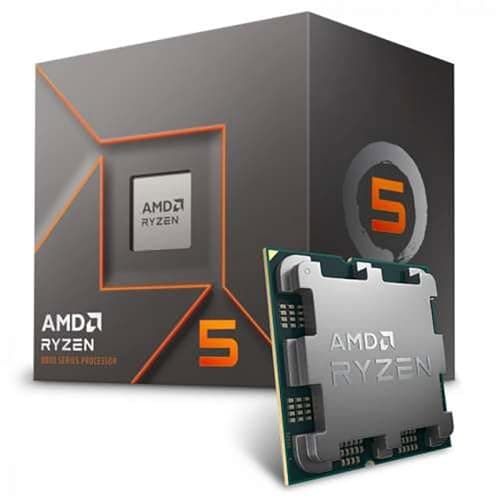
Best budget CPU: AMD Ryzen 5 8400F
The Ryzen 5 8400F is the sensible heart of an affordable build. Six modern cores are plenty for mainstream gaming and everyday multitasking, it runs cool, and it leaves budget for the GPU, where it matters most for frames. The value pick.
Mid-range tierBest mid-range CPU: AMD Ryzen 9 7900X
Step up to twelve cores and the Ryzen 9 7900X chews through video edits, compiles and heavy multitasking while still gaming superbly. The sweet spot for creators and anyone who wants headroom without flagship pricing.
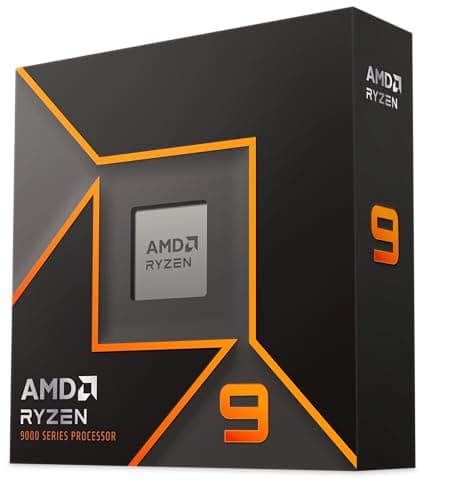
Best premium CPU: AMD Ryzen 9 9950X
The Ryzen 9 9950X is the do-everything flagship: sixteen of the fastest cores around for the heaviest workstation tasks, and elite gaming on top. If your work pays for the power and you want no compromises, this is it.
Decision frameworkHow to choose the right CPU
- Gaming or work? For mostly gaming, spend on the GPU and pick a strong mid-range CPU. For video, code or 3D, more cores pay off.
- Platform cost. The chip is only part of it: budget for a compatible motherboard and the right memory. AMD's AM5 platform has a long upgrade runway.
- Cooling. Higher-end chips run hot and need a capable air or liquid cooler. Factor that into the budget.
- Don't bottleneck. Match the CPU to the GPU and resolution. At 4K the GPU does most of the work, so a mid-range CPU is often plenty.
- Integrated graphics. If you're not buying a GPU yet, check whether the chip has integrated graphics (an F suffix usually means it doesn't).
Components to pair with your CPU