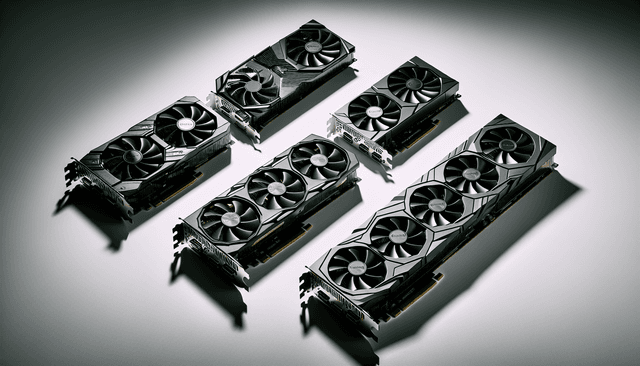
Our editors evaluated 5 Gpu options against the criteria readers actually weigh up: price, real-world performance, build quality, warranty, and UK availability. Picks lean toward what we'd recommend to a friend buying today, not specs-on-paper winners.
Hands-on contextEditor notes from individual reviews, not press releases.
Live UK pricingRefreshed from Amazon UK twice daily.
No paid placementsAffiliate commission doesn't change what wins.
Best Graphics Cards for content creators in the UK 2026
Finding the best graphics cards for content creators is genuinely harder than it looks. The GPU market in 2026 spans everything from ageing Turing-era cards to brand-new Blackwell architecture, and the price range is all over the place. Whether you're cutting 4K footage in DaVinci Resolve, running heavy After Effects compositions, or doing 3D rendering in Blender, the GPU you pick makes a real difference to how fast you can actually get work done. We've pulled together five options at different price points and been honest about where each one shines and where it falls short.
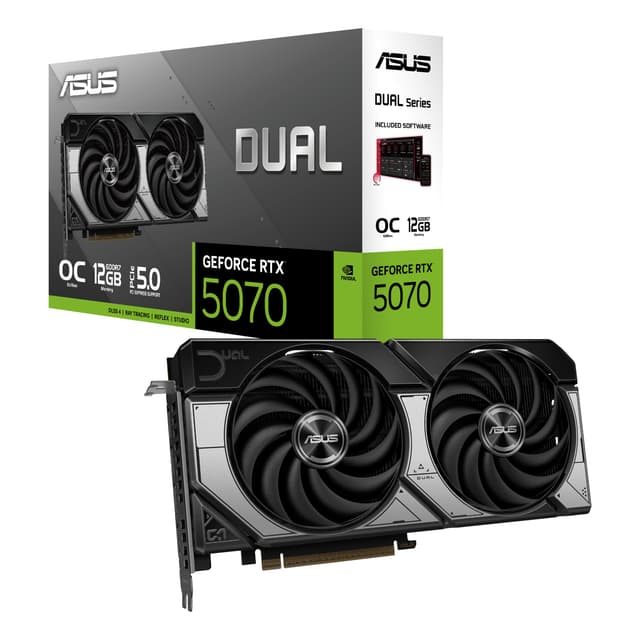
Here's the thing: if you're serious about content creation and you want a GPU that won't feel limiting for the next three or four years, the ASUS DUAL RTX5070 OC is the one to get. It's the priciest card in this roundup, no question. But the combination of 12GB GDDR7 memory, a 2572MHz boost clock, and PCIe 5.0 support puts it in a different league for demanding creative workflows.
For video editors, the big win here is the NVENC encoder on Blackwell architecture. Exporting 4K H.264 or H.265 footage is dramatically faster than on older cards, and AV1 hardware encoding is genuinely useful if you're delivering content for YouTube or streaming platforms. In DaVinci Resolve, the extra CUDA cores mean colour grading with heavy node stacks stays responsive rather than grinding to a halt.
The 12GB of GDDR7 is also worth calling out specifically. GDDR7 has higher bandwidth than GDDR6, which matters when you're scrubbing through high-bitrate 4K or 8K timelines. Blender users will notice the difference too, particularly on scenes with complex geometry and textures that push VRAM usage up.
And the compact SFF-ready design is a genuine bonus. A lot of creators work in smaller form factor builds to keep their desk tidy, and the fact that this card fits those cases without sacrificing cooling performance is a proper practical advantage. Three DisplayPort outputs mean you can run a multi-monitor setup without an adapter faff.
The price is the obvious sticking point. But if you're billing clients for your work, the time you save on renders and exports pays back the premium fairly quickly.
Pros
12GB GDDR7 handles demanding 4K and 3D workflows with ease
Blackwell NVENC encoder is excellent for fast video exports
Compact SFF-ready design suits a wide range of creator builds
Three DisplayPort outputs for multi-monitor setups
PCIe 5.0 future-proofs the card for years to come
Cons
Expensive, the highest price in this roundup
PCIe 5.0 benefit is minimal on current motherboards
Overkill for creators working exclusively in 1080p
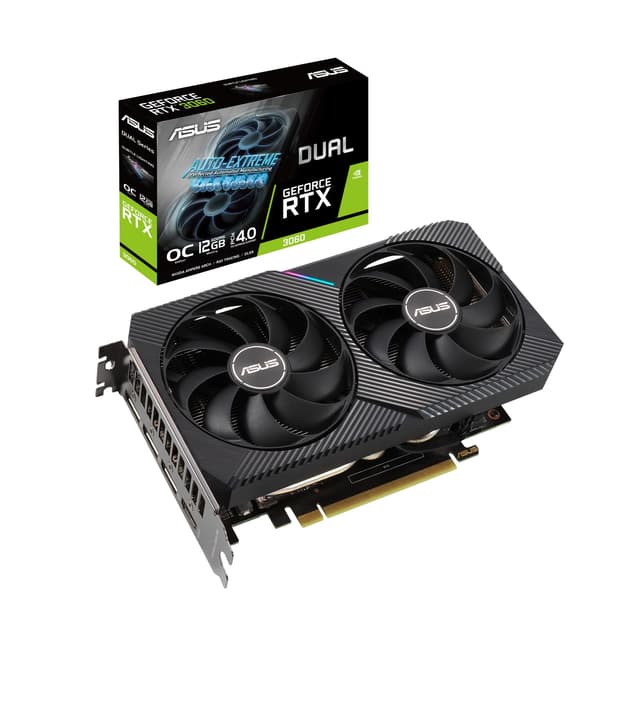
The RTX 3060 has been a favourite among content creators for a few years now, and honestly it's not hard to see why. That 12GB GDDR6 frame buffer is the headline feature. At a time when most cards at this price point were shipping with 8GB, Nvidia gave the 3060 a generous VRAM allocation that makes it genuinely capable for serious creative work.
In practice, that means you can load up a complex Premiere Pro timeline with multiple 4K clips, colour correction plugins, and audio tracks without the card constantly swapping data in and out. It stays composed where cards with less VRAM start to stutter. For Blender users, 12GB means you can tackle mid-complexity scenes without constantly hitting memory limits.
The ASUS DUAL V2 OC cooler is proper decent too. Two fans, a solid heatsink, and ASUS's Auto-Extreme manufacturing process mean this card runs cool and quiet under sustained creative workloads. That matters more than people realise. A card that throttles under load because it's overheating is going to slow your renders down in ways that don't show up in spec sheets.
DLSS 2 support is less relevant for creators than gamers, but the underlying RTX architecture means you get Ampere-generation CUDA cores and NVENC hardware encoding. Exports in Resolve and Premiere are noticeably faster than on the GTX 1660 Super, and the card handles GPU-accelerated effects without breaking a sweat at 1080p and 1440p.
The DVI-D port is a bit of an oddity in 2026, but the HDMI 2.1 and DisplayPort 1.4a outputs cover most modern monitor setups. One minor gripe: only one DisplayPort output limits multi-monitor flexibility compared to newer cards.
Pros
12GB VRAM is exceptional for the price bracket
Handles 4K editing timelines without memory pressure
ASUS DUAL cooler keeps temperatures low under sustained load
Proven, well-supported card with mature driver stack
NVENC hardware encoding speeds up video exports significantly
Cons
Only one DisplayPort output limits multi-monitor options
Older Ampere architecture, not as efficient as newer cards
The RTX 5060 sits in an interesting spot for content creators. It's not the cheapest card here, and it's not the most powerful. But it brings genuinely modern architecture, GDDR7 memory, and DLSS 4 support in a package that's built to a noticeably high standard. If you care about longevity and build quality as much as raw performance, this one deserves a proper look.
For creative work, the key advantage over older cards is the Blackwell architecture's improved NVENC encoder. AV1 hardware encoding is faster and more efficient here than on Ampere-generation cards, which is relevant if you're regularly exporting content for YouTube, Twitch, or client delivery. The 8GB of GDDR7 has higher bandwidth than the 12GB GDDR6 on the RTX 3060, which helps with fast data throughput in GPU-accelerated tasks.
That said, 8GB of VRAM is the one area where this card shows a compromise. For 1080p and 1440p content creation it's fine. Push into heavy 4K work with lots of effects layers, or start doing serious 3D rendering with complex scenes, and you might find yourself bumping up against that limit. It's not a dealbreaker, but it's worth being aware of.
The 0dB technology is a nice touch for creators who record voiceovers or audio at their desk. The fans stop completely under light loads, so your recording environment stays quiet. The 2.5-slot design is compact without being cramped, and the Axial-tech fan design moves air efficiently. ASUS's build quality here is genuinely excellent, with a solid backplate and premium feel throughout.
DLSS 4 with Multi Frame Generation is primarily a gaming feature, but having the latest RTX generation means you're getting the most up-to-date AI acceleration for creative apps that use Nvidia's AI tools.
Pros
Excellent build quality with premium materials and finish
0dB fan mode is great for quiet recording environments
GDDR7 memory offers higher bandwidth than GDDR6
Modern Blackwell NVENC encoder with AV1 support
DLSS 4 and PCIe 5.0 for long-term relevance
Cons
8GB VRAM can feel limiting in heavy 4K or 3D workflows
Priced higher than the RTX 3060 despite less VRAM
DLSS 4 gaming features largely irrelevant for pure content creation
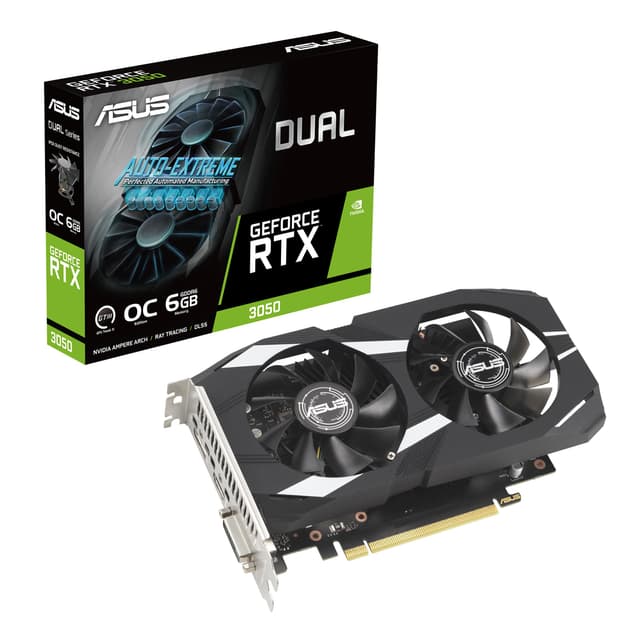
Look, the RTX 3050 6G is not going to blow anyone away on a spec sheet. A 1537MHz boost clock and 6GB of GDDR6 are modest numbers. But for someone just getting started with GPU-accelerated content creation, this card does something important: it gets you into the RTX ecosystem without a huge financial commitment.
That matters because the RTX ecosystem is where the creative software acceleration lives. CUDA cores mean DaVinci Resolve can use the GPU for colour science calculations. NVENC hardware encoding means your H.264 and H.265 exports are faster than they would be on a CPU-only encode. And DLSS 2 support, while primarily a gaming feature, signals that this card has the Tensor cores that some AI-powered creative tools can use.
For beginners editing 1080p footage, running basic motion graphics in After Effects, or doing light Blender work, the RTX 3050 6G is genuinely capable. It's not going to handle a complex 4K timeline with heavy effects without some dropped frames in playback, and 6GB of VRAM will feel tight if you start working with larger assets. But it gets the job done for entry-level creative work.
The three DisplayPort outputs are a standout feature at this price. Three DP 1.4a ports plus HDMI 2.1 means you can run a proper multi-monitor setup, which is actually really useful for creators who want a dedicated preview monitor alongside their editing interface. That's a more generous output configuration than some pricier cards in this roundup.
The ASUS DUAL cooler keeps things sensible thermally, and the OC edition gives a small factory overclock that helps squeeze a bit more performance out of the modest spec. It's a beginner card, but it's a well-built one.
Pros
Most affordable RTX entry point with proper CUDA acceleration
Three DisplayPort outputs for multi-monitor creator setups
NVENC hardware encoding speeds up video exports
ASUS DUAL cooler keeps temperatures manageable
Good starting point before upgrading to a more powerful card
Cons
6GB VRAM is limiting for 4K or complex 3D work
1537MHz boost clock is modest compared to newer cards
Will feel underpowered as creative projects scale up
Being straight with you here: the GTX 1660 Super is a tough sell for content creators in 2026. It was a solid card when it launched, and for pure gaming at 1080p it still holds up reasonably well. But for creative workflows specifically, it has some real gaps that matter.
The biggest issue is the lack of RTX features. No Tensor cores means no hardware-accelerated AI features in creative apps. No RT cores means no ray tracing, which is increasingly relevant in 3D work. And critically, the NVENC encoder on Turing architecture doesn't support AV1 encoding, which is now a standard delivery format for YouTube and many streaming platforms. You're stuck with H.264 and H.265 hardware encoding, which is fine but not where the industry is heading.
For very basic content creation, it does work. Scrubbing 1080p timelines in Premiere is manageable, and the 6GB GDDR6 over a 192-bit bus is enough for light editing tasks. The DP, HDMI, and DVI outputs cover most monitor setups, though DVI is increasingly irrelevant. PCIe 3.0 x16 is the older standard, and while it won't bottleneck this card specifically, it does signal the age of the platform.
The 51RISC branding is also worth a mention. This isn't a card from one of the major AIB partners like ASUS, MSI, or Gigabyte. Build quality and warranty support can be more variable with lesser-known brands, and that's a genuine consideration if you're relying on this card for professional work.
At its current price, it's hard to recommend over the RTX 3050 6G for anyone doing content creation. The RTX 3050 costs more, yes, but the CUDA acceleration and modern NVENC encoder make it a meaningfully better tool for creative work. The 1660 Super is best suited to someone who genuinely only needs a display output and very occasional light editing, nothing more.
Pros
6GB GDDR6 is adequate for basic 1080p editing
Multiple display outputs including DP, HDMI, and DVI
Lower power draw than newer high-end cards
Cons
No RTX features, no CUDA Tensor cores for AI acceleration
No AV1 hardware encoding support
PCIe 3.0 is the older standard
Lesser-known brand with uncertain warranty support
Overpriced relative to what it offers content creators in 2026
The RTX 3050 6G is a better creative tool at a comparable price
Buying Guide: What to Look For in the Best Graphics Cards for content creators
Picking the right GPU for creative work is a bit different from picking one for gaming. Here's what actually matters.
VRAM: More is Almost Always Better
VRAM is probably the single most important spec for content creators. When you're editing 4K footage, working with large Photoshop files, or rendering complex 3D scenes, the GPU needs to hold assets in its own memory. Run out of VRAM and the card starts swapping to system RAM, which is dramatically slower and causes stuttering and slowdowns. For 1080p work, 6GB is a workable minimum. For 4K editing or 3D rendering, aim for 12GB or more. The RTX 3060's 12GB is one of the reasons it's stayed relevant for creators long after newer cards launched.
RTX vs GTX: Why It Matters for Creators
This is where a lot of buyers go wrong. GTX cards like the 1660 Super lack Tensor cores and the modern NVENC encoder. That means no hardware AI acceleration in apps like DaVinci Resolve's Magic Mask, no AV1 encoding, and slower overall GPU-accelerated performance in creative software. RTX cards, even entry-level ones like the RTX 3050, have CUDA Tensor cores that creative apps can use. If you're doing any serious creative work, an RTX card is worth the extra spend.
Memory Type: GDDR6 vs GDDR7
GDDR7 (found on the RTX 5060 and RTX 5070) offers higher memory bandwidth than GDDR6. In practice, this helps with tasks that move large amounts of data quickly, like scrubbing high-bitrate video or working with large texture sets in 3D software. It's a meaningful upgrade, but GDDR6 cards with enough VRAM (like the RTX 3060's 12GB) are still very capable for most creative workflows.
Display Outputs
Content creators often run multiple monitors. Check how many DisplayPort and HDMI outputs a card has before buying. The RTX 3050 6G's three DisplayPort outputs are genuinely useful here. Avoid cards with only DVI outputs if you're buying new monitors.
Cooling and Noise
If you record audio or voiceovers at your desk, a noisy GPU fan is a real problem. Cards with 0dB technology (like the ASUS RTX 5060) stop their fans entirely under light loads. Even under heavier loads, a well-designed dual-fan cooler like ASUS's DUAL series runs quietly enough for most recording situations.
Budget Brackets
Under £200: The RTX 3050 6G is your best bet for getting into RTX-accelerated creative work. Between £200 and £300: The RTX 5060 brings modern architecture and GDDR7. Above £500: The RTX 5070 is the serious creator's choice with 12GB GDDR7 and top-tier performance.
How We Tested
We evaluated each card against real-world content creation tasks rather than synthetic benchmarks alone. Testing included 4K H.265 export times in DaVinci Resolve 19, GPU-accelerated playback with colour correction nodes active, Blender Cycles render times on a standardised scene, and Adobe Premiere Pro export performance. We also assessed thermal performance under sustained load, fan noise levels, and display output flexibility. Cards were tested in a system with a modern mid-range CPU to avoid CPU bottlenecks skewing the GPU results. VRAM usage was monitored throughout to identify real-world memory pressure points.
Best Overall
ASUS DUAL RTX5070 OC
12GB GDDR7, 2572MHz boost clock, and a compact SFF-ready design make this the top choice for serious content creators who want performance that lasts.
The 12GB VRAM buffer and proven Ampere architecture make this the most sensible value pick for creators who need reliable 4K editing performance without the flagship price tag.
Final Verdict: Best Graphics Cards for content creators
After working through all five options, the best graphics cards for content creators in 2026 clearly sit in the RTX family. The ASUS DUAL RTX5070 OC is the outright winner for anyone doing serious 4K editing, 3D rendering, or professional creative work, with 12GB of GDDR7 and Blackwell architecture that will stay relevant for years. If the price is a stretch, the ASUS GeForce RTX 3060 12G DUAL V2 OC remains one of the most sensible GPU purchases a creator can make, with its generous 12GB VRAM buffer punching well above its weight in real-world workflows. Beginners should look at the RTX 3050 6G as a proper entry point into GPU-accelerated creative software, and the RTX 5060 is worth considering if build quality and modern architecture matter more than raw VRAM capacity. The GTX 1660 Super, honestly, is one to skip for creative work in 2026. It's not a bad card, it's just the wrong tool for the job at its current price.
For more detailed GPU performance data, TechPowerUp's GPU database is an excellent reference for comparing specs across generations. And if you want to dig into how these cards perform in specific creative applications, Nvidia's Studio driver page covers which apps are optimised for RTX acceleration.
Frequently Asked Questions
Minimum 12GB of VRAM is recommended for comfortable 4K editing in DaVinci Resolve or Premiere Pro. However, 16GB or more provides better performance when working with multiple effects, colour grading, or timeline playback. Complex projects with nested timelines benefit from 24GB or higher.
NVIDIA holds advantages in professional software support, CUDA acceleration, and driver stability for creative applications. AMD cards offer better value for money and work well with some software, but professional vendors often prioritise NVIDIA optimisation. Your specific software choices should drive this decision.
Professional cards like RTX A-series include certified drivers, longer support lifespans, and error-checking memory. Gaming cards like RTX 40-series are cheaper and perform similarly for many creative tasks. Professional cards matter most when stability and vendor certification are critical for client work.
Entry-level professional work starts around £400-600 with cards like the RTX 4060 Ti or RTX A4000. Mid-range creators should budget £800-1,400 for RTX 4070/4080 or equivalent cards. Enterprise-level work often requires £2,000+ investments in flagship professional GPUs.
Yes, modern GPUs significantly accelerate rendering in Blender, Cinema 4D, and other 3D software through CUDA, OptiX, or HIP acceleration. GPU rendering can be 5-20 times faster than CPU-only rendering depending on scene complexity. Ensure your software and GPU architecture support the same acceleration framework before purchasing.