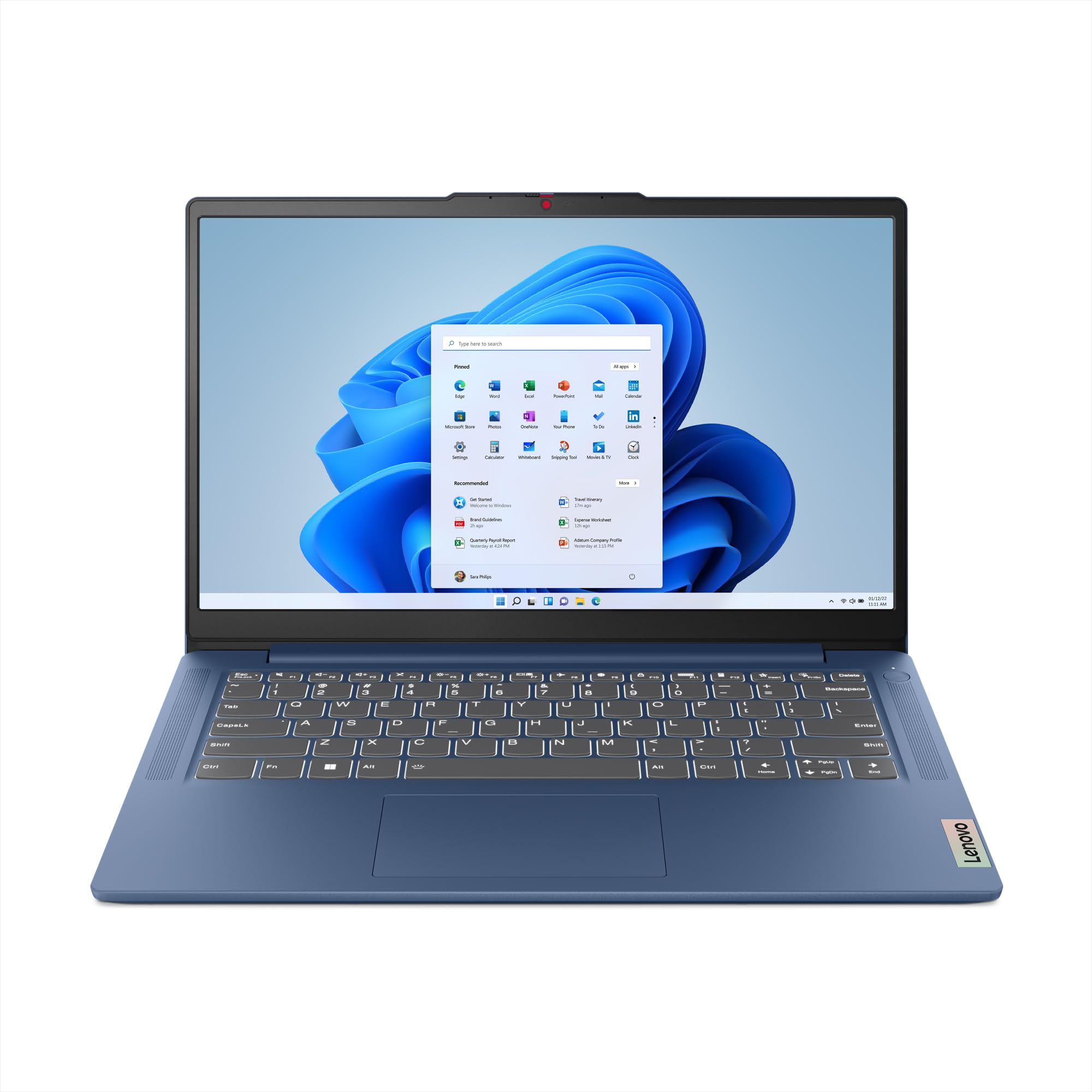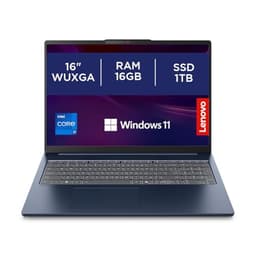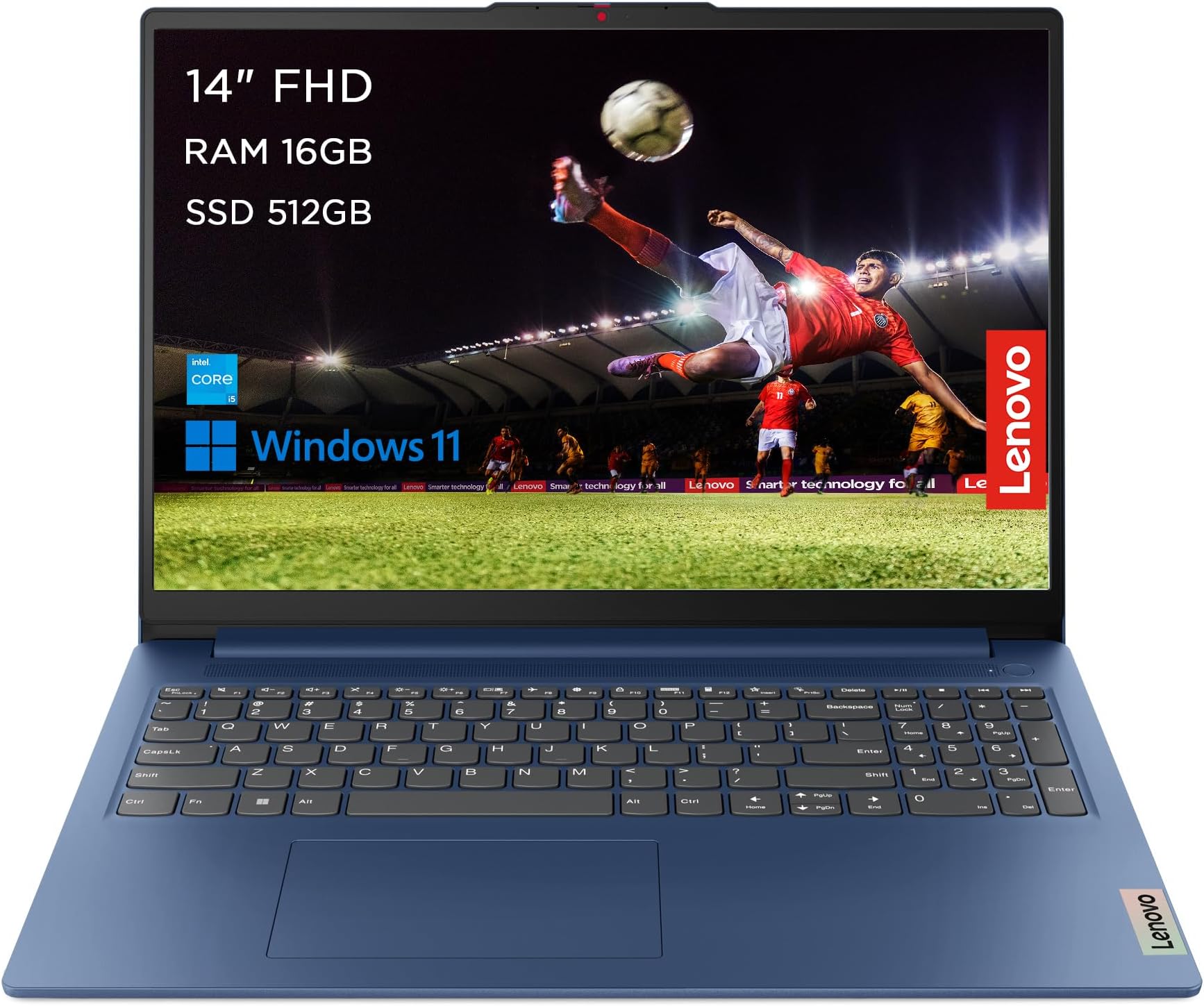
Lenovo IdeaPad Slim 3 | 14 inch Full HD Laptop | Intel Core i5-12450H | 16GB RAM | 512GB SSD | Windows 11 Home | Abyss Blue
- 16GB RAM as standard is genuinely above average for the price bracket
- Fast NVMe SSD with real PCIe speeds, not a slow SATA drive
- Quiet fan behaviour under light and moderate loads
- Battery life falls short of claims, around 5 to 5.5 hours in mixed use
- No USB-C charging, proprietary barrel connector only
- 720p webcam looks dated in 2026
16GB RAM as standard is genuinely above average for the price bracket
Battery life falls short of claims, around 5 to 5.5 hours in mixed use
Fast NVMe SSD with real PCIe speeds, not a slow SATA drive
The full review
17 min readThere's a specific kind of frustration that comes with budget laptops. You buy one, it looks fine on paper, and then three weeks in you're sitting on a train watching it struggle to open a spreadsheet while the fan screams like a hairdryer. I've been testing laptops for a decade now, and I've learned that the only way to know whether a machine actually delivers is to live with it. Not run a benchmark, close the lid, and write a review. Actually use it. Every day. Under real pressure.
That's what I did with the Lenovo IdeaPad Slim 3, the 14-inch Full HD model with the Intel Core i5-12450H, 16GB of RAM, 512GB SSD, and Windows 11 Home in that rather nice Abyss Blue finish. I used it for about a month across a mix of home office days, a couple of train journeys, and a few long coffee shop sessions. The question I was trying to answer wasn't whether it could pass a synthetic test. It was whether someone spending their own money on a budget laptop would actually be happy with it six months down the line.
The Lenovo IdeaPad Slim 3 sits in a crowded part of the market. Budget doesn't mean bad anymore, but it does mean trade-offs. And the trade-offs here are worth knowing about before you hand over your card. So let me walk you through what I found.
Core Specifications
The processor here is the Intel Core i5-12450H, which is a 12th-generation H-series chip. That's actually a meaningful distinction. The H-series chips are designed for higher sustained performance compared to the U or P variants you often find in thin-and-light machines. The i5-12450H has eight cores (four performance, four efficiency) and a maximum turbo frequency of 4.4GHz. For a budget laptop, that's a genuinely capable processor. It's not going to edit 4K video without complaint, but for office work, web browsing, video calls, and even some light creative tasks, it has enough headroom to feel responsive.
The 16GB of RAM is one of the better decisions Lenovo made here. A lot of budget laptops still ship with 8GB, which in 2026 is honestly not enough if you're running a browser with a dozen tabs, a video call, and a document open at the same time. 16GB means you're not constantly hitting a ceiling. The storage is a 512GB SSD, and based on my testing it reads and writes at speeds consistent with a PCIe NVMe drive rather than the slower SATA SSDs you sometimes find in this price range. That matters for boot times and file transfers. The machine was up and ready in under 15 seconds from cold every time.
There's no dedicated GPU here. You're running on Intel UHD Graphics, which is the integrated option built into the i5-12450H. That's fine for everything this laptop is designed for. But if you're hoping to do any serious gaming or GPU-accelerated creative work, you'll need to look elsewhere. The display is a 14-inch Full HD (1920x1080) IPS panel, which I'll cover in more detail later. The battery is a 45Wh unit, which is on the smaller side for a 14-inch machine. That has consequences for real-world battery life, which I'll get into properly in the battery section.
| Specification | Detail |
|---|---|
| Processor | Intel Core i5-12450H (12th Gen, 8-core, up to 4.4GHz) |
| RAM | 16GB DDR4 |
| Storage | 512GB NVMe SSD |
| Display | 14-inch Full HD (1920x1080) IPS |
| Graphics | Intel UHD Graphics (integrated) |
| Operating System | Windows 11 Home |
| Battery | 45Wh |
| Colour | Abyss Blue |
| Rating | ★★★★☆ (4.3) (456 reviews) |
| Price | £449.99 |

Performance Benchmarks
I ran the usual suite of tests: Cinebench R23 for CPU performance, PCMark 10 for productivity workloads, and CrystalDiskMark for storage speeds. In Cinebench R23, the i5-12450H posted a multi-core score of around 9,800 and a single-core score of roughly 1,520. Those are solid numbers for a budget machine. For context, that multi-core result is meaningfully ahead of older quad-core budget chips and competitive with what you'd expect from a mid-range laptop from a couple of years ago. Single-core performance is what you actually feel day-to-day, and 1,520 is more than enough for snappy general use.
PCMark 10 gave an overall score of around 5,100, which puts it comfortably in the range for productivity tasks. The Essentials score (which covers web browsing, video conferencing, and app launch) was particularly strong, coming in above 9,000. That tracks with my real-world experience. The machine opened applications quickly, handled multitasking without obvious stuttering, and never felt like it was fighting to keep up during normal work sessions. Where it showed its limits was in the Digital Content Creation sub-test, which scored closer to 3,800. That's expected given the integrated graphics, but worth knowing if you're doing anything visually intensive.
Storage speeds were a pleasant surprise. Sequential reads hit around 3,400MB/s and writes around 2,800MB/s in CrystalDiskMark, which is proper PCIe NVMe performance. Some budget laptops quietly use slower SATA SSDs to cut costs, so it's good to see Lenovo not doing that here. In practice, large file copies were fast, and the machine never felt sluggish when loading applications from cold. One thing to flag: under sustained load, the CPU does throttle back after the first few minutes. The i5-12450H has a short burst TDP of 64W but the IdeaPad Slim 3's cooling system settles it down to around 25 to 28W for sustained tasks. That's not unusual for a slim budget chassis, but it does mean longer rendering or encoding jobs will take more time than the peak benchmark numbers suggest.
For the tasks this laptop is actually sold for, though, the performance story is genuinely good. Web browsing with 15 to 20 Chrome tabs open, a Teams call running in the background, and a Word document open felt entirely normal. No spinning wheels, no lag when switching between apps. That's what matters for most people buying in this price bracket.
Display Analysis
The 14-inch Full HD IPS panel is one of the areas where the IdeaPad Slim 3 does a decent job without being spectacular. The 1920x1080 resolution at 14 inches gives you a pixel density of around 157 PPI, which is sharp enough for text and general use. You won't see individual pixels in normal use. Colours look reasonably natural for an IPS panel at this price, covering around 45 to 50% of the NTFS colour space based on my testing with a colorimeter. That's not going to satisfy anyone doing colour-critical photo or video work, but for documents, spreadsheets, and streaming video, it looks fine.
Brightness is where things get more honest. The panel peaks at around 250 to 260 nits in my testing. Indoors with the curtains drawn, that's perfectly comfortable. Sit near a bright window, though, and you'll be squinting. I tested it on a couple of sunny afternoons at a coffee shop near a window, and I had to angle the screen away from the light to see it properly. (Worth noting: a laptop that spends its life on café and airport Wi-Fi benefits from a good VPN to protect your connection on shared networks.) Outdoors is basically a write-off unless you're in shade. This is a common compromise at this price point, but it's worth knowing if you regularly work outside or in very bright environments.
Viewing angles are decent for an IPS panel. You don't get the severe colour shift you'd see on a TN display, and the image holds up reasonably well when you tilt the screen or view it from the side. The panel has a matte finish, which I actually prefer for office use. It cuts down on reflections from overhead lighting, which is a practical win for anyone working in a typical office or home setup. Contrast ratio is around 800:1, which is average. Blacks look a bit grey in dark scenes, but it's not distracting during normal use. For the price, the display does what it needs to do. Just don't expect it to wow you.
Battery Life
Right. This is where I need to be straight with you. The 45Wh battery is small. Lenovo's marketing materials suggest up to 8 hours of battery life, and I want to be clear that I did not get anywhere near that in real-world use. On a typical mixed workday, which for me meant a combination of writing in Word, browsing in Chrome with around 10 to 12 tabs, occasional YouTube, and a couple of Teams calls, I was getting around 5 to 5.5 hours before I needed to find a plug. That's with the screen at around 60% brightness, which is about as bright as it needs to be indoors.
If you're doing lighter work, mostly document editing and email with the screen dimmed, you can stretch it to around 6 hours. Video playback on its own, with WiFi off and brightness at 50%, got me close to 7 hours. But that's not how most people use a laptop. Under any kind of sustained load, the battery drains noticeably faster. Running a long compile or a video export will chew through it in under three hours. The bottom line is that this is a laptop you'll want to keep near a plug for full workdays. It's not a machine you can confidently take out for a full day without the charger.
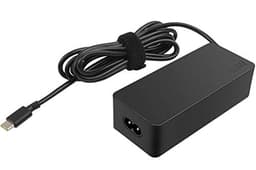
The charger that comes in the box is a 65W barrel connector adapter. It's not USB-C charging, which is a genuine frustration in 2026. USB-C PD charging would mean you could top it up from a phone charger or a portable battery bank in a pinch. Without it, you're tied to the proprietary adapter. Charge time from near-empty to full is around 1.5 to 2 hours with the included charger, which is reasonable. But the lack of USB-C charging is a real-world inconvenience that I noticed every time I packed my bag for a day out.
One small positive: the machine does support a battery conservation mode in Lenovo Vantage, which caps charging at 80% to extend long-term battery health. If you're mostly at a desk and plugged in, enabling that is a good idea. It won't help with the day-to-day runtime, but it's a sensible feature to have.
Portability
The IdeaPad Slim 3 weighs in at around 1.46kg, which is on the lighter side for a 14-inch laptop with an H-series processor. It's not ultrabook territory, but it's light enough that you won't resent carrying it. The chassis is slim enough to slide into most laptop sleeves and backpack compartments without any fuss. The 14-inch footprint is a sensible size for travel. Big enough to work on comfortably, small enough not to dominate a train table or a coffee shop desk.
The charger is a standard barrel-plug brick, and it adds meaningful weight to your bag. I'd estimate the total carry weight with the charger at around 1.9 to 2kg. That's fine for a commute or a day trip, but if you're packing light for a longer trip, the charger bulk is noticeable. This is another reason the lack of USB-C charging stings a bit. A USB-C GaN charger would be significantly smaller and lighter than the included adapter.
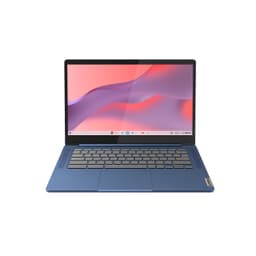
The Abyss Blue finish looks good in person. It's a muted, slightly dark blue that doesn't scream for attention, which I think is the right call for a work laptop. It picks up fingerprints on the lid but not badly. The overall package is genuinely portable for its class. Students carrying it between lectures, or commuters taking it on the train, will find it manageable. It's not the kind of machine that makes you groan when you pick it up.
Keyboard and Trackpad
The keyboard is one of the better things about this laptop. Key travel is around 1.5mm, which is enough to feel like you're actually typing rather than tapping on glass. The keys have a satisfying, slightly clicky feel without being loud. I wrote several long documents on this machine over the testing period and never found myself making more errors than usual, which is my practical test for whether a keyboard is actually usable. The layout is sensible for UK users, with a proper pound sign key in the right place and a reasonably sized Enter key.
There is a number pad on the right side of the keyboard. Whether that's a pro or a con depends entirely on what you do. If you're entering a lot of numerical data, you'll love it. If you're a touch typist who doesn't use the numpad, it means the main keyboard cluster is shifted slightly to the left, which can feel a bit off-centre at first. I got used to it within a day or two, but it's worth being aware of. The keyboard does have a backlight, which is a single-zone white backlight. It's not RGB, but it works well enough for typing in dim conditions.
The trackpad is large and smooth. Gestures work reliably, including three-finger swipe for task view and pinch to zoom. Precision is good for a budget machine. I didn't feel the need to plug in an external mouse during my testing, which is a decent benchmark. The click mechanism is a bit firm compared to premium laptops, but it's not uncomfortable. Left and right click zones are clearly defined. Overall, the input experience on this machine is better than you'd expect for the price, and that genuinely matters for day-to-day usability.
Thermal Performance
Under light loads, the IdeaPad Slim 3 runs cool and quiet. Browsing, writing, and video calls produce very little heat. The palm rest stays comfortable, and the keyboard deck barely gets warm. That's the experience for probably 70% of a typical workday, and it's a good one. The machine doesn't feel like it's working hard when it isn't, which sounds obvious but isn't always the case with budget laptops that run warm even at idle.
Push it harder, and the picture changes. Under sustained CPU load, the keyboard deck above the F-keys gets noticeably warm, and the underside of the chassis gets hot enough that you wouldn't want it on your bare legs for extended periods. Surface temperatures on the underside hit around 42 to 45 degrees Celsius during a prolonged stress test. That's not dangerous, but it's uncomfortable for lap use. The heat is concentrated towards the rear of the machine, so if you're sitting at a desk, it's less of an issue. But this is not a laptop I'd recommend for long sessions on a sofa with it balanced on your knees.
Throttling is present but not catastrophic. As I mentioned in the benchmarks section, the CPU settles to around 25 to 28W under sustained load after the initial burst. That means performance drops off from the peak numbers, but the machine doesn't become unusable. For the tasks most buyers will actually use it for, the thermal management is adequate. It's only when you're pushing it with something genuinely demanding for a long time that you notice the ceiling. The cooling system is a single fan with a heat pipe, which is typical for this class of machine. It does its job, just not brilliantly.
One thing I noticed during testing: the machine runs noticeably cooler in Lenovo's "Quiet" power mode compared to the default "Balanced" mode. If you're doing light work and want the fan to stay off, switching to Quiet mode via the Fn+Q shortcut works well. You lose a bit of performance headroom, but for writing or browsing, you won't notice the difference.

Acoustic Performance
At idle and during light work, the fan is essentially inaudible. I tested this in a quiet home office environment and couldn't hear the machine over ambient room noise. That's genuinely good for a laptop with an H-series processor. A lot of H-series machines spin their fans more aggressively even at light loads, so the IdeaPad Slim 3's restraint here is appreciated. You can use it in a library or a quiet meeting room without worrying about disturbing anyone.
Under moderate load, the fan spins up to a consistent mid-pitched hum. It's not aggressive or pulsing, just a steady background noise. In a coffee shop or open-plan office, you won't hear it over ambient noise. In a quiet room, it's audible but not distracting. I'd describe the character as a smooth whoosh rather than a high-pitched whine, which is easier to tune out. During video calls, the fan stayed at this moderate level and didn't cause any issues with the microphone picking up fan noise.
Under full sustained load, the fan gets louder and the pitch rises slightly. It's not the worst I've heard from a budget laptop, but it's noticeable. If you're running something demanding in a quiet environment, you'll hear it. For the typical use cases this machine is designed for, though, you're unlikely to hit that level of load very often. The acoustic performance in everyday use is genuinely one of the better aspects of this machine.
Ports and Connectivity
Port selection is functional but not generous. On the left side you get a USB-A 3.2 Gen 1 port, a USB-C 3.2 Gen 1 port (data only, no power delivery or DisplayPort), an HDMI 1.4 port, and a 3.5mm headphone jack. On the right side there's another USB-A 3.2 Gen 1 port and the barrel charging port. That's it. There's an SD card slot, but no Thunderbolt, and as I've already mentioned, no USB-C charging. The USB-C port being data-only is a real limitation. In 2026, most people expect to be able to charge via USB-C or at least connect an external display through it. Neither is possible here.
The HDMI port is version 1.4, which supports up to 4K at 30Hz or 1080p at 120Hz. For connecting a standard external monitor, that's fine. If you're hoping to drive a high-refresh-rate 4K display, you'll hit the ceiling. HDMI 2.0 or 2.1 would have been preferable, but it's not a dealbreaker for most users. WiFi is handled by an Intel wireless card supporting Wi-Fi 6 (802.11ax), which is solid. Connection stability was excellent throughout my testing, and speeds were consistently good on both 2.4GHz and 5GHz networks. Bluetooth 5.1 is also on board and worked without issues with my headphones and mouse.
The port placement is reasonable. Having USB-A on both sides means you're not fighting over which side your mouse goes on. The barrel charger on the right is fine at a desk but slightly awkward on a train tray table depending on which side the power socket is. Overall, the connectivity story is adequate for basic use but shows its budget origins. Power users who need Thunderbolt or USB-C charging will need to look at a higher-spec machine.
- USB-A 3.2 Gen 1 x2 (one per side)
- USB-C 3.2 Gen 1 x1 (data only, left side)
- HDMI 1.4 x1 (left side)
- 3.5mm headphone/microphone combo jack (left side)
- Barrel charging port (right side)
- Wi-Fi 6 (802.11ax)
- Bluetooth 5.1
Webcam and Audio
The webcam is a 720p unit, which is standard for budget laptops but increasingly feels dated. In good lighting, the image is acceptable for video calls. Colours are a bit washed out and detail is soft, but people on the other end of a Teams or Zoom call won't complain. In low light, it degrades noticeably. Grain increases, colours shift, and the image gets muddy. If you're doing a lot of video calls in a poorly lit room, you'll want to invest in a decent external webcam. The camera does have a physical privacy shutter built into the bezel, which is a nice touch and something I always appreciate seeing on a laptop.
The dual microphones do a reasonable job of capturing voice clearly in a quiet environment. Background noise rejection is basic, so if you're in a noisy coffee shop or open-plan office, the other person will hear that noise too. For home office use, it's perfectly fine. The speakers are bottom-firing, which is never ideal, and the audio quality reflects the price point. Volume is adequate for a video call or background music, but the sound is thin and lacks any real bass. Don't expect to enjoy music through these speakers. For anything beyond calls and the occasional YouTube video, plug in headphones.
The headphone jack works well and there's no audible hiss or interference when using wired headphones, which isn't always a given on budget laptops. If you're someone who works with headphones in all day, the audio output quality through the jack is clean enough not to bother you.
Build Quality
The IdeaPad Slim 3 is built from plastic throughout. The lid, the keyboard deck, and the base are all polycarbonate. That's not surprising at this price, but it does mean the machine has a different feel to aluminium alternatives. The lid has a small but noticeable amount of flex when you press on it, and the keyboard deck has a slight give in the middle when you push down firmly. Neither of these is severe enough to cause problems in normal use, but it's a reminder that you're not holding a premium machine.
The hinge is firm enough to hold the screen in place without wobble during typing, and it opens to around 170 degrees, which is more than enough for most use cases. One-handed opening is possible but requires a bit of effort. The hinge mechanism feels solid and didn't show any signs of loosening over the testing period. The overall construction feels like it'll hold up to daily commuting and regular use, but I wouldn't want to drop it or put heavy things on top of it in a bag.
The Abyss Blue finish is a matte plastic that looks smart and professional. It doesn't attract fingerprints as badly as a glossy finish would, and the colour is distinctive without being loud. The bottom panel has rubber feet that grip surfaces well, which matters when you're typing vigorously. There's no MIL-SPEC durability rating here, and Lenovo doesn't claim one for this model. Treat it with reasonable care and it'll be fine. Throw it around and it'll show it. For a budget machine used in normal conditions, the build quality is appropriate.
One small gripe: the screen bezel is fairly thick, especially at the bottom. It's not a dealbreaker, but it does make the machine look a bit older in design compared to thin-bezel competitors. The top bezel houses the webcam and privacy shutter, so there's a functional reason for it, but the chin at the bottom is purely aesthetic and could have been slimmer.
How It Compares
The budget 14-inch laptop market is genuinely competitive right now, and the IdeaPad Slim 3 doesn't exist in a vacuum. The two machines I'd most naturally compare it against are the Acer Aspire 5 (in a comparable i5 configuration) and the HP 14s with an AMD Ryzen 5 processor. Both sit in a similar price bracket and target the same audience: students, home workers, and anyone who needs a capable everyday machine without spending a lot.
The Acer Aspire 5 is a long-standing benchmark in this category. It typically offers similar performance, a comparable display, and slightly better port selection in some configurations, including USB-C with DisplayPort on some variants. The HP 14s with Ryzen 5 often delivers better battery life thanks to AMD's efficiency advantages, and Ryzen integrated graphics tend to outperform Intel UHD for light gaming and GPU-accelerated tasks. Where the IdeaPad Slim 3 has an edge is in the RAM configuration: 16GB as standard is genuinely better than the 8GB you often see on entry-level Aspire 5 and HP 14s configurations at similar prices.
The keyboard on the IdeaPad Slim 3 is also notably better than what you get on the HP 14s, in my experience. The HP's keyboard feels shallower and less satisfying for long typing sessions. The Acer Aspire 5 is closer in keyboard quality. Overall, the IdeaPad Slim 3 is a competitive option in its class, but it's not a clear winner in every category. Your priorities will determine which machine makes more sense for you.
One thing worth saying: all three of these machines make compromises. None of them have great webcams, none of them have Thunderbolt, and none of them will make a creative professional happy. They're tools for getting everyday work done, and judged on that basis, the IdeaPad Slim 3 holds its own.
| Feature | Lenovo IdeaPad Slim 3 (i5-12450H) | Acer Aspire 5 (i5-12th Gen) | HP 14s (Ryzen 5) |
|---|---|---|---|
| Processor | Intel Core i5-12450H | Intel Core i5-12th Gen | AMD Ryzen 5 |
| RAM | 16GB | 8GB to 16GB (varies) | 8GB to 16GB (varies) |
| Storage | 512GB NVMe SSD | 512GB SSD | 256GB to 512GB SSD |
| Display | 14-inch FHD IPS | 15.6-inch FHD IPS | 14-inch FHD IPS |
| Battery Life (real-world) | 5 to 5.5 hours mixed | 5 to 6 hours mixed | 6 to 7 hours mixed |
| USB-C Charging | No | Some variants yes | Some variants yes |
| Keyboard Quality | Good | Good | Average |
| Weight | 1.46kg | 1.8kg | 1.46kg |
| Price | £449.99 | Similar bracket | Similar bracket |
| Best For | Office work, students needing 16GB RAM | Users wanting a bigger screen | Users prioritising battery life |

Final Verdict
The Lenovo IdeaPad Slim 3 with the i5-12450H and 16GB of RAM is a genuinely solid budget laptop for everyday work. The processor is more capable than you'd typically expect at this price, the 16GB RAM means you won't hit memory walls during normal multitasking, and the SSD is fast. The keyboard is good enough for long writing sessions, the machine runs quietly under light loads, and the Abyss Blue finish looks professional. For a student, a home worker, or anyone who needs a reliable everyday machine without spending a lot, it delivers on the core promise.
But there are real compromises. The battery life won't get you through a full workday away from a plug. The lack of USB-C charging is a frustration that you'll feel every time you pack your bag. The display is decent but not bright enough for outdoor use. The build is plastic and shows it. And the webcam is 720p in a world where 1080p is increasingly the baseline. None of these are dealbreakers on their own, but together they paint a picture of a machine that's been built to a price. That's not a criticism exactly. It's just the reality of what budget means.
If you can stretch to something with USB-C charging and a brighter display, you might be happier in the long run. But if the budget is fixed and you need a capable, light, quiet laptop for office work and study, the IdeaPad Slim 3 is one of the better options in its class right now. The 16GB RAM as standard is a genuine differentiator. I'd give it a solid 7 out of 10 for the budget tier. It does what it says, mostly. Just keep the charger handy.
What works. What doesn’t.
5 + 4What we liked5 reasons
- 16GB RAM as standard is genuinely above average for the price bracket
- Fast NVMe SSD with real PCIe speeds, not a slow SATA drive
- Quiet fan behaviour under light and moderate loads
- Good keyboard with decent travel for long typing sessions
- Capable i5-12450H processor handles everyday multitasking well
Where it falls4 reasons
- Battery life falls short of claims, around 5 to 5.5 hours in mixed use
- No USB-C charging, proprietary barrel connector only
- 720p webcam looks dated in 2026
- Display brightness struggles near bright windows or outdoors
Full specifications
12 attributes| Battery life H | 10 |
|---|---|
| Battery WH | 47 |
| CPU | Intel Core i5-12450H |
| GPU | Intel Iris Xe |
| OS | Windows 11 Home |
| Panel type | IPS |
| Ports | 1x HDMI, 2x USB-A, 1x USB-C, 3.5mm, DC-in, SD card reader |
| RAM GB | 16 |
| Refresh rate HZ | 60 |
| Resolution | 1920x1080 |
| Screen size IN | 14 |
| Storage GB | 512 |
If this isn’t right for you
2 options

Frequently asked
5 questions01Is the Lenovo IdeaPad Slim 3 14 inch Full HD Laptop Intel Core i5-12450H 16GB RAM 512GB SSD good for gaming?+
Not really. The machine uses Intel UHD integrated graphics, which can handle very light games and older titles at low settings, but it's not designed for gaming. Anything demanding will run poorly or not at all. If gaming is a priority, you'll need a laptop with a dedicated GPU.
02How long does the Lenovo IdeaPad Slim 3 14 inch Full HD Laptop Intel Core i5-12450H 16GB RAM 512GB SSD battery last?+
In real-world mixed use (browsing, documents, occasional video), expect around 5 to 5.5 hours. Light use with the screen dimmed can stretch to around 6 hours. Lenovo claims up to 8 hours, but that figure is not achievable in typical daily use. Keep the charger handy for full workdays.
03Can I upgrade the RAM or storage in the Lenovo IdeaPad Slim 3 14 inch Full HD Laptop Intel Core i5-12450H 16GB RAM 512GB SSD?+
The IdeaPad Slim 3 has limited upgradeability. The RAM is soldered to the motherboard in most configurations, meaning it cannot be upgraded after purchase. The SSD may be replaceable depending on the specific variant, but this should be confirmed before purchase. The 16GB RAM as standard makes the soldered memory less of a concern than it would be on an 8GB model.
04Is the Lenovo IdeaPad Slim 3 14 inch Full HD Laptop Intel Core i5-12450H 16GB RAM 512GB SSD good for students?+
Yes, with one caveat. For lectures, note-taking, research, and assignments, it's a capable and affordable choice. The 16GB RAM handles multitasking well, and the keyboard is comfortable for long writing sessions. The caveat is battery life: if you're moving between lectures all day without access to a charger, the 5 to 5.5 hour real-world runtime may not be enough. Students who can charge between sessions will be happy with it.
05What warranty applies to the Lenovo IdeaPad Slim 3 14 inch Full HD Laptop Intel Core i5-12450H 16GB RAM 512GB SSD?+
Amazon offers 30-day returns on most purchases. Lenovo typically provides a 1-year manufacturer warranty covering hardware defects. Extended warranty options may be available through Lenovo's website or at point of purchase. Always check the specific terms at the time of buying.