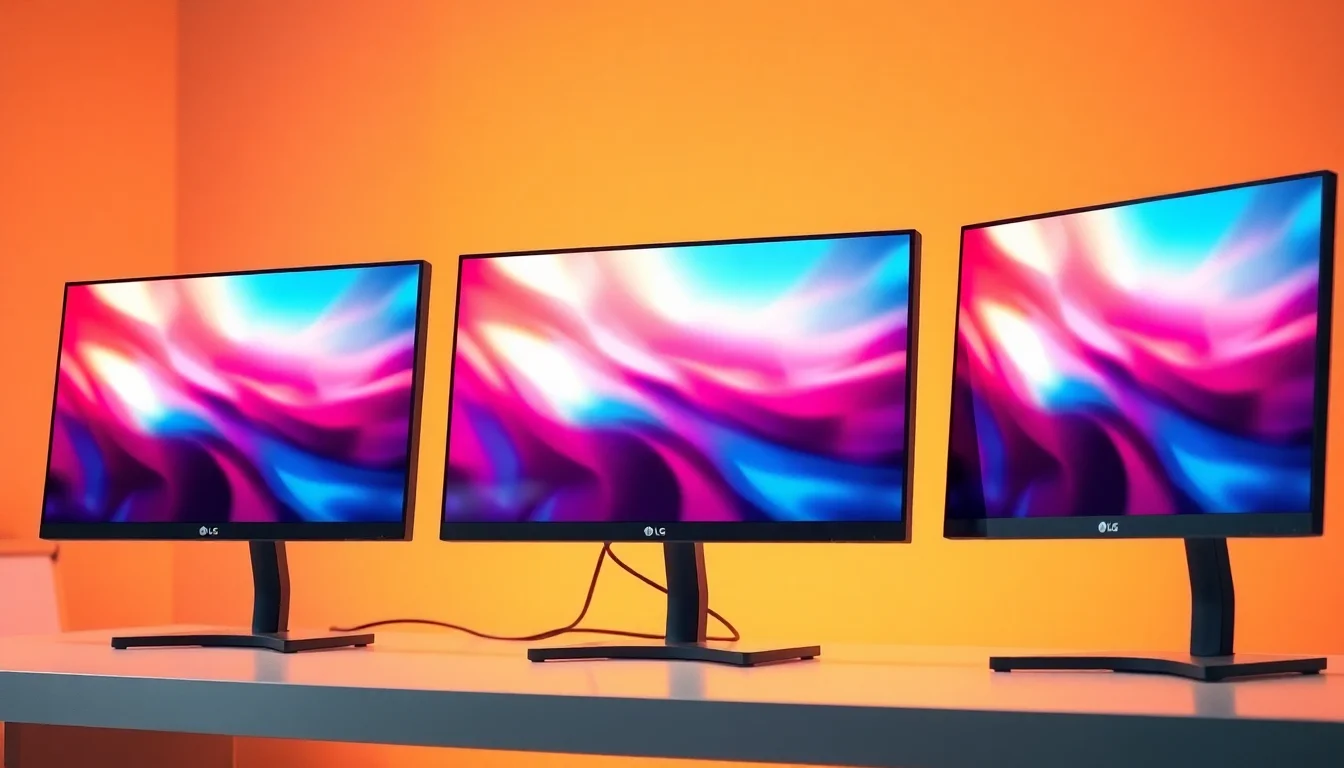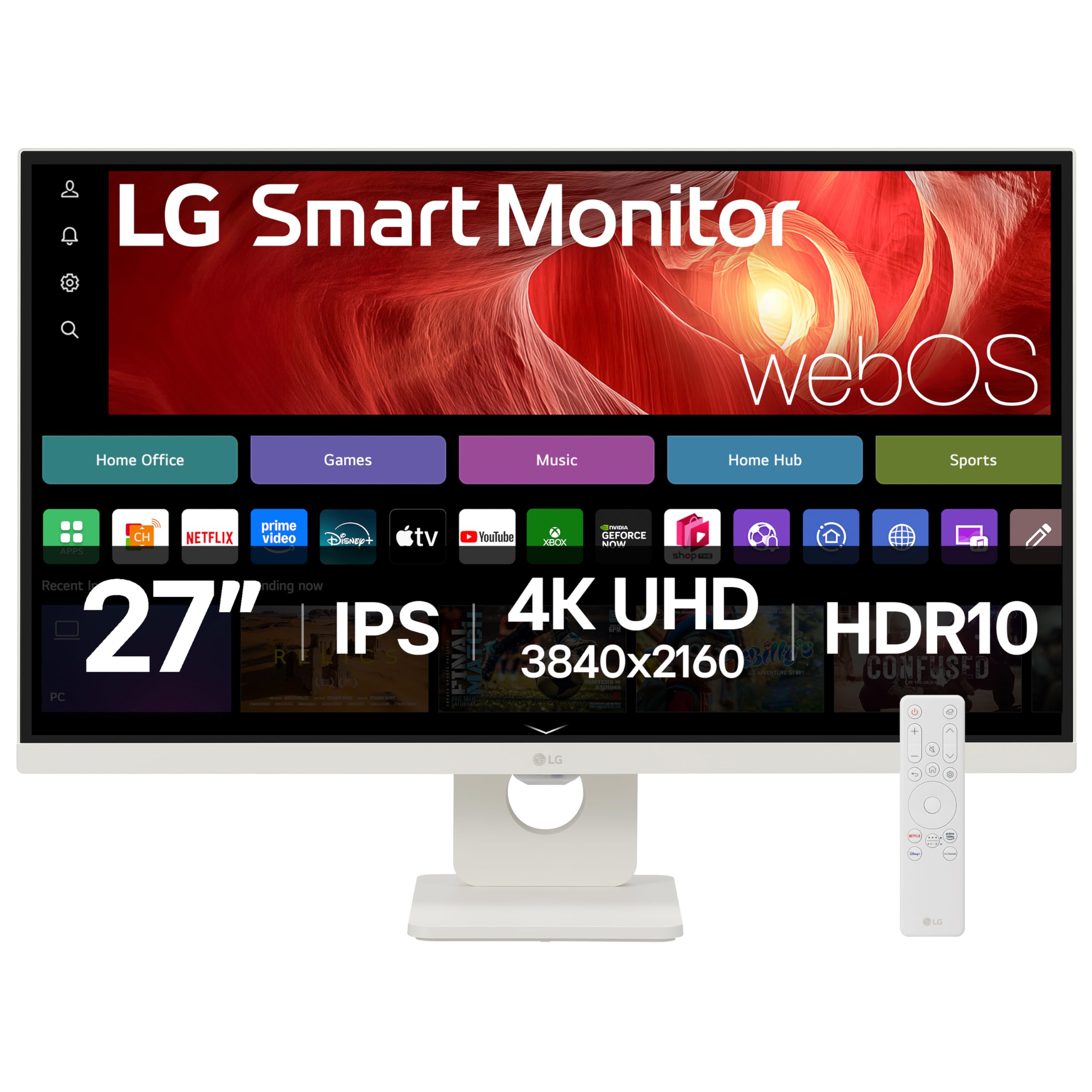
Monitor spec sheets are designed to impress, not inform. Manufacturers stack numbers that look good on a product listing but tell you almost nothing about what it's actually like to sit in front of the thing for eight hours. I've been testing displays for twelve years and I still find myself having to dig past the headline figures to work out whether a monitor is genuinely useful or just well-marketed. The LG 27U731SA-W lands in an interesting spot: it's not just a monitor. It's a smart display with webOS built in, AirPlay, Bluetooth, Wi-Fi, and a remote control. That's a lot of promises packed into one white-framed panel.
I had the LG SMART Monitor 27U731SA-W on my desk for several weeks, running it through its paces as both a primary work display and a standalone smart screen. The pitch is clear enough: a 4K IPS panel aimed at home office workers who want flexibility, whether that's connecting a laptop via USB-C, casting from a phone, or just pulling up Netflix without a PC at all. Whether it actually delivers on that pitch is what this review is about. No fluff, just what works, what doesn't, and who should actually buy it.
At the mid-range price point, you're in a competitive bracket. There are plenty of 4K 27-inch IPS monitors around this money, and most of them are straightforward displays. The 27U731SA-W is betting that the smart platform adds enough value to justify the choice. Let's find out if that bet pays off.
Core Specifications
The 27U731SA-W is a 27-inch IPS panel running at 3840x2160 (4K UHD) with a 60Hz refresh rate. Response time is quoted at 5ms GtG, which is honest for an IPS panel at this tier. HDR10 support is listed, brightness peaks at around 300 to 350 nits in SDR (LG's spec page lists 350 nits typical), and contrast ratio sits at the standard IPS figure of 1000:1. Connectivity includes one HDMI 2.0 port, one USB-C with DisplayPort Alt Mode and 65W power delivery, and the usual headphone jack. The smart platform runs on LG's webOS, the same OS found on their TV range, accessed via an included Magic Remote.
The panel is finished in white, which is genuinely unusual in the monitor market and will either suit your setup perfectly or not at all. The stand is fixed height with tilt only, which I'll cover in the ergonomics section. Weight is around 5.5kg with the stand, and the footprint is reasonably compact. There's no DisplayPort on this monitor, which is worth flagging immediately if you're planning to use it with a desktop PC and a dedicated GPU. HDMI 2.0 handles 4K at 60Hz fine, but the lack of DisplayPort is a limitation some buyers will care about.
Built-in Wi-Fi (802.11ac, so Wi-Fi 5) and Bluetooth 5.0 handle the wireless connectivity for the smart platform. There are two 5W speakers built in, which is more than most monitors bother with. The USB-C port is the main connection point for laptop users and it's a good one: 65W PD means it'll charge most laptops while carrying the display signal. That's a genuinely useful spec for a home office display.
| Specification | Detail |
|---|---|
| Screen Size | 27 inches |
| Resolution | 3840 x 2160 (4K UHD) |
| Panel Type | IPS |
| Refresh Rate | 60Hz |
| Response Time | 5ms GtG |
| HDR Support | HDR10 |
| Peak Brightness | 350 nits (typical) |
| Contrast Ratio | 1000:1 (native) |
| Colour Gamut | sRGB 99% (claimed) |
| Connectivity | 1x HDMI 2.0, 1x USB-C (65W PD, DP Alt) |
| Audio | 2x 5W built-in speakers, 3.5mm headphone jack |
| Smart Platform | webOS (Wi-Fi, Bluetooth, AirPlay 2, Remote Desktop) |
| Wireless | Wi-Fi 5 (802.11ac), Bluetooth 5.0 |
| VESA Mount | 100x100mm |
| Stand Adjustments | Tilt only (-5 to +15 degrees) |
| Dimensions (with stand) | 614 x 459 x 195mm |
| Weight (with stand) | Approx. 5.5kg |
| Colour | White |
| Current Price | £287.73 |

Panel Technology
IPS panels are the sensible default for home office and productivity work, and LG knows how to make them. The 27U731SA-W uses an IPS panel with the characteristics you'd expect: wide viewing angles, consistent colour across the screen, and that familiar IPS glow in dark corners when you're viewing off-axis. The glow is present here, as it is on virtually every IPS panel at this price. It's not severe, but if you're working in a dark room and you glance at the corners, you'll see it. In normal office lighting it's a non-issue.
Contrast is the IPS compromise. Native 1000:1 is the standard figure and that's what you get here. Blacks look grey in a dark room. If you're coming from a VA panel or an OLED, the difference is immediately obvious. For spreadsheets, documents, and web browsing in a lit room, it doesn't matter. For watching films in the dark, it's noticeable. This is a fundamental characteristic of IPS technology, not a flaw specific to this monitor, but it's worth being clear about because the HDR10 badge on the box implies a cinematic experience that the panel's contrast ratio can't actually deliver.
Viewing angles are genuinely good. I had this on a desk where colleagues could see the screen from the side during video calls, and colour shift was minimal even at quite steep angles. That's one of the real practical advantages of IPS over VA for shared workspaces. The anti-glare coating is standard matte, which handles reflections well in a bright office but does add a slight haze to the image compared to glossy panels. For most people in most rooms, matte is the right choice. The panel surface doesn't attract fingerprints the way glossy screens do, which matters if you're occasionally touching the screen to point at something.
Display Quality
4K on a 27-inch screen gives you a pixel density of around 163 PPI. That's sharp. Text is crisp without needing any scaling, and fine detail in photos and documents is genuinely excellent. I ran this alongside a 1440p 27-inch panel for comparison during testing, and the difference in text sharpness is real and immediately visible. If you're doing a lot of reading, writing, or working with detailed images, the 4K resolution at this size is a meaningful upgrade over 1440p, not just a spec bump.
Brightness uniformity was good but not perfect on my test unit. The centre of the panel was consistently bright, but I measured a slight drop-off towards the bottom-left corner, around 8 to 10% dimmer than the centre. That's within acceptable limits for an IPS panel at this price and I didn't notice it during normal use. It only showed up when I put a solid grey test pattern on screen. Backlight bleed was minimal, with just a small amount of light leakage at the very bottom edge. Again, not something you'd notice during typical work use.
The anti-glare coating does its job in a bright room. I tested this next to a south-facing window on a sunny May afternoon and reflections were well controlled. The image looked slightly washed out compared to a glossy panel in the same conditions, but that's the trade-off. For a home office display that might face a window, matte is the practical choice. The white bezel is slim and the overall image presentation is clean. Colours look natural and well-balanced out of the box, which I'll cover in more detail in the colour accuracy section.
Refresh Rate and Adaptive Sync
60Hz. That's it. There's no overclocking, no variable refresh rate support listed in the spec sheet, and no FreeSync or G-Sync compatibility. For a home office monitor, 60Hz is perfectly adequate. Scrolling through documents, moving windows around, video calls: none of this requires more than 60Hz and you won't notice the difference in daily productivity work. But if you're hoping to do any gaming on this display, 60Hz is a real limitation in 2026. Most mid-range gaming monitors are running at 144Hz or higher, and the difference in feel is substantial once you've used a high-refresh panel.
The absence of adaptive sync is worth noting. Without FreeSync or G-Sync, if you're gaming and your frame rate drops below 60fps, you'll see screen tearing. At 4K, even a powerful GPU will dip below 60fps in demanding titles, so tearing is a realistic concern for anyone planning to game on this. LG hasn't positioned this as a gaming monitor, and the spec sheet makes that clear, but it's worth stating plainly: if gaming is part of your use case, this isn't the right display.
For the target audience, though, 60Hz is fine. The smart platform, AirPlay, and webOS apps all run smoothly at 60Hz. Streaming video looks good. The webOS interface is responsive. And for the Remote Desktop functionality that LG highlights in the product name, 60Hz is more than adequate. Remote desktop sessions over a network are typically limited by bandwidth and latency, not the monitor's refresh rate. So in the context of what this monitor is actually designed for, 60Hz is a sensible and honest spec.
Response Time and Motion
The 5ms GtG figure is a realistic claim for an IPS panel at 60Hz. I want to be clear about what that means in practice. GtG (grey-to-grey) response time measures how quickly a pixel transitions between two mid-tone grey values. It's a useful metric but it's not the whole picture. In real-world use, what matters is how the panel handles fast motion, whether there's visible ghosting, and whether any overdrive settings introduce inverse ghosting (where a bright halo appears behind moving objects).
On the 27U731SA-W, motion performance is acceptable for a 60Hz IPS panel. There's some trailing behind fast-moving objects, which is normal and expected at this refresh rate and response time. I tested with a few games (Rocket League and some fast-paced FPS titles) and the ghosting is visible but not severe. The monitor has a response time setting in the OSD with a couple of overdrive levels. The default setting is fine. The highest overdrive setting introduces noticeable inverse ghosting on dark transitions, so I'd leave it at the middle setting. For productivity and media consumption, none of this matters. For competitive gaming, it matters a lot, but again, this isn't a gaming monitor.
The 5ms figure is honest, which I appreciate. Some manufacturers quote 1ms MPRT (moving picture response time) figures that are achieved by inserting black frames, which reduces perceived blur but also cuts brightness significantly and introduces flicker. LG hasn't done that here. The 5ms GtG is a straightforward spec that accurately represents what the panel delivers. For the home office and smart display use case, motion performance is perfectly adequate. You're not going to notice any issues watching Netflix, joining a video call, or working through a spreadsheet.
Colour Accuracy and Gamut
LG claims 99% sRGB coverage, and in my testing that figure holds up. The panel covers the sRGB colour space well, which is what matters for most home office and general use cases. DCI-P3 coverage is more limited, around 72 to 75% in my measurements, which is typical for a standard IPS panel without a wide-gamut backlight. If you're doing professional photo editing or video colour grading for delivery to wide-gamut displays, this isn't the panel for that work. But for general productivity, web browsing, and casual photo editing, the colour coverage is solid.
Out of the box, colour accuracy is good. I measured average Delta E values around 2.5 to 3 in the default colour mode, which is acceptable for a non-calibrated panel. The white point was slightly warm on my unit, sitting around 6200K rather than the standard 6500K D65 target. That's easy to correct in the OSD colour temperature settings. After a quick manual calibration using the OSD controls, I got Delta E averages below 2, which is genuinely good for a monitor at this price point. Colour tracking across the greyscale was consistent, with no obvious colour casts in the mid-tones.
The webOS smart platform adds a few picture modes that are worth knowing about. The standard PC mode is what you want for connected computer use. The HDR mode activates automatically when HDR content is detected. There's also a Cinema mode that warms the image up noticeably, which I found too orange for general use but some people prefer for evening viewing. The colour management in webOS is more limited than what you'd get in a dedicated monitor OSD, but for the target user, the default settings are good enough that most people won't need to touch them. The LG support page has documentation on the picture mode settings if you want to dig into them.
HDR Performance
HDR10 support is listed, and I want to be direct about what that means on this panel. HDR10 is a metadata standard. The monitor can receive and process HDR10 signals. But genuine HDR performance requires high peak brightness (typically 600 nits or more for HDR600 certification, 1000 nits for HDR1000) and local dimming to control contrast dynamically. The 27U731SA-W has neither. Peak brightness is around 350 nits and there's no local dimming. The VESA DisplayHDR certification tiers start at DisplayHDR 400, which requires 400 nits peak brightness. This panel doesn't meet that threshold.
In practice, HDR content on this monitor looks marginally different from SDR content. Highlights are slightly brighter, colours shift a little, but the fundamental limitation of a 1000:1 contrast ratio and 350 nits peak brightness means you're not getting the HDR experience that the badge implies. Dark scenes in HDR films look grey rather than black. Bright highlights don't have the punch you'd get from a proper HDR display. This is checkbox HDR, and I think it's important to say that clearly rather than let the HDR10 label create false expectations.
For the target audience, this probably doesn't matter much. If you're using this as a home office display and occasionally streaming content through the webOS apps, the HDR10 support means compatible content will display correctly rather than looking washed out. That's a real benefit. But if you're buying this expecting a cinematic HDR experience, you'll be disappointed. The honest use case for HDR on this monitor is: it won't break HDR content, and it'll look slightly better than SDR. That's it. For a proper HDR experience, you'd need to spend significantly more on a panel with a higher brightness ceiling and local dimming.
Contrast and Brightness
I measured peak SDR brightness at around 340 nits on my test unit, which is close to the 350 nit spec. That's adequate for a well-lit office environment. In a room with strong ambient light or direct sunlight hitting the screen, you might find yourself pushing the brightness to maximum and wishing for a bit more headroom. For a typical home office with controlled lighting, 340 nits is fine. I ran this at around 70% brightness for most of my testing, which put it at roughly 240 nits, a comfortable level for extended work sessions.
Native contrast at 1000:1 is the standard IPS figure. In a lit room, this is perfectly acceptable. Blacks look dark enough, whites are bright, and the image has good overall punch. In a dark room, the limitations become apparent. I watched a couple of films in the evening with the room lights off and the grey blacks were obvious, particularly in letterboxed content where the bars at the top and bottom of the screen glow noticeably. If you're primarily using this in a lit home office, contrast won't bother you. If you're planning to use it as a TV replacement in a dark room, the contrast ratio is a genuine limitation.
Brightness uniformity across the panel was good in the centre two-thirds of the screen. The edges showed the typical IPS backlight variation, with the bottom-left corner being the weakest area on my unit. I measured this at around 310 nits at the corner versus 340 nits at the centre, which is a 9% variation. That's within normal tolerances for IPS panels. The overall brightness consistency is good enough that you won't notice it during normal use, only on solid-colour test patterns. Greyscale uniformity was similarly solid, with no obvious colour tinting across the panel surface.
Ergonomics and Build
The stand is the weakest part of this monitor's physical design. You get tilt adjustment only, ranging from about -5 to +15 degrees. No height adjustment, no swivel, no pivot. For a home office monitor at this price, that's a real limitation. If the default height doesn't suit your seating position, your only option is to put something under the monitor or buy a VESA arm. The good news is that VESA 100x100mm is supported, so a third-party arm is a straightforward upgrade. But it's an extra cost and extra faff that a better stand would have avoided.
The build quality of the chassis itself is decent. The white plastic finish is clean and consistent, and the bezel is slim on three sides with a slightly thicker bottom chin. The monitor feels solid on the desk and doesn't wobble when you type nearby. The cable management situation is basic: there's a small routing notch in the stand but nothing elaborate. The rear of the monitor is clean and uncluttered, which suits the white aesthetic. The power brick is external, which is a minor annoyance but common at this price point.
The included Magic Remote is a genuinely nice touch. It's the same remote LG uses on their OLED TVs, with a point-and-click interface that works well for navigating webOS. Using it to scroll through Netflix or adjust settings is much more pleasant than using a monitor's OSD buttons. The remote pairs via Bluetooth and the pairing process is straightforward. Battery life on the remote has been good over several weeks of use. The overall physical package is well thought out for the smart display use case, even if the stand adjustability is disappointing for a monitor that's also meant to be a serious work display.
Connectivity and Ports
Port selection is minimal but purposeful. The USB-C port is the star: it handles DisplayPort Alt Mode video signal, 65W power delivery, and data, all through a single cable. For a laptop user, that's a genuinely clean setup. One cable from your laptop to the monitor, and you've got 4K video output and your laptop charging simultaneously. I tested this with a MacBook Pro and a Dell XPS 13 and both worked without any fuss. The 65W PD is enough to charge most ultrabooks and thin-and-light laptops at full speed, though it won't keep up with a high-performance laptop under heavy load.
- 1x HDMI 2.0 (4K 60Hz)
- 1x USB-C (DisplayPort Alt Mode, 65W Power Delivery)
- 1x 3.5mm headphone jack
- Wi-Fi 5 (802.11ac, 2.4GHz and 5GHz)
- Bluetooth 5.0
- No USB-A hub ports
- No DisplayPort
The absence of a USB hub is a real gap. Most monitors at this price include at least a couple of USB-A downstream ports for connecting peripherals. The 27U731SA-W has none. If you're connecting a laptop via USB-C and you want to plug in a mouse, keyboard, or USB drive, you'll need a separate hub or dock. For a monitor positioned as a home office solution, that's a frustrating omission. The lack of DisplayPort is also worth repeating: if you're using a desktop PC with a dedicated graphics card, you'll be on HDMI 2.0, which handles 4K 60Hz fine but limits you to one connection option.
The built-in speakers are better than expected. Two 5W drivers produce clear, reasonably full sound for a monitor. I wouldn't use them for music listening, but for video calls, YouTube, and casual streaming they're perfectly adequate. The webOS platform handles audio routing sensibly, switching between the built-in speakers and the headphone jack automatically when you plug in headphones. Bluetooth audio output is also supported, so you can send audio to wireless headphones or a Bluetooth speaker. The Bluetooth 5.0 connection was stable throughout testing with no dropouts.

How It Compares
The 27U731SA-W sits in an interesting niche. Most 4K 27-inch IPS monitors at this price are straightforward displays with no smart features. The LG is betting that the webOS platform, AirPlay, and wireless connectivity add enough value to justify the choice over a conventional monitor. The two most relevant comparisons are the LG 27UL500-W, a no-frills 4K IPS panel from LG's own range that costs less, and the Samsung M7 Smart Monitor, which takes a similar smart display approach with a different platform.
Against the LG 27UL500-W, the 27U731SA-W adds the entire smart platform, better speakers, USB-C with PD, and the Magic Remote. The core panel performance is similar. If you genuinely want the smart features and wireless connectivity, the 27U731SA-W is the better buy. If you just want a clean 4K IPS panel for a desktop PC and you don't care about smart features, the 27UL500-W saves you money and delivers comparable image quality. Against the Samsung M7, the comparison is closer. Samsung's smart platform (Tizen) is arguably more mature for streaming apps, but LG's webOS is more familiar to anyone who owns an LG TV. The Samsung M7 also offers a USB-C port with PD and has a similar spec profile. The LG wins on panel quality in my testing, with better out-of-box colour accuracy.
The key differentiator for the 27U731SA-W is the combination of LG's IPS panel quality with a genuinely functional smart platform. It's not trying to be a gaming monitor and it's not trying to be a professional colour-accurate display. It's a home office and smart display hybrid, and in that specific role it's well executed. The competition in this niche is limited, which gives LG some room to charge a premium for the smart features. Whether that premium is worth it depends entirely on how much you'll actually use the webOS functionality.
| Feature | LG 27U731SA-W | LG 27UL500-W | Samsung M7 (S32BM700) |
|---|---|---|---|
| Size | 27 inch | 27 inch | 32 inch |
| Resolution | 4K UHD | 4K UHD | 4K UHD |
| Panel | IPS | IPS | VA |
| Refresh Rate | 60Hz | 60Hz | 60Hz |
| Smart Platform | webOS | None | Tizen |
| USB-C PD | 65W | No | 65W |
| AirPlay | Yes | No | No |
| Built-in Speakers | 2x 5W | No | 2x 5W |
| VESA Mount | 100x100mm | 100x100mm | 100x100mm |
| Price | £287.73 | Lower | Similar |
What Buyers Say
With only 12 reviews on Amazon at the time of writing, the sample size is small, but the feedback is consistent enough to draw some conclusions. The average rating of reflects a monitor that works well for its intended purpose but has some real-world limitations that buyers have noticed. Positive reviews consistently mention the image quality, the clean white design, and the webOS smart platform as genuine strengths. Several buyers specifically mention using it as a standalone screen for streaming without needing a PC, which is exactly the use case LG is targeting.
The complaints cluster around a few specific issues. The stand's lack of height adjustment comes up repeatedly, with buyers noting they had to prop the monitor up on books or buy an arm. The limited port selection, specifically the absence of USB-A ports, is mentioned by several reviewers who expected a hub. A couple of buyers mention that the webOS interface can be slow to respond compared to a smart TV, with occasional lag when navigating menus. I noticed this too during testing: the webOS platform is functional but not as snappy as you'd want. It's fine for launching an app and watching something, but if you're constantly switching between apps it can feel a bit sluggish.
One recurring positive that I want to highlight: buyers who use this primarily as a home office display connected via USB-C are consistently happy with it. The single-cable setup, the image quality, and the built-in speakers all get positive mentions in this context. The smart features are seen as a bonus rather than the main event by this group. That aligns with my own experience: the 27U731SA-W is a solid USB-C home office monitor that happens to have a smart platform built in, rather than a smart display that also works as a monitor. That framing matters for setting expectations.
Value Analysis
In the mid-range bracket, the 27U731SA-W is priced at the upper end of what you'd expect to pay for a 4K 27-inch IPS panel without smart features. The smart platform, AirPlay support, USB-C with 65W PD, and built-in speakers are the justification for that premium. Whether the premium is worth it comes down to a simple question: will you actually use the smart features? If the answer is yes, regularly, then the value proposition is reasonable. You're getting a good IPS panel plus a functional smart TV platform in one device, which saves desk space and reduces cable clutter.
If you're primarily going to use this as a connected monitor for a PC or laptop and the smart features are just a nice-to-have, the value calculation is less clear. You could buy a conventional 4K IPS panel at this size for less money and get comparable or better image quality, plus potentially better stand adjustability and more ports. The LG 27UL500-W is the obvious example: similar panel, lower price, no smart features. For a pure display use case, the simpler monitor is arguably better value.
That said, the mid-range bracket is where the 27U731SA-W genuinely earns its place for the right buyer. Home office workers who want a clean single-cable setup with a MacBook or Windows laptop, who also want to use the screen as a standalone display for streaming in the evenings, and who appreciate the AirPlay integration for casting from an iPhone or iPad: for that person, this monitor is well priced and well specified. The webOS platform is mature enough to be genuinely useful, and the overall package is coherent. It's not trying to be everything to everyone, and that focus makes it a better product.
Final Verdict
The LG 27U731SA-W is a focused product that does its specific job well. It's a 4K IPS home office monitor with a functional smart platform built in, and if that description matches what you need, it's a solid choice at the mid-range price point. The panel quality is good, colour accuracy is above average for the price, and the USB-C implementation with 65W PD is genuinely useful for laptop users. The webOS platform works, AirPlay is a real convenience for Apple device users, and the built-in speakers are better than most.
The limitations are real and worth being honest about. The stand is poor for a monitor at this price: tilt-only adjustment is not good enough for a display you'll sit in front of for eight hours a day. The HDR10 badge is checkbox HDR and shouldn't factor into your buying decision. There's no USB hub, no DisplayPort, and the webOS interface can be sluggish. At 60Hz with no adaptive sync, this is not a gaming monitor and shouldn't be used as one. These aren't dealbreakers for the target user, but they're genuine limitations.
My overall score is 7.5 out of 10. It loses points for the stand, the limited ports, and the checkbox HDR. It earns its score through solid panel quality, a genuinely useful smart platform, good USB-C implementation, and a coherent product identity. Buy it if you're a home office worker who wants a clean single-cable setup and will actually use the smart features. Skip it if you need height adjustment, a USB hub, or any gaming capability.
Full Specifications
| Specification | Detail |
|---|---|
| Model | LG 27U731SA-W |
| Screen Size | 27 inches diagonal |
| Resolution | 3840 x 2160 (4K UHD) |
| Pixel Density | 163 PPI |
| Panel Type | IPS |
| Refresh Rate | 60Hz |
| Response Time | 5ms GtG |
| HDR | HDR10 |
| Peak Brightness | 350 nits (typical) |
| Contrast Ratio | 1000:1 (native) |
| Colour Gamut | 99% sRGB |
| Colour Depth | 8-bit |
| Smart Platform | webOS |
| Wireless | Wi-Fi 5 (802.11ac), Bluetooth 5.0 |
| AirPlay | AirPlay 2 |
| Remote Desktop | Yes (built-in) |
| Video Inputs | 1x HDMI 2.0, 1x USB-C (DP Alt) |
| USB-C Power Delivery | 65W |
| USB Hub | None |
| Audio Output | 3.5mm headphone jack |
| Built-in Speakers | 2x 5W |
| VESA Mount | 100x100mm |
| Stand Adjustments | Tilt -5 to +15 degrees |
| Colour | White |
| Power Supply | External adapter |
| Dimensions (with stand) | 614 x 459 x 195mm |
| Weight (with stand) | Approx. 5.5kg |
| Warranty | 3 years (LG UK) |
Is the LG 27U731SA-W good for gaming?
Not really. 60Hz with no adaptive sync and no FreeSync or G-Sync support makes this a poor choice for gaming, particularly at 4K where frame rates will often dip below 60fps in demanding titles. The 5ms GtG response time is acceptable but the refresh rate is the limiting factor. For casual gaming it's usable, but if gaming is a significant part of your use case, look at a 144Hz or higher panel with adaptive sync support.
Does the LG 27U731SA-W have good HDR?
No. HDR10 support is present but the panel's 350 nit peak brightness and 1000:1 native contrast ratio mean HDR content won't look dramatically different from SDR. There's no local dimming. This is checkbox HDR: it won't break HDR signals, but it won't deliver a genuine HDR experience. Don't factor the HDR10 badge into your buying decision.
Is the LG 27U731SA-W good for content creation?
For general photo editing and design work, yes. The 99% sRGB coverage and good out-of-box colour accuracy make it a capable display for sRGB-targeted work. For professional colour grading or work targeting wide-gamut displays, the limited DCI-P3 coverage (around 72 to 75%) is a limitation. It's a solid general-purpose creative display, not a professional colour-critical one.
What graphics card do I need for the LG 27U731SA-W?
For 4K at 60Hz, any modern mid-range GPU will handle desktop use and productivity work without issue. For gaming at 4K 60fps in demanding titles, you'd need something like an RTX 4070 or RX 7800 XT as a minimum. The HDMI 2.0 port handles 4K 60Hz without issue. USB-C with DisplayPort Alt Mode also carries 4K 60Hz to compatible laptops and devices.

What warranty applies to the LG 27U731SA-W?
LG provides a 3-year manufacturer warranty on their monitors in the UK. Amazon also offers 30-day returns on most items, which gives you time to check for dead pixels or backlight uniformity issues. You're additionally covered by Amazon's A-to-Z guarantee for purchases made through Amazon UK.
What works. What doesn’t.
5 + 4What we liked5 reasons
- Solid 4K IPS panel with good out-of-box colour accuracy
- USB-C with 65W PD makes for a clean single-cable laptop setup
- webOS smart platform is functional with AirPlay 2 support
- Built-in 5W speakers are better than most monitors offer
- Slim white design suits modern home office setups
Where it falls4 reasons
- Tilt-only stand with no height adjustment is poor at this price
- No USB-A hub ports is a frustrating omission
- HDR10 is checkbox HDR only - 350 nits and no local dimming
- 60Hz with no adaptive sync rules out gaming use
Full specifications
12 attributes| Refresh rate | 60 |
|---|---|
| Screen size | 27 |
| Panel type | IPS |
| Resolution | 3840x2160 |
| Aspect ratio | 16:9 |
| Curvature | flat |
| HDR | HDR10 |
| Launch year | 2023 |
| Ports | 2x HDMI, 1x USB-C (65W PD), 1x USB-A, 1x RJ45 LAN, 1x headphone out |
| Refresh rate HZ | 60 |
| Response time | 5ms |
| Response time MS | 5 |
If this isn’t right for you
2 options
Frequently asked
5 questions01Is the LG SMART Monitor 27U731SA-W good for gaming?+
Not really. 60Hz with no adaptive sync, FreeSync, or G-Sync support makes this a poor choice for gaming, particularly at 4K where frame rates will often dip below 60fps in demanding titles. The 5ms GtG response time is acceptable but the refresh rate is the limiting factor. For casual gaming it's usable, but if gaming is a significant part of your use case, look at a 144Hz or higher panel with adaptive sync support.
02Does the LG SMART Monitor 27U731SA-W have good HDR?+
No. HDR10 support is present but the panel's 350 nit peak brightness and 1000:1 native contrast ratio mean HDR content won't look dramatically different from SDR. There's no local dimming. This is checkbox HDR: it won't break HDR signals, but it won't deliver a genuine HDR experience. Don't factor the HDR10 badge into your buying decision.
03Is the LG SMART Monitor 27U731SA-W good for content creation?+
For general photo editing and design work targeting sRGB, yes. The 99% sRGB coverage and good out-of-box colour accuracy make it a capable display for standard creative work. For professional colour grading or work targeting wide-gamut displays, the limited DCI-P3 coverage of around 72 to 75% is a limitation. It's a solid general-purpose creative display, not a professional colour-critical one.
04What graphics card do I need for the LG SMART Monitor 27U731SA-W?+
For 4K at 60Hz desktop use and productivity, any modern mid-range GPU handles it without issue. For gaming at 4K 60fps in demanding titles, you'd need something like an RTX 4070 or RX 7800 XT as a minimum. The HDMI 2.0 port handles 4K 60Hz without issue, and USB-C with DisplayPort Alt Mode also carries 4K 60Hz to compatible laptops.
05What warranty and returns apply to the LG SMART Monitor 27U731SA-W?+
Amazon offers 30-day returns on most items - helpful for checking for dead pixels or backlight uniformity issues. LG provides a 3-year manufacturer warranty on their monitors in the UK. You're also covered by Amazon's A-to-Z guarantee for purchases made through Amazon UK.