There's a question worth asking before you spend a penny on any gaming mouse: how much of what's on the box actually affects how the thing performs? RGB lighting? Doesn't move the cursor. Software presets? Won't save you in a clutch. The spec that matters is the one you can't photograph for a product listing: whether the sensor tracks cleanly at the sensitivity you actually play at, whether the shape stops your hand cramping after an hour, and whether the switches feel crisp or like pressing wet cardboard. Everything else is packaging. The Logitech G203 Lightsync knows this, at least in theory. It's a wired mouse with a gaming-grade sensor, mechanical spring-tensioned primary buttons, and a shape that Logitech has been refining since the G100s era. But knowing what matters and delivering it are two different things, so let's look at where this mouse actually sits in the market.
The G203 has been around long enough to have accumulated serious owner data. With averaging on Amazon, this isn't a product living on launch hype. That kind of sustained rating across a large sample tells you something real: people buy it, live with it for months, and come back to say it held up. That doesn't mean it's perfect for everyone, and the analytical job here is to work out exactly who it suits and who it doesn't, based on the specs, the owner patterns, and where it sits against the competition at this price.
At the budget end of the gaming mouse market, roughly the £25 to £45 bracket, you're choosing between Logitech's own G203, Razer's DeathAdder Essential, the SteelSeries Rival 3, and various Endgame Gear and Cooler Master entries. Some of those have more impressive sensor specs on paper. Some have lighter shells. But the G203 competes on the combination of a proven shape, a clean sensor, and a price that makes the decision fairly low-risk. Whether that combination is enough depends entirely on what you're actually looking for.
Core Specifications
The G203 Lightsync is a USB wired mouse with a gaming-grade optical sensor rated to 8,000 DPI, six programmable buttons, and LIGHTSYNC RGB lighting across approximately 16.8 million colours. Logitech describes the primary buttons as mechanically tensioned with durable metal springs, which is a specific design choice worth understanding: spring tensioning is meant to reduce pre-travel and give a consistent actuation feel rather than relying purely on the switch mechanism itself. The button layout is a classic six-button arrangement: two mains, a scroll wheel click, a DPI cycle button, and two side buttons on the left.
The sensor supports up to five DPI stages, configurable through Logitech G HUB software. That's the full customisation pipeline: you set your DPI steps, you assign macros or functions to the programmable buttons, and you configure the RGB. The sensor's 8,000 DPI ceiling is the headline figure, but as covered in the sensor section below, the ceiling is largely irrelevant to how you'd actually use this mouse. What matters is how it behaves at 400 to 1,600 DPI, which is where the overwhelming majority of PC gamers, including most competitive FPS players, actually operate.
Connectivity is USB wired only. There's no wireless option on the G203, which is a deliberate positioning decision by Logitech: the wireless G305 is the step-up if you need cable-free. For the G203's price point, wired is the right call. Zero battery anxiety, zero wireless receiver to lose, and no latency overhead to worry about. The spec table below covers the confirmed figures.
| Specification | Detail |
|---|---|
| Sensor | Gaming-grade optical (Logitech proprietary) |
| Max DPI | 8,000 |
| DPI Stages | Up to 5 (configurable via G HUB) |
| Buttons | 6 programmable |
| Primary Switches | Mechanical with metal spring tensioning |
| RGB | LIGHTSYNC RGB, ~16.8 million colours, colour wave effects |
| Connectivity | USB wired |
| Software | Logitech G HUB |
| Price | £19.00 |
Shape & Ergonomics
The G203's shape is a right-handed ergonomic design with a moderate rear hump and a gentle slope toward the front. It's not aggressively sculpted like a Razer DeathAdder V3 or a SteelSeries Aerox 3, but it's not a flat symmetrical shape either. The hump sits roughly in the centre-rear, which suits palm grip users with small to medium hands particularly well. If your hand is on the larger side, say above 19cm from wrist to middle fingertip, the G203 starts to feel a bit compact: the rear hump doesn't fill the palm fully, and you'll find your fingers bunching slightly toward the front.
For claw grip, the G203 works very well. The button length is good, the side walls give enough purchase for the ring and pinky fingers, and the moderate height means your knuckles arch naturally without the mouse feeling like you're gripping a pebble. Fingertip grip is usable but not ideal: the mouse is light enough to flick around, but the shape isn't as flat as dedicated fingertip designs, so you don't get the same level of fine control at the fingertip that something like the Cooler Master MM710 offers. Claw grip with medium hands is probably the sweet spot here.
The six-button layout Logitech describes as "classic, gamer-tested" is genuinely well-positioned. The two side buttons sit naturally under the thumb without requiring a stretch, and they're distinct enough in feel that you're not accidentally hitting the wrong one during fast play. The DPI cycle button sits just behind the scroll wheel, which is a common placement that works fine for DPI switching mid-session, though most owners who configure their DPI properly in G HUB rarely touch it during gameplay. The overall shape is one Logitech has iterated on for years, and the owner review base reflects that: complaints about shape are rare, which tells you it's been well-calibrated for its target audience.
Sensor Performance
The G203 uses a Logitech proprietary gaming-grade optical sensor rated to 8,000 DPI. Logitech hasn't publicly specified the exact sensor silicon in the G203's current revision, but the performance characteristics reported by owners are consistent with a clean, flawless-tracking sensor: no spin-outs at normal gaming speeds, no jitter at low DPI settings, and predictable lift-off behaviour. The 8,000 DPI ceiling is a marketing number. Nobody plays at 8,000 DPI on a standard monitor. At that sensitivity, moving the mouse a centimetre would send your cursor flying off the screen entirely. The number exists to win a spec comparison on a shelf, not to describe how you'd actually use the mouse.
Real competitive play happens between 400 and 1,600 DPI, adjusted for monitor resolution and personal preference. Most FPS players sit at 800 DPI or lower with a large mousepad, using arm movement for tracking and wrist for micro-adjustments. The G203 handles this range cleanly. Owner reports consistently flag accurate tracking, no acceleration artifacts, and good consistency across different mousepad surfaces. The five configurable DPI stages via G HUB mean you can set up a logical progression (say 400, 800, 1,200, 1,600, 3,200) and cycle through them with the DPI button, which is useful if you switch between gaming and desktop use without wanting to touch the software.
Lift-off distance is not officially specified by Logitech for the G203, but owner feedback suggests it's in a normal range: not so high that re-centring the mouse causes unwanted cursor movement, not so low that it causes issues on textured pads. Spin-out reports are essentially absent from the review base, which is the most practical indicator of sensor quality at this price point. A sensor that spins out under fast flicks is unusable in competitive play regardless of its DPI rating. The G203 doesn't have that problem. For the price, the sensor is genuinely sorted.
Weight & Glide
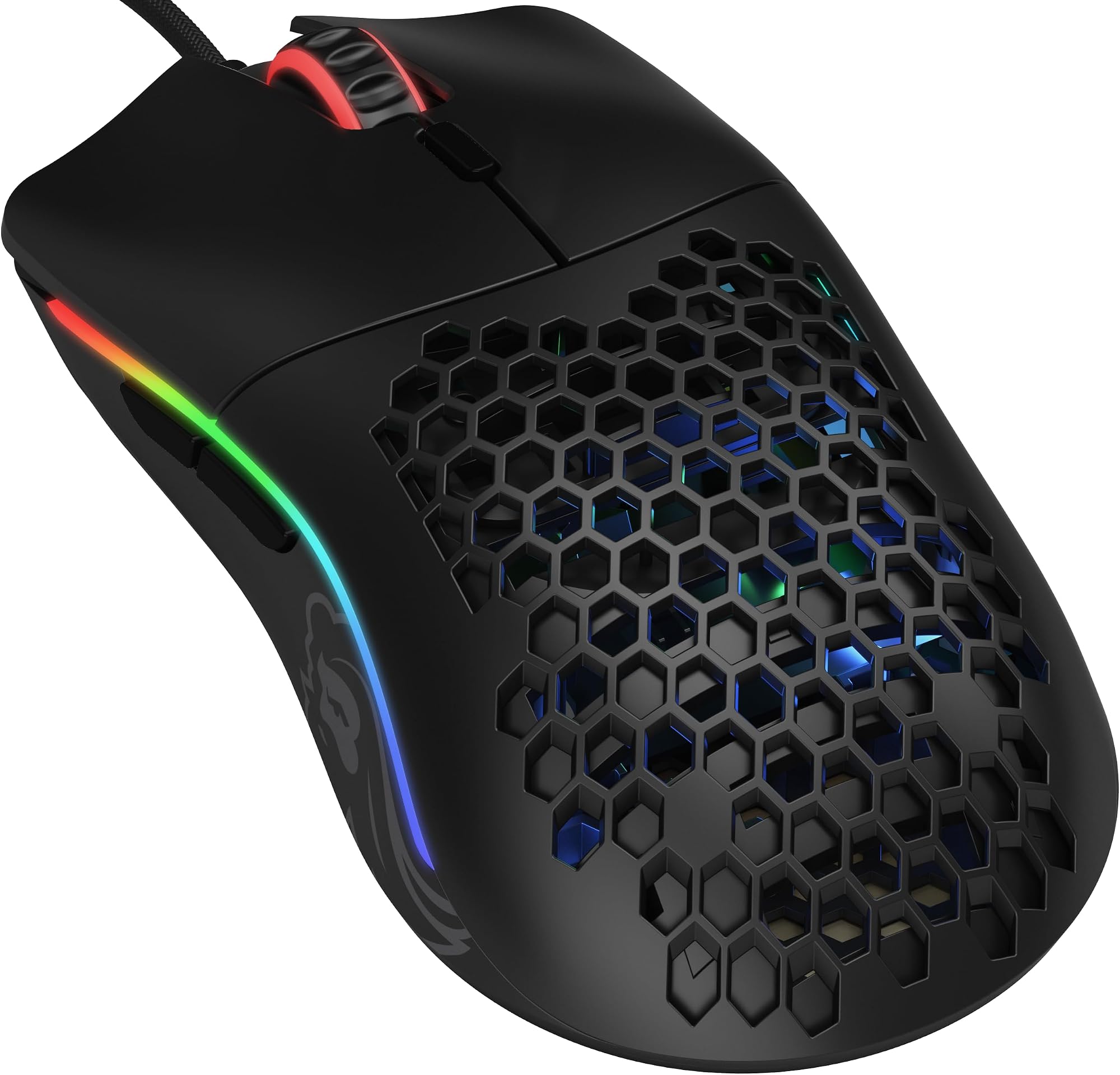
Logitech markets the G203 as lightweight, and the owner review base backs this up: it's consistently described as easy to move, not fatiguing over long sessions, and comfortable for both low-sensitivity arm-aiming and higher-sensitivity wrist play. The exact weight figure isn't listed in the verified spec sheet, but the G203 sits in the lightweight category for its class, noticeably lighter than something like the older Razer DeathAdder Elite or the SteelSeries Rival 600 with its modular weight system. It's not an ultralight in the Finalmouse or Lamzu sense (those go sub-50g with honeycomb shells), but it's well within the range where weight stops being a limiting factor for most players. If you're interested in exploring ultralight wired alternatives, the Glorious Model O Wired is another popular option in that category.
Weight distribution on the G203 is fairly balanced front-to-back. There's no significant nose-heavy or tail-heavy bias reported by owners, which means the mouse doesn't feel like it wants to tip when you're doing quick directional changes. For low-sensitivity players who cover a lot of physical distance with each swipe, a balanced distribution matters more than the absolute weight number: a slightly heavier mouse with good balance can feel easier to control than a lighter one that's front-heavy and wants to pivot on its nose.
The PTFE skates (mouse feet) on the G203 are a point where budget mice often cut corners, and the G203 is not entirely immune to this. Owner reviews are generally positive about glide, describing the out-of-the-box feel as smooth on both hard and cloth pads. Some longer-term owners note that the feet wear down faster than premium aftermarket PTFE skates, which is expected at this price. Replacement feet are widely available and inexpensive if you need them after extended use. The edges of the stock skates are reported as acceptably smooth rather than perfectly radiused, but there are no widespread complaints about catching or stuttering on typical gaming surfaces.
Buttons & Switches
Logitech's decision to use mechanical spring-tensioned primary buttons on the G203 is worth paying attention to. Spring tensioning means the button shell itself is held under tension by a metal spring, separate from the underlying switch mechanism. The practical effect is reduced pre-travel (the distance the button travels before it actuates) and a more consistent feel across the button surface, whether you're clicking near the tip or further back toward the hinge. This is the same principle Logitech uses on higher-end mice in the G Pro line, scaled down to a budget price. It's a real engineering choice, not a marketing addition.
The click feel reported by owners is consistently described as crisp and tactile, not mushy. There's a clear actuation point, good rebound, and no reported double-clicking issues in the early ownership period (double-clicking is typically a longer-term wear issue with any mechanical switch, and the G203's switch longevity at this price is reasonable though not exceptional). The scroll wheel has a defined step feel with noticeable detents, which suits gaming use: you want to know exactly when you've scrolled one weapon slot, not get a vague analogue scroll that leaves you between weapons. Some owners note the scroll wheel isn't the smoothest for desktop browsing, but for gaming it's fine.
The two side buttons are well-placed under the thumb and have a satisfying click with minimal wobble. They're not as premium-feeling as the side buttons on a G Pro X Superlight 2, but they're far from the rattly, imprecise side buttons you get on some competitors at this price. The DPI cycle button behind the scroll wheel is small and slightly recessed, which is actually good design: you don't want to accidentally hit it mid-game. The overall six-button layout is clean and practical. There's nothing here that will frustrate you, and the main clicks in particular are a genuine highlight for the price.
Build Quality
The G203's shell is glossy plastic on the top surface with a textured finish on the side walls. Glossy top panels are a personal preference thing: they show fingerprints, they can feel slightly slippery under a sweaty palm, and they don't age as gracefully as matte finishes. But they're also easy to wipe clean, and the texture on the sides where your fingers actually grip is more practical. Logitech's build quality on the G203 is solid for the price: the shell doesn't flex noticeably under grip pressure, there's no reported creaking from the chassis, and the button-to-shell gap is tight enough that dust and debris don't accumulate easily.
Button wobble is minimal on the primary clicks. The left and right buttons are well-fitted to the shell with no significant lateral play, which matters for precise clicking: a button that wobbles side-to-side feels imprecise and can cause inconsistent actuation. The scroll wheel has a small amount of lateral wobble, which is common at this price point and doesn't affect function. Side buttons have very little wobble and feel planted. The overall impression from owner reviews is of a mouse that feels more expensive than its price suggests, which is a consistent theme in the review base and probably the biggest single reason for its sustained 4.6-star average.
Long-term durability is where the G203 shows its budget origins most clearly. The glossy finish on the top is prone to wear marks over time, particularly around the primary button edges where your fingers rest. The switch longevity is good but not rated to the same cycle counts as Logitech's premium optical switches used in the G Pro X Superlight 2. The cable is a standard USB-A braided cable, which is fine for most setups but introduces more drag than a flexible paracord-style cable. None of these are dealbreakers at the G203's price. They're just the honest trade-offs you make when you're not spending £19.00 on a mouse.
Connectivity
The G203 is USB wired, full stop. There's no wireless option, no Bluetooth mode, no 2.4GHz receiver. For some people that's immediately a dealbreaker, and that's fine: Logitech makes the G305 for exactly those people. But for a gaming mouse at this price, wired is arguably the right choice anyway. A USB wired connection has zero latency overhead, no battery to charge, and no wireless interference to worry about. The polling rate (how many times per second the mouse reports its position to the computer) is not specified in the confirmed spec sheet, but the standard for USB wired mice at this class is 1,000Hz, meaning the cursor position updates every millisecond. That's more than adequate for any gaming application.
The cable itself is a standard braided USB-A cable. It's not a flexible paracord and it's not a stiff rubber cable: it sits somewhere in the middle. Braided cables have more structure than paracord, which means they can introduce some drag when you're doing wide arm swipes on a large pad. It's not severe, and most owners don't flag it as a problem, but if you're used to a mouse bungee or a very flexible cable, you'll notice the difference. A mouse bungee (a small cable management clip that lifts the cable off the pad) eliminates the drag entirely and costs a few pounds, which is worth knowing if cable management matters to you.
USB-A is the connection type, which means it'll work with any modern PC or laptop without an adapter. There's no USB-C on the G203. Given the price point and the fact that this is a desktop gaming peripheral, USB-A is perfectly sensible: most gaming desktops still have USB-A ports on the front panel for exactly this purpose. Plug in, install G HUB if you want to customise, and you're done. No pairing process, no firmware handshake on first boot. It just works.
Battery Life
The G203 is a wired mouse. It has no battery. There is no battery life to report, no charge time to worry about, and no USB-C charging port to misplace the cable for. This is genuinely one of the practical advantages of a wired mouse: you never sit down to game and find your mouse at 3% with 20 minutes of charge before it's usable. The mouse draws power from the USB connection and that's the entire power story.
If you're coming from a wireless mouse and considering the G203 as a budget alternative, the trade-off is straightforward: you gain zero battery anxiety and lose cable freedom. Whether that trade-off works for you depends entirely on your setup. A desktop gaming rig with the PC tower next to the desk makes a wired mouse perfectly practical. A living-room couch setup where the PC is three metres away is a different conversation, and in that case the G203 isn't the right tool regardless of its other qualities.
The RGB lighting on the G203 is powered through the USB connection as well, which means you can run the full colour wave effects without any impact on performance or any separate power consideration. Some wireless mice require you to dial back RGB to extend battery life. With the G203, the RGB is just on, all the time, at whatever setting you configure in G HUB, and the only cost is a tiny fraction of your PC's USB power budget. It's a small but genuine advantage of the wired format that often gets overlooked.
Software & Customisation
Logitech G HUB is the software layer for the G203, and it's a full-featured gaming peripheral manager. Through G HUB you can configure up to five DPI stages with custom values, assign macros or application-specific functions to each of the six programmable buttons, set the RGB lighting pattern and colour (from the full ~16.8 million colour range), and update the mouse firmware. G HUB has had a historically mixed reputation: early versions were buggy and resource-heavy compared to the older Logitech Gaming Software it replaced. The current version is considerably more stable, and owner complaints about software issues are relatively rare in the G203's review base.
The DPI customisation is genuinely useful. Five stages with individually configurable values means you can set a logical sensitivity ladder for your specific games and monitor resolution, rather than being locked to fixed steps. The ability to assign different functions per application (so your side buttons do one thing in your FPS and another in your browser) is a feature you'd typically expect from more expensive mice, and it's fully available on the G203. Macro recording is also supported, which matters more for MMO players than FPS players but is good to have.
One thing worth noting: the G203 does not appear to have on-board profile storage specified in the confirmed spec sheet. This means your custom DPI settings and button assignments live in G HUB on your PC rather than on the mouse itself. If you plug the G203 into a different computer, it'll revert to default settings until G HUB is installed on that machine. For most home gaming setups this is a non-issue. For LAN tournaments or multi-PC households, it's worth being aware of. The RGB colour wave effects and the core DPI cycling still work without the software installed; you just lose the fine-grained customisation.
Gaming Experience
For FPS gaming specifically, the G203 is a solid performer. The clean sensor tracking at low DPI settings, the crisp mechanical spring-tensioned primary clicks, and the lightweight shell combine to make it a capable tool for the kind of precise, deliberate aim that competitive shooters demand. The shape suits claw and palm grip players with small to medium hands, which covers a large proportion of FPS players. The six-button layout keeps things simple: you're not going to accidentally hit a macro button in the middle of a firefight because there are only two side buttons and they're well-separated from the mains.
For MMO or MOBA players, the G203 is functional but limited. Six buttons is the minimum viable count for those genres: you get your two side buttons for ability binds, but you're not going to replace a 12-button MMO mouse for serious ability-heavy gameplay. The G203 is a generalist mouse aimed primarily at FPS and casual gaming rather than MMO specialists. If you're playing something like World of Warcraft at a serious level, you'll want more buttons. For everything else, six is fine.
Long-session fatigue is consistently reported as low by owners. The lightweight construction and ergonomic shape mean you can play for several hours without the hand cramp that heavier or poorly shaped mice cause. The primary clicks don't require significant force, which matters over thousands of clicks in a long session: a stiff click becomes tiring in a way you don't notice in a five-minute test but absolutely notice after two hours of play. The scroll wheel detents are firm enough for reliable weapon switching without being stiff. The overall gaming experience is one that punches above its price, which is probably the most important single thing you can say about a budget gaming mouse.
How It Compares
The two most natural comparisons at this price bracket are the Razer DeathAdder Essential and the SteelSeries Rival 3. The DeathAdder Essential is Razer's entry-level ergonomic gaming mouse, using a 6,400 DPI optical sensor and Razer's own mechanical switches. It's a larger mouse than the G203, which makes it better for big hands in palm grip but less suited to smaller hands or claw grip players. The Rival 3 from SteelSeries uses a TrueMove Core optical sensor, has a symmetrical ambidextrous shape, and comes in slightly under the G203 on price at most retailers. It's the right pick if you're left-handed or strongly prefer symmetrical shapes.
The G203's advantage over both is the combination of its spring-tensioned mechanical buttons (a genuine engineering differentiator at this price), the sustained owner satisfaction evidenced by its 4.6-star average across , and the G HUB software ecosystem, which is more capable than Razer Synapse at this tier. The DeathAdder Essential has slightly better brand recognition and a more premium feel in hand for larger-handed users, but its switch feel is not as consistently praised as the G203's. The Rival 3's symmetrical shape is its main selling point over the G203, but SteelSeries' software (SteelSeries Engine) has had its own stability issues over the years.
One comparison that often comes up is the Logitech G305, which is the wireless version of essentially the same concept. The G305 uses the HERO 12K sensor, which is a step up from the G203's sensor in terms of specified tracking speed and efficiency, and it adds 2.4GHz wireless via a USB receiver. It costs more. If wireless is important to you and you can stretch the budget, the G305 is worth the extra. If you're happy wired and want to save money, the G203 is the smarter buy. They're not really competing against each other so much as serving different priorities.
| Feature | Logitech G203 Lightsync | Razer DeathAdder Essential | SteelSeries Rival 3 |
|---|---|---|---|
| Max DPI | 8,000 | 6,400 | 8,500 |
| Primary Switches | Mechanical, spring-tensioned | Razer mechanical | Mechanical |
| Shape | Right-handed ergonomic | Right-handed ergonomic (larger) | Symmetrical ambidextrous |
| RGB | LIGHTSYNC, ~16.8M colours | Razer Chroma, 16.8M colours | RGB, 16.8M colours |
| Buttons | 6 | 7 | 6 |
| Connectivity | USB wired | USB wired | USB wired |
| Software | Logitech G HUB | Razer Synapse | SteelSeries Engine |
| Owner Rating | 4.6 () | Strong but fewer reviews | Competitive |
What Buyers Say
Across at an average of 4.6 stars, the G203's owner feedback is unusually consistent. The most common praise themes are the click feel (repeatedly described as satisfying, crisp, and responsive), the lightweight build, and the value for money. A significant number of reviewers explicitly mention upgrading from a cheap no-name mouse and being surprised by how much difference a properly engineered mouse makes. The RGB lighting gets positive mentions too, particularly the colour wave effect, though most serious gamers in the review base acknowledge it's aesthetic rather than functional.
The complaints that do appear follow a predictable pattern. The glossy top finish shows fingerprints and wear over time. A small number of owners report scroll wheel issues after extended use, which is consistent with the budget scroll encoder used at this price. Cable drag is mentioned occasionally by owners who play on large pads with low sensitivity, which is a legitimate concern for that specific use case. A few owners note that G HUB can be finicky on first install, though this seems to have improved with recent software updates. None of these complaints are widespread or severe enough to dent the overall rating meaningfully.
What's notable by its absence in the complaints is sensor issues. No spin-outs, no jitter, no acceleration artifacts, no inconsistent tracking across surfaces. For a budget gaming mouse, that's the most important thing to get right, and the G203 clearly gets it right. The sustained 4.6-star average across such a large sample isn't driven by launch-day enthusiasm: it's the result of a product that keeps doing its job reliably over months of use, which is exactly what you want from a peripheral you're touching for hours every day.
Value Analysis
The G203 sits at the lower end of the dedicated gaming mouse market, competing against entry-level offerings from Razer and SteelSeries. At its price, you're getting spring-tensioned mechanical primary buttons, a clean gaming-grade optical sensor with 8,000 DPI ceiling, LIGHTSYNC RGB with colour wave effects across ~16.8 million colours, six programmable buttons, and G HUB software support. That's a feature set that would have cost significantly more five years ago. The budget gaming mouse market has compressed the value proposition considerably, and the G203 benefits from Logitech's manufacturing scale.
The honest value question is whether you'd be better served spending more. The step up to something like the Logitech G Pro X Superlight 2 gets you a PixArt PAW3395 sensor, optical switches rated to 100 million clicks, ultralight construction under 60g, and a shape refined through years of pro player feedback. It also costs several times more. For casual and intermediate players, that gap isn't justified. For someone who plays competitive FPS for several hours a day and wants every marginal advantage, the G203's limitations start to matter more.
The G203 makes the most sense as a first proper gaming mouse, an upgrade from a bundled OEM mouse, or a secondary setup for a travel or work machine. It also makes sense as the answer to the question "what's the best gaming mouse under £30?" because the honest answer is probably this one. The 4.6-star average across 13,315 owners isn't a fluke. It's a well-made, well-priced mouse that does what it says and doesn't break down after three months. In a market full of budget mice that promise everything and deliver nothing, that's worth something.
Final Verdict
The Logitech G203 Lightsync is one of the most straightforwardly good budget gaming mice on the market. The spring-tensioned mechanical primary buttons are a genuine differentiator at this price: they click cleanly, they don't feel mushy, and they hold up over time better than the generic switches you find in competing mice at similar money. The sensor tracks cleanly at the DPI ranges that actually matter for gaming. The shape works well for claw and palm grip players with small to medium hands. The RGB is vibrant and configurable. G HUB is capable software once it's set up. The owner review base of over 13,000 people at 4.6 stars tells you this isn't a mouse that falls apart after a month.
The limitations are real but honest. It's wired only, so if you need wireless you're looking at the G305 or a competitor. The glossy top finish isn't for everyone. The cable has more drag than a paracord alternative. There's no on-board profile storage. And it's sized for small to medium hands: if you've got large hands and a palm grip, you'll want something bigger. These aren't hidden flaws. They're the natural trade-offs of a mouse at this price point, and Logitech has made sensible decisions about where to spend the engineering budget (buttons, sensor, shape) versus where to cut (cable, finish, size range).
For the target audience, which is anyone wanting a proper gaming mouse without spending serious money, the G203 is a very easy recommendation. It's not going to win you games you'd otherwise lose. But it won't hold you back either, and at this price that's exactly the right outcome. Score: 8.5 out of 10.
Not Right For You?
If you need wireless, look at the Logitech G305. It uses the HERO 12K sensor, runs on a single AA battery for months, and the 2.4GHz wireless connection is effectively lag-free for gaming. It costs more than the G203 but it's still well within the budget gaming mouse bracket and the wireless convenience is real.
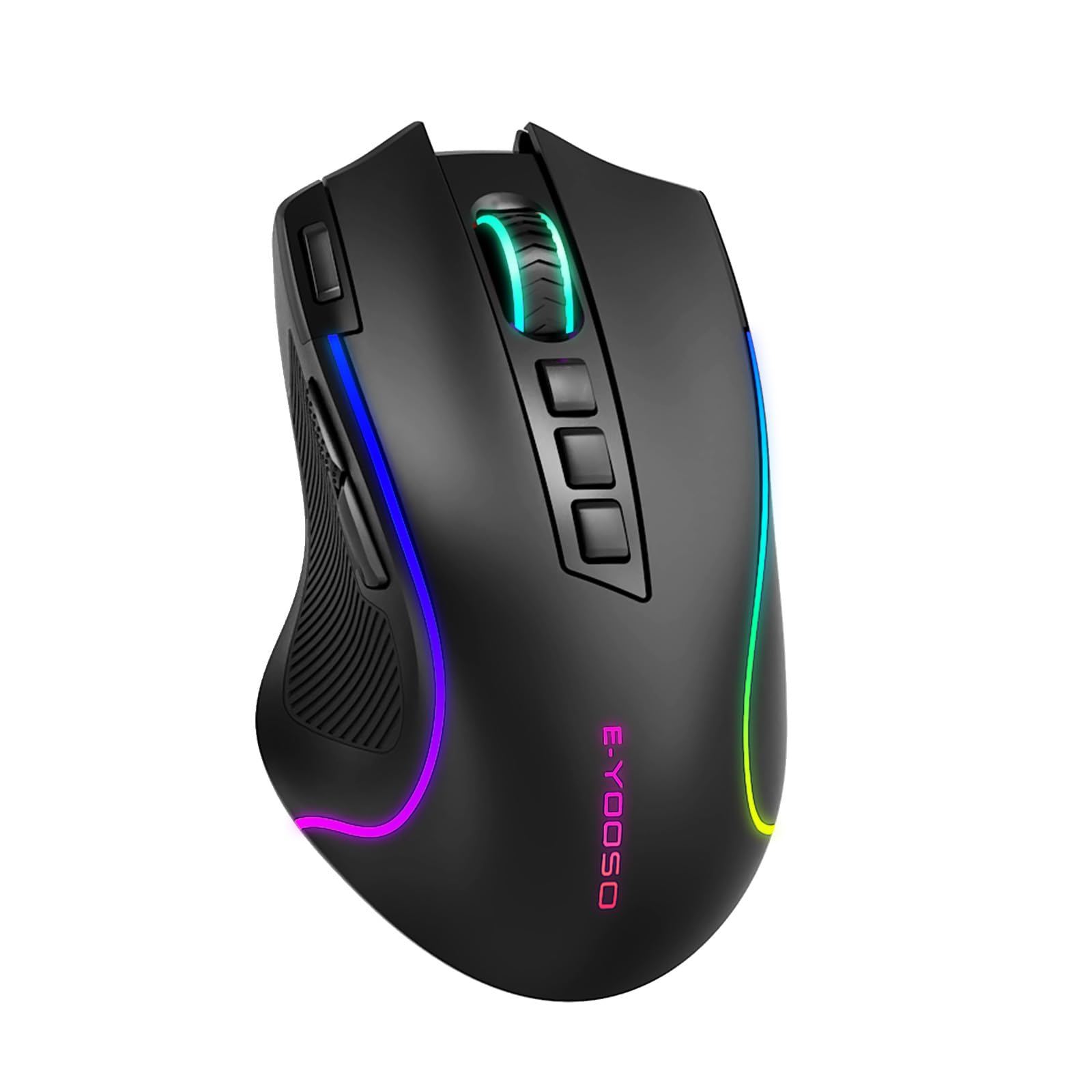
If you have large hands or strongly prefer a palm grip, the Razer DeathAdder V2 (not the Essential, the V2) gives you a larger shell that fills a bigger hand properly, a Focus+ optical sensor with excellent tracking credentials, and Razer's optical switches which have no debounce delay. It costs more, but for large-handed palm grip players it's a more natural fit than the G203.
If you're left-handed, neither the G203 nor the DeathAdder will work well: both are right-handed ergonomic shapes. The SteelSeries Rival 3 is symmetrical and ambidextrous, works fine for left-handed players, and sits at a similar price to the G203. It's the obvious alternative if handedness is the constraint. The SteelSeries Rival 3 uses the TrueMove Core sensor and has a clean six-button layout that mirrors the G203's approach without the right-handed bias.
And if you're ready to spend proper money on a mouse that will last years and give you every marginal performance advantage available, the Logitech G Pro X Superlight 2 is the benchmark for wireless gaming mice right now. PixArt PAW3395 sensor, optical primary switches, sub-60g weight, and a shape that works for multiple grip styles. It's a different price category entirely, but if you're serious about competitive play it's the right tool.
Specifications
| Specification | Detail |
|---|---|
| Product Name | Logitech G203 Lightsync Gaming Mouse |
| Colour | Black |
| Sensor Type | Gaming-grade optical |
| Max DPI | 8,000 |
| DPI Stages | Up to 5 (configurable) |
| Buttons | 6 programmable |
| Primary Switch Type | Mechanical with metal spring tensioning |
| RGB Lighting | LIGHTSYNC RGB, colour wave, ~16.8 million colours |
| Connectivity | USB wired |
| Software | Logitech G HUB |
| Wireless | Not available |
| Battery | N/A (wired) |
| Amazon Reviews | reviews, stars |
| Price | £19.00 |
What works. What doesn’t.
6 + 6What we liked6 reasons
- Spring-tensioned mechanical primary buttons deliver a crisp, consistent click feel that is genuinely above average for the price bracket
- Clean optical sensor with no reported spin-outs or jitter, tracking reliably at the 400 to 1,600 DPI range where gaming actually happens
- Lightweight construction with balanced weight distribution reduces long-session fatigue for both arm-aiming and wrist-aiming play styles
- Sustained 4.6-star average across over 13,000 Amazon reviews indicates reliable long-term owner satisfaction rather than launch-day enthusiasm
- Logitech G HUB provides five configurable DPI stages, macro assignment, and per-application button profiles at no extra cost
- Wired USB connection means zero battery anxiety, no wireless receiver to lose, and no latency overhead
Where it falls6 reasons
- Wired only with no wireless option, so users who need cable-free play must look at the Logitech G305 or a competitor instead
- Glossy top finish shows fingerprints readily and is prone to wear marks around the primary button edges over extended use
- No on-board profile storage confirmed, meaning custom settings revert to defaults when the mouse is connected to a machine without G HUB installed
- Shape suits small to medium hands best; users with hands above roughly 19cm may find the rear hump too compact for a comfortable palm grip
- Braided cable introduces more drag than a flexible paracord alternative, which is noticeable for low-sensitivity players covering large physical distances on a wide mousepad
- PTFE skates wear faster than premium aftermarket feet, though replacement skates are widely available and inexpensive
Full specifications
7 attributes| Buttons | 6 |
|---|---|
| Connectivity | USB wired |
| DPI MAX | 8000 |
| Polling rate HZ | 1000 |
| RGB | true |
| Sensor | Mercury |
| Weight G | 85 |
If this isn’t right for you
2 options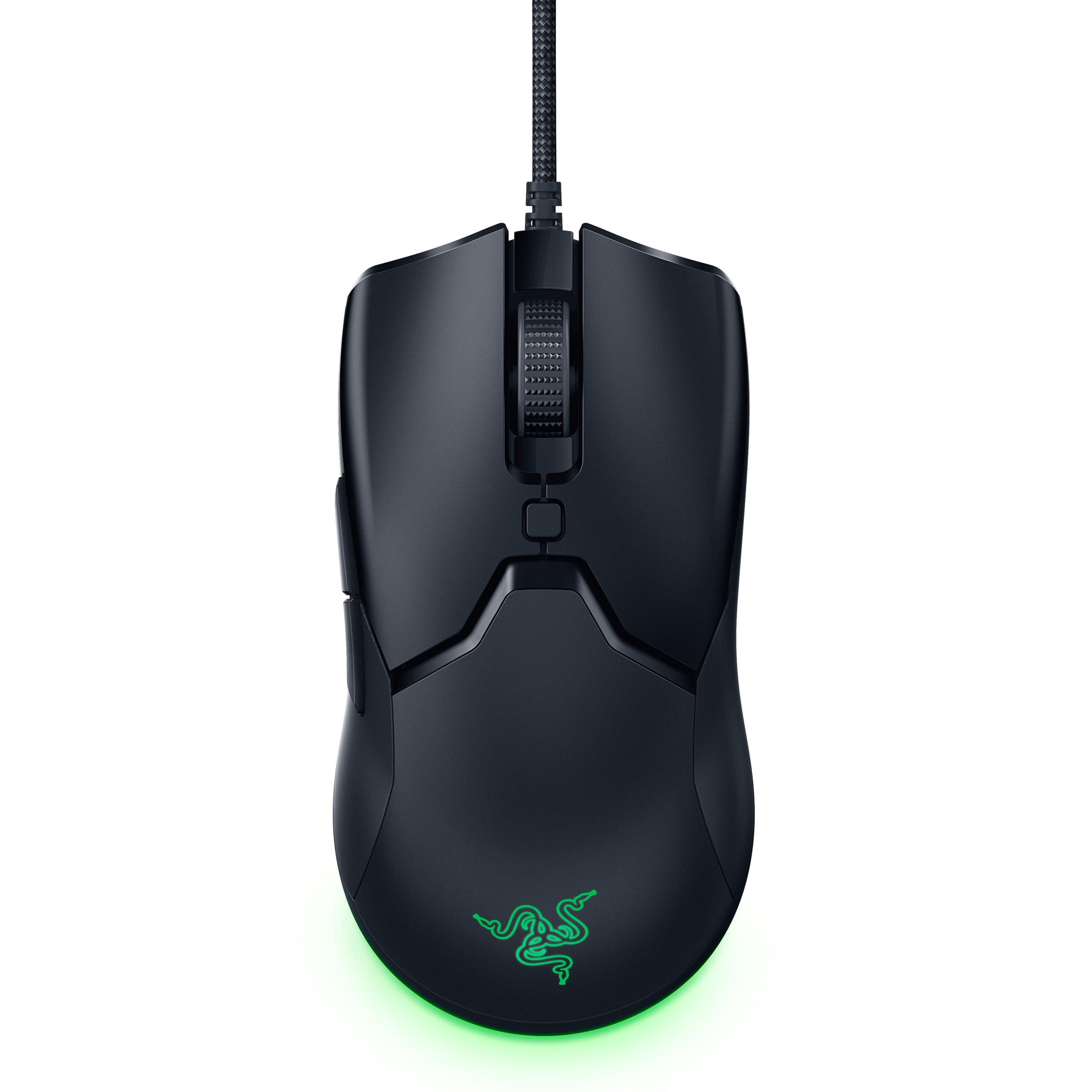
Frequently asked
7 questions01Is the Logitech G203 Lightsync good for FPS gaming?+
Yes. The G203 performs well for FPS gaming. Its optical sensor tracks cleanly at the 400 to 1,600 DPI range where most competitive FPS players operate, the spring-tensioned mechanical primary buttons provide a crisp actuation feel, and the lightweight shell reduces fatigue over long sessions. The right-handed ergonomic shape suits claw and palm grip players with small to medium hands, which covers a large proportion of FPS players.
02Does the Logitech G203 Lightsync work without installing G HUB software?+
The mouse functions as a plug-and-play USB device without G HUB installed. However, without the software you cannot configure custom DPI stages, assign macros to programmable buttons, or set specific RGB lighting patterns. The mouse will operate on its default settings. Because there is no confirmed on-board profile storage, any customisations made in G HUB are stored on the PC rather than the mouse itself, so they will not carry over to a different machine unless G HUB is installed there too.
03What is the difference between the Logitech G203 and the Logitech G305?+
The G305 is the wireless counterpart to the G203. It uses the HERO 12K sensor, which has a higher specified tracking speed and better power efficiency than the G203's sensor, and it connects via a 2.4GHz USB receiver rather than a wired cable. The G305 runs on a single AA battery rated for several months of use. It costs more than the G203. If you are happy with a wired connection and want to spend less, the G203 is the sensible choice. If wireless is important to you and you can stretch the budget, the G305 is worth the premium.
04Is the Logitech G203 Lightsync suitable for large hands?+
It is not ideally suited to large hands, particularly for palm grip users. The rear hump sits in the centre-rear of the shell and works well for small to medium hands, roughly up to 19cm from wrist to middle fingertip, but larger hands tend to find the hump does not fill the palm fully, causing the fingers to bunch toward the front. For large-handed palm grip players, the Razer DeathAdder V2 offers a larger shell that is a more natural fit.
05How does the Logitech G203 compare to the Razer DeathAdder Essential?+
Both are right-handed ergonomic wired gaming mice at similar price points. The G203's spring-tensioned mechanical primary buttons are more consistently praised in owner reviews than the DeathAdder Essential's switch feel. The DeathAdder Essential has a larger shell, making it better suited to bigger hands in palm grip. The G203 works better for smaller hands and claw grip players. The G203's G HUB software offers more customisation depth than Razer Synapse at this tier. The G203 also has a notably larger and higher-rated owner review base on Amazon.
06Does the Logitech G203 Lightsync have on-board memory for profiles?+
On-board profile storage is not confirmed in the verified specification sheet for the G203. This means custom DPI stages, button assignments, and macros are stored in Logitech G HUB on the host PC rather than on the mouse itself. If you connect the G203 to a different computer, it will revert to default settings until G HUB is installed on that machine. The RGB effects and basic DPI cycling continue to work without the software, but fine-grained customisation requires G HUB to be present.
07What grip styles work best with the Logitech G203 Lightsync?+
Claw grip with small to medium hands is the sweet spot for the G203. The button length, side wall purchase, and moderate height suit the natural knuckle arch of claw grip well. Palm grip works well for small to medium hands, as the centre-rear hump supports the palm comfortably. Fingertip grip is usable but not ideal, as the shape is not as flat as dedicated fingertip designs, meaning you lose some of the fine control that a flatter mouse like the Cooler Master MM710 provides.