Storage capacity debates tend to follow a familiar pattern: you think 1TB will be fine, and then six months later you're playing Tetris with your game library and wondering why you didn't just buy bigger. But capacity is only half the question. The more important one is what happens when that drive is actually working hard. Peak sequential speeds are marketing numbers measured on an empty drive with a warm SLC cache. What matters is what the drive does when that cache runs out, how it handles the random I/O that actually dictates how fast your system feels, and whether the endurance rating tells you the manufacturer trusts its own NAND enough to back it for the long haul.
The Samsung 990 PRO NVMe M.2 SSD in 2TB is aimed squarely at the buyer who wants a proper workhorse: someone doing 4K video editing, running a large game library, or just refusing to compromise on the primary drive in a high-end build. Samsung rates it at 7,450 MB/s sequential read and 6,900 MB/s sequential write, which puts it near the top of the PCIe 4.0 pile. But the headline numbers are the start of the conversation, not the end. The real story is in the controller, the NAND, the DRAM cache, and how it behaves once you push it beyond the marketing demo.
With over 19,000 owner reviews averaging , this drive clearly isn't disappointing many people. But a high average rating doesn't mean it's right for everyone. Here's what the spec sheet, published benchmarks, and owner reports actually tell you about whether the 990 PRO deserves a slot in your build.
Core Specifications
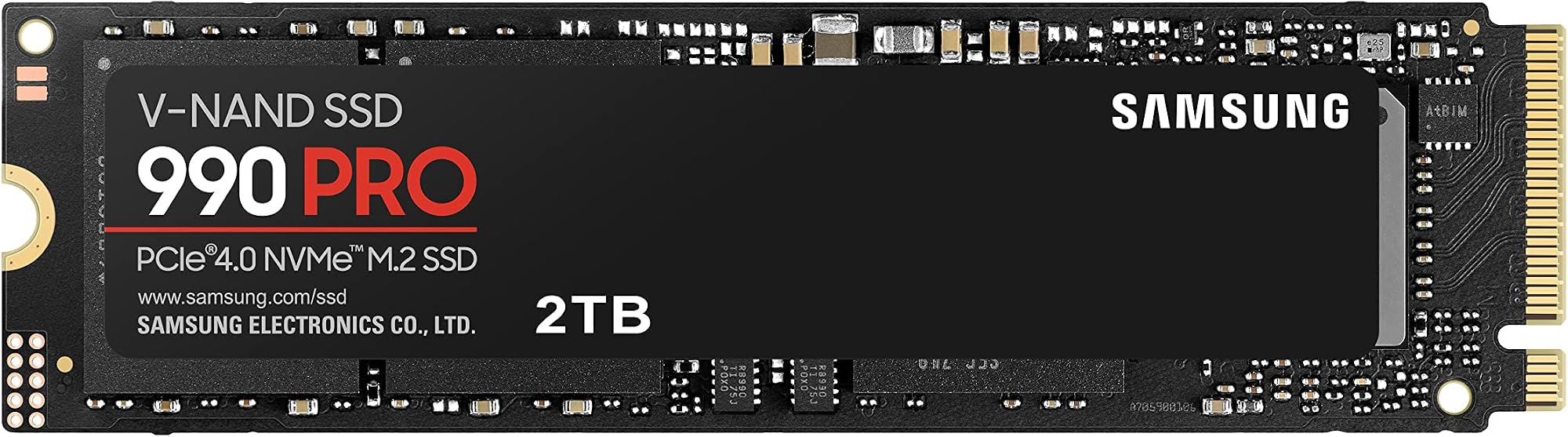
The 990 PRO is a NVMe M.2 2280 drive running on PCIe 4.0 x4. Samsung uses its own in-house controller, the Pascal (Samsungs proprietary design), paired with V-NAND TLC (triple-level cell) flash. Critically, it has a dedicated DRAM cache. That matters more than the sequential speed numbers and we'll come back to it. The 2TB variant is rated at 7,450 MB/s sequential read and 6,900 MB/s sequential write. Samsung also rates it to 1,200 TBW (terabytes written) at the 2TB capacity, which is a genuinely strong endurance figure and a real signal that Samsung is confident in this NAND.
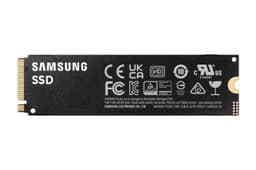
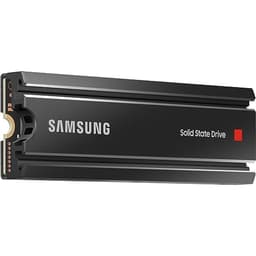
The form factor is M.2 2280, which is the standard size that fits virtually every desktop motherboard M.2 slot and most modern laptops. It does not ship with a heatsink in the base configuration, though some retail bundles include one. The Samsung Magician software, which is free, handles firmware updates, health monitoring, and performance optimisation. It's actually useful rather than just a checkbox feature, particularly for monitoring drive health and running secure erase before resale.
One thing worth flagging before the table: Samsung has been transparent about the 990 PRO's specs in a way not every manufacturer is. The TBW rating, the DRAM cache, the TLC NAND, the in-house controller. These are the things that separate a drive you can trust for years from one that looks good on a spec sheet and then disappoints you eighteen months later. The numbers below are sourced from Samsung's verified product data.
| Specification | Detail |
|---|---|
| Model | Samsung 990 PRO (MZ-V9P2T0BW) |
| Capacity | 2 TB |
| Interface | PCIe 4.0 x4, NVMe |
| Form Factor | M.2 2280 |
| NAND Type | Samsung V-NAND TLC |
| DRAM Cache | Yes (dedicated DRAM) |
| Sequential Read | Up to 7,450 MB/s |
| Sequential Write | Up to 6,900 MB/s |
| Endurance (TBW) | 1,200 TBW (2TB variant) |
| Thermal Protection | Heat spreader + Dynamic Thermal Guard |
| Software | Samsung Magician (free) |
| Price | £335.49 |

Interface & Form Factor
PCIe 4.0 x4 is the sweet spot right now. PCIe 3.0 drives are genuinely slower in ways that show up in real workloads, particularly large sequential transfers and sustained write performance. PCIe 5.0, on the other hand, is faster on paper but brings serious thermal challenges, costs a premium, and frankly doesn't translate to a meaningfully faster experience for the vast majority of tasks. The 990 PRO sits in the sensible middle: fast enough to saturate PCIe 4.0 bandwidth, without the throttling headaches that plague Gen 5 drives running hot in a chassis without active airflow.
The M.2 2280 form factor means it'll slot into any modern desktop motherboard with an M.2 slot (and most have at least two, often more). Laptop compatibility is equally broad, though you'll want to check whether your specific model supports PCIe 4.0 or is limited to PCIe 3.0. If your laptop only has a PCIe 3.0 M.2 slot, the 990 PRO will still work, just capped at PCIe 3.0 speeds. You're paying for headroom you won't use in that scenario, so it's worth checking your laptop's spec sheet before buying.
For PS5 users, the 990 PRO is a popular expansion drive choice. Sony's console supports PCIe 4.0 M.2 drives and the 990 PRO comfortably exceeds Sony's minimum speed requirement. The PS5 does require a heatsink on any M.2 drive you install, so factor that in if you're buying for that use case. Some retail bundles include a heatsink; the standard version does not. Either way, this is a straightforward fit for the PS5 and owners report it working without issue.
Real-World Performance
Sequential read and write speeds get all the attention, but they're the least useful numbers for predicting how a drive actually feels in daily use. Your operating system, your applications, your game engine, your browser, your creative tools: they're all hammering the drive with small, random reads and writes, not continuous sequential streams. Random I/O, measured in IOPS (input/output operations per second), is what dictates whether your system boots in eight seconds or twelve, whether Photoshop opens quickly or makes you wait, whether a game level loads before you've had time to blink.
Published benchmarks from the broader storage community consistently show the 990 PRO performing at the top of the PCIe 4.0 category for random read performance. That DRAM cache is doing real work here: it allows the controller to handle random I/O without the latency penalty you get from a DRAM-less drive leaning on Host Memory Buffer. In practice, this translates to snappy system response across the board. Owner reports consistently describe fast boot times, quick application launches, and no perceptible lag in game loading, even with large modern titles that stream assets aggressively from storage.
For large file transfers, the sequential numbers are more relevant, and 7,450 MB/s read is genuinely fast. Copying a 50GB video project or moving a large game install between drives is meaningfully quicker than on a mid-range PCIe 4.0 drive, let alone anything PCIe 3.0. That said, the caveat on sustained writes applies here too (more on that in the next section). For reads, which is most of what you do when loading content, the 990 PRO is consistently fast and doesn't throttle in the same way writes can. Owners doing 4K video editing report smooth timeline scrubbing and fast proxy generation, which lines up with what the specs and published benchmarks predict.
Sustained Writes & Cache Behaviour
This is the section the marketing glosses over. Every NVMe SSD uses a portion of its NAND as an SLC (single-level cell) cache, where each cell stores one bit instead of three. Writing to SLC is fast. Very fast. It's why a drive can post an impressive sequential write number on an empty drive in a benchmark. The question is what happens when that SLC cache fills up, which it will if you're copying large amounts of data, ingesting raw video footage, or doing sustained writes over time.
The 990 PRO uses Samsung V-NAND TLC as its base storage. TLC native write speed (after the SLC cache is exhausted) is meaningfully lower than the peak cached speed, but it's still competitive for a PCIe 4.0 drive. Crucially, TLC native speed is nowhere near as bad as QLC native speed. QLC (quad-level cell) drives can fall off a cliff to speeds that would embarrass a SATA drive once the cache fills. The 990 PRO doesn't do that. Published benchmark results from sustained write tests show it maintaining respectable speeds after cache exhaustion, not the dramatic cliff you see on budget QLC drives. For most users, the SLC cache is large enough that they'll rarely hit native TLC speeds in practice. But if you're regularly ingesting large raw video files or doing sustained bulk transfers that exceed the cache size, you'll see a write speed reduction. It's not catastrophic. It's just honest to mention it.
The Dynamic Thermal Guard technology also plays a role here. Under sustained load, the controller will throttle to prevent overheating, and that can affect sustained write performance. Samsung's heat spreader helps manage this, but in a hot case with poor airflow, you may see more throttling than in a well-ventilated build. The 990 PRO handles this better than many competitors, but it's not immune to thermal throttling under prolonged heavy writes. Adding an aftermarket M.2 heatsink (or using a motherboard slot that comes with one) is always a sensible move for a drive doing serious sustained work. More on thermals in its own section below.
Controller, NAND & DRAM
Samsung builds its own controllers and its own NAND. That vertical integration is a genuine advantage. Most competing drives use third-party controllers from Phison, Silicon Motion, or Maxio, which are fine, but Samsung's in-house Pascal controller is tuned specifically for Samsung's V-NAND and has a track record of reliability across multiple product generations. The 980 PRO before it had some early firmware issues that Samsung addressed, and the 990 PRO launched in a more mature state. Owner reports over time reflect this: far fewer firmware-related complaints than you'd see with some third-party controller designs.
The NAND is Samsung's own V-NAND TLC. TLC stores three bits per cell, which is the sweet spot for consumer drives: better endurance and write speed than QLC (four bits per cell), and more affordable and higher-density than MLC (two bits per cell). If you see a competing drive at a similar price point using QLC NAND, that's a meaningful downgrade in endurance and sustained write performance. The 990 PRO's TLC NAND, combined with the 1,200 TBW rating, puts it in a different class from budget QLC drives that look similar on a spec sheet but behave very differently under load.
The dedicated DRAM cache is arguably the most important differentiator between the 990 PRO and cheaper alternatives. DRAM-less drives use Host Memory Buffer (HMB), borrowing a slice of your system RAM to store the flash translation layer. That works reasonably well for a boot drive doing light random I/O, but under sustained mixed workloads, a proper DRAM cache is faster and more consistent. For a drive you're using as a scratch disk, a game library, or a primary creative storage volume, DRAM matters. The 990 PRO has it. A lot of drives at this price point don't, or they use QLC NAND to offset the cost of adding DRAM. Samsung doesn't make that compromise here.
Endurance & Reliability
1,200 TBW on the 2TB model. That's a strong number. To put it in context: if you write 200GB per day, every single day, you'd hit 1,200 TBW in about 16 years. Most users write nowhere near 200GB per day. Even heavy users doing sustained creative work or gaming might write 50 to 100GB daily. The endurance rating here is not a concern for the vast majority of buyers. It's a meaningful signal that Samsung is confident in this NAND and is willing to back it.
Warranty length is always worth checking because it tells you how much the manufacturer trusts its own product. Samsung offers a five-year warranty on the 990 PRO. Five years is the industry standard for a premium NVMe drive, and it's a good sign. Budget drives sometimes ship with three-year warranties, which should make you ask why. A manufacturer offering five years on a drive is effectively saying they don't expect to see many of them back. Owner reports across the 19,000-plus reviews reflect this confidence: failure rates appear low, and the reviews that mention longevity are overwhelmingly positive.
One thing worth noting from owner reviews: some early 990 PRO units had firmware that caused the drive to report slightly degraded health in Samsung Magician after relatively modest use. Samsung issued firmware updates that addressed this, and the consensus from owners who updated firmware is that the issue was a reporting bug rather than actual NAND degradation. If you buy a 990 PRO, update the firmware through Samsung Magician before drawing any conclusions from the health readout. It's a good habit with any Samsung drive, and Magician makes it straightforward.
Thermals
PCIe 4.0 drives run warmer than PCIe 3.0 drives. That's just physics. The 990 PRO includes a heat spreader and Samsung's Dynamic Thermal Guard, which throttles the drive before it hits temperatures that could cause data errors or damage. In a well-ventilated case with reasonable airflow across the M.2 slot, the 990 PRO manages its thermals without significant throttling under normal workloads. Published thermal tests from the wider benchmark community show it performing well compared to competing PCIe 4.0 drives, particularly drives that run hot enough to throttle during sustained writes.
The situation changes if you're doing sustained heavy writes in a poorly ventilated case, a laptop with limited airflow, or a PS5 without a heatsink fitted. In those scenarios, the Dynamic Thermal Guard will kick in and reduce write speeds to protect the drive. This is the correct behaviour; it's protecting your data. But it does mean that if you're regularly doing sustained large writes (think ingesting raw video, large backup operations, or long game installs), you'll want to ensure the drive has airflow and ideally an M.2 heatsink. Many modern motherboards include heatsinks for their M.2 slots. Use them.
Compared to PCIe 5.0 drives, the 990 PRO is notably cooler under load. Gen 5 drives can get genuinely hot, sometimes requiring active cooling or a beefy heatsink to avoid throttling. The 990 PRO's Gen 4 interface means it's pushing less power through the controller, which keeps temperatures more manageable. For most builds, especially those without dedicated M.2 cooling, the 990 PRO's thermal behaviour is much more predictable and less troublesome than a Gen 5 alternative. That's a real-world advantage that the sequential speed comparison doesn't capture.
Capacity Options & Price Per GB
The 990 PRO is available in 1TB, 2TB, and 4TB configurations. The 2TB is the sweet spot for most buyers right now. Game installs have ballooned: a single modern title can easily consume 100GB or more, and having a couple of dozen installed simultaneously isn't unusual for an active gaming library. Add an operating system, creative project files, and a working scratch space, and 1TB fills up faster than you'd expect. 2TB gives you room to breathe without constantly managing what's installed.
Price per GB at the 2TB tier is competitive for a premium TLC drive with DRAM. You're paying more per GB than you would for a budget QLC drive, but that comparison is misleading. The performance gap, particularly in sustained writes and random I/O, means they're not the same product. A fairer comparison is against other premium PCIe 4.0 TLC drives with DRAM, and there the 990 PRO is priced reasonably. The 4TB option exists for buyers with serious storage needs, though the price per GB premium over the 2TB is worth checking at the time of purchase, as pricing shifts regularly.
For buyers considering whether to buy one large drive or two smaller ones: one large drive is simpler, runs cooler (no second drive adding heat), and avoids the complexity of managing data across two volumes. The 2TB 990 PRO as a single primary drive is a cleaner solution than two 1TB drives in most consumer scenarios. The exception might be if you want to separate your OS from your data for backup or reinstall simplicity, in which case a smaller boot drive and a larger secondary makes sense. But for a single-drive build, 2TB is the right call.

Installation & Compatibility
Installation is straightforward for anyone who's fitted an M.2 drive before. You need a PCIe 4.0 M.2 slot (or PCIe 3.0 if you're happy with the speed reduction), a Phillips screwdriver, and about five minutes. Most modern desktop motherboards have at least one M.2 slot with a retention screw or clip. The drive goes in at an angle, seats flat, and you screw or clip it down. If your motherboard has a heatsink cover for the M.2 slot, put it back on after installation. It's there for a reason.
For laptops, the process varies by model. Some are straightforward (remove a panel, swap the drive); others require more disassembly. The key compatibility check is whether your laptop's M.2 slot supports PCIe 4.0. Many laptops, particularly those more than two or three years old, only support PCIe 3.0 on their M.2 slots. The 990 PRO will work in a PCIe 3.0 slot but will be limited to PCIe 3.0 speeds. That's still fast, but you're paying for a PCIe 4.0 drive and not getting the full benefit.
For data migration, Samsung Magician includes a data migration tool, and Samsung also offers the Samsung Data Migration software as a separate free download. Both allow you to clone your existing drive to the 990 PRO without a fresh OS install. Owner reports suggest the migration tool works reliably in most cases, though as with any cloning operation, having a backup before you start is non-negotiable. If you're installing fresh, the process is just a standard OS installation with the drive selected as the target. No special drivers needed for Windows 10 or 11; NVMe support is built in.
Who It's For
The 990 PRO 2TB is a good fit for a primary drive in a high-end gaming PC or a creative workstation. If you're building or upgrading a system where the storage is going to be doing real work, whether that's a large game library, 4K video editing, 3D rendering, or any combination of those, this drive handles it without compromise. The DRAM cache, TLC NAND, strong TBW rating, and Samsung's controller pedigree all point to a drive that will perform well and last.
It's also a solid PS5 expansion drive for anyone who's exhausted the console's internal storage. The speed comfortably exceeds Sony's minimum requirement, and owner reports from PS5 users are consistently positive. Just remember the heatsink requirement; the PS5 manual is clear on this and it's not optional.
Who should look elsewhere? If you're buying a boot drive for a budget build and you'll mostly be browsing and doing light office work, a cheaper PCIe 4.0 or even a decent PCIe 3.0 drive will feel identical in daily use. The 990 PRO's advantages show up under load and over time, not in casual use. If your budget is tight and you're choosing between a smaller 990 PRO and a larger budget drive, the larger drive often wins for a game library where capacity matters more than peak performance. And if you need more than 2TB in a single drive and the 4TB pricing feels steep, a secondary drive might be a better value call than the 4TB 990 PRO.
How It Compares
The two most obvious competitors at this tier are the WD Black SN850X and the Seagate FireCuda 530. Both are PCIe 4.0 NVMe drives with DRAM caches and TLC NAND, targeting the same high-performance buyer. The SN850X is WD's gaming-focused flagship and has been a consistent benchmark favourite. The FireCuda 530 is Seagate's premium offering and ships with a heatsink option. All three are genuinely good drives; the differences are in the details.
The 990 PRO's sequential write speed (6,900 MB/s at 2TB) is competitive with both rivals. Where Samsung tends to pull ahead in published benchmarks is random read performance, which, as discussed, is more relevant to real-world system feel than sequential numbers. The 990 PRO's controller and DRAM implementation give it strong random I/O figures. The SN850X is close in random read but slightly behind in some published tests. The FireCuda 530 is broadly competitive but tends to run warmer under sustained load.
TBW endurance is worth comparing directly. The 990 PRO at 2TB is rated for 1,200 TBW. The WD Black SN850X 2TB is rated for 1,200 TBW as well. The FireCuda 530 2TB comes in at 1,275 TBW, a marginal advantage. All three are backed by five-year warranties. In practice, all three will outlast the useful life of the system they're installed in for the vast majority of buyers. The endurance comparison is more relevant for enterprise-adjacent workloads than typical consumer use.
| Feature | Samsung 990 PRO 2TB | WD Black SN850X 2TB | Seagate FireCuda 530 2TB |
|---|---|---|---|
| Interface | PCIe 4.0 x4 | PCIe 4.0 x4 | PCIe 4.0 x4 |
| NAND Type | TLC (Samsung V-NAND) | TLC (Kioxia BiCS5) | TLC (Micron 176L) |
| DRAM Cache | Yes | Yes | Yes |
| Seq. Read | 7,450 MB/s | 7,300 MB/s | 7,300 MB/s |
| Seq. Write | 6,900 MB/s | 6,600 MB/s | 6,900 MB/s |
| TBW (2TB) | 1,200 TBW | 1,200 TBW | 1,275 TBW |
| Warranty | 5 years | 5 years | 5 years |
| Heatsink Included | No (standard) | Optional variant | Optional variant |
| Price | £335.49 | Check current pricing | Check current pricing |
What Buyers Say
With and a 4.7 average, the 990 PRO has a broad and largely enthusiastic owner base. The praise is consistent: fast boot times, quick game loads, smooth performance in creative applications, and no drama in daily use. Owners who upgraded from older SATA or PCIe 3.0 drives frequently describe the difference as immediately noticeable, particularly in application launch times and large file operations. PS5 owners are similarly positive, noting the expanded capacity works exactly as expected with no setup headaches.
The complaints, where they exist, cluster around a few areas. The firmware health reporting issue mentioned earlier appears in some reviews from earlier buyers, though the consensus is that Samsung's firmware update resolved it. A smaller number of owners report the drive running warm in laptops or cases with poor airflow, which is consistent with what the thermal data would predict. And a handful of buyers mention the price, particularly when the drive goes through pricing fluctuations and temporarily sits above competing options. None of the common complaints point to reliability problems or performance failures in normal use.
One pattern worth highlighting: owners who mention using Samsung Magician consistently report a better experience than those who don't bother. Firmware updates, health monitoring, and the occasional performance optimisation run seem to matter more with Samsung drives than with some competitors. It's not a lot of effort, but it's worth doing. Owners who skip software maintenance and then report issues are sometimes describing problems that a firmware update would have prevented.
Value Analysis
At current pricing, the 990 PRO 2TB sits at the premium end of the PCIe 4.0 market, but not dramatically above its closest rivals. You're paying for Samsung's in-house controller, V-NAND TLC, dedicated DRAM, a strong TBW rating, and a five-year warranty. That's a legitimate premium. The question is whether you need all of it. For a high-end gaming PC or a creative workstation, yes, absolutely. The combination of fast random I/O, sustained write performance that doesn't fall off a cliff, and long-term reliability confidence is worth the price difference over a budget QLC alternative.
For a more casual build, you could spend less and not feel it in daily use. A good PCIe 4.0 drive from Crucial or Kingston at a lower price point will boot Windows and load games quickly enough that you won't notice the difference in normal use. The 990 PRO's advantages are most visible under sustained load and over a long ownership period, not in a five-minute gaming session. Know what you're buying it for.
Where the value proposition is clearest is for buyers who want to buy once and not think about it again. Samsung's reputation, the five-year warranty, the strong TBW rating, and the consistent owner satisfaction across a large sample of reviews all point to a drive that will still be performing well in five years. That peace of mind has a value that doesn't show up in a price-per-GB calculation. If you're the kind of person who wants the best and doesn't want to revisit the decision, the 990 PRO earns its price.
Final Verdict
The Samsung 990 PRO NVMe M.2 SSD, 2 TB, PCIe 4.0, 7,450 MB/s read, 6,900 MB/s write is a genuinely excellent drive. Not because of the headline sequential numbers (though those are strong), but because of the things that actually matter: Samsung's in-house controller, V-NAND TLC NAND, a dedicated DRAM cache, 1,200 TBW endurance, and a five-year warranty. It's a drive built by a company that makes its own NAND and its own controller, and that integration shows in the consistency of performance and the reliability record.
For the buyer doing 4K video editing, running a serious game library, or building a high-end PC where the storage should match the rest of the build, this is a straightforward recommendation. It handles sustained writes better than budget QLC alternatives, its random I/O is at the top of the PCIe 4.0 category, and it doesn't have the thermal headaches of PCIe 5.0 drives. The 2TB capacity is the right choice for most buyers: enough room to not think about storage management, fast enough to not be a bottleneck, and durable enough to outlast the system it's installed in.
For PS5 expansion, it's one of the best options available. For a laptop upgrade, check your PCIe version first. For a budget build where casual use is the norm, you could spend less and not miss the difference. But if you want a proper drive that will perform well, last long, and not surprise you unpleasantly in three years, the 990 PRO is exactly that. Score: 9 out of 10. The only reason it's not a perfect ten is the lack of an included heatsink and the fact that PCIe 5.0 drives exist for buyers who genuinely need every last MB/s. For everyone else, this is the one.

Not Right For You?
If the 990 PRO is overkill for your use case or the price is above your budget, there are solid alternatives worth considering. The Crucial P3 Plus is a budget PCIe 4.0 option that will handle boot duties and light gaming without drama, though it uses QLC NAND and is DRAM-less, so sustained write performance is in a different league. Fine for casual use; not for creative workloads.
The WD Black SN850X is the closest direct competitor and worth checking on price. At the 2TB tier it's within touching distance of the 990 PRO in most benchmarks, and if it's cheaper at the time you're buying, it's a legitimate alternative. The Seagate FireCuda 530 is another strong option and comes in heatsink variants if you'd rather not source one separately. All three are premium PCIe 4.0 TLC drives with DRAM; the differences are marginal enough that price at the time of purchase should often be the deciding factor.
If you're on a PCIe 3.0 system and not upgrading the motherboard, the NVMe Samsung 970 EVO Plus is worth a look. It's a proven PCIe 3.0 drive with a long reliability track record and you won't be paying for Gen 4 bandwidth you can't use. And if you genuinely need the fastest possible PCIe 5.0 performance and have the cooling to manage it, Samsung's own 990 EVO and competing Gen 5 drives exist, though the real-world benefit over a good Gen 4 drive is narrow for most tasks outside of very specific professional workloads.
What works. What doesn’t.
6 + 3What we liked6 reasons
- Samsung's in-house Pascal controller paired with V-NAND TLC NAND delivers class-leading random read performance at the top of the PCIe 4.0 category
- Dedicated DRAM cache ensures consistent random I/O under mixed workloads, unlike DRAM-less alternatives that rely on Host Memory Buffer
- 1,200 TBW endurance rating and a five-year warranty reflect genuine confidence in the NAND quality
- Sustained write performance after SLC cache exhaustion remains competitive, avoiding the dramatic speed cliff seen in budget QLC drives
- Thermal management is notably better than PCIe 5.0 rivals, making it predictable in a wide range of cases and chassis configurations
- Samsung Magician software provides genuinely useful health monitoring, firmware updates, and secure erase functionality
Where it falls3 reasons
- No heatsink included in the standard retail configuration, which is an inconvenience for PS5 buyers and users in thermally constrained cases
- Early firmware had a health reporting bug that caused some owners to misread NAND condition, though Samsung issued corrective updates
- Buyers with PCIe 3.0 laptops or motherboards will pay a premium for Gen 4 bandwidth they cannot fully utilise
Full specifications
7 attributes| Capacity | 2TB |
|---|---|
| Dram cache | 2048 MB |
| Form factor | M.2 2280 |
| Interface | PCIe 4.0 x4 NVMe 2.0 |
| Read speed | 7450 MB/s |
| Type | SSD |
| Write speed | 6900 MB/s |
If this isn’t right for you
2 options 9.2 / 10
WD BLACK SN850X NVMe SSD 2TB (Up to 7,300 MB/s read speed, Up to 6,600 MB/s write speed, M.2 2280, PCIe Gen4, Gaming Storage Expansion, High Performance Internal solid state drive) POWERED BY SANDISK
£291.69 · WD
 9.0 / 10
WD_BLACK SN8100 PCIe Gen 5 NVMe SSD 2TB (Up to 14,900MB/s read, 11,000MB/s write speeds, Next Gen TLC 3D CBA NAND, Up to 1,200TBW, Best for AI Applications, Gaming, Video Editing) POWERED BY SANDISK
£270.16 · SanDisk
Frequently asked
7 questions01Does the Samsung 990 PRO 2TB require a heatsink?+
A heatsink is not included in the standard retail box, though some bundles include one. Samsung's Dynamic Thermal Guard manages temperatures during normal use, but for demanding sustained workloads or installation in a PS5, a heatsink is strongly recommended. Sony's PS5 manual explicitly requires a heatsink on any M.2 drive fitted to the console.
02Will the Samsung 990 PRO work in a PCIe 3.0 M.2 slot?+
Yes, the drive is backwards compatible with PCIe 3.0 slots. However, it will be limited to PCIe 3.0 speeds rather than the rated 7,450 MB/s. If your system only supports PCIe 3.0, you would be paying for PCIe 4.0 performance you cannot access, and a purpose-built PCIe 3.0 drive such as the Samsung 970 EVO Plus would be a more cost-effective choice.
03What is the 990 PRO's performance like after the SLC cache is exhausted?+
Once the SLC write cache fills during very large sustained transfers, the drive falls back to native TLC write speeds, which are lower than the peak cached figure. However, TLC native speeds are meaningfully higher than those of budget QLC drives, which can throttle to near-SATA levels. For most users, the SLC cache is large enough that native TLC speeds are rarely encountered in practice.
04How does the Samsung 990 PRO compare to the WD Black SN850X?+
Both are premium PCIe 4.0 NVMe drives with TLC NAND, dedicated DRAM caches, and five-year warranties. The 990 PRO has a slight sequential read advantage at 7,450 MB/s versus 7,300 MB/s, and published benchmarks generally show comparable or marginally better random read performance from Samsung's controller. Both are rated at 1,200 TBW at the 2TB tier. In practice, the difference is close enough that current pricing should often be the deciding factor between them.
05Is the Samsung 990 PRO a good choice for PS5 expansion?+
Yes, it comfortably exceeds Sony's minimum speed requirement for PS5 M.2 expansion drives, and owner reports from PS5 users are consistently positive. The key requirement to remember is that the PS5 manual specifies a heatsink must be fitted to any M.2 drive installed in the console. The standard 990 PRO does not include one, so you will need to source and fit a compatible M.2 heatsink separately, or purchase a retail bundle that includes one.
06What firmware issue affected early Samsung 990 PRO units, and has it been resolved?+
Some early 990 PRO units shipped with firmware that caused Samsung Magician to report slightly degraded drive health after modest use. Investigation indicated this was a reporting error in the firmware rather than genuine NAND degradation. Samsung issued firmware updates that corrected the health readout. The current advice is to update firmware through Samsung Magician immediately after installation before drawing any conclusions from the health monitoring data.
07Is the Samsung 990 PRO suitable for 4K video editing?+
Yes. The combination of fast sequential read speeds, strong random I/O, and a dedicated DRAM cache makes it well-suited to 4K video editing workflows. Owners doing 4K work report smooth timeline scrubbing and fast proxy generation. The key caveat is that sustained write operations during raw footage ingest will eventually exceed the SLC cache and drop to native TLC speeds, which are still competitive but lower than peak figures. Ensuring good airflow around the drive is worthwhile for sustained editing sessions.