There's a specific kind of anxiety that kicks in when you're staring at a PC purchase this size. Not the "did I pick the right GPU" anxiety you get with a DIY build, but the prebuilt version: "Am I paying a fortune for someone to shove cheap parts into a nice case?" It's a fair concern. Plenty of prebuilt system builders have built their reputations on exactly that. So when something like the Stormforce Titan Xtreme lands with a Ryzen 9 9950X3D and an RTX 5090 on the spec sheet, the question isn't whether the headline components are good. They obviously are. The question is whether Stormforce has done right by them.
This is a machine aimed squarely at people who want the absolute top of the stack without the weeks of research, part-hunting, and cable-wrestling that a proper flagship DIY build demands. And at this price tier, that's not a lazy choice. Sourcing an RTX 5090, a Ryzen 9 9950X3D, and 64GB of DDR5 6000 yourself right now is its own special kind of nightmare, between availability, pricing, and the sheer time investment. So the question worth asking in this Stormforce Titan Xtreme AMD review is: does the convenience premium actually hold up when you look at what's inside?
Spoiler: the component list is genuinely impressive. But there are a few things worth knowing before you hand over the cash, and we'll get into all of them. No fluff, no marketing speak, just what the spec sheet tells us and what it means for real-world use.
Core Specifications
Right, let's start with what you're actually getting. The CPU is AMD's Ryzen 9 9950X3D, which is the 16-core, 32-thread flagship from the Zen 5 generation with 3D V-Cache stacked on top. The GPU is an NVIDIA GeForce RTX 5090 with 32GB of GDDR7. The system ships with 64GB of DDR5 running at 6000MHz. Storage is a 2TB PCIe Gen 5 SSD paired with a second 2TB M.2 NVMe SSD, giving you 4TB total. The motherboard sits on the AMD X870 chipset. Cooling is handled by a 360mm LCD AIO liquid cooler. Power comes from a 1000W 80 Plus Gold fully psu" class="vae-glossary-link" data-term="modular-psu">modular PSU. The whole lot lives in a Cougar FV270 RGB ATX case with panoramic tempered glass. Windows 11 Home is preinstalled.
That's a genuinely strong list with no obvious weak links. The PSU is the bit that often gets quietly downgraded on prebuilts, and a 1000W 80 Plus Gold fully modular unit is a proper choice for a system running an RTX 5090. The X870 chipset motherboard is the right platform for the 9950X3D, supporting PCIe 5.0 and DDR5. And the 360mm AIO is the appropriate cooler tier for a 16-core processor that will absolutely generate serious heat under load. Stormforce hasn't obviously skimped anywhere on the fundamentals here, which is more than you can say for a lot of prebuilts at lower price points.
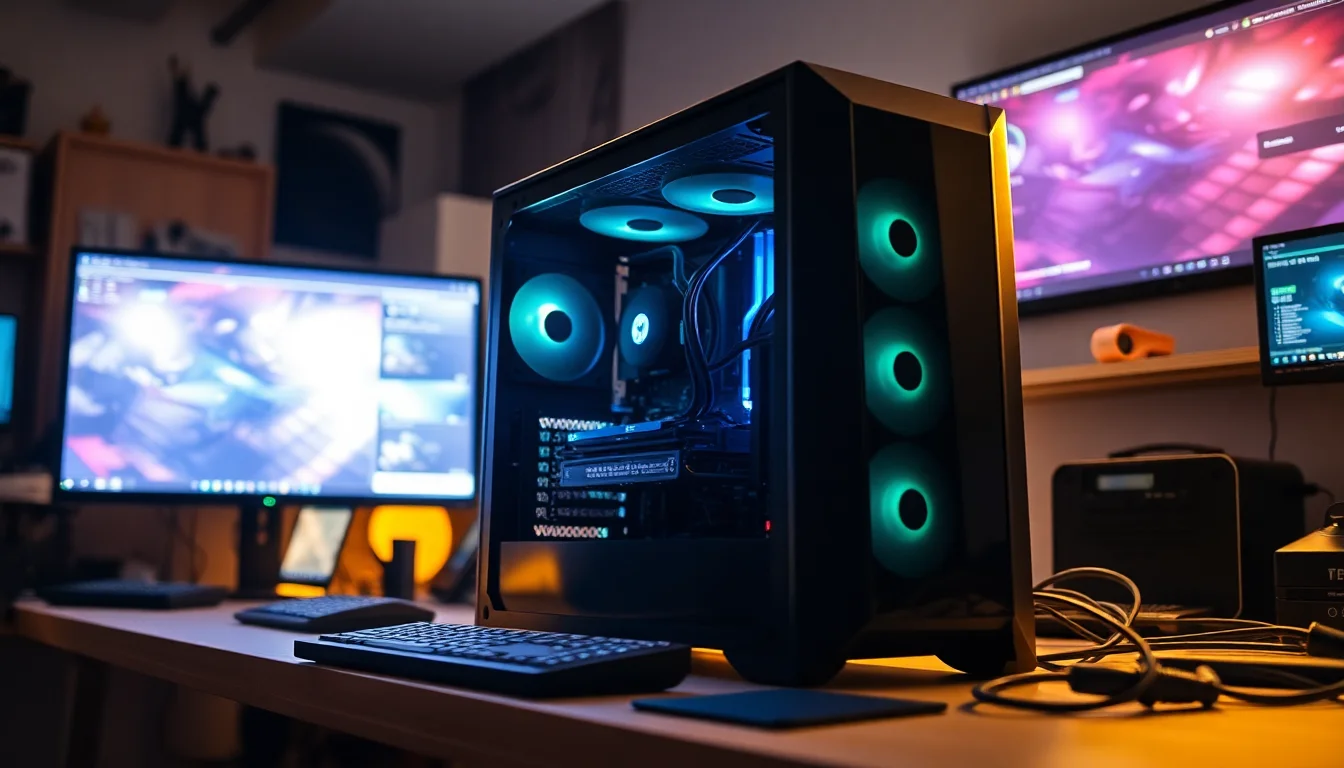
The Cougar FV270 case is a real product with a known reputation rather than a generic white-label chassis, which matters more than people realise. A good case keeps airflow sensible, makes cable management easier for the builder, and means you're not fighting the machine if you ever want to swap something out. The panoramic tempered glass is a nice touch if you care about the aesthetics, and at this price you probably do.
| Specification | Detail |
|---|---|
| CPU | AMD Ryzen 9 9950X3D (16 cores / 32 threads, Zen 5, 3D V-Cache) |
| GPU | NVIDIA GeForce RTX 5090 32GB GDDR7 |
| RAM | 64GB DDR5 6000 |
| Primary Storage | 2TB PCIe Gen 5 SSD |
| Secondary Storage | 2TB M.2 NVMe SSD |
| Total Storage | 4TB |
| Motherboard Chipset | X870 ATX |
| CPU Cooler | 360mm LCD AIO liquid cooler |
| PSU | 1000W 80 Plus Gold fully modular |
| Case | Cougar FV270 RGB ATX (panoramic tempered glass) |
| Operating System | Microsoft Windows 11 Home |
| Networking | WiFi 6, Ethernet |
| Price | £6,999.99 |

CPU & Performance: What the 9950X3D Actually Buys You
The AMD Ryzen 9 9950X3D is, at the time of writing, one of the most capable desktop processors AMD has ever shipped. Sixteen cores and 32 threads built on the Zen 5 architecture, with 3D V-Cache stacked on top. If you're not familiar with what 3D V-Cache actually does, the short version is this: it massively increases the amount of cache sitting directly on the processor die, which dramatically reduces the time the CPU spends waiting for data from slower memory. For gaming, that translates into smoother frame pacing and better minimum frame rates, particularly in CPU-bound scenarios. For productivity work, the large cache helps with workloads that involve lots of data reuse, like video encoding, 3D rendering, and simulation tasks.
This is not a chip AMD designed purely for gaming. It's genuinely dual-purpose. Someone running a 9950X3D can be playing a demanding game, streaming it live, running a Discord overlay, and have a browser with forty tabs open, and the processor will handle all of it without breaking a sweat. The 16-core count means heavy creative workloads, things like DaVinci Resolve renders or Blender projects, get serious multi-threaded horsepower. And the 3D V-Cache layer means gaming performance holds up in a way that a standard 16-core chip without it simply wouldn't.
Pairing this CPU with an RTX 5090 makes a lot of sense. One of the common frustrations with ultra-high-end GPUs is that they can end up bottlenecked by a weaker processor in certain games and workloads. The 9950X3D is about as unlikely to cause that problem as any desktop CPU currently available. AMD's specification for this chip puts it at the top of the Ryzen 9000 stack, and Stormforce Gaming has made the right call putting it in a system at this price point rather than opting for a cheaper CPU and hoping nobody notices.
GPU & Gaming Performance
The RTX 5090 is NVIDIA's current flagship consumer GPU. Full stop. There's nothing faster in the consumer space right now. Stormforce Gaming lists it here with 32GB of GDDR7 memory, which is a significant step up from previous generations both in capacity and bandwidth. NVIDIA's own product page positions the RTX 5090 as the card for people who refuse to compromise, and at 4K with everything cranked up, that's essentially accurate.
What does 32GB of GDDR7 actually mean in practice? For gaming, it means you're not going to hit VRAM limits any time soon, even as game assets get larger and texture packs get more aggressive. For content creation, it means large models in tools like Stable Diffusion or complex scenes in 3D software can sit in GPU memory without constant swapping. And for future-proofing, it means this card should remain relevant for a good few years before anything in the mainstream gaming space genuinely pushes it. Ray tracing performance on the RTX 5090 sits at the very top of what's currently possible, and NVIDIA's DLSS 4 with Multi Frame Generation support means you can get high frame rates at 4K even in the most demanding titles.
The honest caveat here is that the RTX 5090 is genuinely overkill for 1080p and most 1440p gaming. If you're planning to run this at 1080p on a standard monitor, you're leaving an enormous amount of performance on the table. This GPU makes most sense paired with a high-refresh 4K display, or a high-end 1440p panel where you want to push frame rates well beyond 144Hz. If that's your setup, or your planned setup, then the RTX 5090 is the right call. If you're gaming on a 1080p 60Hz monitor, it's genuinely wasted here and you'd be better served by a system two tiers down.
Memory & Storage
Sixty-four gigabytes of DDR5 running at 6000MHz is a proper amount of memory for a system at this level. The X870 platform supports dual-channel DDR5, so assuming Stormforce Gaming has fitted two 32GB sticks (which is the sensible configuration), you're getting full dual-channel bandwidth. DDR5 6000 is considered something of a sweet spot for AMD's Zen 5 platform because of how the memory controller interacts with the processor's Infinity Fabric. Running at 6000MHz keeps the fabric clock in sync with the memory clock without the latency penalty you can get at higher speeds. In plain English: this is the right memory speed for this CPU, not just a marketing number.
Sixty-four gigabytes is also future-proof in a way that 32GB simply isn't anymore. Modern games are starting to push past 16GB of system RAM in certain scenarios, and if you're also running a browser, a streaming client, and Discord alongside your game, 32GB can feel tight. At 64GB, you're not going to hit that ceiling for a very long time. For content creators, 64GB is the baseline for serious video editing and 3D work anyway, so this machine genuinely works as a creative workstation as well as a gaming PC.
The storage setup is genuinely excellent. A 2TB PCIe Gen 5 SSD as the primary drive means loading times are as fast as consumer storage gets right now. PCIe Gen 5 NVMe drives offer roughly double the sequential read speeds of Gen 4 drives, which matters for large file transfers and loading massive game worlds. The second 2TB M.2 NVMe SSD gives you a dedicated overflow drive for your game library, media files, or project storage without having to immediately think about adding external drives. Four terabytes total is a solid amount of space, and having it split across two fast internal drives rather than one fast drive and a slow secondary is the right way to spec a machine like this.
Cooling Solution
A 360mm AIO liquid cooler is the correct choice for the Ryzen 9 9950X3D. This is a 16-core Zen 5 processor with 3D V-Cache, and it will generate substantial heat under sustained load. A smaller 240mm AIO would likely struggle to keep temperatures in check during extended rendering sessions or gaming marathons, and an air cooler, even a high-end one, would be pushing its limits. The 360mm radiator gives the system enough thermal headroom to let the processor run at its full potential without throttling back to protect itself.
The LCD display on the AIO is a nice extra. It's mostly cosmetic, letting you show CPU temperatures, a custom image, or system stats on the cooler head, but it does add to the premium feel of the build. More importantly, it signals that Stormforce Gaming has used a reasonably premium cooler unit rather than the cheapest 360mm they could source. The brand of the AIO isn't specified (Stormforce notes that brands may vary), which is the standard caveat for system builders who source components in bulk, but the 360mm class of cooler is what matters here.
Case airflow is handled by the Cougar FV270, which is a mid-to-high-end chassis with decent airflow design. The panoramic tempered glass panels look great but can restrict airflow compared to mesh front panels, so it's worth keeping the system in a well-ventilated spot rather than tucking it into a tight cabinet. The RTX 5090 also generates significant heat under load, so the overall thermal picture inside this case is going to be warm during extended gaming sessions. That's not unusual for a system at this performance level, and it's not a criticism of the build, just something to be aware of when thinking about placement.
Case & Build Quality
The Cougar FV270 RGB is a real case from a real brand, which sounds like a low bar but genuinely isn't in the prebuilt market. Plenty of system builders at lower price points use generic white-label chassis that nobody outside the factory has ever heard of, with questionable airflow design and cable routing that looks like it was done in a hurry. Cougar is a known quantity in the PC hardware space, and the FV270 is their panoramic glass flagship case. It's a proper ATX mid-tower with tempered glass on multiple sides, RGB lighting, and enough internal space to house the hardware here without things being crammed in.
The panoramic glass design means the inside of this PC is on display, which puts some pressure on the builder to make it look decent. Whether Stormforce Gaming's assembly team delivers tidy cable management is something that varies between individual units, but the case itself provides the routing channels and space to do it properly. An RTX 5090 is a physically large card, and the FV270's ATX footprint means there's room for it without the GPU sagging issues you can get in smaller cases.
RGB is present throughout, which will either be a selling point or completely irrelevant to you depending on your setup. The case has it, the AIO cooler head has it, and there's likely RGB RAM in there too (though brand and model vary per Stormforce's standard caveat). If you want a blacked-out stealth look, this isn't the machine for that. If you want something that looks like a proper gaming rig with lighting you can control, you're sorted. The tempered glass panels mean it all stays visible, and the Cougar's build quality means the panels themselves feel solid rather than plasticky.

Connectivity & Ports
Networking on the Titan Xtreme is WiFi 6 and Ethernet. Worth being clear about what's here: Stormforce Gaming's spec table lists WiFi 6 without Bluetooth; Ethernet is included as standard. If you're planning to wire the machine directly into your router, you're covered. If you rely on Bluetooth for a wireless headset or controller, that's something to factor into your decision since it's not listed as part of this system's connectivity.
WiFi 6 (802.11ax) is a solid standard for wireless gaming. It offers meaningfully better performance in congested environments compared to WiFi 5, with lower latency and better handling of multiple devices on the same network. For a system at this price point it's the right wireless standard, though WiFi 6E or WiFi 7 would have been a step further. For most home setups, WiFi 6 is more than fast enough, and if you're on a wired connection anyway, the wireless spec becomes a secondary concern.
The X870 motherboard will have a rear I/O panel with USB ports, video outputs from the GPU, and the Ethernet jack, but specific port counts and types aren't listed in the verified spec data for this system, so we won't speculate. What's confirmed is that you have both wired and wireless networking options, which covers the bases for the vast majority of setups. The X870 platform generally supports USB 3.2 Gen 2 and often USB4 on the rear panel, but go by Stormforce Gaming's own product page for the definitive port list rather than assumptions based on the chipset.
Pre-installed Software & OS
Windows 11 Home comes preinstalled, which is the standard choice for consumer gaming PCs. For most buyers, Windows 11 Home covers everything they need. You get DirectX 12 Ultimate support, Auto HDR, DirectStorage (which pairs nicely with that PCIe Gen 5 primary SSD), and all the standard gaming features Microsoft has baked into the OS. The main limitation of Home versus Pro is the absence of BitLocker drive encryption, domain joining, and remote desktop hosting, but for a gaming PC, none of those are likely to matter.
Stormforce Gaming doesn't publish a detailed list of preinstalled software beyond the OS, which is fairly typical for UK system builders. What you generally get with a prebuilt from a dedicated gaming PC company is a cleaner software install than you'd get from a big-box retailer, since they're not paid to bundle third-party apps the way some manufacturers are. That said, NVIDIA's driver suite and AMD's software will almost certainly be present, and there may be some Stormforce-specific utilities. None of that is unusual or problematic.
One thing worth knowing about Windows 11 Home specifically: Microsoft has been pushing the requirement for a Microsoft account during setup more aggressively with each update. There are workarounds to set up a local account instead, but it's worth being aware of if you prefer to keep things offline. This isn't a Stormforce issue, it's a Windows 11 Home issue across all prebuilts and DIY builds alike. For gaming purposes, a Microsoft account actually has some benefits, like syncing your Xbox Game Pass library and achievements, so for most people in this market it's a non-issue.
Upgrade Potential
The X870 chipset ATX motherboard is one of the better foundations for a prebuilt in terms of upgrade headroom. X870 is AMD's current-generation flagship chipset, supporting PCIe 5.0 on both the primary GPU slot and the M.2 slots. That means the primary SSD is already running at Gen 5 speeds, and any future storage upgrades can also take advantage of Gen 5 if you want them to. The platform should also support future AMD processors as AMD has historically maintained strong backward compatibility across AM5 socket generations, though specific compatibility always depends on the motherboard manufacturer's BIOS support.
Memory upgrade headroom depends on how many DIMM slots the specific motherboard has populated. With 64GB already installed, if the board has four DIMM slots and Stormforce has used two 32GB sticks, there are two free slots available for future expansion up to the board's maximum. If they've used four 16GB sticks to reach 64GB, you're already at full capacity. The spec sheet doesn't specify this, so it's worth confirming with Stormforce Gaming directly if memory expandability matters to you.
The PSU situation is genuinely good for upgrade purposes. A 1000W 80 Plus Gold fully modular unit gives you clean power delivery and enough headroom that a future GPU upgrade won't immediately demand a PSU swap as well. When the RTX 6090 or whatever comes next eventually lands, a 1000W PSU should still be in the right ballpark for a single-GPU system. The modular design also means cable management stays tidy if you do open it up, since you're only running the cables you actually need. The Cougar FV270 case is a standard ATX form factor, so virtually any ATX component will fit without compatibility headaches.
Comparing the Stormforce Titan Xtreme to other systems in this tier is genuinely tricky because there aren't many prebuilts at this exact specification level. Most of the competition either uses a slightly less powerful CPU, opts for the RTX 5080 instead of the 5090, or comes from a very different part of the market. What's useful here is framing this against two realistic alternatives: a self-build at equivalent spec, and a lower-tier prebuilt that represents the next step down.
The DIY comparison is probably the most relevant for the audience likely considering this machine. Sourcing a Ryzen 9 9950X3D, an RTX 5090, 64GB DDR5 6000, a 4TB dual-drive storage setup, an X870 motherboard, a 360mm AIO, a 1000W Gold PSU, and a quality case yourself is going to cost you a significant amount of time and, depending on component availability, potentially more money than you'd expect. The RTX 5090 in particular has been in short supply since launch, and scalper pricing has pushed street prices well above MSRP in many cases. A prebuilt system builder with supplier relationships can sometimes source these components more reliably and at better bulk pricing than an individual buyer. So the convenience premium here may be smaller than it looks at first glance.
The step-down comparison is also worth thinking about. A system with an RTX 5080 instead of the 5090, or a Ryzen 9 9900X instead of the 9950X3D, would cost meaningfully less. If you're primarily gaming at 1440p rather than 4K, that configuration might actually serve you better from a value perspective. The Titan Xtreme is for people who genuinely want the top of the stack and will use it. If you're on the fence about whether you need the RTX 5090 specifically, the honest answer is that most people don't. But if you do, this is one of the cleaner ways to get it.
| Feature | Stormforce Titan Xtreme | Equivalent DIY Build | Lower-Tier Prebuilt (RTX 5080) |
|---|---|---|---|
| CPU | Ryzen 9 9950X3D (16c/32t, 3D V-Cache) | Same (if sourced) | Ryzen 9 9900X or similar |
| GPU | RTX 5090 32GB GDDR7 | Same (if available) | RTX 5080 16GB GDDR7 |
| RAM | 64GB DDR5 6000 | Configurable | 32GB or 64GB DDR5 |
| Storage | 4TB (2TB Gen5 + 2TB NVMe) | Configurable | Typically 2TB total |
| PSU | 1000W 80+ Gold Modular | Your choice | Often 850W or 1000W |
| Build time / hassle | None (ready to use) | Several hours minimum | None |
| Warranty | Stormforce Gaming warranty | Per-component only | System builder warranty |
| Price | £6,999.99 | Comparable or higher | Noticeably less |
One detail that's easy to miss from the spec sheet: the configuration linked here is Stormforce's Ultimate Bundle, which pairs the tower with a KOORUI S3241XO monitor, a CHERRY MX 8.2 TKL wireless keyboard and a CHERRY XTRFY M64 wireless gaming mouse. Stormforce also sells the same tower as a standalone PC and in Premium and Dual Monitor bundle configurations, so it's worth checking you're buying the package you actually want before checkout.
Final Verdict
The Stormforce Titan Xtreme AMD Ryzen 9 9950X3D RTX 5090 is a properly specified machine. There's no weak link in the core component list. The CPU is the best AMD makes for gaming and productivity combined. The GPU is the fastest consumer card available. The memory is the right speed for the platform. The storage is fast and plentiful. The PSU has proper headroom. The cooler is the right size for the workload. And the case is a real product from a real brand rather than a mystery chassis. For a prebuilt, that's a better scorecard than most.
The caveats are real but mostly expected. Brand and model of the AIO, RAM, PSU, and motherboard vary per Stormforce's standard terms, so you're buying into a tier of component rather than a specific product. That's normal for system builders and not inherently a problem, but it does mean you can't know exactly what's inside until it arrives. Check the connectivity line twice if you run Bluetooth peripherals: the listed WiFi 6 module comes without Bluetooth. And Windows 11 Home is fine for gaming but not if you need Pro-tier features.
Who should buy this? Someone who wants the absolute top of the current generation in a ready-to-go package, plans to game at 4K or high-refresh 1440p, possibly uses the machine for content creation or streaming as well, and doesn't want to spend weeks sourcing components in a difficult market. Someone who values having a single warranty contact if something goes wrong, rather than chasing six different manufacturers for six different RMA processes. And someone who genuinely needs the RTX 5090 rather than just wanting it. For that buyer, the Stormforce Titan Xtreme is a serious machine at a serious price, and the spec sheet backs it up.
Who should skip it? Anyone gaming at 1080p or standard 1440p who doesn't need 4K performance. Anyone who enjoys building their own PC and has the time to source parts. Anyone who'd be equally happy with an RTX 5080 system for noticeably less money. The Titan Xtreme is a proper flagship prebuilt, not a value play, and it doesn't pretend to be otherwise.

Games for the New Machine
A gaming PC is only as good as its library, and legitimate UK key sellers usually price PC games well below the platform storefronts. We have partnered with CJS CD Keys for exactly that.
New to key sellers? Read our honest look at whether CJS CD Keys is legit first.
What works. What doesn’t.
6 + 5What we liked6 reasons
- AMD Ryzen 9 9950X3D delivers top-tier performance for both gaming and demanding creative workloads
- RTX 5090 with 32GB GDDR7 is the fastest consumer GPU available and leaves substantial headroom for 4K and high-refresh gaming for years to come
- 4TB of fast internal storage split across a PCIe Gen 5 primary drive and a second NVMe SSD is genuinely generous
- 64GB of DDR5 running at 6000MHz is the correct speed for the Zen 5 platform and future-proofs the system for heavy multitasking
- 1000W 80 Plus Gold fully modular PSU provides proper headroom for the RTX 5090 and leaves room for future upgrades
- Cougar FV270 is a recognisable, quality case rather than a generic white-label chassis, with solid build quality and good internal space
Where it falls5 reasons
- Specific brands for the AIO cooler, RAM, PSU, and motherboard are not confirmed and vary per unit, so buyers cannot know exactly what is inside before delivery
- WiFi 6 is listed without Bluetooth, which may affect users who rely on wireless headsets or controllers
- The RTX 5090 is substantial overkill for 1080p and standard 1440p gaming, making the system poor value for anyone not targeting 4K or very high-refresh 1440p
- Panoramic tempered glass panels can restrict airflow compared to mesh-front designs, so careful placement is needed
- Windows 11 Home is preinstalled, which lacks BitLocker encryption, domain joining, and remote desktop hosting for those who need Pro-tier features
Full specifications
11 attributes| CPU | AMD Ryzen 9 9950X3D (16 cores / 32 threads, Zen 5, 3D V-Cache) |
|---|---|
| GPU | NVIDIA GeForce RTX 5090 32GB GDDR7 |
| RAM | 64GB DDR5 6000 |
| Storage | 2TB PCIe Gen 5 SSD + 2TB M.2 NVMe SSD (4TB total) |
| Connectivity | WiFi 6 (no Bluetooth), Ethernet |
| Cooling | 360mm LCD AIO liquid cooler |
| Motherboard | X870 chipset, ATX |
| OS | Microsoft Windows 11 Home |
| PC case | Cougar FV270 RGB ATX, tempered glass |
| PSU | 1000W 80 Plus Gold, fully modular |
| Warranty | 3 year collect, repair and return (parts and labour), per Stormforce |
If this isn’t right for you
1 options
Frequently asked
7 questions01What CPU and GPU does the Stormforce Titan Xtreme AMD come with?+
The system is built around the AMD Ryzen 9 9950X3D, a 16-core, 32-thread Zen 5 processor with 3D V-Cache, paired with the NVIDIA GeForce RTX 5090 featuring 32GB of GDDR7 memory.
02Is the Stormforce Titan Xtreme AMD suitable for 4K gaming?+
Yes. The RTX 5090 is the fastest consumer GPU currently available and is well suited to 4K gaming at high settings and frame rates. It also supports NVIDIA DLSS 4 with Multi Frame Generation for demanding titles.
03Does the Stormforce Titan Xtreme AMD include Bluetooth?+
Bluetooth is not listed in the confirmed specification. The system includes WiFi 6 and Ethernet for networking, but buyers who rely on Bluetooth peripherals such as wireless headsets or controllers should factor this into their decision.
04Can the RAM or storage be upgraded after purchase?+
The X870 ATX motherboard supports additional DDR5 expansion depending on how many DIMM slots are populated at build. If two 32GB sticks are used rather than four 16GB sticks, two slots remain free. The platform also has M.2 slots supporting PCIe Gen 5 storage. It is worth confirming the specific motherboard configuration with Stormforce Gaming before purchasing if upgradability is a priority.
05What warranty does the Stormforce Titan Xtreme AMD come with?+
The system is covered by Stormforce Gaming's own warranty, which means a single point of contact for any hardware issues rather than dealing with multiple component manufacturers individually. For specific warranty terms and duration, refer to Stormforce Gaming's official product page.
06Which operating system comes preinstalled?+
Windows 11 Home is preinstalled. This covers all standard gaming features including DirectX 12 Ultimate, DirectStorage, and Auto HDR. Buyers who require Windows 11 Pro features such as BitLocker encryption or domain joining should note that the Home edition does not include these.
07How does buying this prebuilt compare to building the same spec yourself?+
Sourcing a Ryzen 9 9950X3D, RTX 5090, 64GB DDR5 6000, and the remaining components individually requires significant time and can be complicated by component availability, particularly for the RTX 5090 which has seen supply constraints since launch. A prebuilt from Stormforce Gaming provides a ready-to-use system with a single warranty, though buyers give up the ability to choose specific component brands for items such as the AIO cooler, RAM, and motherboard.