ISP routers are rubbish. Not all of them, not always, but the one sitting in your hallway right now is probably doing a mediocre job of getting Wi-Fi to the back bedroom, the garden, or wherever your dead zone lives. The problem isn't usually signal strength at the source. It's that a single router, bolted to the wall wherever your phone line or fibre termination happens to be, can't fight physics. Walls, floors, microwaves, neighbours' networks. Coverage is a geometry problem, and one box rarely solves it cleanly.
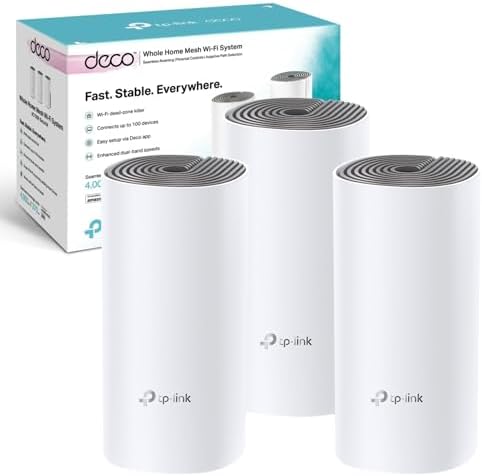
That's the gap the TP-Link Deco E4 Whole Home Mesh Wi-Fi System (AC1200, Pack of 3) is trying to fill. Three nodes spread around your home instead of one router doing all the work. At this price point, it's squarely aimed at households that have given up shouting at their ISP and just want something that works without a networking degree. But "works" covers a lot of ground, and the spec sheet tells you quite a bit about where this system will shine and where it'll hit its limits before you spend a penny.
So here's what you actually need to know: the Deco E4 is an AC1200 dual-band mesh networking system. It covers up to 4,000 square feet across three nodes, handles up to 100 devices, and pairs with Alexa. It's not cutting-edge. It's not trying to be. What matters is whether it solves the dead zone problem reliably and whether the trade-offs at this price are ones you can live with. Let's get into that properly.
Core Specifications
The Deco E4 runs on the 802.11ac standard, which the industry markets as Wi-Fi 5 (or AC1200 in TP-Link's notation). That AC1200 figure is the combined theoretical maximum across both bands: 300Mbps on 2.4GHz and 867Mbps on 5GHz. You won't hit those numbers in practice. Nobody does. What it tells you is roughly where this system sits in the performance hierarchy, and it sits comfortably in the budget-to-mid tier. For most UK broadband connections, that's fine. If you're on a 1Gbps fibre package and you actually want to use all of it wirelessly, this isn't the system for you. But if you're on a more typical 100Mbps to 500Mbps plan and you just want reliable coverage in every room, the E4 is in the right ballpark.
The Ethernet ports are 100Mbps, and that's the detail that matters most for wired users. Two ports per node means you can plug in a TV, games console, or desktop, but you're capped at 100Mbps on those wired connections. That's enough for streaming and general use, but it does mean the E4 can't deliver full gigabit speeds over a cable. TP-Link's own product listing flags this directly and points you toward the Deco X55 if you need gigabit wired ports. Honest of them, actually. The coverage claim is up to 4,000 square feet across the three-node pack, which TP-Link describes as suitable for three to five bedroom houses.
One packaging note worth flagging: the version matters here. Version 3 ships as one Deco E4R unit plus two Deco E4S units (so a mixed pack), while Version 2 is three E4R units. The practical difference between those variants isn't spelled out in detail on the box, so if consistency across nodes matters to you, check which version you're getting before ordering. It's a minor point but worth knowing.
| Specification | Detail |
|---|---|
| Wi-Fi Standard | Wi-Fi 5 (802.11ac, AC1200) |
| Bands | Dual-band (2.4GHz + 5GHz) |
| Max Theoretical Speed | AC1200 (300Mbps 2.4GHz + 867Mbps 5GHz) |
| Coverage | Up to 4,000 sq ft (3-pack) |
| Ethernet Ports | 2 x 100Mbps per node |
| Device Capacity | Up to 100 devices |
| Mesh Type | Dual-band (shared backhaul) |
| Voice Assistant | Amazon Echo / Alexa compatible |
| Parental Controls | Yes (per-profile time limits and site blocking) |
| App | TP-Link Deco app (iOS and Android) |
| Pack Contents (Version 3) | 1x Deco E4R + 2x Deco E4S |
| Pack Contents (Version 2) | 3x Deco E4R |
| Price | £118.38 |

Real-World Coverage
The 4,000 square foot figure on the box is a best-case number measured in conditions that don't exist in real homes. No furniture, no internal walls, no concrete floors, no neighbouring Wi-Fi networks competing on the same channels. In a typical UK semi-detached or terraced house with plasterboard internal walls and the odd bit of brick, you'll get meaningfully less. That said, owners consistently report that the three-node setup does a solid job of eliminating dead zones in three and four bedroom houses, which is exactly what TP-Link's target audience looks like. The key is node placement: you need to put each unit where it can actually bridge the signal gap, not just wherever there's a spare socket.
What the three-node mesh format does well is give you coverage flexibility that a single router simply can't match. One node at the router, one mid-house, one at the far end. That topology handles most UK family homes without drama. Owner reviews with averaging 4.5 stars suggest the coverage claims broadly hold up for the intended use case. People report getting signal in gardens, outbuildings, and upstairs rooms that their ISP router couldn't reach. That's the practical win here, and it's a real one.
Where coverage does fall short is in larger or more complex properties. A sprawling five-bedroom detached with thick walls and multiple floors is probably going to need more than three nodes, or a system with a stronger per-node radio. The E4's AC1200 spec means each node isn't pushing enormous range on its own. In a compact modern house or flat, that's fine. In an older property with solid brick internal walls, you might find the nodes need to be closer together than you'd ideally want, which reduces how much coverage area you're actually gaining. It's a numbers game, and the E4's numbers are modest.
Sustained Speed Under Load
The AC1200 headline is a theoretical peak that combines both bands simultaneously under lab conditions. In the real world, your devices connect to one band at a time, and the speeds you'll actually see depend on distance from the node, wall attenuation, interference, and how many other devices are active. On 5GHz close to a node, owners report solid speeds for streaming and general browsing. Move further away or add more active devices and the numbers drop, as they do with any Wi-Fi system. The E4 isn't exceptional here, but it's not embarrassing either for its class.
The bigger practical constraint is the 100Mbps Ethernet ports. If your broadband delivers more than 100Mbps (and plenty of UK FTTP connections now do), you won't be able to pull that full speed over a wired connection from a Deco E4 node. Wirelessly, on 5GHz at close range, you might see speeds that approach your broadband cap if it's under 200Mbps or so. But if you're on a 500Mbps or 1Gbps plan and you want to max it out, the E4 will be the bottleneck. That's not a surprise at this price, and TP-Link is upfront about it, but it's worth being clear-eyed about before buying.
Under load with multiple devices active simultaneously, the E4 holds up reasonably well for a budget-tier mesh. Owners on 100Mbps to 200Mbps broadband connections generally report no major throughput complaints for mixed household use: streaming on a couple of TVs, someone on a laptop, phones doing their thing. Where you start to notice the limits is in environments where lots of devices are competing for bandwidth at the same time, or where you're trying to push large file transfers while also gaming. The E4 isn't built for that kind of simultaneous heavy lifting. It's built for typical family internet use, and within that remit, it does its job.
Mesh and Backhaul
This is where the E4's budget nature shows up most clearly, and it's important to understand what's happening here. The E4 is a dual-band system, which means it has two radio bands: 2.4GHz and 5GHz. In a tri-band mesh system, you'd typically have a dedicated band just for the nodes to talk to each other (the backhaul), leaving the other two bands entirely free for your devices. The E4 doesn't have that luxury. Its backhaul, the wireless link between nodes, shares the same 5GHz band that your phones and laptops also use. That's called shared backhaul, and it costs you usable bandwidth.
What this means in practice is that some of the 5GHz capacity that could be serving your devices is instead being used to carry traffic between nodes. The further apart your nodes are and the more traffic flowing between them, the more pronounced this effect becomes. In a small to medium home where nodes are reasonably close together, the impact is manageable and most users won't notice it. In a larger home where nodes are spread further apart and doing more work to relay traffic, you'll feel it more. This is a known trade-off with dual-band mesh systems, and it's why tri-band mesh kits cost more. The E4 is priced to reflect the dual-band constraint, which is fair.
There's no dedicated wired backhaul option mentioned in the product specs, which means if you want to run Ethernet between nodes for a proper wired backhaul (the gold standard for mesh performance), you'd need to check whether the Deco app supports it in your firmware version. Wired backhaul eliminates the shared-band problem entirely and gives each node full wireless capacity for clients. If you have Ethernet sockets in multiple rooms, it's worth investigating whether the E4 supports this mode, as it would substantially improve performance. For most buyers though, the wireless mesh is the whole point, and the E4 delivers a workable version of it at a reasonable price.
Device Capacity
TP-Link claims the E4 handles up to 100 devices, which sounds impressive. The honest answer is that "handles" is doing a lot of work in that sentence. A modern home with 30 to 50 connected devices is increasingly normal: phones, tablets, laptops, smart TVs, games consoles, smart speakers, security cameras, doorbells, smart plugs, bulbs. The E4 can keep all of those connected to the network without falling over. What it can't do is give all of them fast speeds simultaneously if they're all actively demanding bandwidth at the same time.
The E4 supports MU-MIMO (Multi-User Multiple Input Multiple Output), which allows the router to communicate with multiple devices at the same time rather than queuing them up one at a time. This genuinely helps in a busy home. However, the E4 doesn't support OFDMA (Orthogonal Frequency Division Multiple Access), which is a Wi-Fi 6 feature that further improves efficiency when lots of devices are active simultaneously. If you've got a house full of IoT devices and several people streaming or gaming at once, a Wi-Fi 6 system with OFDMA would handle the congestion more gracefully. For a more typical household, MU-MIMO on the E4 is adequate.
In practice, owner feedback suggests the E4 copes fine with the sort of device count a typical family home throws at it. Smart home devices tend to be low-bandwidth and mostly idle, so their presence doesn't usually cause problems. The real stress test is simultaneous active use: four people all streaming 4K at once, or gaming while someone else is on a video call. The E4 can handle moderate versions of this scenario, but it's not a powerhouse. If your household is genuinely heavy on simultaneous high-bandwidth use, you're at the upper edge of what this system is designed for.
Wi-Fi Standard and Future-Proofing
The E4 is a Wi-Fi 5 (802.11ac) system. That's two generations behind the current Wi-Fi 6 standard, and three behind Wi-Fi 7. Does that matter? For most people right now, less than the marketing would have you believe. Wi-Fi 6 brings real improvements: better efficiency with lots of simultaneous devices (OFDMA), improved range in congested environments, and better power management for battery-powered devices. Wi-Fi 7 adds even more, including multi-link operation and higher throughput. But the gains are only accessible if your devices support the newer standard, and plenty of the devices in most homes still don't.
The future-proofing question is where the E4 takes a genuine hit. If you're buying a mesh system today and you want it to still feel current in four or five years, Wi-Fi 5 is a harder sell. Newer phones, laptops, and devices are increasingly shipping with Wi-Fi 6 adapters, and a Wi-Fi 5 router can't serve them at their full capability. You won't notice this immediately, because Wi-Fi 6 devices work fine on Wi-Fi 5 networks. But over time, as more of your devices are Wi-Fi 6 capable, you'll be leaving performance on the table. The E4 is a now-solution, not a long-term one.
That said, future-proofing arguments can be taken too far. If your broadband is 100Mbps to 200Mbps, a Wi-Fi 6 system isn't going to make your internet faster. The bottleneck is your connection, not your router. The E4 is a pragmatic choice for people who want to fix dead zones today without spending a lot. If you're on a budget and your current pain point is coverage rather than speed, the E4 addresses that problem right now. Just go in with clear eyes about what it won't do in three years.

Features and QoS
The feature set on the E4 is sensible without being flashy. Parental controls are genuinely useful: you can create profiles for each family member, set time limits on internet access, and block categories of websites. This is handled through the Deco app and doesn't require any technical knowledge to set up. For households with kids, this is one of the more practical features on the system. It's not as granular as some higher-end routers (you can't do per-application QoS or deep packet inspection), but for basic content filtering and screen time management, it works.
QoS (Quality of Service, the feature that lets you prioritise certain types of traffic so gaming or video calls don't get throttled when someone else starts a large download) is present in the Deco platform, though the implementation on the E4 is fairly basic. You're not getting the kind of detailed bandwidth allocation controls you'd find on a higher-end router. For most families this doesn't matter much. But if you're someone who needs precise traffic management because you're working from home on video calls while teenagers game and stream, a more capable system would serve you better.
Alexa compatibility is listed as a feature, and it works for basic network management tasks via voice commands. Guest network support is standard on the Deco platform, which is useful for keeping IoT devices or visitors on a separate network from your main devices. That's a good security practice and it's easy to set up through the app. There's no VPN server functionality mentioned in the specs, so if you need to VPN into your home network from outside, the E4 isn't going to help you there. That said, a good VPN is worth running on your devices when you're away from home and connecting to public Wi-Fi, adding an extra privacy layer on top of whatever network you're using.
Firmware, App and Security Updates
TP-Link's Deco platform has a decent track record for app stability and update delivery. The Deco app is consistently rated well on both iOS and Android, and the setup experience is one of the smoother ones in the mesh Wi-Fi space. Firmware updates are pushed automatically through the app, which is what you want: most people aren't going to log into a router admin panel to check for updates, so automatic delivery matters for security. TP-Link has generally been reasonable about keeping the Deco range updated, though the E4 is an older product and update frequency will naturally taper off as the hardware ages.
The reboot question is worth addressing directly. Owner reviews don't paint a picture of a system that needs a weekly restart to stay functional. The majority of feedback is positive about stability, with the usual caveats that any Wi-Fi system can have occasional hiccups and that node placement matters a lot. Some users in larger or more complex homes report occasional connectivity drops, which is common across the mesh category rather than specific to the E4. The general consensus from owners is that it runs reliably once set up correctly.
Security update cadence is harder to pin down precisely for the E4 specifically, but TP-Link as a brand has improved its security patching in recent years following earlier criticism of the broader industry. The Deco platform's HomeShield security feature (which includes basic network scanning and threat detection) is available, though some features require a subscription on newer Deco products. Check the current app to see what's included for free on the E4 specifically. For a home network used for general browsing and streaming, the E4's security posture is adequate. For a high-security environment, you'd want something with a more rigorous update commitment.
Setup and Management
Setup is one of the E4's genuine strong suits. The Deco app walks you through the whole process step by step: plug in the first node, connect it to your modem or ISP router, open the app, follow the instructions, then add the other nodes. The whole thing takes maybe fifteen to twenty minutes for someone who's never done this before. You don't need to know what a subnet is. You don't need to touch a web interface. The app handles everything, including naming your network, setting a password, and positioning guidance for the satellite nodes.
Ongoing management through the app is similarly straightforward. You can see which devices are connected, pause internet access for specific devices or profiles, check signal strength between nodes, and run a speed test. It's not the most feature-rich management interface in the world, but it's designed for people who want their network to work without thinking about it, and it delivers on that. If you're the kind of person who wants to dig into VLAN configuration, custom DNS, or advanced routing rules, the Deco app will frustrate you. But that's not who this product is for.
The web interface (accessed via tplinkdeco.net or the local IP) exists as a fallback but the app is clearly the primary management tool. This is fine for most users, but it's worth knowing that if you prefer managing your network from a browser rather than a phone, the experience isn't as polished. For non-technical buyers, the app-first approach is actually an advantage: it's cleaner, simpler, and less likely to result in accidentally breaking something by touching a setting you don't understand.
Ports and Connectivity
Each Deco E4 node has two Ethernet ports running at 100Mbps. That's the full wired connectivity story. One port typically goes to your modem or ISP router on the primary node (functioning as the WAN port), leaving one LAN port free per node. On satellite nodes, both ports are available as LAN ports, so you can wire up two devices per node. That's useful for plugging in a smart TV and a games console in the living room, or a desktop and a NAS in a home office.
The 100Mbps cap on those ports is the headline limitation here. Gigabit Ethernet (1GbE) is standard on most competing mesh systems at this price or slightly above, and the absence of it on the E4 is a genuine compromise. If your broadband is faster than 100Mbps and you want to make use of that speed over a wired connection, you can't do it with the E4. For wireless use, the 100Mbps port limitation doesn't directly affect your Wi-Fi speeds, but it does mean that if you're using a node as a wired access point connected back to your main router via Ethernet, you're capping the backhaul at 100Mbps too. That's a significant constraint.
There's no USB port on the E4, so no file sharing or printer sharing via USB. No 2.5GbE, no 10GbE, no link aggregation. None of that is surprising at this price point and it's not what the E4 is designed for. But if you were hoping to use it as a NAS gateway or to future-proof for multi-gigabit broadband, it won't do that. The ports are basic, functional, and limited. Know that going in.
How It Compares
The E4's main competition at this kind of price comes from its own family, the TP-Link Deco M4 and M5, and from the likes of the BT Whole Home Wi-Fi and the older Google Nest Wi-Fi, though premium alternatives like other mesh systems offer higher-end specifications. The Deco M4 is worth mentioning specifically because it's similarly priced, also dual-band, and also AC1200. The practical difference between the E4 and M4 is fairly minor in day-to-day use. The M5 steps up to AC1300 and adds a slightly stronger radio, which makes a difference in larger homes or those with more interference.
Where the E4 really feels the pressure is from Wi-Fi 6 mesh systems that have come down in price. The TP-Link Deco X20, for example, is a Wi-Fi 6 dual-band mesh system that's not dramatically more expensive than the E4 and brings OFDMA, better device handling, and more headroom for future devices. If you can stretch the budget even a little, the jump to Wi-Fi 6 is worth it for longevity. The E4 makes sense if the price gap is significant or if you're buying for a situation where Wi-Fi 6 compatibility genuinely doesn't matter (an older device ecosystem, a temporary solution, or a secondary property).
The BT Whole Home Wi-Fi is a common alternative for BT broadband customers and has the advantage of being designed to work with BT's infrastructure. But it's typically more expensive for equivalent coverage and the hardware is older. The E4 beats it on value for non-BT customers. Google Nest Wi-Fi (the non-Pro version) is another comparison point: it's also dual-band and similarly priced, with a slightly more polished app experience but less flexibility in terms of node placement and Ethernet options.
| Feature | TP-Link Deco E4 (3-pack) | TP-Link Deco X20 (3-pack) | BT Whole Home Wi-Fi (3-pack) |
|---|---|---|---|
| Wi-Fi Standard | Wi-Fi 5 (AC1200) | Wi-Fi 6 (AX1800) | Wi-Fi 5 (AC1200) |
| Bands | Dual-band | Dual-band | Dual-band |
| Backhaul | Shared 5GHz | Shared 5GHz | Shared 5GHz |
| Ethernet Ports | 2 x 100Mbps per node | 2 x 1Gbps per node | 1 x 1Gbps per node |
| OFDMA | No | Yes | No |
| Coverage Claim | Up to 4,000 sq ft | Up to 5,400 sq ft | Up to 3,000 sq ft |
| Device Capacity | Up to 100 | Up to 150 | Up to 200 |
| Parental Controls | Yes | Yes | Yes |
| Price | £118.38 | Higher | Higher |

Final Verdict
The TP-Link Deco E4 Whole Home Mesh Wi-Fi System (AC1200, Pack of 3) is a budget mesh kit that does its core job well: it puts Wi-Fi signal in rooms that your ISP router can't reach, it's dead simple to set up, and it handles a typical family home's device count without falling over. Over 4,000 owner ratings averaging 4.5 stars backs that up. This isn't a system people are buying and returning. It's one they're buying, setting up, and forgetting about, which is exactly what you want from home networking kit.
But the trade-offs are real and you should know them. The 100Mbps Ethernet ports are a genuine limitation if you're on a fast broadband plan or want to use wired connections seriously. The shared dual-band backhaul means the mesh isn't as efficient as a tri-band system. Wi-Fi 5 is two generations old and will feel it more with each passing year as your devices get newer. And the coverage figures, as always, are optimistic. In a real home with walls and floors, plan for something closer to 3,000 square feet across the three nodes rather than 4,000.
Who should buy this? Anyone on a budget who wants to kill dead zones in a three to four bedroom house without spending serious money or reading a manual. Anyone on a broadband plan under 100Mbps who doesn't need gigabit wired ports. Landlords furnishing a rental property. Someone who needs a quick, reliable fix and isn't planning to keep it for five years. Who should skip it? Anyone on a 500Mbps or faster broadband plan who wants to actually use that speed. Anyone buying for a large or complex property. Anyone who wants their mesh system to still feel current in 2027. For those buyers, stretch the budget to a Wi-Fi 6 system. But for the right buyer, the E4 is a genuinely solid, no-fuss solution at a fair price.
Rating: from owner reviews. A pragmatic 7 out of 10. It does what it says, within limits that are clearly signposted if you know where to look.
What works. What doesn’t.
6 + 6What we liked6 reasons
- Eliminates dead zones effectively in three to four bedroom homes, which is precisely what it is designed to do
- Straightforward setup via the Deco app requires no technical knowledge and takes around fifteen to twenty minutes
- Handles up to 100 connected devices with MU-MIMO support, coping well with typical family home device counts
- Parental controls allow per-profile time limits and website category blocking without any manual configuration
- Strong owner satisfaction reflected in over 4,000 ratings averaging 4.5 stars, indicating reliable real-world performance
- Guest network support and Alexa compatibility included at a competitive price point
Where it falls6 reasons
- Ethernet ports are capped at 100Mbps per node, preventing full-speed wired connections on faster broadband plans
- Shared dual-band backhaul means the 5GHz band is split between client devices and inter-node traffic, reducing effective throughput
- Wi-Fi 5 (802.11ac) is two generations behind current standards, limiting long-term relevance as devices adopt Wi-Fi 6 and beyond
- No OFDMA support means congestion handling in very busy households is less efficient than a Wi-Fi 6 system
- Real-world coverage in older properties with solid brick walls will fall noticeably short of the stated 4,000 square foot claim
- Version 3 ships as a mixed node pack (one E4R plus two E4S units) rather than three identical units, which may concern some buyers
Full specifications
8 attributes| Device type | mesh |
|---|---|
| Ethernet ports | 2 |
| Frequency bands | dual-band |
| HAS bluetooth | none |
| MAX speed | 1167 |
| Mesh capable | true |
| Speed | AC1200 (867Mbps on 5GHz + 300Mbps on 2.4GHz) |
| Wifi standard | 802.11ac |
If this isn’t right for you
2 options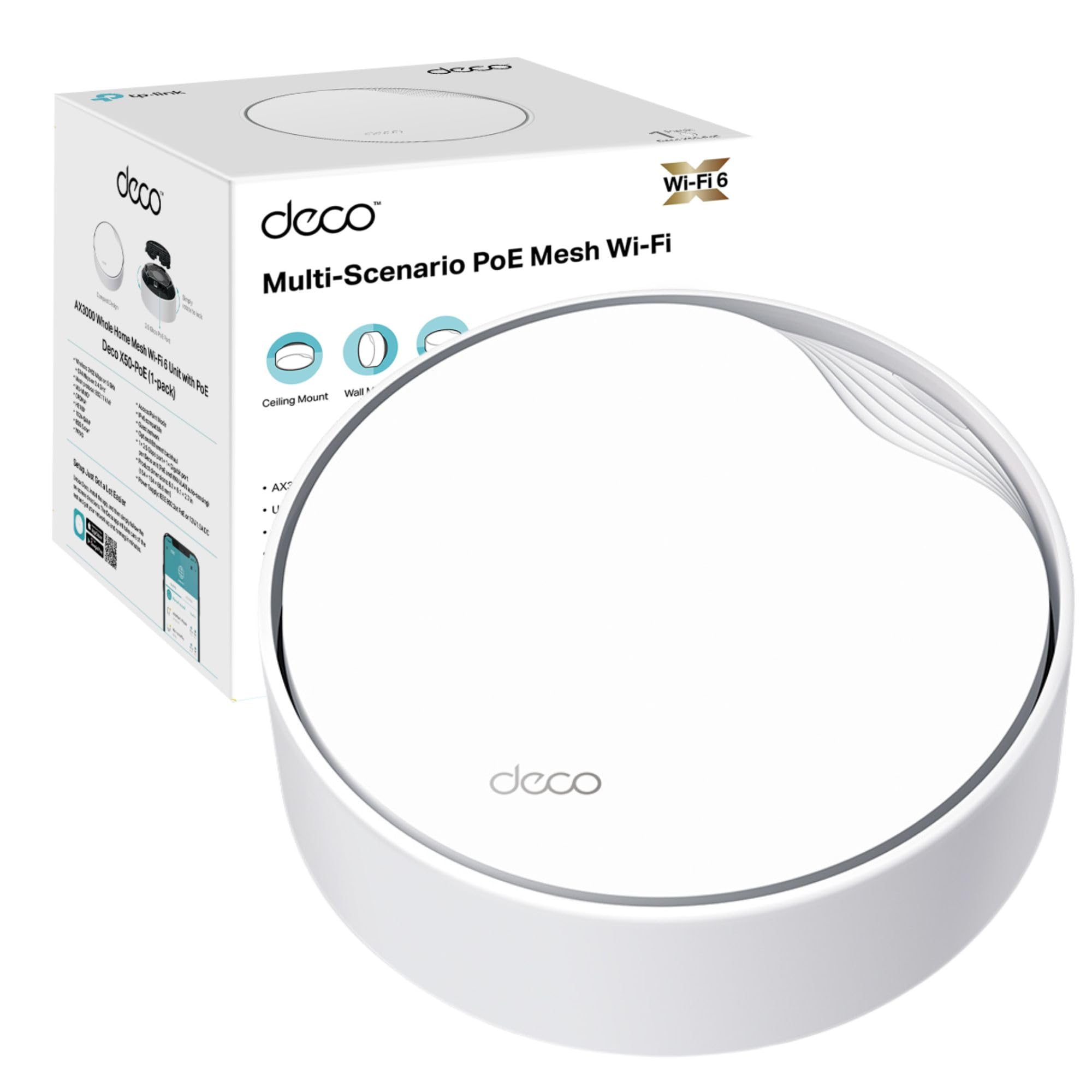 8.3 / 10
TP-Link Deco X50-PoE Mesh WiFi System Review UK (2026) - Tested
£99.99 · TP-Link
 8.0 / 10
TP-Link Deco X10(2-pack) AX1500Mbps Whole Home Dual-Band Mesh WiFi 6 System, AI-Driven WiFi Extender Booster, 2x Gigabit Ports, Coverage up to 3900ft²,Connect up to 120 devices, Gaming&4K, Easy Setup
£109.99 · TP-Link
Frequently asked
7 questions01Does the TP-Link Deco E4 work with any broadband provider in the UK?+
Yes. The Deco E4 connects to your existing modem or ISP router via Ethernet and works with any broadband provider. You simply plug the primary node into your ISP router and manage the rest through the Deco app. No provider-specific configuration is required.
02What is the difference between Version 2 and Version 3 of the Deco E4 three-pack?+
Version 2 contains three identical Deco E4R units. Version 3 contains one Deco E4R unit and two Deco E4S units. TP-Link does not spell out the precise hardware differences between the E4R and E4S variants on the box, so if having uniform nodes matters to you, check which version is being sold before ordering.
03Can the Deco E4 handle a 500Mbps or 1Gbps broadband connection?+
Not effectively. The Ethernet ports on each node are limited to 100Mbps, so wired connections are capped at that speed. Wirelessly on the 5GHz band at close range you may approach speeds above 100Mbps, but the system cannot deliver gigabit throughput either over a cable or through the air. TP-Link itself points buyers who need gigabit wired speeds toward the Deco X55.
04How straightforward is the Deco E4 to set up for someone with no networking experience?+
Very straightforward. The TP-Link Deco app on iOS or Android guides you through each step: connecting the first node to your modem or router, creating your network name and password, and then adding the remaining nodes. Most people complete the full setup in fifteen to twenty minutes. No web interfaces, no command lines, and no technical knowledge is required.
05Does the Deco E4 support wired backhaul between nodes?+
The product specifications do not explicitly list wired backhaul as a supported feature. The system is designed to use wireless mesh backhaul over the shared 5GHz band. If you have Ethernet sockets in multiple rooms, it is worth checking the current Deco firmware release notes and app settings to see whether Ethernet backhaul has been added, as this would significantly improve performance by freeing the 5GHz band entirely for client devices.
06Is the TP-Link Deco E4 suitable for a five-bedroom detached house?+
It depends on the property. In a modern, compact five-bedroom house with plasterboard internal walls, three nodes may provide adequate coverage. In an older detached property with solid brick internal walls or multiple storeys with concrete floors, the limited per-node range of the AC1200 system is likely to leave gaps. A larger node count or a system with a stronger radio would be more appropriate for complex larger properties.
07What parental control features does the Deco E4 offer?+
Parental controls are managed through the Deco app and allow you to create individual profiles for family members, set daily time limits on internet access, and block categories of websites such as adult content or social media. The controls are profile-based rather than device-specific, making them straightforward to manage. More granular per-application controls are not available on this system.