
Every few months, another headset lands on my desk promising the world. Virtual surround! Crystal-clear mics! Immersive audio! And most of the time, after a few hours of actual gaming, you realise the marketing team worked harder than the engineers. So when the Trust USB headset arrived, I wasn't expecting fireworks. What I was genuinely curious about was whether something sitting firmly in the budget tier could actually hold its own for the people it's clearly aimed at: office workers, students, and casual gamers who need something that works without spending a fortune. After several weeks of daily use across Teams calls, late-night gaming sessions, and everything in between, I've got a proper answer.
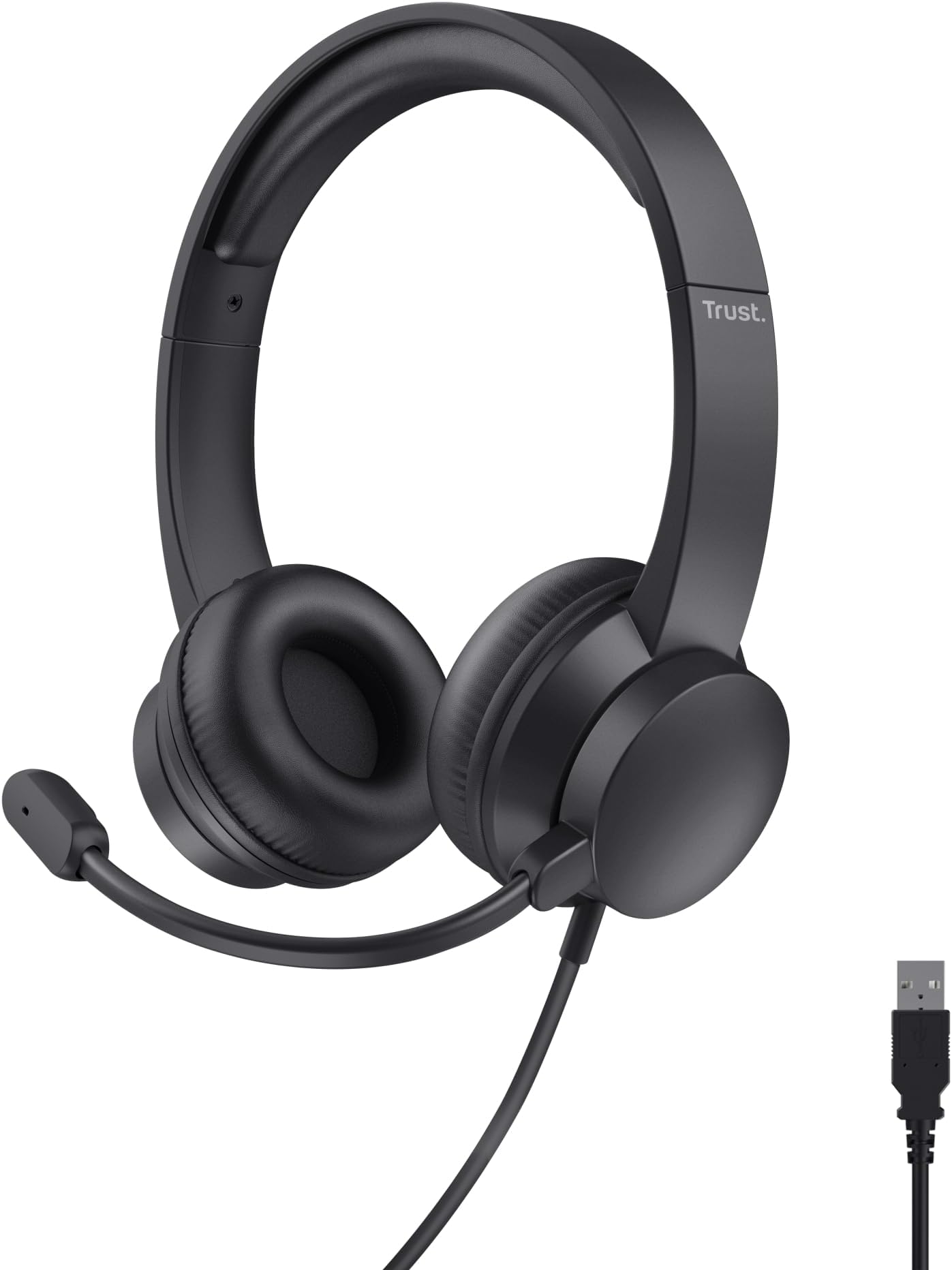
The Trust USB headset is a wired, on-ear design with a 1.8m cable, a boom microphone, and USB connectivity. No wireless faff, no software suite to install, no RGB lighting to drain your patience. It's plug-and-play, and that simplicity is either its greatest strength or its biggest limitation depending on what you need. Trust as a brand has been knocking around the peripherals market for decades, and they've always occupied that sensible middle ground between throwaway cheap and genuinely capable. This headset sits at the more affordable end of even their own range, which tells you something about expectations going in.
I tested this across several weeks on a desktop PC running Windows 11, a MacBook Air, and briefly on a work laptop. I used it for competitive matches in CS2 and Valorant, long story sessions in single-player games, video calls, and just general music listening while working. The picture that emerged is nuanced, and honestly more interesting than I expected from something at this price point.
Core Specifications
Let's get the numbers on the table. The Trust USB headset uses a USB-A connection, which means it bypasses your motherboard's onboard audio entirely and uses its own built-in DAC (digital-to-analogue converter). That's actually a meaningful advantage for budget headsets, because onboard audio quality varies wildly between motherboards, and some cheaper boards introduce audible interference. With USB audio, you sidestep that lottery entirely. The cable is 1.8 metres, which is long enough for most desktop setups but might feel a touch short if your PC tower is on the floor and you like to lean back.
The headset is on-ear rather than over-ear, which is a design choice that has real implications for both comfort and sound isolation. On-ear cups sit against the outer ear rather than surrounding it, so you get less passive noise isolation and a different pressure distribution across your head. For office use or home gaming where you're not in a particularly noisy environment, this is fine. In a loud shared space, you'll hear more of the world around you than you might want. The adjustable headband is a simple sliding mechanism, nothing fancy, but it covers a decent range of head sizes.
Weight is genuinely impressive here. This thing is light. Proper lightweight, not just marketing-copy lightweight. After a full day of wearing it through back-to-back Teams meetings and then a few hours of gaming in the evening, I didn't have that familiar pressure headache that heavier headsets can cause. The build is plastic throughout, which is expected at this price, but it doesn't feel like it'll snap if you look at it wrong.
| Specification | Detail |
|---|---|
| Connection | USB-A (wired) |
| Cable Length | 1.8m |
| Design | On-ear, adjustable headband |
| Microphone | Boom mic (adjustable) |
| Compatibility | PC, Mac, laptop, desktop |
| Plug and Play | Yes, no drivers required |
| Colour Options | Black |
| Brand | Trust |
| ASIN | B0CXTL8YSL |
| Current Price | £19.99 |
| Rating | ( reviews) |

Audio Specifications
Trust doesn't publish a full technical spec sheet for this particular model in the way that, say, a mid-range gaming headset manufacturer might. That's not unusual at this price point, and it's worth being upfront about. What we can determine from testing and from the product listing is that the drivers are dynamic (moving coil), which is the standard technology for virtually all headsets in this category. Dynamic transducers are reliable, don't require external power to drive them, and are well-suited to the kind of broad frequency reproduction you need for voice calls and gaming audio alike.
The frequency response, based on listening tests rather than measurement equipment, appears to cover the standard 20Hz to 20kHz range that's quoted for most consumer headsets. In practice, the low end rolls off before you hit truly sub-bass territory, and the high end is present but not extended. This is entirely normal for budget on-ear headsets. The impedance is low enough that the USB DAC drives them without any strain, and sensitivity seems reasonable given that volume levels during testing were comfortable at around 60-70% in Windows audio settings.
One thing worth flagging is that because this headset uses USB audio, the audio processing is handled by whatever chip Trust has included in the inline DAC. There's no published information about which DAC chip is used, but the output is clean and free from the buzzing or interference that can plague cheap 3.5mm headsets connected to noisy motherboard audio. For the target use case, the audio specification is more than adequate. You're not going to be doing critical music production with this, but that's not what it's for.
Sound Signature
The Trust USB headset has a sound signature that I'd describe as mid-forward with a modest bass presence. It's not V-shaped in the way that a lot of gaming headsets are, where the bass and treble are cranked up and the mids get hollowed out. Instead, voices and upper-mid frequencies are clear and prominent, which makes a lot of sense for a headset that's primarily marketed at office and communication use. Dialogue in games is intelligible, teammates on voice chat come through clearly, and your own voice sounds natural when you're monitoring it.
The bass is present but controlled. It won't rattle your skull during explosions, and if you're someone who loves a big, thumping low end in your gaming audio, this headset will feel a bit polite. But here's the thing: muddy, over-boosted bass is one of my biggest frustrations with budget gaming headsets. So many of them try to compensate for mediocre drivers by cranking the low frequencies until everything sounds like it's coming through a cardboard box. The Trust doesn't do that, and I genuinely appreciate the restraint. Footsteps in Valorant were audible and directional. Gunshots had weight without being bloated.
Treble is smooth rather than crisp. There's no harsh sibilance, which is good for long listening sessions, but equally there's not a lot of air or sparkle up top. High hats in music feel slightly rolled off, and the overall presentation is warm rather than analytical. For gaming and calls, this is a sensible tuning choice. For music listening, it depends entirely on your taste. If you like a warm, forgiving sound, you'll be fine. If you want detail and precision, you'll want to look elsewhere, but then again, you'd be looking at a very different price bracket entirely.
Sound Quality
In actual gaming, the sound quality surprised me. I spent a solid chunk of my testing time in CS2, which is one of the most demanding games for headset audio because positional accuracy genuinely affects your performance. The Trust USB headset isn't going to replace a dedicated audiophile setup, but it's more capable than its price suggests. Footsteps were distinguishable from ambient noise, and I could generally tell whether someone was above or below me in multi-level maps. The soundstage is narrow by the standards of open-back headphones, which is expected from a closed on-ear design, but it's not claustrophobic.
For story-driven single-player games, the experience was pleasant. I played through a few hours of a narrative RPG during testing, and the dialogue clarity was genuinely good. The mid-forward tuning works in your favour here because character voices sit right in the mix rather than getting buried under music and effects. The lack of deep bass extension means some cinematic moments lose a bit of impact, but it's a reasonable trade-off. Music listening was decent for background listening while working, though I wouldn't choose this as my primary music headset if I had options.
Imaging is where budget on-ear headsets typically struggle, and the Trust is no exception. Left-right separation is fine, but precise front-back localisation is limited. This is a physics problem as much as anything else: on-ear closed-back designs don't create the same acoustic space that larger over-ear cups or open-back designs do. For casual gaming and office use, this doesn't matter much. For hardcore competitive play where you're relying on audio cues to win gunfights, you'd want something with a wider soundstage. But at this price, expecting audiophile imaging is genuinely unreasonable.
Microphone Quality
The boom microphone is one of the more important features here, given that this headset is clearly aimed at people doing a lot of calls. And honestly? It's decent. Not spectacular, not the kind of mic that's going to make your teammates think you've invested in a proper USB condenser, but functional and clear enough for Teams, Zoom, and Discord without any complaints from the other end. I ran several video calls during my testing period and nobody asked me to repeat myself or complained about audio quality, which is the real-world test that matters.
The boom arm is adjustable, which lets you position the mic closer to your mouth for better pickup. I found the sweet spot was roughly 2-3cm from the corner of my mouth, angled slightly away from the direct breath path to reduce plosives. The pickup pattern appears to be cardioid or similar, meaning it focuses on sound from the front and rejects some of the room noise from behind. In a quiet home office, background noise rejection was adequate. In a noisier environment, like a shared flat with other people talking, some of that ambient sound did bleed through. It's not a noise-cancelling microphone in any meaningful sense.
Voice clarity is the mic's strongest point. Speech is intelligible and natural-sounding, without the thin, tinny quality that plagues some budget boom mics. There's no built-in mic monitoring (sidetone) that I could detect, which means you can't hear your own voice through the headset while speaking. Some people find this disorienting, others prefer it. Worth knowing going in. The mic can be muted via the inline control on the cable, which is a genuinely useful feature that I used constantly during gaming sessions when I needed to cough or have a side conversation.
Comfort and Build
Comfort is where the Trust USB headset genuinely earns its keep. I've worn headsets that cost five times as much and given me a splitting headache after two hours. This one I wore for six-hour stretches without significant discomfort. The low weight is the main reason for that, but the headband padding also plays a role. It's not luxurious memory foam, but it's soft enough to not create pressure points on the top of your head during extended sessions.
The on-ear earcups use a foam padding that's firm rather than plush. This means the seal against your ear is consistent but not particularly isolating. People who wear glasses will find this more comfortable than many over-ear headsets, because there's no large cup pressing against the arms of your frames. The clamp force is light to moderate, which contributes to the comfort but also means the headset can shift around a bit if you move your head quickly. During gaming I occasionally had to readjust it, which is a minor annoyance but worth mentioning.
Build quality is all plastic, as you'd expect. The hinges feel secure enough, and the headband adjustment mechanism clicks into place properly without feeling like it's going to slip. I wouldn't throw this in a bag without a case and expect it to survive indefinitely, but for desk use it's perfectly adequate. The cable is a standard round cable rather than braided, and after several weeks of daily use it hasn't developed any kinks or weak points near the connector. The USB plug itself feels solid. Trust has been making peripherals since the 1980s, and while this isn't their flagship product, the build reflects a company that knows how to make things that don't fall apart immediately.

Connectivity
Wired USB-A. That's the whole connectivity story, and there's something refreshing about that simplicity. You plug it in, Windows or macOS recognises it as a USB audio device, and you're done. No pairing process, no dongle to lose, no firmware to update, no wireless interference to troubleshoot. For a headset that's primarily aimed at office and home use, this is exactly the right call. The USB Implementers Forum standardised USB audio class specifications mean that plug-and-play USB headsets like this work reliably across operating systems without needing manufacturer drivers.
The 1.8m cable is long enough for most desktop setups, though as I mentioned earlier, if your PC is on the floor you might find yourself at the limit of comfortable reach. There's no in-line volume wheel on some versions, though the cable does include a mute button for the microphone. I tested this on Windows 11, macOS Ventura, and a Chromebook, and it worked without any issues on all three. The USB-A connector is the standard type, so you'll need a USB-A to USB-C adapter if your laptop only has USB-C ports, which is an increasingly common situation in 2026.
There's no wireless option, no Bluetooth, and no multi-device pairing. If you need to switch between your PC and your phone, you'll be unplugging and replugging. For the target audience of people sitting at a desk doing calls and gaming, this isn't a problem. But if you were hoping to use this across multiple devices without faffing about, it's worth knowing upfront. The wired connection also means zero latency, which is a genuine advantage over wireless headsets for gaming, even if the difference is imperceptible in most real-world scenarios.
Battery Life
This is a wired headset, so battery life is not applicable. There's no battery to charge, no power management to worry about, and no risk of your headset dying mid-match because you forgot to plug it in last night. This is one of the underrated advantages of wired audio that often gets overlooked in the rush to go wireless. You plug it in, it works, indefinitely, as long as your USB port is providing power.
For office workers who've had the experience of a wireless headset cutting out during an important call because the battery gave up, the reliability of a wired connection is genuinely valuable. There's no charging cable to keep track of, no proprietary charging dock to buy, and no gradual battery degradation over time that reduces your usable hours. The Trust USB headset will perform identically on day one and day five hundred, assuming the cable and drivers hold up.
If you're coming from a wireless headset and considering this as a secondary or backup option, the lack of battery management is a feature rather than a limitation. Keep it plugged into your desktop, and it's always ready. The USB connection draws power directly from the host device, so there's no separate power requirement. Simple, reliable, and one less thing to think about during a long gaming or work session.
Software and Customisation
There is no companion software for this headset, and that's a deliberate design choice rather than an oversight. Trust hasn't built a software suite around this product, which means no EQ customisation, no virtual surround sound toggle, no mic monitoring controls, and no firmware update utility. For some people, this will be a dealbreaker. For others, it's a relief. I've spent more hours than I care to admit wrestling with bloated gaming peripheral software that crashes, conflicts with other applications, or simply makes things worse than the default settings.
What you get instead is the ability to use Windows' built-in audio settings, or macOS's Sound preferences, to adjust volume and set the headset as your default audio device. If you want EQ, you can use a third-party application like Equalizer APO on Windows, which is free and works with any USB audio device. I spent a bit of time with a gentle bass shelf boost and a slight presence boost around 3-4kHz, and the headset responded well to EQ. It's not a substitute for a proper software suite, but it works.
Virtual surround sound is not available natively, and I'd argue that's fine. Most virtual surround implementations at this price point are processing gimmicks that add reverb and call it spatial audio. The Trust's stereo presentation is honest and accurate, and for competitive gaming I'd take clean stereo over processed pseudo-surround every time. If you specifically need virtual surround for a particular game or use case, Windows Sonic is available as a system-level option and works with any USB audio device, so you're not completely without options.
Compatibility
The Trust USB headset works with any device that has a USB-A port and supports USB audio class, which covers the vast majority of Windows PCs, Macs, Linux machines, and Chromebooks. I tested it on Windows 11 and macOS, and both recognised it instantly without any driver installation. On the Mac, it appeared in System Settings under Sound as a USB audio device and worked perfectly for both input and output. On Windows, it showed up in Device Manager as a USB audio device and required no additional setup.
Console compatibility is limited. The PlayStation 5 supports USB audio devices through its USB ports, so you can plug this in and use it for audio output, though the microphone functionality may vary depending on the game and system settings. Xbox consoles are more restrictive about USB audio, and you'll likely find that the headset works for audio but not microphone input through the controller's 3.5mm jack (which this headset doesn't have anyway). Nintendo Switch in docked mode may support USB audio, but handheld mode won't work without a USB-C adapter and even then compatibility isn't guaranteed.
For the stated use case of PC, Mac, laptop, and desktop, compatibility is essentially universal. The USB audio class standard ensures that any modern operating system will handle this headset without manufacturer-specific drivers. If you're buying this for office use on a work laptop, you won't need IT to install anything. If you're using it on a home PC for gaming, it'll work straight out of the box. That plug-and-play reliability is one of the headset's most practical strengths.
How It Compares
The budget USB headset market is genuinely crowded, and the Trust sits in a competitive spot. The two most obvious comparisons are the Logitech H390 and the Jabra Evolve2 30, though the latter is significantly more expensive and aimed squarely at enterprise users. For those seeking a professional-grade alternative, the POLY Blackwire 3220 offers another solid option in the wired headset space. For a fairer fight, the Logitech H390 is the classic budget USB headset that's been around for years and has a massive installed base. The other comparison worth making is against the HyperX Cloud Stinger Core, which is a gaming-focused budget headset that competes in a similar price bracket.
The Logitech H390 has been a staple recommendation for budget USB audio for good reason. It has a similar plug-and-play approach, a comparable sound signature, and a long track record of reliability. Where the Trust has an edge is in weight: it's noticeably lighter, which matters for all-day wear. The H390's in-line controls are more comprehensive, with a volume wheel as well as a mute button. The Trust keeps things simpler. For pure audio quality, they're close enough that most users won't notice a meaningful difference.
The HyperX Cloud Stinger Core is aimed more specifically at gamers and has a more V-shaped sound signature with boosted bass. If you're primarily gaming and want that punchy, exciting sound, the HyperX might suit you better. But for mixed use that includes a lot of calls and voice communication, the Trust's more neutral, mid-forward tuning is actually more practical. And the Trust's lighter weight is a genuine advantage for all-day use that the HyperX can't match.
| Feature | Trust USB Headset | Logitech H390 | HyperX Cloud Stinger Core |
|---|---|---|---|
| Connection | USB-A | USB-A | USB-A / 3.5mm |
| Design | On-ear | Over-ear | Over-ear |
| Weight | Very light | Moderate | Moderate |
| Sound Signature | Mid-forward, warm | Balanced, slight bass boost | V-shaped, bass-heavy |
| Microphone | Adjustable boom | Noise-cancelling boom | Cardioid boom |
| Software | None (plug and play) | None (plug and play) | NGENUITY app optional |
| Inline Controls | Mute button | Volume wheel + mute | Volume wheel + mute |
| Price Tier | Budget | Budget | Budget-mid |
| Best For | Office + casual gaming | Office + calls | Gaming |

Final Verdict
After several weeks of daily use, the Trust USB headset has earned a clear place in my recommendations for a specific type of buyer. It's not a gaming headset in the traditional sense, and Trust isn't really marketing it as one, despite it appearing in gaming headset categories. What it is, genuinely and without qualification, is an excellent budget USB headset for people who spend most of their day on calls and want something that also handles casual gaming without embarrassing itself.
The sound quality is honest and well-tuned for its purpose. The microphone does its job without drama. The comfort is genuinely impressive for the price, and the plug-and-play USB connection means there's zero friction getting started. The lack of inline volume control is annoying, the on-ear design won't suit everyone, and competitive gamers who rely heavily on positional audio will want something with a wider soundstage. But for the person who needs a reliable headset for Teams calls, occasional Zoom meetings, and a few hours of gaming in the evening, this is a very sensible choice.
With averaging 4.2 stars on Amazon, the Trust USB headset has clearly found its audience. That's not a small sample size, and the consistency of positive feedback around call quality and comfort aligns with my own experience. At its budget price point, it represents genuinely good value. Not perfect, not exciting, but solid and dependable in a way that matters more than any spec sheet number. If you're after something affordable that just works, this is worth your time.
Our rating: 7/10. A well-executed budget USB headset that prioritises comfort and call quality over gaming performance. Recommended for office and casual use.
What works. What doesn’t.
5 + 4What we liked5 reasons
- Genuinely lightweight for all-day wear
- Clean, mid-forward sound tuning suits calls and casual gaming
- Plug-and-play USB with no drivers or software needed
- Microphone is clear and intelligible for Teams and Zoom
- Works across PC, Mac, and Chromebook without any setup
Where it falls4 reasons
- No inline volume control, only a mute button
- On-ear design offers limited noise isolation
- Narrow soundstage limits competitive gaming audio
- No software EQ or customisation options
Full specifications
7 attributes| Connectivity | USB |
|---|---|
| Noise cancellation | false |
| Driver size MM | 40 |
| Microphone type | fixed boom |
| Platforms | PC, Mac |
| Spatial audio | false |
| Weight G | 147 |
If this isn’t right for you
2 options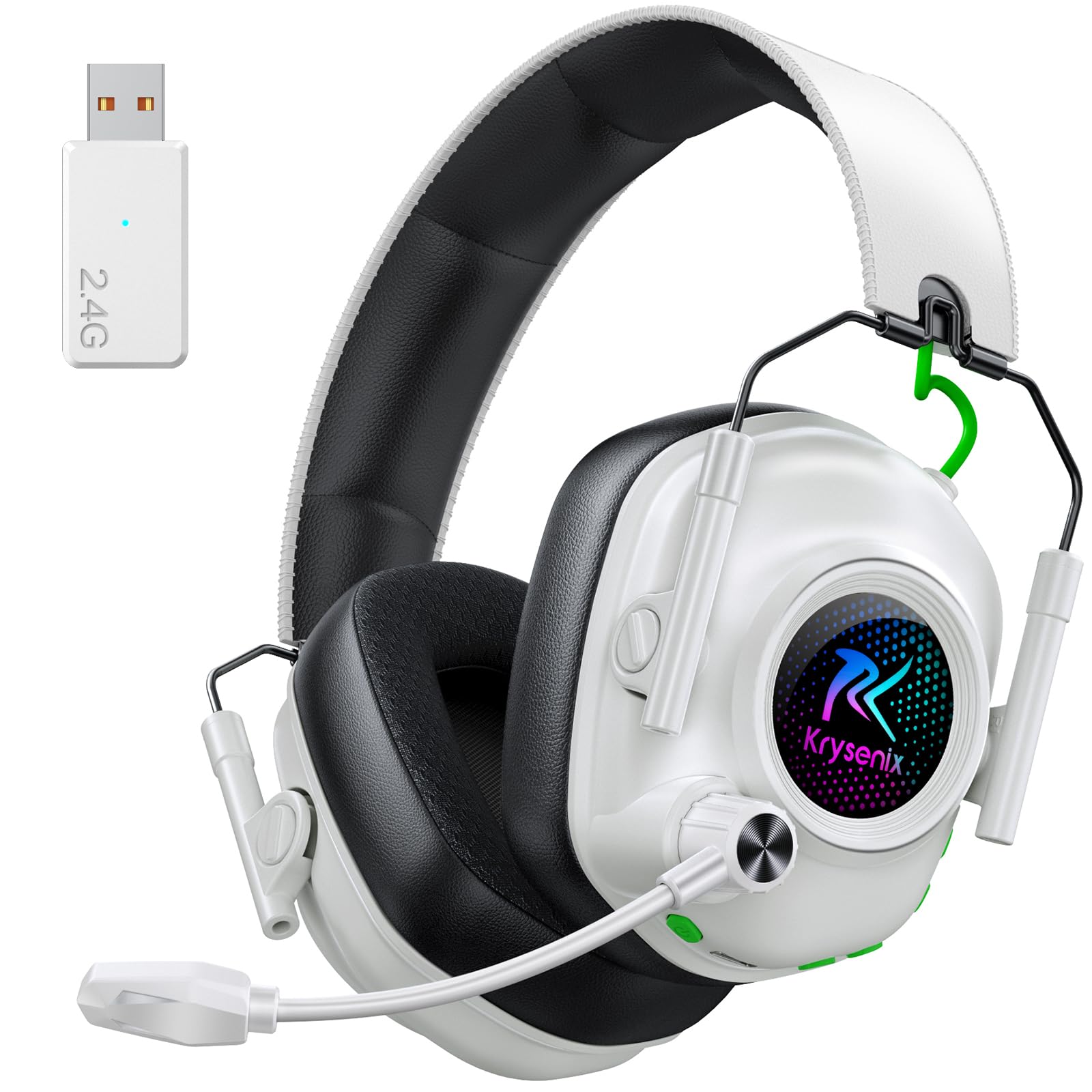 7.0 / 10
Krysenix Wireless Gaming Headset for PS5, PS4, PC, Switch, Mac, 2.4 GHz Wireless & Bluetooth 5.4 Gaming Headphones with Mic Noise Canceling, Gaming & Music Dual Mode, Foldable, 40H Battery,White
£17.99 · Krysenix
 7.0 / 10
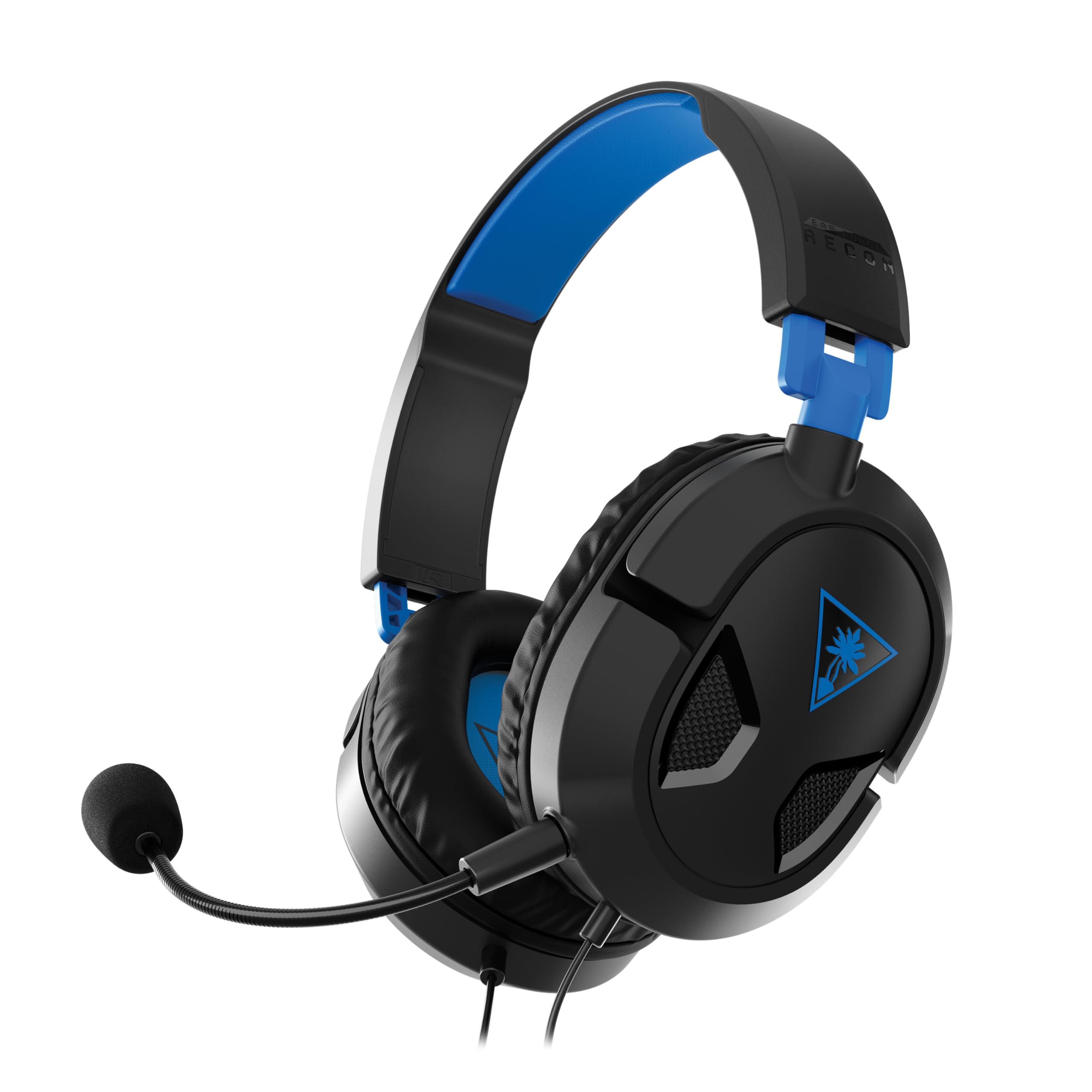
Turtle Beach Recon 50P Gaming Headset Review UK 2026
£14.99 · Turtle Beach
Frequently asked
5 questions01Is the Trust USB Headset with Microphone On-Ear Lightweight Design, Adjustable Headband, PC Headset 1.8m Cable Wired Headphones with Microphone for Computer Laptop Mac Desktop Home Office Teams Zoom good for competitive gaming?+
It's adequate for casual gaming but not ideal for serious competitive play. The soundstage is narrow due to the on-ear closed-back design, which limits precise positional audio. Footsteps and directional cues are audible, but players who rely heavily on audio positioning in games like CS2 or Valorant will benefit from a headset with a wider soundstage. For casual gaming and mixed office use, it performs well above expectations for the price.
02Does the Trust USB Headset with Microphone On-Ear Lightweight Design, Adjustable Headband, PC Headset 1.8m Cable Wired Headphones with Microphone for Computer Laptop Mac Desktop Home Office Teams Zoom have a good microphone?+
Yes, the boom microphone is one of this headset's stronger points. Voice clarity is good, speech is intelligible, and it performed well across multiple Teams and Zoom calls during testing without complaints from other participants. It's not a noise-cancelling microphone, so some background noise will bleed through in louder environments, but for home office and quiet shared spaces it's more than adequate. The mute button on the inline cable control is a useful practical feature.
03Is the Trust USB Headset with Microphone On-Ear Lightweight Design, Adjustable Headband, PC Headset 1.8m Cable Wired Headphones with Microphone for Computer Laptop Mac Desktop Home Office Teams Zoom comfortable for long sessions?+
Comfort is genuinely one of this headset's best qualities. It's very lightweight, and the headband padding is soft enough to avoid pressure points during extended wear. During testing it was worn for six-hour stretches without significant discomfort. The on-ear design means the earcups rest against rather than around your ears, which some people find less comfortable over time than over-ear designs, but the light clamp force helps. People who wear glasses will find it particularly comfortable compared to many over-ear alternatives.
04Does the Trust USB Headset with Microphone On-Ear Lightweight Design, Adjustable Headband, PC Headset 1.8m Cable Wired Headphones with Microphone for Computer Laptop Mac Desktop Home Office Teams Zoom work with PS5/Xbox?+
PS5 supports USB audio devices through its USB ports, so basic audio output should work, though microphone functionality may vary by game and system settings. Xbox consoles are more restrictive with USB audio and full functionality is not guaranteed. The headset is primarily designed for PC and Mac use, and that's where it performs best. For console gaming, a headset with a 3.5mm connection or dedicated console compatibility would be a more reliable choice.
05What warranty applies to the Trust USB Headset with Microphone On-Ear Lightweight Design, Adjustable Headband, PC Headset 1.8m Cable Wired Headphones with Microphone for Computer Laptop Mac Desktop Home Office Teams Zoom?+
Amazon offers 30-day returns on most products. Trust typically provides 1-2 year warranty coverage on their peripherals, though you should check the specific terms included with your purchase or on the Trust website for the most accurate warranty information for this model.


![Trust Gaming GXT 488 Forze-G [Officially Licensed for PlayStation] Gaming Headset for PS4 and PS5 with Flexible Microphone and Inline Remote Control, Over Ear Gaming Headphones - Grey](/_next/image?url=https%3A%2F%2Fcahio5hdrcfooypm.public.blob.vercel-storage.com%2Farticles%2Ff35c350106a1-Trust-Gaming-GXT-488-Forze-G-Officially-Licensed-f-711ba73a.jpg&w=256&q=75)
