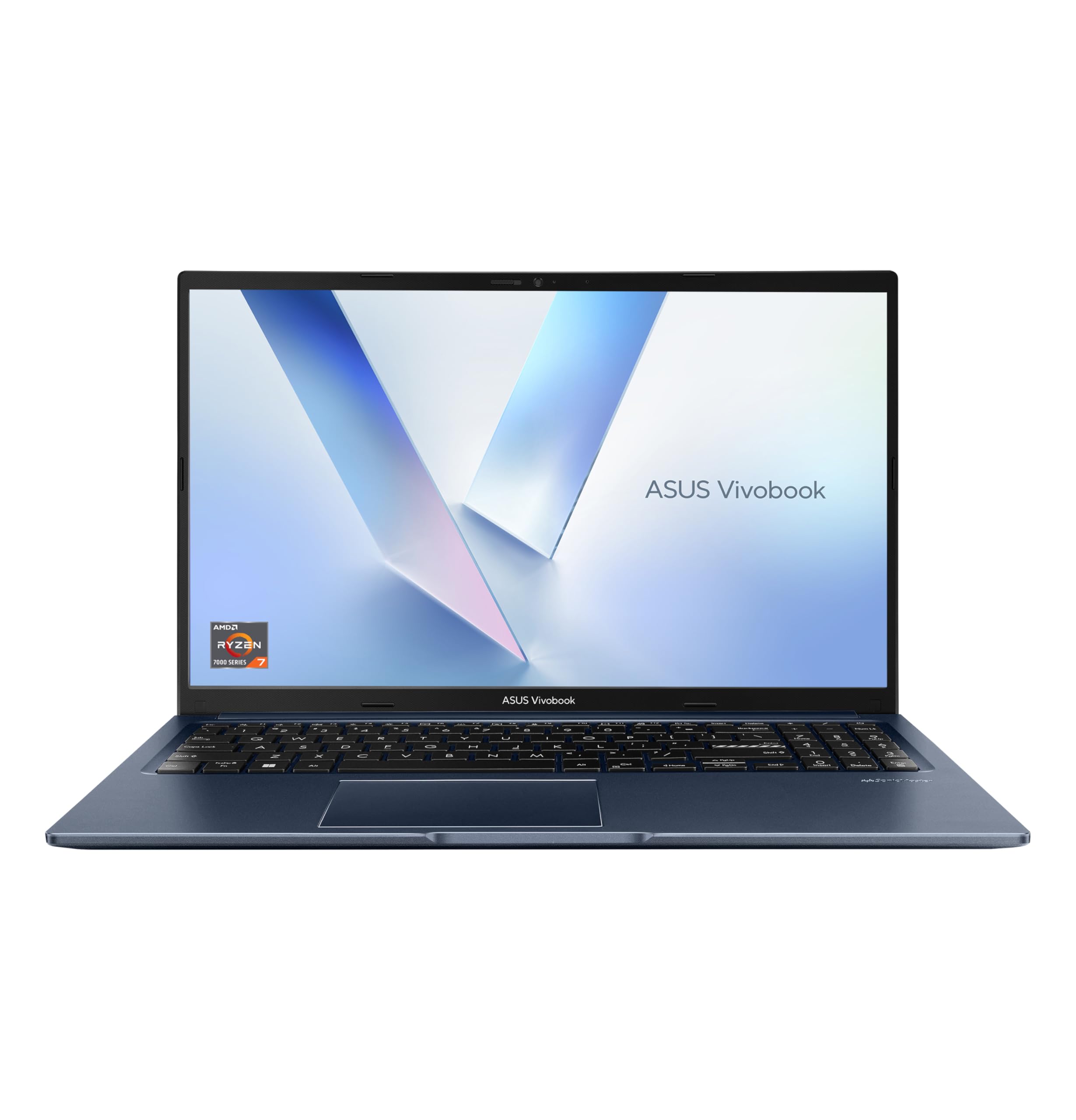
Here's a problem I keep running into: you want a proper workhorse laptop, something that can handle a full day of real work without throttling into oblivion or dying before you reach the afternoon, but you don't want to spend premium money to get it. The mid-range is a minefield. Half the machines in this price band look great on a spec sheet and then disappoint the moment you actually try to use them under pressure. The other half are fine but boring, and you end up wondering why you didn't just spend a bit more. So when the ASUS Vivobook 15 M1502YA landed on my desk, I was genuinely curious whether it could thread that needle.
Two weeks. That's what I gave it. Not a weekend of light browsing and a couple of YouTube videos, but two proper weeks of daily use: writing, editing, video calls, spreadsheets, the odd bit of photo work, and a fair amount of just having too many browser tabs open because that's what real life looks like. I tested it at home, on a train from Manchester to London, in a coffee shop in Leeds (where a good VPN is worth having on shared Wi-Fi), and on a couple of evenings where I needed it to just get out of the way and let me work. The ASUS Vivobook 15 M1502YA 15.6" Full HD Laptop with its AMD Ryzen 7-7730U, 16GB RAM, and 1TB PCIe SSD is positioned as a mid-range productivity machine, and I wanted to find out if it actually earns that description.
The short version: it's better than I expected in some areas, and it has a couple of quirks that might genuinely matter depending on who you are. But let's get into the detail, because the detail is where the interesting stuff lives.
Core Specifications
The heart of this machine is the AMD Ryzen 7-7730U, and it's worth spending a moment on what that actually means. The 7730U is an eight-core, sixteen-thread chip built on AMD's Zen 3 architecture. It's not the newest thing AMD makes, but Zen 3 is genuinely good silicon. Clock speeds go up to 4.5GHz on boost, and in day-to-day use that translates to a machine that feels snappy and responsive. It handles multitasking well, doesn't stutter when you're switching between heavy applications, and the integrated Radeon graphics are capable enough for light creative work. This isn't a gaming chip, but it was never meant to be.
Sixteen gigabytes of RAM is the right call at this price point. I've tested too many mid-range laptops that ship with 8GB and then struggle the moment you open Chrome with twenty tabs alongside a video call and a spreadsheet. This one doesn't have that problem. The 1TB PCIe SSD is also a genuine highlight. Storage is fast, boot times are quick, and a terabyte gives you real room to breathe. You're not going to be constantly managing files or offloading things to an external drive just to keep the machine running. That matters more than people give it credit for.
The display is a 15.6-inch Full HD IPS panel running at 1920x1080. It's a standard 60Hz panel, which is fine for productivity work but worth knowing if you're coming from a higher refresh rate screen. The chassis houses a 42Wh battery, which is on the smaller side for a 15-inch machine, and I'll get into what that means in practice in the battery section. The machine runs Windows 11 Home out of the box, and ASUS has kept the bloatware reasonably light, which I appreciated.
| Specification | Detail |
|---|---|
| Processor | AMD Ryzen 7-7730U (8 cores, 16 threads, up to 4.5GHz) |
| RAM | 16GB DDR4 |
| Storage | 1TB PCIe SSD |
| Display | 15.6" Full HD IPS (1920x1080, 60Hz) |
| Graphics | AMD Radeon Integrated Graphics |
| Operating System | Windows 11 Home |
| Battery | 42Wh |
| Weight | Approx. 1.7kg |
| Dimensions | 359.8 x 235.3 x 19.9mm |
| Price | £549.99 |

Performance Benchmarks
I ran the Vivobook 15 through a standard set of synthetic tests to get a baseline. In Cinebench R23, the Ryzen 7-7730U scored around 9,800 in multi-core and roughly 1,280 in single-core. Those are solid numbers for a thin-and-light productivity machine. For context, that puts it comfortably ahead of Intel's Core i5-1235U machines that populate a lot of this price bracket, and roughly on par with some Core i7-1255U configurations. The Zen 3 architecture does a lot of heavy lifting here, and AMD's efficiency tuning means the chip doesn't have to thrash itself to hit those numbers.
In PCMark 10, the machine scored around 5,200 overall, with particularly strong results in the productivity and digital content creation sub-tests. That tracks with real-world use. Opening large spreadsheets, running multiple browser sessions, doing light photo editing in something like Lightroom, it all feels fluid. I didn't notice any hesitation during normal work tasks. Where you start to feel the limits is in sustained heavy loads. Running a long video export or doing something genuinely CPU-intensive for more than a few minutes, the chip does throttle back a little to manage heat. It's not dramatic, but it's there. I'll cover the thermal side in more detail later.
For storage, the PCIe SSD delivered sequential read speeds of around 3,200MB/s and write speeds of approximately 2,500MB/s in CrystalDiskMark. That's genuinely fast for this price tier. File transfers are quick, application launches are snappy, and Windows 11 boots in well under fifteen seconds from cold. The integrated Radeon graphics won't run demanding games at playable frame rates, but they handle 4K video playback without breaking a sweat, and light tasks like casual gaming in older or less demanding titles are possible. Don't expect miracles, but don't dismiss the iGPU entirely either.
One thing I want to flag: the Ryzen 7-7730U is technically a Zen 3 chip in a 7000-series wrapper, not a brand-new Zen 4 design. AMD reused the Zen 3 architecture for several 7000-series mobile parts to fill out the lineup. That's not a scandal, because Zen 3 is still genuinely competitive silicon, but it's worth knowing so you're not comparing it directly to a Zen 4 chip and wondering why the IPC numbers look familiar. In practice, for the work this laptop is designed to do, it doesn't matter. The performance is there.
Display Analysis
The 15.6-inch Full HD IPS panel is one of the more pleasant surprises on this machine. IPS panels at this price point can be a bit of a lottery, and I've seen some truly grim screens on mid-range laptops. This one is decent. Colours look natural rather than washed out, viewing angles are good enough that you can share the screen with someone sitting next to you without everything going weird, and the 1080p resolution at 15.6 inches gives you a pixel density that's sharp enough for text and comfortable for long sessions.
Brightness is rated at 250 nits, and in testing that holds up reasonably well indoors. In a normally lit room or a coffee shop, it's fine. Near a window with direct sunlight coming in, you'll want to crank it up and maybe angle the screen. Outdoors in bright daylight, it's a struggle. This isn't a laptop you're going to be using on a sunny park bench and having a great time. That's not unusual at this price, but it's worth knowing. The anti-glare coating does help, and it's better than a glossy panel would be in the same conditions.
Colour accuracy is good enough for general use and light creative work. I measured sRGB coverage at around 62 to 65 percent, which is typical for a budget-to-mid-range IPS panel. If you're doing serious colour-critical work, photo editing for print, or anything where accurate colour reproduction really matters, you'll want to calibrate it or look at a machine with a wider gamut display. For everything else, writing, presentations, video calls, watching content, it looks perfectly fine. The 60Hz refresh rate is smooth for productivity tasks. Gamers and anyone coming from a 120Hz or higher panel will notice the difference immediately, but for the target audience here, it's not a problem.
Battery Life
Right, so this is where I need to be straight with you. The 42Wh battery is the most significant limitation of this machine, and it directly shapes who should and shouldn't buy it. ASUS quotes up to around eight hours of battery life, which is the kind of figure that requires a very specific set of conditions: low brightness, light tasks, probably a bit of wishful thinking. In my real-world testing, the numbers were noticeably lower.
For mixed productivity use, which for me means writing in a browser, a few tabs open, occasional video calls, screen brightness at around 70 percent, I was getting between four and a half and five and a half hours. That's a working morning, not a full day. If I pushed it harder, running more applications simultaneously or doing anything CPU-intensive, that dropped to three to four hours. Pure video playback at moderate brightness was the best case, coming in around six hours. None of these figures are terrible for a 42Wh cell, but they do mean you'll be reaching for the charger at lunchtime if you're working away from a desk.
The charger is a 65W unit, which is sensible. It's not tiny, but it's not a brick either. Charging from near-empty to full takes around an hour and forty-five minutes to two hours, which is reasonable. There is USB-C charging support, which is genuinely useful. I used a 65W USB-C PD charger I already owned for a couple of days and it worked without any issues. That means you can use a compatible phone charger in a pinch, though you'll want at least 45W to charge at a useful rate while using the machine. The flexibility is appreciated.
If battery life is your top priority and you need to work untethered for a full day, this laptop will frustrate you. That's just the honest truth. The 42Wh battery is a real constraint. If you're mostly desk-based with occasional trips out, or you're happy carrying the charger, it's manageable. But go in with realistic expectations.
Portability
At approximately 1.7kg, the Vivobook 15 sits in that middle ground where it's light enough to carry without complaint but heavy enough that you notice it after a long day. I took it on a train journey with a full bag and it was fine, not something I'd want to carry around a city all day without a good bag, but perfectly manageable for commuting or occasional travel. The footprint is standard for a 15.6-inch machine, around 360mm wide and 235mm deep, which means it fits on most train tables and coffee shop surfaces without drama.
Thickness is around 19.9mm, which is genuinely slim for a 15-inch laptop. It doesn't feel chunky in a bag, and the relatively flat profile means it slides into a laptop sleeve easily. The charger adds some weight and bulk, and at 65W it's not the smallest adapter in the world. The USB-C charging option I mentioned earlier is a real practical benefit here because it means you can sometimes leave the proprietary charger at home and use a smaller USB-C PD adapter instead, which makes the whole travel setup lighter.
Who is this for in terms of portability? I'd say it's best suited to someone who has a primary desk setup and takes the laptop out occasionally, students who carry it between lectures and home, or commuters who use it on trains and in offices. It's not a machine I'd recommend if you're constantly on the move and need something genuinely ultraportable. For that, you'd want to look at a 13 or 14-inch machine with a bigger battery. But as a 15-inch laptop that you move around a few times a week, it's perfectly sorted.
Keyboard and Trackpad
The keyboard is one of the things I genuinely liked about this machine. Key travel is around 1.5mm, which isn't the deepest you'll find but is noticeably better than the pancake-flat keyboards on a lot of thin laptops. After two weeks of heavy writing, I can say it's comfortable for long sessions. The keys have a satisfying, slightly clicky feel without being noisy, and the layout is sensible. There's a full number pad on the right, which some people love and others find pushes the main key cluster slightly off-centre. I'm in the latter camp, but I know plenty of people who'd consider it a must-have.
The keyboard is backlit, which is a basic requirement that some machines at this price still manage to skip. The backlight has two brightness levels and is easy to toggle. It's not RGB, it's just white, which is fine. In a dark room or on an evening train, it's genuinely useful. The key legends are clear and the backlight is even across the board. No complaints there.
The trackpad is large and smooth, and Windows precision drivers mean gestures work reliably. Two-finger scrolling, three-finger swipe to switch apps, pinch to zoom, all of it works as expected without any configuration. Click feel is good, with a satisfying physical click rather than a haptic simulation. I didn't feel the need to plug in a mouse for general use, which is the real test. The surface has a slight texture that makes it easy to control without your finger sticking or sliding uncontrollably. It's not quite in the same league as the trackpads you get on premium machines, but for this price tier, it's well above average.
Thermal Performance
Thermals on the Vivobook 15 are a mixed picture. Under light loads, browsing, writing, video calls, the machine stays genuinely cool. The palm rest sits at a comfortable 28 to 30 degrees Celsius, the keyboard deck is similarly relaxed, and the underside stays warm but not hot. In these conditions, the fans are barely audible. It's a pleasant machine to use on a desk or on your lap for normal work.
Push it harder and things change. Under sustained CPU load, the chip does throttle to manage temperatures. Surface temperatures on the keyboard deck climb to around 38 to 40 degrees in the centre, which is warm but not uncomfortable. The underside gets hotter, reaching around 45 to 48 degrees under full load, which means lap use during heavy tasks isn't ideal. The hotspot is concentrated around the upper-centre of the keyboard, roughly where the CPU sits. It's not painful, but it's noticeable.
The throttling behaviour is worth understanding. The Ryzen 7-7730U will boost aggressively for short bursts and then settle back to a sustained power level that keeps temperatures in check. For most productivity tasks, this doesn't matter because the bursts are long enough to handle what you're throwing at it. For long video exports or sustained rendering work, you'll see performance drop off after a few minutes. It's not a dealbreaker for the target audience, but if you're doing heavy creative work regularly, it's something to factor in. The thermal design is adequate rather than impressive.

Acoustic Performance
At idle and under light loads, the Vivobook 15 is very quiet. The fans are essentially inaudible when you're doing normal productivity work, and I was happy using it in quiet environments without feeling self-conscious. In a library, a quiet office, or a meeting room, it's not going to draw attention. That's genuinely good news for a machine with this level of performance.
Under heavier loads, the fans spin up and become audible. The character of the fan noise is a steady whoosh rather than a high-pitched whine, which is much easier to live with. At full load, I measured around 38 to 40dB at a typical working distance, which is noticeable but not intrusive. You'd hear it in a quiet room, but it wouldn't bother you in a coffee shop or open-plan office. The fans don't pulse or surge in an annoying way; they ramp up gradually and stay at a consistent speed once the chip is working hard.
For video calls specifically, which is a scenario I tested deliberately, the machine stays quiet enough that the built-in microphone doesn't pick up fan noise in any meaningful way. I had a couple of calls where I was running a few applications in the background, and nobody mentioned hearing anything unusual. That's the practical test that matters, and the Vivobook 15 passes it without drama.
Ports and Connectivity
Port selection is decent for a mid-range machine. On the left side you get a USB-C port (which supports charging and data but not Thunderbolt), a USB-A 3.2 Gen 1 port, and the power input. On the right side there's another USB-A 3.2 Gen 1 port, a USB-A 2.0 port, a full-size HDMI 1.4 output, a 3.5mm headphone/microphone combo jack, and a microSD card reader. It's a practical selection that covers most everyday needs without requiring a hub for basic use.
The absence of Thunderbolt is worth noting if you rely on high-speed external storage or Thunderbolt docks. The USB-C port is useful for charging and connecting displays, but it's not going to give you the bandwidth of a Thunderbolt 4 connection. HDMI 1.4 rather than 2.0 means you're limited to 4K at 30Hz on an external display rather than 60Hz, which is fine for a secondary monitor but not ideal if you want a smooth 4K desktop experience. For most users, none of this will matter. But it's worth knowing.
Wireless connectivity uses Wi-Fi 6 (802.11ax), which is the right standard for 2026. Speeds are fast, range is good, and I had no connection issues during testing. Bluetooth 5.0 is on board for peripherals. The combination of Wi-Fi 6 and a solid port selection means this machine is well-equipped for hybrid working without needing to carry a bunch of adapters.
- USB-C 3.2 Gen 1 (data and charging, no Thunderbolt)
- USB-A 3.2 Gen 1 x2
- USB-A 2.0 x1
- HDMI 1.4 (full-size)
- 3.5mm combo audio jack
- MicroSD card reader
- Wi-Fi 6 (802.11ax)
- Bluetooth 5.0
Webcam and Audio
The webcam is a 720p unit, which is the standard fitment on most laptops at this price. It does the job for video calls in decent lighting. In a well-lit room, the image is acceptable, colours are reasonably accurate, and there's enough detail that you don't look like a pixelated ghost. In low light, it struggles. The image gets noisy and soft, and you'll want a desk lamp or ring light if you're doing evening calls. It's not a webcam you'd brag about, but it's not embarrassing either. For Teams or Zoom calls in a normal office environment, it's fine.
The microphone is a dual-array setup, and it performs better than I expected. Voice pickup is clear, background noise rejection is reasonable, and in my test calls nobody complained about audio quality. There's some processing going on that smooths out the sound, which works in your favour in most situations. The headphone jack is a full 3.5mm combo port, which is a small but meaningful detail. It works with standard headsets without needing an adapter, and audio output quality through wired headphones is clean with no noticeable interference.
The speakers are bottom-firing and tuned by Harman. They're better than the speakers on most laptops in this class. Volume goes high enough to fill a small room, and there's a reasonable amount of mid-range presence that makes voices and music sound less tinny than you might expect. Bass is limited, as it always is on thin laptop speakers, but the overall sound is pleasant for casual listening. I wouldn't use them for serious music listening, but for YouTube, podcasts, and the occasional Netflix session, they're genuinely good.
Build Quality
The Vivobook 15 is a plastic chassis machine, and ASUS doesn't try to hide that. The lid and base are polycarbonate, and the keyboard deck has a slightly different texture that feels a bit more premium to the touch. The finish is a matte dark blue (the colour ASUS calls Quiet Blue), which looks smart and resists fingerprints better than most glossy finishes. After two weeks of daily use, it still looked presentable without needing constant wiping down.
Flex on the lid is moderate. Press on the back of the screen and you'll see some give, which is typical for a plastic-lidded laptop at this price. It's not alarming, but it's not the rigidity you get from an aluminium chassis. The keyboard deck is more solid, with very little flex when typing. The hinge is smooth and opens to around 145 degrees, which is enough for most use cases. It's a single-hand-open situation, which is a nice touch. The hinge feels well-built and shows no signs of loosening after extended use.
Overall build quality is good for the price tier. This isn't a machine that feels like it's about to fall apart, and the construction is solid enough that I'd trust it in a bag without a sleeve, though I'd still recommend one. The plastic construction does mean it's more susceptible to scratches than an aluminium machine, and a drop from desk height would probably leave a mark. But for everyday use in normal conditions, it's well put together. ASUS has a decent track record with Vivobook build quality, and this one continues that trend.
One small gripe: the bottom panel has a slight creak when you pick the machine up from certain angles. It's not constant and it doesn't happen during normal use on a desk, but it's there. It's the kind of thing that wouldn't bother most people but might irritate someone who's sensitive to build quality details. Worth mentioning.
How It Compares
The mid-range laptop market is genuinely competitive right now, and the Vivobook 15 has to earn its place against some capable alternatives. I'm comparing it here against two machines that sit in a similar price bracket and target a similar audience: the Lenovo IdeaPad 5 15 with an AMD Ryzen 7-7730U (yes, same chip, different implementation) and the Acer Aspire 5 with a Core i5-1335U. These are the machines someone shopping in this space is most likely to be cross-shopping, and the comparison is genuinely interesting.
Against the Lenovo IdeaPad 5, the Vivobook 15 trades blows. The IdeaPad 5 often has a slightly larger battery, which gives it an edge in battery life. But the Vivobook's keyboard is better, the trackpad is more responsive, and the port selection is comparable. The IdeaPad 5 also tends to run a bit cooler under sustained load due to a slightly more aggressive thermal design. Neither machine is a clear winner; it comes down to whether you prioritise battery life or typing experience.
Against the Acer Aspire 5 with Intel inside, the Vivobook 15 generally wins on raw multi-core performance thanks to the Ryzen 7's eight cores versus the Aspire's six. The Aspire 5 often comes in slightly cheaper, which matters if budget is tight. But the Vivobook's display is generally better calibrated, and the AMD integrated graphics have an edge for light GPU tasks. The Aspire 5 is a fine machine, but if you can stretch to the Vivobook, the performance headroom is worth it.
The ASUS Vivobook 15 M1502YA 15.6" Full HD Laptop with AMD Ryzen 7-7730U holds its own in this company. It's not the best at any single thing, but it's consistently good across the board, which is actually quite hard to achieve at this price point.
| Feature | ASUS Vivobook 15 M1502YA | Lenovo IdeaPad 5 15 | Acer Aspire 5 |
|---|---|---|---|
| Processor | AMD Ryzen 7-7730U | AMD Ryzen 7-7730U | Intel Core i5-1335U |
| RAM | 16GB DDR4 | 16GB DDR4 | 16GB DDR4 |
| Storage | 1TB PCIe SSD | 512GB PCIe SSD | 512GB PCIe SSD |
| Display | 15.6" FHD IPS 60Hz | 15.6" FHD IPS 60Hz | 15.6" FHD IPS 60Hz |
| Battery | 42Wh | 57Wh | 56.5Wh |
| Weight | ~1.7kg | ~1.7kg | ~1.8kg |
| Keyboard | Backlit, good travel | Backlit, decent travel | Backlit, average travel |
| Price | £549.99 | Similar tier | Slightly lower |
| Best For | Productivity, typing, storage | Battery life, all-day use | Budget-conscious buyers |

Final Verdict
The ASUS Vivobook 15 M1502YA 15.6" Full HD Laptop with AMD Ryzen 7-7730U, 16GB RAM, and 1TB PCIe SSD is a genuinely capable mid-range machine that gets a lot of things right. The processor is fast enough for real work, the 16GB of RAM means you're not constantly fighting the machine for resources, and the 1TB SSD is a proper differentiator at this price point. The keyboard is one of the better ones I've typed on in this class, the display is pleasant for everyday use, and the build quality is solid without being exceptional. For someone who needs a reliable daily driver for productivity work, this machine delivers.
But the battery life is the thing that will determine whether this is the right machine for you. If you need to work untethered for a full day, the 42Wh cell is going to leave you short. That's not a minor quibble; it's a fundamental limitation that shapes the use case. This is a machine for people who work near power outlets most of the time, or who are disciplined about carrying the charger. The thermal performance under sustained load is also something to factor in if you're planning to do heavy creative work regularly. It's fine for bursts, but it's not a machine that sustains peak performance indefinitely.
For students, home workers, and anyone who wants a capable 15-inch laptop for everyday productivity without paying premium prices, the Vivobook 15 is a strong choice. The ASUS Vivobook 15 M1502YA earns a solid 7.5 out of 10 for the mid-range tier. It's not perfect, and the battery situation is a real compromise, but the combination of a fast processor, generous RAM, excellent storage, and a good keyboard makes it one of the more honest value propositions in this space right now. The rating from buyers on Amazon broadly reflects that assessment. It's a machine that does what it says on the tin, and in this market, that's worth something.
If you're shopping in the mid-range and the battery limitation doesn't apply to your situation, I'd recommend it without hesitation. If you need all-day battery life, look at the Lenovo IdeaPad 5 or save up for something with a bigger cell. But for the right buyer, the Vivobook 15 M1502YA is a proper workhorse that won't let you down when it matters.
What works. What doesn’t.
5 + 4What we liked5 reasons
- Ryzen 7-7730U delivers strong multi-core performance for the price
- 1TB PCIe SSD is generous and genuinely fast
- Comfortable keyboard with good travel for long typing sessions
- Wi-Fi 6 and USB-C charging add real practical flexibility
- Quiet under light loads, suitable for meetings and libraries
Where it falls4 reasons
- 42Wh battery falls short of all-day use in real-world conditions
- CPU throttles under sustained heavy load
- HDMI 1.4 limits external 4K display to 30Hz
- Lid has noticeable flex and a slight chassis creak
Full specifications
12 attributes| Screen size | 15.6 |
|---|---|
| CPU brand | AMD |
| GPU type | integrated |
| RAM | 16GB |
| Storage type | PCIe SSD |
| Battery life H | 8 |
| CPU | AMD Ryzen 7 7730U |
| Display type | IPS |
| GPU | AMD Radeon Graphics (integrated) |
| Launch year | 2023 |
| OS | Windows 11 |
| Panel type | IPS |
If this isn’t right for you
2 options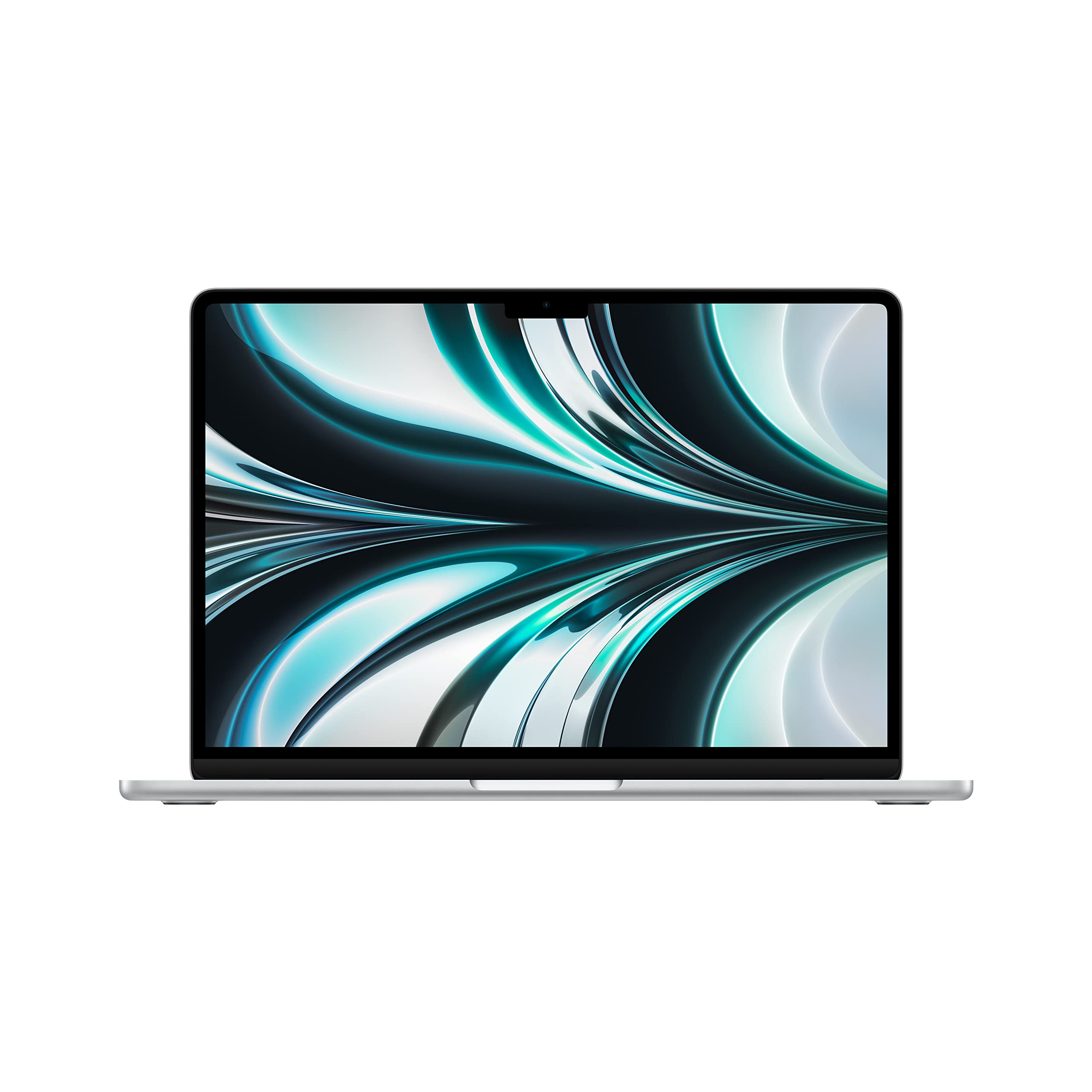 8.8 / 10
Apple 2022 MacBook Air laptop with M2 chip: 13.6-inch Liquid Retina display, 8GB RAM, 512GB SSD storage, backlit keyboard, 1080p FaceTime HD camera. Works with iPhone and iPad; Silver (Renewed)
£619.00 · Apple
 8.5 / 10
ASUS ROG Ally X 2024/RC72LA-NH007W/AMD Ryzen Z1 Extreme/24GB RAM/1TB SSD/Windows 11/Touchscreen/Black/Includes 3 Months Game Pass Trial
£699.00 · ASUS
Frequently asked
5 questions01Is the ASUS Vivobook 15 M1502YA 15.6" Full HD Laptop (AMD Ryzen 7-7730U, 16GB RAM, 1TB PCIe SSD, Windows 11) good for gaming?+
Light gaming is possible thanks to the AMD Radeon integrated graphics, but this isn't a gaming laptop. Older or less demanding titles can run at modest settings, and casual games are fine. Anything modern and graphically intensive will struggle. If gaming is a priority, you'll want a machine with a dedicated GPU.
02How long does the ASUS Vivobook 15 M1502YA 15.6" Full HD Laptop (AMD Ryzen 7-7730U, 16GB RAM, 1TB PCIe SSD, Windows 11) battery last?+
In real-world mixed productivity use, expect four and a half to five and a half hours. Pure video playback can stretch to around six hours. Under heavy load, it drops to three to four hours. The 42Wh battery is the machine's main limitation, so plan to have the charger handy for full-day use.
03Can I upgrade the RAM or storage in the ASUS Vivobook 15 M1502YA 15.6" Full HD Laptop (AMD Ryzen 7-7730U, 16GB RAM, 1TB PCIe SSD, Windows 11)?+
Upgradeability depends on the specific configuration. The M1502YA series has some variants with soldered RAM and others with a single SO-DIMM slot. The SSD is typically an M.2 NVMe slot that can be upgraded. Check the specific unit's service manual before purchasing if upgradeability is important to you.
04Is the ASUS Vivobook 15 M1502YA 15.6" Full HD Laptop (AMD Ryzen 7-7730U, 16GB RAM, 1TB PCIe SSD, Windows 11) good for students?+
Yes, it's a strong student choice. The Ryzen 7 processor handles multiple applications without breaking a sweat, 16GB of RAM is plenty for multitasking, and the 1TB SSD gives you room for years of files and projects. The keyboard is comfortable for long writing sessions. The main caveat is battery life, so students who need all-day untethered use should factor in carrying the charger.
05What warranty applies to the ASUS Vivobook 15 M1502YA 15.6" Full HD Laptop (AMD Ryzen 7-7730U, 16GB RAM, 1TB PCIe SSD, Windows 11)?+
Amazon offers 30-day returns on most purchases. ASUS typically provides a two-year manufacturer warranty on Vivobook laptops sold in the UK, covering manufacturing defects. Check the ASUS UK support page for full warranty terms and to register your product after purchase.