Finding the right laptop for music production is about balancing raw processing power, RAM headroom, fast storage and low-latency audio performance, all within a budget that does not require a second mortgage. Whether you are a bedroom beatmaker running Ableton Live with a handful of VST plugins, or a more serious producer tracking live instruments with heavy sample libraries, the laptop you choose will directly affect your creative workflow. Since last year, Intel's 13th-generation mobile chips have become more widely available at lower price points, and ARM-based Windows machines have started appearing in the mid-range, bringing new questions around DAW compatibility. This guide covers the best options available in the UK under £1,500, from capable Windows machines suited to professional production work down to budget-friendly Chromebooks that can handle lighter tasks via Linux. We address how much RAM you actually need, what size screen works best in a studio or on the road, and whether a Mac or PC makes more sense for most UK producers.
Quick Verdict
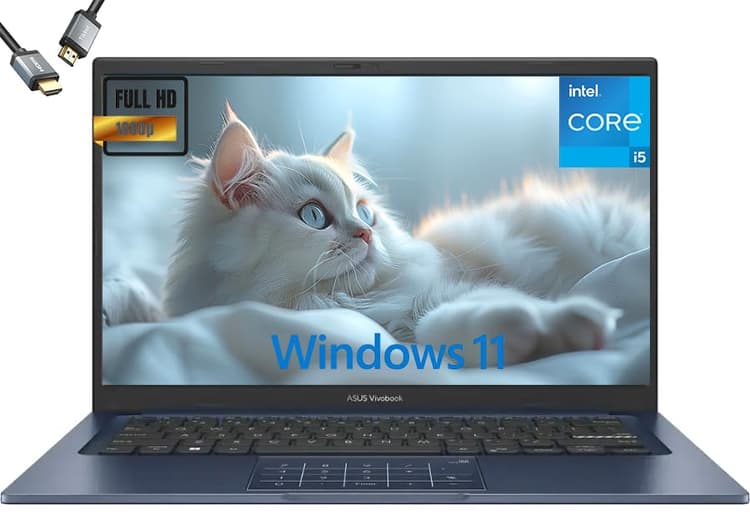
Best Overall: ASUS Vivobook 14 (2025) offers the strongest all-round specification for serious music production, with 24 GB of RAM and a 2 TB SSD at a price that leaves room in the budget for plugins and peripherals.
Best Value: Lenovo IdeaPad Slim 3 delivers a proven Intel Core i5-12450H processor, 16 GB of RAM and a full Windows 11 environment at under £700, making it the most practical choice for producers who want reliability without overspending.
The ASUS Vivobook 14 (2025) sits at the top of this list for one straightforward reason: its combination of 24 GB of RAM and a 2 TB SSD makes it the most capable machine in this catalogue for running demanding digital audio workstations. Music production is one of the most RAM-hungry computing tasks a laptop can face. When you load a project in FL Studio, Logic Pro (via Parallels on Windows), Ableton Live or Reaper with multiple instances of Kontakt, Omnisphere or other sample-heavy virtual instruments, RAM fills up quickly. Most entry-level laptops ship with 8 GB or 16 GB, which can feel restrictive within minutes of opening a complex session. The Vivobook 14's 24 GB headroom means you can run a dense mix with dozens of tracks, multiple reverb and mastering plugins, and a large orchestral library open simultaneously without the dreaded audio dropout or buffer underrun.
The Intel Core i5-1334U is a 13th-generation processor built on a hybrid architecture with performance and efficiency cores. For music production, single-core speed matters more than core count, since most DAWs still process audio on a single thread or a small number of threads. The i5-1334U delivers solid single-core performance that handles real-time plugin processing without excessive latency spikes. The Intel UHD Graphics are not designed for gaming, but that is entirely irrelevant here. Music producers do not need a discrete GPU; the integrated graphics handle the DAW interface, video playback for scoring work, and general Windows 11 tasks without any issue.
The 2 TB SSD is a particularly important specification for producers who work with sample libraries. Native Instruments' Komplete, Spitfire Audio's BBC Symphony Orchestra, or even a modest collection of Splice samples can easily consume 500 GB to 1 TB of storage. Having 2 TB built in means you can keep your most-used libraries on the internal drive, where read speeds are fastest, rather than relying on an external drive that introduces another potential point of failure during a live session or recording take.
The 14-inch Full HD screen is a practical choice for portable production. It is large enough to see a DAW's arrangement view comfortably, yet compact enough to fit in a standard backpack. Windows 11 Home is pre-installed, ensuring compatibility with the full range of professional DAWs and audio interfaces available on the market. The Intel UHD Graphics output handles an external monitor well, which is useful if you work at a desk and want to extend your workspace to a second screen for a mixer view or plugin windows.
Verdict: The ASUS Vivobook 14 (2025) is the strongest all-round music production laptop in this selection. The 24 GB RAM and 2 TB SSD combination genuinely sets it apart from the competition at this price point, and it runs every major Windows DAW without compromise.
Pros
- 24 GB RAM provides genuine headroom for large sample libraries and heavy plugin loads
- 2 TB SSD offers enough internal space for most producers' entire sample collection
- Windows 11 Home ensures full compatibility with all major DAWs and audio interfaces
Cons
- Intel UHD Graphics means no GPU acceleration for video scoring or 3D work
- Verified port configuration not confirmed in spec sheet, so external hub may be needed
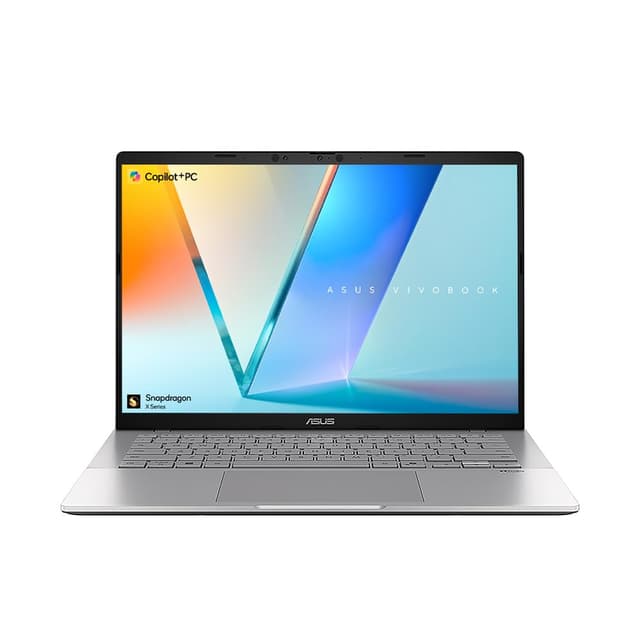
The ASUS Vivobook S 14 S3407QA is one of the most interesting laptops to evaluate for music production in 2025, and also one of the most nuanced. It is powered by the Qualcomm Snapdragon X Plus, an ARM-based processor that represents Microsoft's push into the CoPilot+ PC category. The headline performance figures for this chip are impressive on paper, particularly for battery life and efficiency. In real-world use, the Snapdragon X Plus delivers fanless or near-silent operation for lighter workloads, which is genuinely valuable in a recording environment where fan noise can bleed into microphones or distract during a creative session.
However, ARM architecture on Windows introduces a compatibility consideration that every music producer must understand before purchasing. Many DAW plugins, particularly older VST2 instruments and effects, are compiled for x86 processors. On an ARM Windows machine, these plugins run through an emulation layer. Most modern plugins from major developers, including Native Instruments, Waves, iZotope and Arturia, have released ARM-native or ARM-compatible versions, and Windows 11's x86 emulation has improved considerably. However, some niche or older plugins may not run correctly or may exhibit higher CPU overhead when emulated. If your workflow relies on a specific legacy plugin, it is worth checking the developer's compatibility list before committing to an ARM machine.
Where the Vivobook S 14 S3407QA excels is in its display and connectivity. The 14-inch 2.8K IPS screen (2560x1600 resolution) is the sharpest panel in this entire selection, making it noticeably easier to read waveforms in a DAW's arrangement view, zoom into MIDI piano roll data, and work with the small text that fills most plugin interfaces. The dual USB 4 Type-C ports are a significant advantage for audio interface connectivity, as many modern interfaces from Focusrite, Universal Audio and Audient use USB-C. The two USB 3.2 Type-A ports handle dongles, MIDI controllers and external drives, and the HDMI 2.1 output supports a high-resolution external monitor.
The 16 GB of RAM and 1 TB PCIe Gen4 SSD are both solid specifications. The Gen4 SSD is faster than the standard Gen3 drives found in most budget laptops, which translates to quicker project load times and faster streaming of large sample libraries. The Qualcomm Adreno integrated GPU handles the display and general graphics tasks adequately. Battery life on the Snapdragon X Plus platform is exceptional compared to Intel equivalents, often reaching 12 to 15 hours of light use, which makes this an attractive choice for producers who work in locations without a power socket.
Verdict: A compelling choice for producers who prioritise display quality, battery life and modern connectivity, provided their plugin library is compatible with ARM Windows. Check your essential plugins before buying.
Pros
- 2.8K IPS display makes reading DAW waveforms and plugin interfaces noticeably clearer
- Dual USB 4 Type-C ports suit modern audio interfaces from Focusrite, UA and Audient
- Snapdragon X Plus delivers near-silent operation, reducing fan noise during recording
- 1 TB PCIe Gen4 SSD provides fast sample library streaming
Cons
- ARM architecture means some legacy VST2 plugins may not run correctly or require emulation
- Qualcomm Adreno integrated GPU has limited driver support outside of standard display tasks
How We Picked
Every product in this guide was assessed against the specific demands of music production rather than general computing performance. Our evaluation criteria prioritised RAM capacity, since sample libraries and real-time plugin processing are memory-intensive tasks. We also weighted processor architecture and sustained clock speed performance, as audio dropouts caused by CPU throttling are a critical failure in a recording or mixing context. Storage speed and capacity were assessed for their impact on sample library streaming and project file management. Port selection was reviewed for audio interface compatibility, with USB-C and USB-A availability both considered. Operating system compatibility with major DAWs, including Ableton Live, FL Studio, Cubase, Reaper and Pro Tools, was treated as a primary filter. Where a product does not support these DAWs natively, this is stated clearly. Price was assessed relative to the specifications delivered, with particular attention to value at each price tier within the £1,500 budget.
Buying Guide
How much RAM do you really need for music production?
RAM is the single most important specification for music production laptops, and the answer to how much you need depends entirely on your workflow. For producers working primarily with software synthesisers, electronic beats and modest plugin chains, 16 GB is a comfortable working minimum in 2025. You can run Ableton Live or FL Studio with a reasonable number of tracks, a few instances of virtual instruments and a mastering chain without hitting memory limits in most sessions.
If you work with large sample libraries, particularly orchestral libraries from Spitfire Audio, EastWest or Native Instruments, 16 GB can feel restrictive. These libraries stream samples from disk but still load significant amounts of data into RAM for fast access. A full Kontakt library session with multiple instruments loaded can consume 8 to 12 GB of RAM on its own, leaving little headroom for the DAW itself and other plugins. For this type of workflow, 24 GB or more is strongly recommended, which is why the ASUS Vivobook 14 (2025) tops this list.
For beginners using browser-based tools or Android apps, 4 to 8 GB is workable, but you will notice limitations as your projects grow in complexity.
What processor should you look for?
For Windows DAWs, an Intel Core i5 H-series or better is the practical minimum for comfortable professional use. H-series chips have higher sustained performance than U-series chips, which matters during long rendering tasks and real-time plugin processing. The Qualcomm Snapdragon X Plus is a capable alternative with excellent battery life, but requires checking plugin compatibility before purchase. Avoid Celeron and Pentium processors for any serious production work.
Is a Mac or PC better for music production?
This is one of the most common questions among UK producers. Historically, Macs were preferred for music production due to Logic Pro, superior driver stability and lower audio latency. In 2025, the gap has narrowed considerably. Windows laptops offer far more choice at every price point, and DAWs like Ableton Live, FL Studio, Cubase and Reaper are fully optimised for Windows. If you already own Logic Pro or work in a Mac-centric studio environment, a Mac makes sense. For most UK producers starting fresh, a Windows laptop in the £600 to £1,500 range offers better value per specification than an equivalent Mac.
What size laptop is best for music production?
A 14-inch laptop is the sweet spot for most producers. It is large enough to display a DAW's arrangement view, mixer and plugin windows at a comfortable size, yet compact enough to carry to studios, rehearsal spaces and gigs. A 15.6-inch machine offers more screen space but adds weight and bulk. If you work primarily at a desk and connect to an external monitor, screen size matters less, and a 14-inch machine is easier to transport. Avoid 11 or 12-inch machines for production work, as the small screens make DAW navigation genuinely frustrating.
What storage capacity do you need?
A minimum of 512 GB SSD is recommended for music production, with 1 TB or more preferred if you use sample libraries. A fast NVMe SSD reduces sample loading times and project open times noticeably compared to eMMC storage. If your budget forces a compromise, prioritise RAM over storage and supplement with an external SSD for sample libraries.
Final Verdict
The ASUS Vivobook 14 (2025) is the clear overall winner for music production in this selection. Its 24 GB of RAM and 2 TB SSD address the two most common bottlenecks that producers encounter, memory limitations during complex sessions and storage constraints when building a sample library, at a price that remains well within the £1,500 budget. It runs Windows 11 Home, ensuring full compatibility with every major DAW and audio interface on the market.
For producers who want to spend less, the Lenovo IdeaPad Slim 3 is the best value option. The Intel Core i5-12450H delivers sustained performance for real-time audio processing, the 16 GB of RAM handles the majority of professional workflows, and the practical port selection including an SD card reader reduces the need for additional accessories.
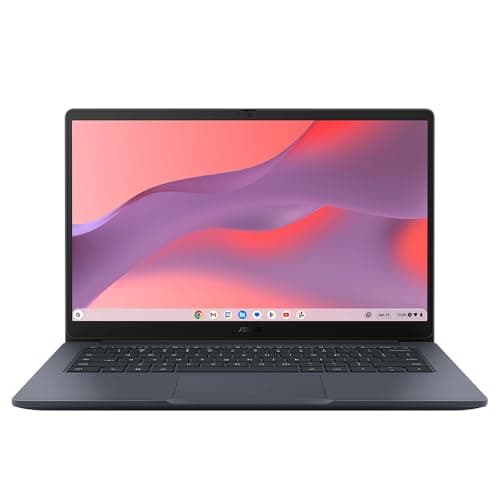
The ASUS Vivobook S 14 S3407QA is worth serious consideration for producers who prioritise battery life, display quality and modern connectivity, provided they verify that their essential plugins are compatible with ARM Windows. The Chromebook options are included for completeness and for beginners exploring music-making on a very tight budget, but they are not suitable replacements for a dedicated Windows production machine.