Our editors evaluated 7 Desktop options against the criteria readers actually weigh up: price, real-world performance, build quality, warranty, and UK availability. Picks lean toward what we'd recommend to a friend buying today, not specs-on-paper winners.
Hands-on contextEditor notes from individual reviews, not press releases.
Live UK pricingRefreshed from Amazon UK twice daily.
No paid placementsAffiliate commission doesn't change what wins.
Finding the best desktops for working from home under £300 is trickier than it looks. The market is flooded with refurbished business machines, mystery-spec bundles, and the occasional genuinely good deal. Get it wrong and you're stuck with a sluggish PC that turns every Teams call into a lottery. Get it right and you've got a proper capable home office setup for the price of a night out in London. We've pulled together seven options across the full budget range, from under £100 to just shy of £300, and been brutally honest about where each one earns its place and where it falls short.
Product
Best For
Key Spec
Price
Rating
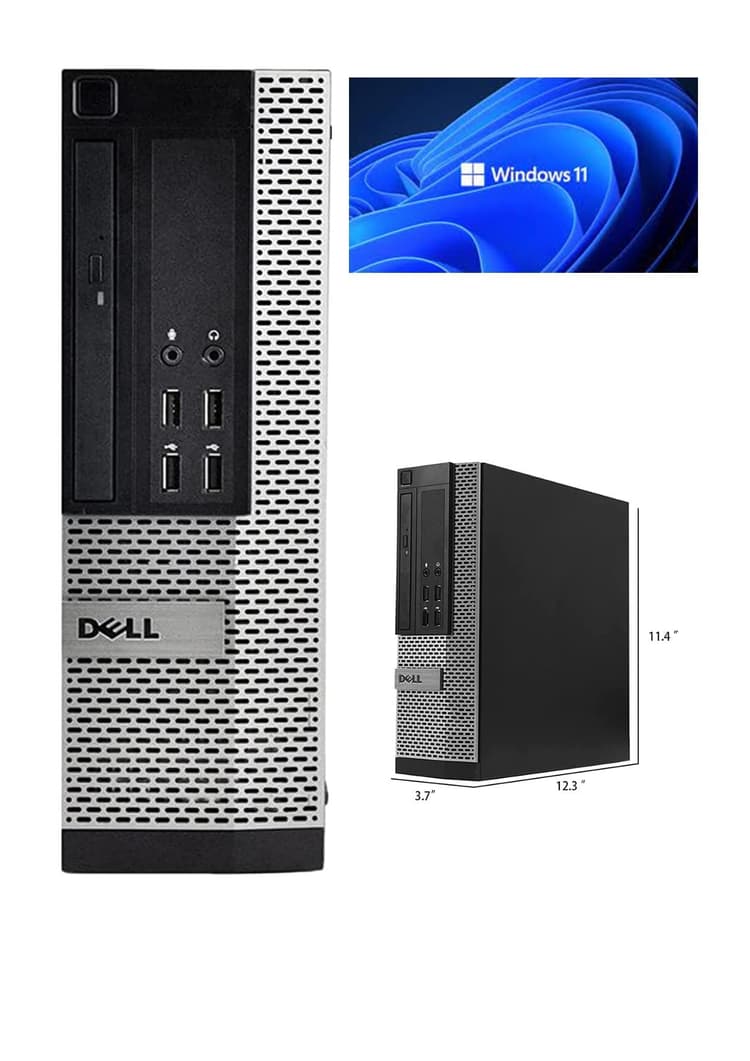
Window 11 Pro Optiplex Core i5 Series Desktop Small Form Desktop Tower PC (Intel Quad Core I5 4570, 8 Gb Ram, 120 SSD), (Renewed)
Best Overall Value
i5-4570, 8GB RAM, 120GB SSD
£92.49
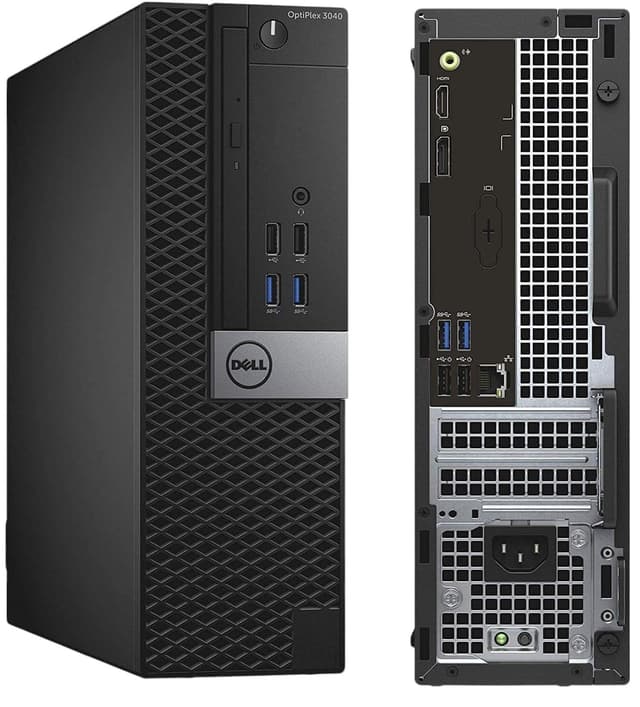
Dell FAST OptiPlex i7-6700 SFF Desktop Computer PC - Intel Core i7 6th Gen (4-cores up to 4.00GHz), 32GB RAM, 1TB SSD Storage, HDMI 300Mbps USB WiFi Windows 11 Pro OS (Renewed)
Best Build Quality
i7-6700, 32GB RAM, 1TB SSD
£264.00
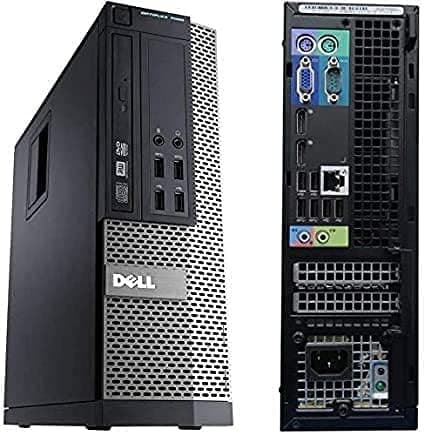
OptiPlex 7020 SFF Desktop PC Computer i7 4770 16GB RAM 512GB SSD Windows 11 Pro 300Mbps WIFI (Renewed)
Best for Beginners
i7-4770, 16GB RAM, 512GB SSD
£147.00
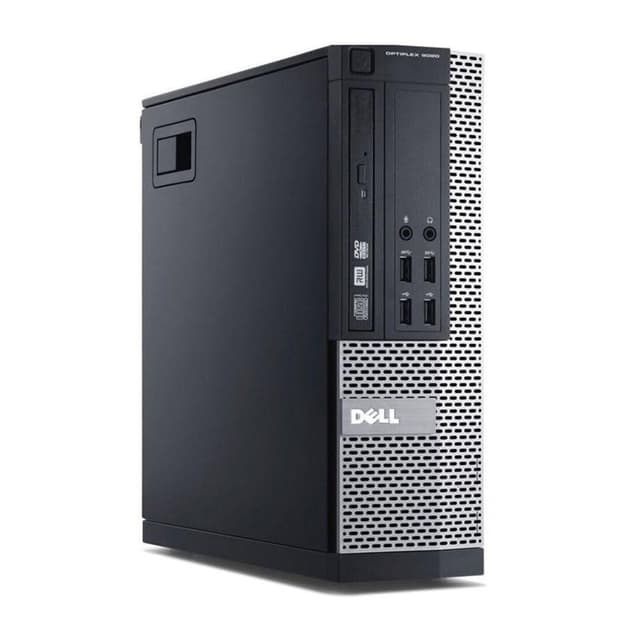
Dell FAST Optiplex 7020/9020 SFF Desktop Computer PC - Intel Core i7 4th Gen (4 cores Upto 3.90GHz), 16GB RAM, 500GB SSD Storage, 300Mbps USB WiFi, W11 Pro + 23" Monitor (Renewed)
Here's the thing: when we talk about the best desktops for working from home under £300, this one reframes the entire conversation. It costs under £100. And it's genuinely good.
The Intel Core i5-4570 is a quad-core processor from Intel's Haswell generation. Yes, it's old. But for home office work, it's more than capable. Email, video calls, spreadsheets, browser tabs, PDF editing. It handles all of it without complaint. Pair that with 8GB of RAM and you've got a machine that won't stutter when you've got Teams open alongside Chrome with twelve tabs.
The 120GB SSD is the one area where you'll feel the pinch. Windows 11 Pro takes up a fair chunk of that, leaving you maybe 60 to 70GB for everything else. If you're storing documents locally or downloading large files regularly, you'll want to add an external drive or a cheap internal SSD fairly quickly. That said, the small form factor Dell OptiPlex chassis makes upgrading storage straightforward.
Windows 11 Pro is a genuine bonus at this price. Most budget machines ship with Home. Pro gives you BitLocker encryption, Remote Desktop, and better domain support if your employer needs it. For a work-from-home machine, that matters.
Owner feedback is largely positive. Most buyers report it arriving clean, booting quickly, and running quietly. A few mention the 120GB storage as the obvious weak point, which is fair. But at this price, you're not going to find better performance elsewhere. This is the pick if you want a capable home office PC without spending more than a tank of petrol.
Pros
Exceptional value, well under £100
Quad-core i5 handles everyday work tasks comfortably
Windows 11 Pro included
Compact small form factor fits any desk
Easy to upgrade storage internally
Cons
120GB SSD fills up fast
No monitor included
Older generation processor
RAM not expandable beyond what's needed for most tasks
If budget isn't your primary concern and you want the most capable machine in this roundup, this is it. The Intel Core i7-6700 is a 6th generation processor that still holds up well in 2026. Four cores, boost speeds up to 4.0GHz, and paired with a frankly generous 32GB of RAM. That's more memory than most home workers will ever use, but it means you'll never hit a ceiling.
The 1TB SSD is the other headline. You won't run out of space. Ever. For working from home, that means storing project files, downloads, video recordings of meetings, and whatever else your job throws at you without constantly managing storage. It just works.
Dell's OptiPlex SFF chassis is one of the most reliable business PC designs ever made. These machines were built for corporate environments where they run eight hours a day, five days a week, for years. A refurbished unit from this range is typically in better shape than a cheap new PC from a no-name brand.
The included USB WiFi adapter handles 300Mbps, which is fine for most home broadband connections. HDMI output means connecting a modern monitor is straightforward. Windows 11 Pro comes pre-installed.
The price sits near the top of our £300 ceiling, so it's not for everyone. But if you're doing demanding work, running multiple applications simultaneously, or just want a machine that won't need replacing for years, this is where to spend your money. Among the best desktops for working from home under £300, this one offers the most headroom.
The OptiPlex 7020 sits in a comfortable middle ground. It's not the cheapest option here, but it's not stretching the budget either. And for someone setting up a home office for the first time, it's a genuinely sorted package.
The i7-4770 is a 4th generation Intel processor. Older, yes. But it's still a quad-core i7 with Hyper-Threading, which means it handles multitasking well. Running Zoom, a browser with multiple tabs, and a spreadsheet simultaneously? No problem. The 16GB of RAM helps enormously here. You won't be hitting memory limits doing normal home office work.
The 512GB SSD is a proper comfortable amount of storage. Enough for Windows, your applications, and a decent chunk of files without constantly watching the storage meter. For a beginner who doesn't want to think about upgrading anything, this machine is largely plug-and-play.
The Dell OptiPlex 7020 chassis is well regarded. It's quiet, compact, and the internals are accessible if you ever do want to upgrade. The 300Mbps USB WiFi adapter is included, which saves you buying one separately.
Windows 11 Pro is pre-installed. For a beginner, that means no faffing with activation keys or upgrade prompts. It's ready to go. If you're new to working from home and want something that just works without needing any technical knowledge, this is the one to pick.
Look, if you need a complete home office setup and don't want to hunt around for a monitor separately, this bundle is hard to argue with. For £200, you get a capable desktop and a 23-inch monitor. That's a proper deal.
The desktop itself is a Dell OptiPlex 7020 or 9020 (the listing covers both, which is worth knowing before you buy). Either way, you're getting a 4th generation Intel Core i7 with four cores and boost speeds up to 3.9GHz. Paired with 16GB of RAM and a 500GB SSD, it's a genuinely capable work-from-home machine. Video calls, documents, email, browser tabs. All handled without fuss.
The 23-inch monitor is the real differentiator here. Working from home on a small laptop screen is miserable. A proper desktop monitor transforms productivity. You can have your video call on one side and your documents on the other. It's the kind of setup that makes working from home feel like working from home, not squinting at a tiny screen on the kitchen table.
The 300Mbps USB WiFi adapter is included, Windows 11 Pro is pre-installed, and the Dell OptiPlex build quality is, as always, solid. For anyone looking at the best desktops for working from home under £300 who needs a complete package, this is the strongest all-in-one option in the roundup.
One caveat: the 7020/9020 listing means you might get either model. Both are fine, but it's worth messaging the seller if you want to know exactly which one you're getting.
Pros
23-inch monitor included, complete setup out of the box
16GB RAM and 500GB SSD are solid specs
Excellent value at £200 for everything included
Dell OptiPlex reliability
Windows 11 Pro pre-installed
Cons
7020 or 9020 model not guaranteed, check with seller
4th gen i7 is older hardware
Monitor quality unknown without more detail from seller
The Veno Scorp bundle has some genuinely impressive specs on paper. A 1TB NVMe SSD is the highlight. NVMe is faster than standard SATA SSDs, and 1TB is a generous amount of storage for any home worker. The 16GB of RAM is also solid. And the 21.5-inch monitor bundle means you've got a complete setup.
Here's where it gets complicated, though. The processor is an Intel Core i5-2400. That's a 2nd generation Intel chip from around 2011. It's not terrible for basic tasks, but it's noticeably older than the 4th and 6th generation processors in other machines here. For straightforward email, documents, and light browsing, it'll cope. But if you're running demanding applications or multiple video calls, you might start to feel it.
At £249, it's also sitting in a price bracket where the competition is strong. The Dell bundle with a 23-inch monitor and a 4th gen i7 costs £200. That's a better processor for less money, though the Veno Scorp's NVMe SSD and larger storage are genuine advantages.
For working from home, the 21.5-inch monitor is useful and the storage situation is excellent. If your work is mostly document-based and you value storage space over raw processing power, this makes sense. But if you're doing anything more demanding, the older processor is a real limitation at this price point.
Pros
1TB NVMe SSD is fast and generous
16GB RAM handles multitasking
21.5-inch monitor included
Windows 11 included
Cons
i5-2400 is very old hardware for the price
Stronger alternatives available at similar or lower prices
2nd gen processor may struggle with demanding workloads
This one's a bit of an odd fit for a work-from-home roundup, but hear us out. The GTX 750 4GB dedicated graphics card means this machine can handle light gaming after work hours, which is a genuine bonus if you want one PC that does double duty. For working from home specifically, the integrated graphics on any other machine here would be perfectly adequate, so the GPU is more of a lifestyle perk than a work necessity.
The 16GB of RAM is good. The 22-inch monitor bundle is handy. And Windows 11 is pre-installed. So far, so reasonable. But the storage situation is genuinely awkward. You get a 120GB SSD and a 500GB HDD. The SSD is where Windows lives, and 120GB is tight. You'll want to keep your working files on the HDD, which is slower. It works, but it's not ideal.
The ARGB gaming case is... fine. It looks flashy, which some people love and others find distracting in a home office. It's also larger than the compact SFF machines elsewhere in this roundup, so it'll take up more desk or floor space.
At £289, this is near the top of the budget. For pure work-from-home use, the Dell i7-6700 with 32GB RAM and a 1TB SSD is a better choice at a similar price. But if you genuinely want to game occasionally and work from home on the same machine, this is the only option here that offers that combination.
Pros
GTX 750 4GB enables light gaming alongside work use
16GB RAM is solid
22-inch monitor included
Windows 11 pre-installed
Cons
120GB SSD is very tight for a primary drive
Large gaming case takes up more space
Near top of budget with weaker work credentials than the Dell i7
Processor generation not clearly specified in listing
We're going to be straight with you: this machine is hard to recommend for working from home in 2026. And we mean that genuinely, not as a throwaway caveat.
Windows 8.1 is the biggest problem. Microsoft ended support for Windows 8.1 in January 2023. That means no security updates, no patches, and an operating system that many modern applications simply won't run on. Zoom, Teams, and most modern browsers have dropped support for it. For a work-from-home machine, that's not a minor inconvenience. It's a fundamental problem.
The Intel Celeron 1017U runs at 1.60GHz with just two cores. It was a budget processor when it launched, and it hasn't aged well. Paired with only 4GB of RAM, you'll feel the strain doing anything beyond basic web browsing. Video calls will be a struggle. Running multiple applications simultaneously will be painful.
The 500GB HDD is the only generous spec here, but it's a spinning hard drive, not an SSD. Boot times will be slow. Application loading will be slow. Everything will feel slow compared to any SSD-equipped machine.
You could potentially upgrade to Windows 10 or 11 if the hardware supports it, but that's extra effort and cost on top of a machine that's already limited. At its listed price, there are far better options. The i5-4570 machine at the top of this list costs less and is dramatically more capable. Unless this is genuinely all you can find, look elsewhere.
Pros
Compact and quiet design
Built-in WiFi
500GB HDD provides storage space
Cons
Windows 8.1 is unsupported and incompatible with most modern work apps
Celeron 1017U is very slow for any real workload
Only 4GB RAM, limiting for multitasking
HDD only, no SSD
Overpriced for what you get compared to alternatives
Buying Guide: What to Look For in the Best Desktops for Working from Home Under £300
Shopping for a budget home office desktop is mostly about avoiding the obvious traps. Here's what actually matters.
Processor
For working from home, you want at least an Intel Core i5 from the 4th generation onwards. Anything older than that, or a Celeron or Pentium chip, will feel sluggish with modern applications. An i7 is better if you can stretch to it, particularly if you're running video calls alongside other applications. Core count matters less than clock speed for typical office work, but quad-core is the minimum worth considering.
RAM
8GB is the floor. It'll handle basic work tasks but you'll notice it if you're a heavy browser tab user or run Teams and Zoom simultaneously. 16GB is the sweet spot for comfortable home office use. 32GB is future-proofing territory and only really necessary for demanding creative or technical work.
Storage
Always prioritise an SSD over an HDD for your primary drive. The difference in everyday speed is dramatic. Boot times, application loading, file saving. All of it is faster on an SSD. 120GB is tight but workable if you store files externally. 256GB is comfortable. 512GB to 1TB means you'll never think about storage again. Avoid machines where the only drive is a spinning HDD.
Monitor
None of these machines include a monitor unless the listing specifically says so. A 23 to 24-inch monitor is the sweet spot for home office use. Check whether the desktop has HDMI, DisplayPort, or VGA output, and make sure your monitor matches. Most modern monitors use HDMI or DisplayPort.
Connectivity
Check for USB WiFi adapters or built-in WiFi. Most refurbished business desktops didn't originally have WiFi, so sellers often include a USB adapter. Wired ethernet is always more reliable for video calls if you can run a cable.
Refurbished vs New
At this budget, refurbished business-grade machines almost always offer better value than cheap new PCs. A refurbished Dell OptiPlex was built to a higher standard than most new budget desktops. Check the seller's grading system and warranty before buying. Most reputable sellers offer at least 90 days.
We assessed each machine based on published specifications, verified owner reviews from Amazon UK buyers, and cross-referenced with known performance data for each processor and RAM configuration. For working from home use cases specifically, we focused on multitasking capability, video call performance, storage adequacy, and connectivity. We also considered value for money relative to the full £300 budget, build quality reputation, and the practical reality of using each machine as a daily driver for home office work. Refurbished machines were evaluated on seller reputation and warranty terms alongside raw specs.
Best Overall
Window 11 Pro Optiplex Core i5 Series Desktop Small Form Desktop Tower PC (Intel Quad Core I5 4570, 8 Gb Ram, 120 SSD), (Renewed)
Unbeatable performance per pound. The i5-4570 handles all everyday work tasks, Windows 11 Pro is included, and the price is well under £100. Nothing else in this roundup comes close for value.
Dell FAST Optiplex 7020/9020 SFF Desktop Computer PC - Intel Core i7 4th Gen (4 cores Upto 3.90GHz), 16GB RAM, 500GB SSD Storage, 300Mbps USB WiFi, W11 Pro + 23" Monitor (Renewed)
A complete home office setup for £200. The 23-inch monitor alone is worth a significant chunk of that price. Solid i7 performance, 16GB RAM, and 500GB SSD make this the best all-in-one deal in the roundup.
Final Verdict: Best Desktops for Working from Home Under £300
The best desktops for working from home under £300 are dominated by refurbished Dell OptiPlex machines, and for good reason. They're reliable, upgradeable, and offer far better specs per pound than most new budget PCs. Our top pick, the i5-4570 OptiPlex, is extraordinary value at under £100 and handles all everyday work tasks without breaking a sweat. If you need a complete setup with a monitor included, the Dell OptiPlex 7020/9020 bundle at £200 is the strongest all-in-one deal here. For maximum performance near the £300 ceiling, the i7-6700 with 32GB RAM and a 1TB SSD is the one to beat. Whatever you do, avoid the Lenovo Q190. Windows 8.1 is a dealbreaker in 2026, and the specs simply don't justify the price when so much better is available for less.
Frequently Asked Questions
Most tower systems and small form factor desktops allow RAM and SSD upgrades relatively easily. Check specific models before purchase, as ultra-compact systems may have soldered components preventing upgrades. Business-class refurbished machines generally offer better upgrade accessibility than consumer models. Always verify compatibility with your specific model before purchasing upgrade components.
Refurbished machines from certified Amazon sellers typically include a 6-12 month warranty covering hardware defects, though policies vary. Lenovo and Dell refurbished units often include their standard business warranties. New machines carry full manufacturer warranties lasting 1-3 years depending on the brand. Always check the specific listing for warranty details before purchase.
Yes, all systems recommended here handle video conferencing smoothly. Eight gigabytes of RAM and modern processors ensure responsive performance during calls. Integrated graphics decode video efficiently without stuttering. Ensure you have adequate internet bandwidth and a USB port available for an external webcam if your monitor lacks one.
Small form factor systems occupy roughly 20x20cm footprint, easily fitting on shelves or under stands. Standard towers require more space, approximately 40x50cm including ventilation clearance. Ultra-compact models like the VivoPC M50 need minimal space, measuring just 14cm across. Measure your available space before ordering to ensure the form factor suits your setup.
Both Intel and AMD provide excellent home office performance at budget prices. AMD Ryzen processors often deliver stronger multi-threaded performance at the same price point, whilst Intel options provide more software optimisation legacy. For standard office work, either performs identically. Choose based on availability and pricing rather than brand loyalty.
1Our top pickWindow 11 Pro Optiplex Core i5 Series Desktop Small Form Desktop Tower PC (Intel Quad Core I5 4570, 8 Gb Ram, 120 SSD), (Renewed)Scored 7.5/10Compare all →Buy on Amazon →