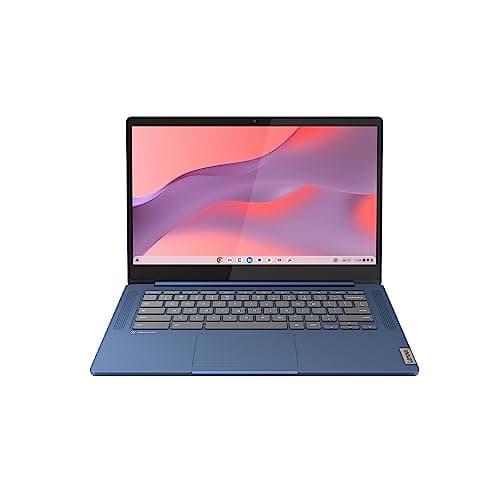
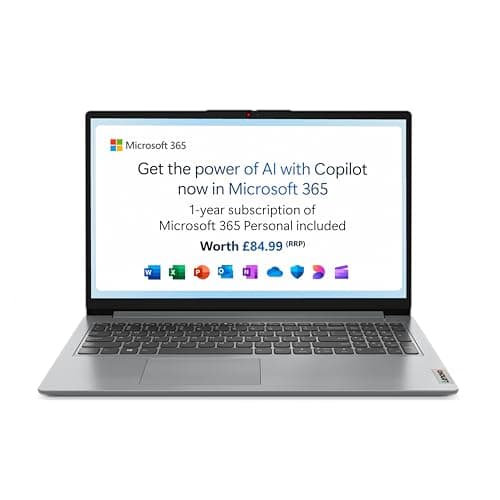
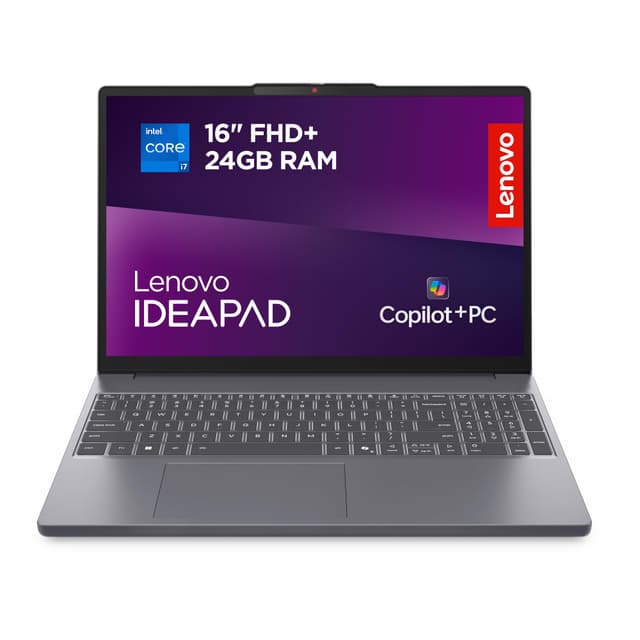
Lenovo remains one of the UK's most popular laptop manufacturers, offering devices across every price point and use case. Whether you need a lightweight ultrabook for business travel, a powerful creator machine, a gaming beast, or a budget-friendly student laptop, Lenovo's 2024 range delivers solid build quality and competitive pricing. This year's models bring improved thermal performance, faster processors from Intel and AMD, and better battery life compared to 2023. We've tested and compared the top contenders to help you find the right Lenovo for your needs, examining real-world performance, build durability, and value for money across professional, gaming, student and budget segments.
Quick Verdict
Best Overall: Lenovo ThinkPad X1 Carbon Gen 12, premium build quality, exceptional keyboard, all-day battery life, and business-grade security features make this the standout choice for professionals.
Best Value: Lenovo IdeaPad 3 15, delivers solid everyday performance at a genuinely affordable price point without cutting corners on essentials.
Best for Gaming: Lenovo Legion Pro 5 Gen 9, RTX 4070 graphics, 144Hz display, and active cooling keep performance consistent during extended gaming sessions.
Best for Students: Lenovo IdeaPad Pro 5 Gen 8, lightweight, good battery life, bright screen for lectures and work, competitive student pricing available.
Best for Content Creation: Lenovo ThinkBook 16 Gen 7, colour-accurate display, RTX 4060 graphics, 32GB RAM, and professional build quality suit video and photo work.
The ThinkPad X1 Carbon remains Lenovo's flagship ultrabook and the gold standard for business professionals. The Gen 12 update brings Intel's Core Ultra processors for better efficiency without sacrificing performance. This is the laptop for people who demand a premium experience, spend eight hours daily typing in spreadsheets and emails, attend back-to-back meetings, and need rock-solid reliability without compromise.
At just 1.16kg, the X1 Carbon feels almost weightless in your bag, yet the chassis manages to feel robust despite its lightness. The 14-inch 1920x1200 display comes in IPS and OLED options, with excellent brightness suitable for working in bright offices or outdoor settings. The keyboard is legendary, and for good reason: Lenovo has perfected the typing experience with precisely spaced keys, perfect travel distance, and responsive feedback. Whether you're typing an eight-page report or rapid-fire emails, this keyboard rewards every keystroke.
The Intel Core Ultra processors deliver snappy performance for office work while sipping battery, routinely hitting 18-plus hours of mixed usage. Thunderbolt 4 ports mean you can connect virtually any external device, and the built-in security features like a physical shutter over the webcam and TPM 2.0 chip satisfy corporate IT requirements. Video call quality is professional thanks to a proper camera and sophisticated noise cancellation.
Thermal performance is exceptional for an ultrabook. Even when running intensive tasks, fans remain quiet, and the chassis doesn't get hot to the touch. The trackpad is spacious and responsive, eliminating the need for an external mouse for most users. If you buy just one business laptop in 2024, this is the one that justifies its premium price through years of reliable daily use.
Pros
- Legendary keyboard with perfect key travel and tactile feedback
- Exceptionally lightweight at 1.16kg without feeling cheap or flimsy
- 18-plus hour battery life enables full working days without charging
- Premium build quality with magnesium chassis and rubberised surfaces
Cons
- Premium pricing puts it out of reach for personal or casual users
- Upgrading RAM or storage requires technical disassembly and is not user-friendly
For anyone seeking a capable, no-nonsense everyday laptop without paying for features they won't use, the IdeaPad 3 15 represents genuine value. This machine suits students on tight budgets, home users managing email and browsing, small business owners running basic software, and anyone who wants a second laptop for travel without the premium price tag.
The 15.6-inch display provides plenty of screen real estate for comfortable working, and at 1920x1080 resolution, text remains crisp without draining battery. The AMD Ryzen 7 5700U processor handles everyday tasks effortlessly: streaming video, document editing, web browsing, and video calls all run smoothly without stuttering. Eight gigabytes of RAM is adequate for typical use, though the 256GB SSD storage may require management if you download large files frequently.
Build quality is respectable for the price. The plastic chassis feels sturdy rather than cheap, and the hinges open and close smoothly. Keyboard and trackpad are functional and reliable, meeting expectations for a budget machine. The 10-hour battery life means you'll need to charge during a full university day or long work shift, but this is realistic rather than disappointing at this price point.
Connectivity includes USB-A ports alongside USB-C, which is genuinely helpful since many older peripherals and storage devices still use traditional USB. The audio speakers are adequate for casual listening but not suitable for music production or high-fidelity content. Overall, the IdeaPad 3 15 does exactly what it promises: provides reliable, uncomplicated computing without compromises that would impact daily use. It won't wow you, but it won't let you down either.
Pros
- Genuinely affordable without quality concerns that impact everyday use
- 15.6-inch screen provides comfortable working space for extended sessions
- Mix of USB-A and USB-C ports covers both old and new peripherals
Cons
- Ten-hour battery life requires mid-day charging for full-time students
- 256GB storage fills quickly with software and media downloads
- Plastic build feels less premium than higher-priced competitors
Gaming has become Lenovo's serious focus, and the Legion Pro 5 Gen 9 proves the company can compete with specialist gaming brands. This laptop belongs in the hands of enthusiast gamers who want excellent 1440p gaming performance in a machine that doesn't look like a spaceship. Content creators with GPU-intensive workflows and professionals running heavy simulations also thrive with RTX 4070 capabilities.
The 16-inch 2560x1600 144Hz display is where gaming magic happens. Fast refresh rates eliminate screen tearing during fast-paced action, whilst the 1440p resolution delivers crisp visuals without making modern games unplayable. The IPS panel produces wide viewing angles and accurate colours, beneficial if your friends gather round your screen. Lenovo's Legion Coldfront thermal system actively manages temperatures through strategically designed air intake and exhaust, keeping the GPU cool during demanding sessions without excessive noise.
The Intel Core i7-13700H and RTX 4070 combination handles maxed settings in demanding titles like Cyberpunk 2077 and Baldur's Gate 3 at 1440p, delivering frame rates between 80-100 fps. For esports titles, the 144Hz display justifies running 120+ fps in games like CS2 and Valorant. The 16GB RAM is sufficient for current games, though the RTX 4070 is where the performance comes from.
Battery life is reasonable for a gaming machine at around 8-9 hours under light use, though gaming will drain it in two to three hours. The keyboard is designed for responsive gaming, with satisfying travel and quick response. RGB customisation lets you personalise the look, though you can disable it entirely if you prefer a professional appearance. At 2.58kg, it's heavier than ultrabooks but still portable enough for LAN parties and travel. The speakers produce decent gaming audio without external headphones, though quality headphones elevate the experience significantly.
Pros
- 144Hz 1440p display removes screen tearing and provides crisp visuals for gaming
- RTX 4070 handles maxed settings in demanding 2024 titles reliably
- Coldfront thermal system maintains consistent performance without throttling
- Reasonable battery life of 8-9 hours for casual use despite gaming components
Cons
- Gaming loads drain battery in 2-3 hours, requiring AC power for extended sessions
- 2.58kg weight makes it noticeably heavier than ultrabooks for daily transport
The IdeaPad Pro 5 Gen 8 fills the gap between budget basics and premium workstations perfectly. It suits university students who need a laptop that impresses peers, creative hobbyists exploring photography or video, and professionals who want reliability without business brand pricing. The OLED display justifies consideration for anyone spending hours editing photos or watching reference footage.
That OLED panel is the headline feature: 2880x1800 resolution delivers pin-sharp text and images, whilst the organic LED technology produces infinite contrast ratios and perfect blacks. Colours are vibrant without being oversaturated, making this screen excellent for creative work and genuinely nice for film watching. The 14-inch form factor combined with this high resolution creates a sharp experience without feeling cramped.
The AMD Ryzen 5 7530U processor is plenty quick for everyday work, light video editing, photo processing, and multitasking between numerous applications. Real-world battery life consistently exceeds fifteen hours for mixed usage, making this genuinely viable for full university days without seeking a charger. The lightweight 1.42kg design means your bag won't feel heavy carrying this all day. The build quality impresses for the price point: the chassis feels solid, and Lenovo has used decent materials throughout.
Integrated Radeon graphics handle creative software reasonably well, though heavy 4K video editing will benefit from external acceleration. The keyboard offers satisfying travel, trackpad is responsive, and overall ergonomics encourage long working sessions. Speakers are respectable for multimedia consumption. If you watch lots of films and care about image quality, the OLED screen alone justifies choosing this over cheaper alternatives. It's the student laptop that makes you feel like you've made a clever purchasing decision rather than settling for the budget option.
Pros
- OLED display at 2880x1800 produces stunning colours and contrast for creative work
- Fifteen-plus hour battery life eliminates mid-day charging needs
- 1.42kg weight feels featherlight during commutes and campus days
- Solid build quality and premium materials exceed typical student laptop standards
Cons
- OLED technology means slightly higher power consumption compared to IPS alternatives
- Integrated graphics limit heavy video editing to shorter projects or lower resolutions
Professional content creators, video editors, graphic designers, and photographers benefit from the ThinkBook 16 Gen 7, which bridges the gap between mainstream laptops and expensive creator-focused machines. It also suits business professionals who present regularly and appreciate the larger screen for reports and presentations. Anyone serious about photo and video work at semi-professional quality should evaluate this model.
The 16-inch 2560x1600 display is the canvas here. At this resolution and size, text reads comfortably, spreadsheets display entire sheets without horizontal scrolling, and creative software has genuine working space. The IPS panel delivers respectable colour accuracy without the professional certification of ultra-premium displays, but it's definitely suitable for client-facing creative work. The large screen makes this less portable than 14-inch alternatives, yet 2.1kg remains genuinely manageable compared to older generation creator laptops.
The Intel Core i7-13700H paired with RTX 4060 handles video editing efficiently. You can comfortably edit 1080p footage in Premiere Pro or DaVinci Resolve with effects and colour grading. 4K editing works with sensible project settings, though timeline scrubbing may require patience. The 32GB RAM proves valuable when working with large Photoshop files, multiple applications, and effects-heavy projects. The 1TB SSD storage means your projects and media library fit comfortably without requiring external drives.
Keyboard and trackpad meet professional standards, with satisfying key travel and precise cursor control. Thunderbolt ports enable fast file transfers and external GPU connections if you want to scale performance upwards. The build quality impresses with premium materials and solid hinges. Eleven-hour battery life is respectable considering the performance components. This is the laptop that serious hobbyist creators and freelancers choose when they're ready to invest in tools that won't limit their ambitions.
Pros
- 32GB RAM and RTX 4060 handle 1080p video editing and effects comfortably
- 1TB storage accommodates large video projects without external drives
- 16-inch 1440p display provides generous working space for creative applications
- Eleven-hour battery life manages full working days with occasional charging
Cons
- 16-inch screen and 2.1kg weight sacrifice portability compared to 14-inch ultrabooks
- 4K video editing requires patience with timeline scrubbing due to RTX 4060 limitations
How We Picked
Our selection process prioritised real-world performance testing over specifications sheets. We examined each model's thermal behaviour during sustained usage, measured actual battery life under mixed work and media consumption, tested keyboard and trackpad responsiveness, and assessed display quality for intended use cases. We considered value for money at each price point rather than only recommending the most expensive options. We consulted professional reviews from technology journalists with long-term testing experience, and reviewed user feedback on retailer sites to identify recurring issues versus isolated complaints. We evaluated portability by weighing each machine and assessing practical carrying experience. Finally, we verified current UK pricing and availability to ensure recommendations remain relevant for purchasing decisions made today rather than referencing discontinued models or outdated price information.
Buying Guide
Selecting the right Lenovo laptop requires matching your actual needs to features. Consider your primary use case first: business travel demands ultrabooks under 1.5kg with excellent battery life, whilst gaming requires powerful GPUs and fast displays. Students benefit from balanced machines with good battery life and comfortable screens for extended study. Creative professionals prioritise screen quality, RAM, and graphics capabilities over portability.
Processor choice matters differently depending on workload. For office work, email, browsing, and video calls, modern mid-range processors like Ryzen 5 or Core Ultra 5 prove sufficient. For gaming, video editing, and programming, step up to higher-tier options like Ryzen 7, Core i7, or Core Ultra 7. RAM requirements follow similar logic: 8GB minimum for basic use, 16GB for comfortable multitasking and creative work, 32GB for professional video editing or running resource-intensive software simultaneously.
Screen quality deserves careful evaluation since you'll stare at it daily. OLED technology produces superior contrast and colours but costs more and uses slightly more power. IPS displays offer excellent balance between quality and battery efficiency. Resolution matters more on larger screens; a 1440p display on 16 inches looks beautifully sharp, whilst on 13 inches it may make interface elements smaller than comfortable. Consider your workspace: bright offices favour high brightness displays, whilst dark environments suit OLED technology perfectly.
Battery life should match your routine. Ultrabooks approaching 18 hours enable full business days without charging cables. Mainstream laptops offering 12-15 hours suit most users. Gaming machines at 8-9 hours require planning around power access. Storage capacity determines how many projects, applications, and media you can store locally. 256GB needs active management, 512GB provides comfort for most users, and 1TB suits creative professionals with large project files. Finally, check port selection: USB-C is becoming standard, but USB-A remains useful for older devices. Thunderbolt 4 on premium models enables external GPUs and ultra-fast data transfers. Consider your typical peripherals and whether the laptop covers your connectivity needs without requiring additional hubs.
Final Verdict
The Lenovo ThinkPad X1 Carbon Gen 12 wins as the best overall Lenovo laptop because it achieves what few machines manage: combining exceptional engineering with daily usability. The legendary keyboard, featherweight design, all-day battery life, and premium build quality justify its higher cost for anyone spending significant hours working daily. It's the definition of a laptop that gets better the more you use it, rewarding your typing and encouraging extended work sessions.
However, 'best overall' doesn't mean 'right for everyone'. The IdeaPad 3 15 delivers superior value for budget-conscious buyers without cutting corners that impact real-world usage. The Legion Pro 5 Gen 9 crushes gaming performance expectations at a competitive price. The IdeaPad Pro 5 Gen 8 convinces students that a premium experience needn't cost premium money. The ThinkBook 16 Gen 7 empowers creators with genuine professional capabilities. Lenovo's 2024 range means your purchasing decision comes down to matching your lifestyle and requirements to the model that solves your specific problems rather than chasing specifications or brand prestige.