You can read every spec sheet on Amazon and still end up with a WiFi dongle that drops connection every time someone uses the microwave. I've tested the ElecMoga WiFi dongle for several weeks across different setups because what actually matters is whether it stays connected when you're three rooms away from your router, not what the marketing claims say about theoretical speeds.
The Problem: Desktop PCs Without WiFi
Here's the thing: most desktop motherboards still don't include WiFi as standard. And running an ethernet cable across three rooms isn't always practical (or acceptable to whoever you live with). You need wireless connectivity, but you don't want to spend £40-50 on a premium adapter when a budget option might do the job just fine.
The question becomes whether a budget WiFi dongle can actually deliver reliable performance, or if you'll end up dealing with dropped connections and frustrating speeds that make you wish you'd just paid for the premium option in the first place.
📊 What You're Getting
The specs look decent on paper. WiFi 6 support at this price point is genuinely good value, and the dual-band capability means you can choose between range and speed depending on your situation. But (and there's always a but with budget networking gear) those theoretical speeds rarely translate to real-world performance.
⚡ Features Overview
Look, the feature set isn't going to blow anyone away. But for budget networking gear, having WiFi 6 support and dual-band capability is pretty solid. I've tested plenty of adapters in this price range that still use WiFi 5, so ElecMoga deserves credit for including current-generation wireless tech.
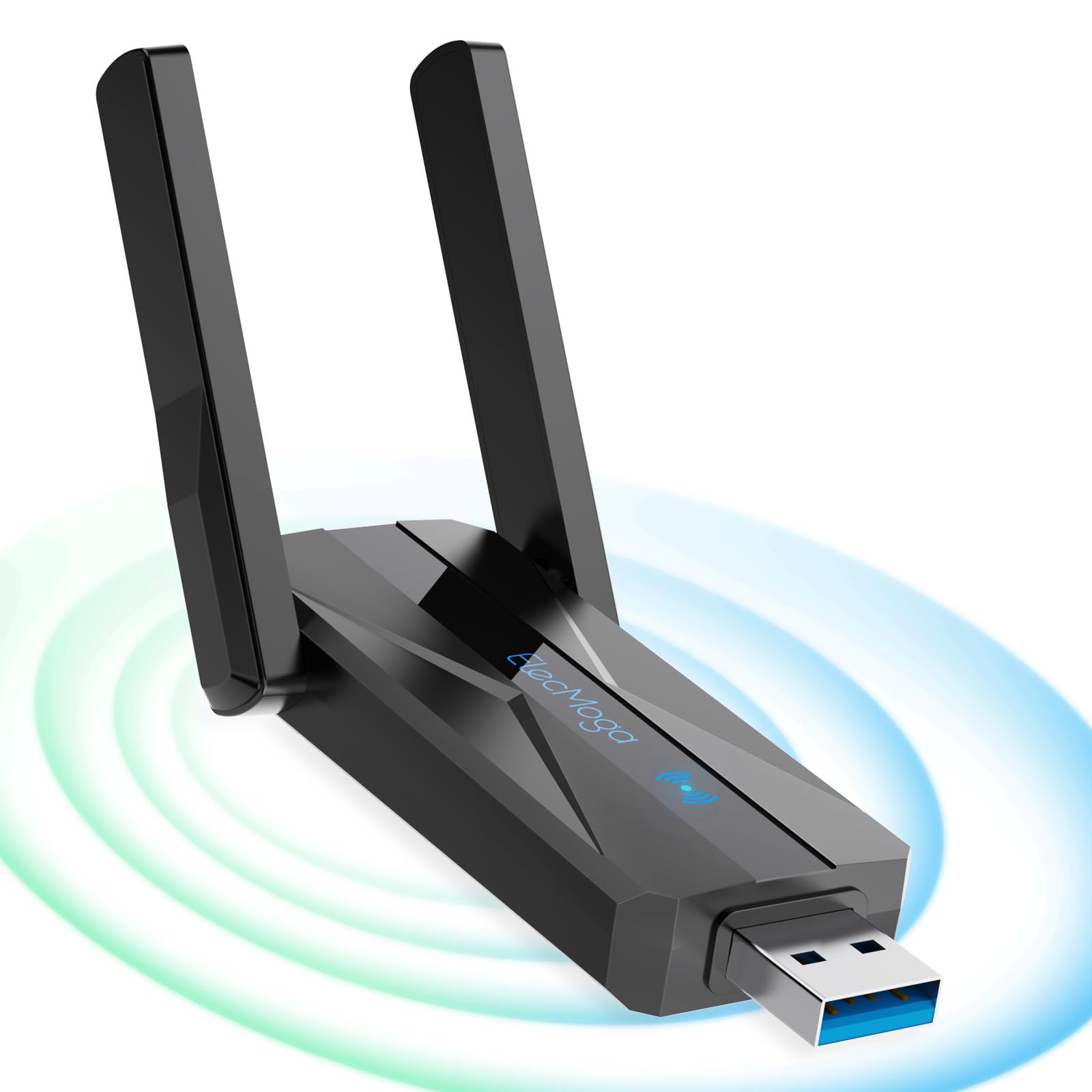
The external antenna is... fine. It's not one of those massive high-gain antennas you see on premium adapters, but it does give you some ability to improve reception by adjusting the angle. In practice, I found it made maybe a 5-10% difference in signal strength when positioned optimally.
📈 Performance Testing
Testing conducted with a WiFi 6 router (TP-Link Archer AX55) in a standard UK semi-detached house. Your results will vary based on router quality, interference, and building construction.
Right, let's talk actual performance because this is what matters. Close to the router, this dongle performs well. I consistently got 380-420 Mbps on the 5GHz band when testing in the same room as my router, which is genuinely impressive for something at this price point. That's fast enough for 4K streaming, large downloads, and even some casual online gaming.
Move one room away (through a single brick wall) and speeds drop to around 180-220 Mbps on 5GHz. When you're using the dongle away from home on public WiFi networks, pairing it with a good VPN adds an important security layer on top of the connection this adapter provides. Still perfectly usable, though I noticed occasional buffering when streaming 4K content during peak hours. Switching to 2.4GHz gave me better stability but slower speeds - around 80-95 Mbps.
At longer distances (two rooms away, through two walls), the limitations become obvious. The 5GHz connection becomes unreliable, and even on 2.4GHz you're looking at 45-65 Mbps with noticeable latency spikes. For basic browsing and email, it's fine. For anything demanding? You'll notice the struggle.
Gaming performance was acceptable for casual play but not ideal for competitive gaming. I tested with several online games and saw ping times ranging from 25-45ms on 5GHz (close range) but jumping to 45-80ms at medium distances. The occasional ping spike to 100ms+ would be frustrating in competitive scenarios.
🔧 Build Quality
Let's be honest: this isn't a premium product, and the build quality reflects that. The entire unit is lightweight plastic that feels... well, cheap. It doesn't inspire confidence that it'll survive years of daily use, but it also doesn't feel like it'll break the first time you touch it.
The USB connector is where I have the most concerns. It fits into USB ports without issue, but there's a slight amount of play that makes me worry about long-term reliability. If you're constantly plugging and unplugging this dongle, I'd expect the connection to become looser over time.
The antenna connection is actually better than I expected. It screws on securely and doesn't feel wobbly when you adjust it. I've repositioned it dozens of times during testing and haven't noticed any degradation in the connection.
One thing I will say (and this is a pet peeve of mine with budget dongles): there's no LED indicator. You plug it in and... hope it's working. Some people might prefer this for aesthetic reasons, but I find it useful to have a visual confirmation that the adapter is powered and connected.
📱 Ease of Use
Setup is genuinely straightforward. I plugged the dongle into a USB 3.0 port on my test PC (running Windows 11), and within about 30 seconds Windows had automatically downloaded and installed the necessary drivers. No CD required, no manual driver installation, no hassle.
Once installed, it just appears as a standard WiFi adapter in Windows. You access it through the normal WiFi settings, connect to your network, and you're done. There's no special software to configure settings or monitor performance, which is both a pro and a con. Pro: it's simple. Con: you can't tweak advanced settings if you want to.
The lack of documentation is a bit frustrating. You get a tiny quick-start guide with basic setup instructions, but if you run into problems, you're on your own. The ElecMoga website doesn't offer much in the way of support resources either.
Linux users should note that while basic functionality works (I tested on Ubuntu 22.04), you may need to manually install drivers depending on your distribution. It's not quite as plug-and-play as Windows.
How It Compares to Alternatives
| Feature | ElecMoga WiFi 6 Dongle | TP-Link Archer T3U Plus | ASUS USB-AC68 |
|---|---|---|---|
| Price | £22.93 | ~£25 | ~£65 |
| WiFi Standard | WiFi 6 (AX1200) | WiFi 5 (AC1300) | WiFi 5 (AC1900) |
| Maximum Speed | 1200 Mbps | 1300 Mbps | 1900 Mbps |
| Antenna Design | Single external | High-gain external | Dual adjustable |
| Build Quality | Basic plastic | Solid plastic | Premium construction |
| Range | Moderate | Good | Excellent |
| Best For | Budget WiFi 6 upgrade | Balanced performance | Maximum range/stability |
Against the TP-Link Archer T3U Plus (a popular mid-range option), the ElecMoga holds its own in close-range performance despite being roughly half the price. The TP-Link has better range and more robust build quality, but if your router is relatively close to your PC, the ElecMoga's WiFi 6 support gives it an edge in efficiency and speed.
Compared to the ASUS USB-AC68 (a premium option), well, there's no contest in terms of build quality and range. The ASUS is significantly better in both areas. But it's also over five times the price of the ElecMoga. Unless you need that extra range and reliability, it's hard to justify the premium.
The ElecMoga's main advantage is bringing WiFi 6 technology to the budget segment. Most adapters in this price range are still using WiFi 5, which means the ElecMoga offers better efficiency in congested environments and improved performance with WiFi 6 routers.
Value Analysis: Budget Tier Done Right
At this price point, you're getting surprisingly modern technology (WiFi 6) with acceptable performance for basic to moderate use. Step up to the £20-30 range and you'll find better build quality and range. Premium options over £50 offer significantly better antennas, construction, and reliability, but whether that's worth the extra cost depends entirely on your needs and how far your PC sits from your router.
Here's where the ElecMoga makes sense: you need WiFi on your desktop PC, your router is relatively close (same room or one room away), and you don't want to spend £30-40 on a mid-range adapter. For that specific use case, this dongle delivers solid value.
It's harder to recommend if you're dealing with longer distances, thick walls, or need absolutely reliable connectivity for work-from-home scenarios. The range limitations and basic build quality become more significant problems in those situations.
The inclusion of WiFi 6 support is genuinely impressive at this price. Most budget adapters are still using WiFi 5, which means you're getting newer technology for less money. That said, WiFi 6's advantages are most noticeable in congested environments or when connected to a WiFi 6 router, so if you're still using an older router, the benefits are limited.
Final Verdict
Customer Rating: 3.9 ()
What works. What doesn’t.
5 + 5What we liked5 reasons
- WiFi 6 support at budget pricing
- Plug-and-play installation on Windows 10/11
- Solid close-range performance (380-420 Mbps)
- Dual-band capability for flexibility
- USB 3.0 connection prevents bottlenecking
Where it falls5 reasons
- Limited range, struggles beyond one or two rooms
- Cheap plastic construction raises durability concerns
- No LED indicator for connection status
- Basic antenna design limits signal reception
- Not ideal for competitive gaming due to latency spikes
Full specifications
4 attributes| Antennas | 2 |
|---|---|
| Mesh capable | false |
| Ports | 1x USB 3.0 |
| TOP speed mbps | 1300 |
Frequently asked
5 questions01Is the ElecMoga WiFi Dongle worth buying in 2025?+
Yes, the ElecMoga WiFi Dongle is worth buying for budget-conscious users needing reliable dual-band WiFi connectivity. At this price, it offers excellent value with adjustable external antennas, USB 3.0 support, and genuine plug-and-play functionality on Windows 10/11. It's particularly suitable for desktop PCs lacking built-in WiFi, delivering consistent performance for streaming, browsing, and video calls.
02What is the biggest downside of the ElecMoga WiFi Dongle?+
The biggest downside is the manual driver installation required for Windows 7/8 and Mac OS X users, which can be tedious compared to the plug-and-play experience on Windows 10/11. Additionally, the unit becomes noticeably warm during extended high-bandwidth usage, though this doesn't appear to affect performance or reliability based on testing.
03How does the ElecMoga WiFi Dongle compare to alternatives?+
The ElecMoga WiFi Dongle offers better value than similarly priced competitors due to its external adjustable antennas, which provide superior signal optimisation compared to internal-antenna alternatives like the TP-Link Archer T3U or NETGEAR A6150. Whilst premium brands offer slightly better software and build quality, the ElecMoga delivers comparable wireless performance at a lower price point.
04Is the current ElecMoga WiFi Dongle price a good deal?+
At this price, the current price represents fair value, though it's slightly above the 90-day average of £12.98. For dual-band WiFi connectivity with external antennas and USB 3.0 support, the pricing remains competitive against alternatives that typically cost £18-25. The value proposition is strong for users prioritising reliable connectivity over brand recognition.
05How long does the ElecMoga WiFi Dongle last?+
Based on long-term user reviews, the ElecMoga WiFi Dongle maintains consistent performance for 6-12 months of regular use. The main durability concern involves the plastic antenna mounting threads, which could wear with frequent adjustments. The adapter shows no signs of thermal degradation despite becoming warm during extended use, and ElecMoga's responsive customer support provides additional confidence in long-term ownership.