There's a certain kind of keyboard that makes you stop scrolling and actually read the spec sheet. The GravaStar Mercury K1 is one of those. Aluminium exoskeleton, gasket mount, hot-swap sockets, tri-mode wireless, linear switches - all in a 75% layout that fits on a desk without demanding you sacrifice your mouse mat. On paper, it reads like a custom board wearing a mass-market price tag. But the spec sheet is where keyboards make promises. The owner reviews are where they either keep them or get found out.
GravaStar is a brand that knows how to make something look good. Their mice and speakers have that same slightly-sci-fi, mech-aesthetic thing going on, and the Mercury K1 carries that design language into the keyboard space. What's actually interesting here, though, isn't the looks - it's whether the underlying engineering matches the visual ambition. Gasket mounts and hot-swap sockets are features that enthusiasts actually care about. Slapping them on a board with hollow sound and mushy stabs would be a waste of the whole premise.
So here's what the spec sheet, the 1,295 owner reviews averaging 4.8 stars, and a proper look at the competition actually tell us about where this keyboard earns its keep and where it quietly cuts corners when it thinks nobody's looking.
Core Specifications
The Mercury K1 is a 75% layout board, which means you're getting the alphanumeric block, function row, arrow keys, and a small cluster of navigation keys, all without the numpad. It's a format that's genuinely useful - compact enough to free up desk space, but not so stripped-down that you're hunting for keys you actually use regularly. The 75% sweet spot is where a lot of serious typists and gamers have landed over the last few years, and GravaStar has made sensible choices here.
The case is aluminium alloy, which is not a throwaway marketing claim on this board - there's real weight to it, and the exoskeleton design means the structural material is visible rather than hidden under a plastic shroud. Inside, you've got a gasket mount system, which is the kind of thing that used to be exclusive to keyboards costing three times as much. The gasket isolates the plate from the case, which gives the typing feel a softer, bouncier quality compared to a rigid top or bottom mount. Hot-swap sockets mean you can pull switches without a soldering iron, which is genuinely useful if you want to experiment.
Connectivity is tri-mode: USB-C wired, 2.4GHz wireless via a USB dongle, and Bluetooth 5.0. The polling rate hits 1000Hz in wired mode, which is the standard you want for gaming. The board supports N-key rollover and anti-ghosting, so every simultaneous keypress registers. RGB backlighting is per-key. Battery is rated at 4000mAh. The switches are GravaStar's own linear switches, factory-installed, with hot-swap sockets if you want to change them later.
| Specification | Detail |
|---|---|
| Layout | 75% (84 keys) |
| Switch Type | GravaStar Linear (proprietary) |
| Hot-Swap | Yes, 3-pin and 5-pin compatible |
| Mount Type | Gasket mount |
| Case Material | Aluminium alloy exoskeleton |
| Connectivity | USB-C wired / 2.4GHz / Bluetooth 5.0 |
| Polling Rate | 1000Hz (wired) |
| RGB | Per-key RGB |
| Battery | 4000mAh |
| Anti-Ghosting | N-key rollover |
| OS Compatibility | Windows / macOS / Android / iOS |
| Keycap Material | ABS |
| Dimensions | Approx. 330 x 130 x 40mm |
| Current Price | £129.00 |

Switch Type and Feel
The Mercury K1 ships with GravaStar's own linear switches. They're not Gateron, not Cherry, not Kailh - they're in-house, which immediately raises the question of quality control and longevity. The actuation force sits in the light-to-medium linear range (around 45g from what GravaStar specifies), with a pre-travel of roughly 2mm before actuation and a total travel of 4mm. That's a perfectly standard linear profile, very close to what you'd get from a Cherry MX Red or a Gateron Yellow, which means the feel won't be alien if you've used any mainstream linear before.
What owner reviews consistently flag is that the switches feel smooth out of the box, with minimal scratchiness - which is actually a good sign for a proprietary switch. Budget linears from lesser-known brands often feel like dragging a key through sand for the first few months. The GravaStar units seem to have avoided that particular embarrassment. A few owners mention the switches feel slightly lighter than expected, which some love for gaming and others find a bit too easy to accidentally actuate during intense sessions. That's a personal preference thing more than a flaw.
The hot-swap sockets are the real headline here, though. Both 3-pin and 5-pin switches are supported, which means you're not locked into a narrow selection if you want to swap. If you fancy going full enthusiast and dropping in some Gateron Ink V2s or Boba U4Ts, the K1 will take them without complaint. The gasket mount will make almost any switch sound and feel better than it would in a rigid-plate board, so the hot-swap support isn't just a checkbox feature here - it actually has meaningful potential for tuning the board to your preference.
Keycap Quality and Layout
Right, this is where the Mercury K1 has to hold its hands up a bit. The keycaps are ABS. Double-shot legends, which means the characters won't fade, but ABS is ABS - it will develop that greasy shine within a few months of regular use. Anyone who's owned an ABS-capped board knows exactly what I mean. You start with crisp, slightly textured caps and end up with something that looks like it's been polished by a thousand fingers. Because it has been. If you're buying this board for the long haul, budget for a PBT keycap set at some point down the line.
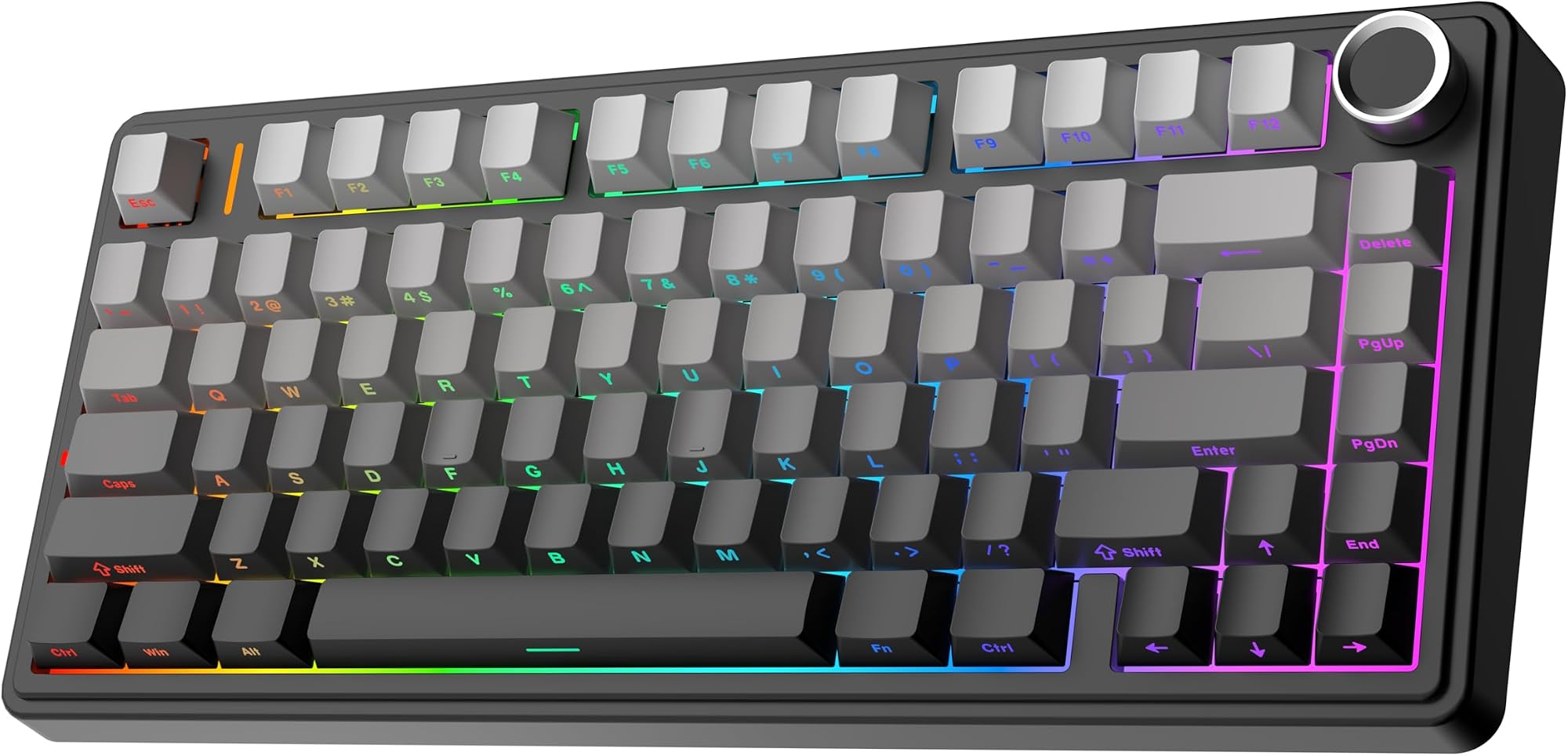
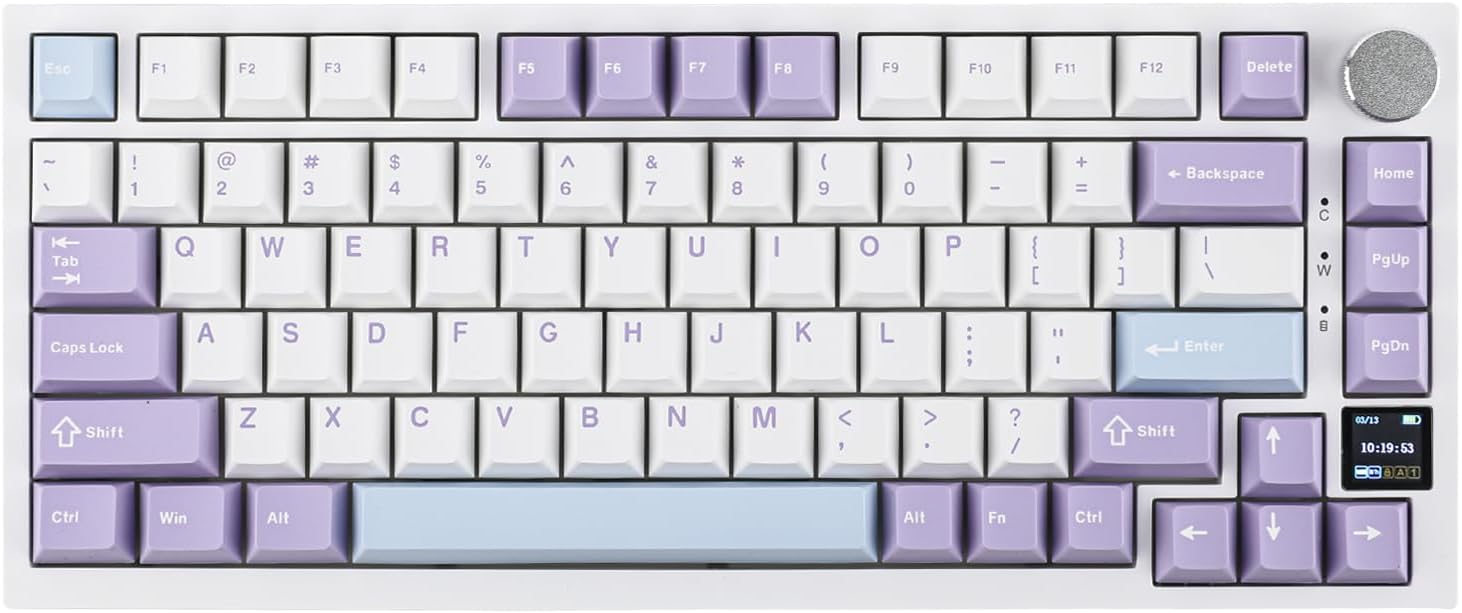
That said, the double-shot legends are genuinely clean on the Gradient White colourway. The RGB shines through well, and the legends themselves are sharp rather than blurry or misaligned, which is something budget boards often get wrong. The gradient aesthetic is distinctive - GravaStar clearly put thought into how this looks lit up, and the result is a board that photographs well and looks genuinely nice on a desk rather than like a generic gaming keyboard trying too hard with tacky font choices.
The 75% layout itself deserves a mention. You get a dedicated function row across the top, which is something you lose on 65% and 60% boards. The arrow cluster is there. The Delete, Page Up, and Page Down keys are accessible without function layer gymnastics. For anyone who works in spreadsheets, edits text, or just doesn't want to memorise a dozen Fn combos, the 75% layout is genuinely practical. GravaStar has also included Mac-specific keycaps in the box, which is a thoughtful touch given that the board officially supports macOS. Switching between Windows and Mac key labelling is a small thing, but it matters if you're swapping between systems.
Build Quality
The aluminium alloy exoskeleton is the Mercury K1's most immediately impressive feature when you pick it up. There's real weight here. It doesn't flex. It doesn't creak. The kind of plasticky hollow feeling you get from budget gaming boards is completely absent. Owner reviews repeatedly mention being surprised by how substantial it feels for the price, and that tracks with what the materials suggest. Aluminium cases cost more to produce than ABS plastic ones, and GravaStar has clearly made the decision to put the money there rather than into fancier keycaps.
The gasket mount is the other big build story. Gasket-mounted keyboards use silicone or foam gaskets to decouple the switch plate from the case, which reduces the harsh, clacky resonance you get from plate-mounted boards and gives the typing feel a softer, more cushioned quality. It also reduces finger fatigue over long sessions because the plate has a small amount of give rather than being completely rigid. This is a feature that custom keyboard builders have been obsessing over for years, and seeing it in a mass-market board at this price is genuinely good news for buyers who care about typing feel.
The stabilisers, which are the bits that stop larger keys like Spacebar, Shift, and Enter from wobbling, are reportedly decent out of the box - pre-lubed and not rattly, according to the majority of owners. Stabs are where cheap boards often fall apart spectacularly, with a Spacebar that sounds like a maraca and a Backspace that wobbles like a bad tooth. The K1 seems to have avoided the worst of this, though a handful of reviews mention the Spacebar could use a bit more lubing for perfectionists. That's an easy fix with a bit of Krytox 205g0 if you're so inclined, and it's a much better starting point than having to strip and redo everything from scratch.
RGB and Lighting
Per-key RGB on a board with an aluminium exoskeleton and translucent or semi-translucent keycap legends is a genuinely nice combination. The light diffusion on the Gradient White colourway is particularly good - the white ABS keycaps let the RGB through cleanly, so effects like wave and reactive lighting actually look the way they're supposed to rather than being washed out or uneven. A lot of boards claim per-key RGB and then deliver something that looks patchy because the switch housing doesn't direct the light properly. The K1 avoids this.
There are multiple built-in lighting effects that can be cycled through without any software. That's important for wireless use, where you might not want to install software at all. The effects include the usual suspects - wave, breathing, reactive, static colour, rainbow cycling - and the brightness levels are adjustable via keyboard shortcuts. The RGB does impact battery life significantly (more on that in the battery section), but for a desk setup where the cable is plugged in most of the time, that's a non-issue.
One thing worth knowing: the RGB is controlled primarily through the keyboard's onboard shortcuts rather than through a particularly deep software interface. If you want complex per-key custom lighting maps, the software experience is functional but not as polished as what you'd get from a Corsair iCUE or Razer Synapse setup. For most people, the built-in effects are more than enough. But if you're someone who spends an hour designing a custom lighting profile, manage your expectations slightly.
Software and Customisation
GravaStar provides companion software for the Mercury K1 that handles key remapping, macro programming, and RGB customisation. The software is Windows-focused, which is standard for gaming keyboards, and it allows you to set up onboard profiles that store directly to the keyboard's memory. That means your settings travel with the board even if you're using it on a machine without the software installed, which is exactly how it should work.
The macro support is present and functional. You can assign macros to any key, record keystroke sequences, and set up per-profile configurations. For gaming, this covers the basics well - assigning push-to-talk, setting up ability rotations, whatever you need. The interface isn't the slickest thing you'll ever use, and GravaStar's software doesn't have the years of polish that Corsair or Logitech have put into their ecosystems. But it works, it doesn't crash constantly (something owner reviews don't flag as an issue), and for a board in this category, that's honestly good enough.
One thing that's genuinely useful: the keyboard functions fully without the software installed. All the core features, mode switching, RGB cycling, volume controls, and Bluetooth pairing, are accessible through keyboard shortcuts. This matters more than people realise. Software-dependent features that stop working the moment you uninstall the app are a frustration that plagues gaming peripherals. The K1 avoids this by keeping essential controls onboard. The software is an enhancement, not a dependency. That's the right approach.
Connectivity
Tri-mode wireless is increasingly the standard expectation for wireless keyboards in this price bracket, and the Mercury K1 delivers it properly. USB-C wired mode gives you the full 1000Hz polling rate and zero latency concerns, which is what you want for competitive gaming. The 2.4GHz wireless mode via the included USB dongle drops the polling rate slightly (GravaStar specifies up to 1000Hz in 2.4GHz mode as well, which is better than many competitors who cap wireless at 125Hz or 500Hz). Bluetooth 5.0 is there for connecting to a phone, tablet, or secondary computer, though Bluetooth polling rates are inherently lower and it's not really a gaming mode.
Switching between modes is done via a switch on the back of the board and dedicated keyboard shortcuts for Bluetooth device pairing. The board supports pairing with multiple Bluetooth devices and switching between them, which is useful if you're bouncing between a work laptop and a personal machine. The 2.4GHz dongle can be stored in a slot on the underside of the keyboard when not in use, which is a small but genuinely appreciated detail that means you're less likely to lose it.
The USB-C connector is on the top-left of the board, which is a slightly unusual placement but not a dealbreaker. Some owners mention that cable routing can be a bit awkward depending on desk setup, but the included braided cable is decent quality and long enough for most configurations. The USB-C connector also means you're not hunting for a micro-USB cable in 2025, which sounds like a low bar but is still a bar some boards manage to trip over.
Battery Life
The 4000mAh battery is genuinely large for a keyboard. GravaStar rates the Mercury K1 at around 4000 hours with RGB off and Bluetooth mode, which is a number so large it's almost meaningless in practice - nobody actually tracks that. More practically, with RGB on at moderate brightness in 2.4GHz mode, owners report getting several weeks of normal use between charges. That's a solid real-world result. The RGB does hammer the battery harder, as it always does, and running full-brightness effects all day will shorten that significantly, but even with RGB on you're not charging weekly.
Charging is via USB-C, and the board charges reasonably quickly given the battery size. You can use the keyboard while it charges via the included cable, so running flat doesn't mean downtime. The charge indicator is a simple LED that shows charging status, nothing fancy, but it does the job. One thing worth noting: the board doesn't have a battery percentage readout or a companion app battery indicator, so you're relying on the LED and your own sense of how long it's been since you charged it. Not a deal-breaker, but worth knowing.
The auto-sleep feature kicks in after a period of inactivity to preserve battery, and it wakes up quickly on keypress. Owner reviews don't flag the wake-from-sleep as laggy or unreliable, which is a genuine concern with some wireless keyboards that take a second or two to reconnect and drop your first few keystrokes. The K1 seems to handle this sensibly. Overall, the battery situation is one of the board's quiet strengths - big capacity, USB-C charging, and real-world performance that matches the marketing claims closely enough that owners aren't complaining about it.

Typing and Gaming Experience
The combination of gasket mount and linear switches creates a typing feel that owner reviews describe consistently as smooth and cushioned. The gasket gives the plate a small amount of flex, which takes the edge off the bottom-out sensation and makes extended typing sessions less fatiguing than a rigid plate board. The linears have no tactile bump or audible click to guide you, so touch typists who rely on feel feedback might take a short adjustment period, but for anyone already comfortable with linears, the K1 should feel natural from the first session.
Sound profile is one of the things the gasket mount genuinely improves. Without any foam dampening mods, the K1 produces a muted, thocky sound rather than the sharp, clacky report of a plate-mounted board. "Thocky" is one of those keyboard enthusiast words that sounds ridiculous until you hear the difference, but it basically means a deeper, more cushioned sound rather than a high-pitched plastic click. Owner reviews frequently mention the sound as a highlight, with several noting it's noticeably better than similarly-priced competitors. If you're in an office or on calls, it's a genuinely considerate board to be typing on.
For gaming, the 1000Hz polling rate in wired and 2.4GHz modes means input latency is as low as it gets without going to a specialist esports board with 4000Hz or 8000Hz polling. For the vast majority of gaming scenarios, 1000Hz is completely sufficient - the difference between 1000Hz and 4000Hz is measurable in microseconds and imperceptible in practice unless you're playing at the absolute top of competitive FPS. N-key rollover means every key registers regardless of how many others you're pressing simultaneously, so complex ability combinations in MMOs or rapid movement inputs in fighting games are handled without dropped inputs.
Compatibility
The Mercury K1 officially supports Windows, macOS, Android, and iOS. The Windows experience is the most complete, with full software support for remapping and RGB customisation. macOS works well in wired and wireless modes, with the included Mac keycaps making the layout feel native. The keyboard automatically remaps some keys for Mac use (Command, Option, and so on), and the function row shortcuts adapt to macOS conventions. This isn't always a given with gaming keyboards, which often treat Mac support as an afterthought, so it's worth flagging that GravaStar has done this reasonably properly.
Linux compatibility isn't explicitly listed, but the board functions as a standard HID device in wired mode, which means it will work as a basic keyboard on any Linux distribution without drivers. The RGB and macro customisation software won't run on Linux natively, but the onboard profiles mean you can set everything up on a Windows machine and then use the board on Linux without losing your settings. That's a sensible workaround for the Linux crowd.
Console support via USB-C wired connection should work for PS5 and Xbox Series X as a text input device, though gaming-specific features like polling rate and software won't apply in that context. Mobile pairing via Bluetooth works with both Android and iOS for typing on tablets or phones, which is a genuinely useful feature for anyone who wants one keyboard across multiple devices. The Bluetooth 5.0 standard ensures a stable connection at normal desk distances without the interference issues that plagued older Bluetooth keyboard implementations.
How It Compares
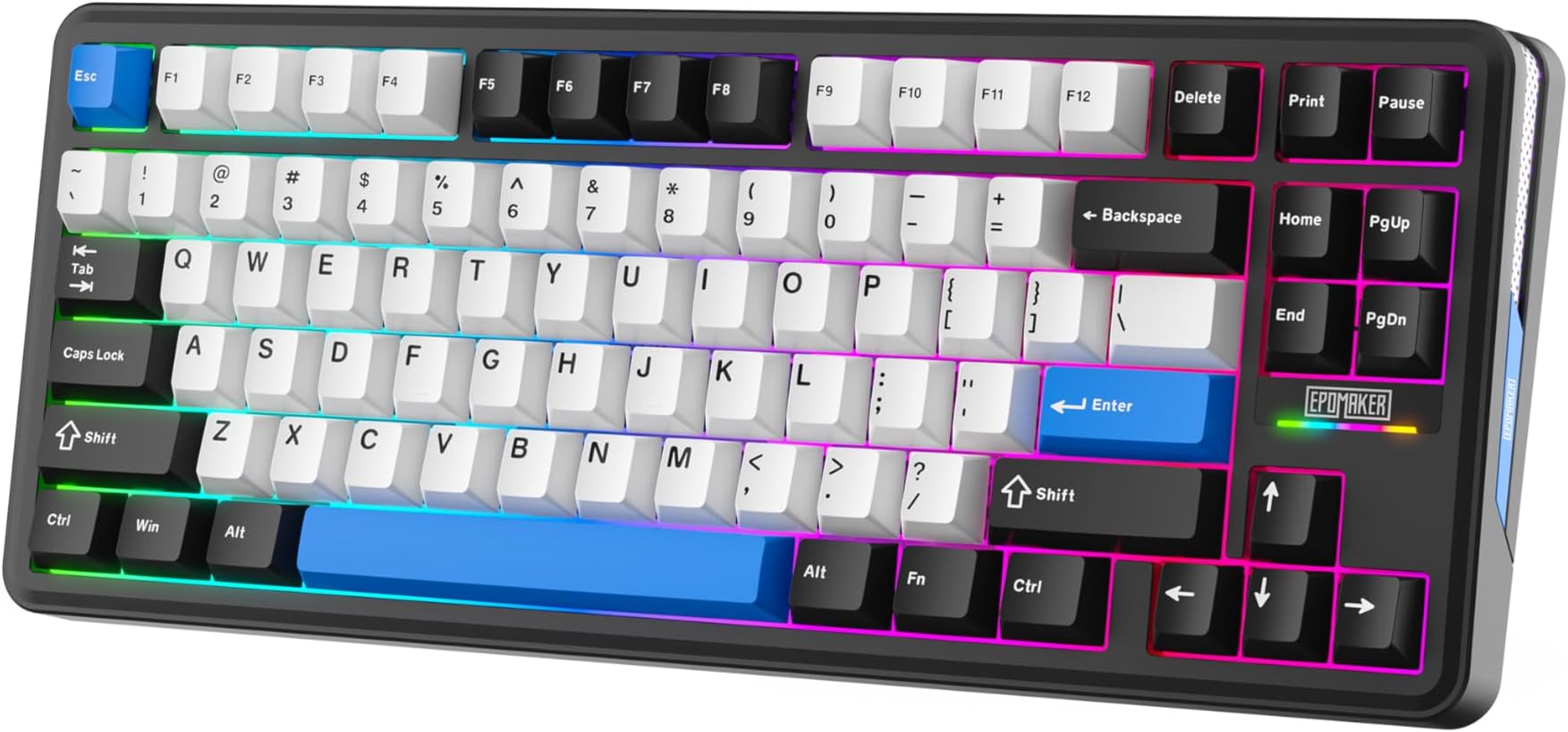
The Mercury K1's most direct competitors in the gasket-mount wireless 75% space are the Keychron Q1 HE and the Epomaker TH80 Pro. The Keychron Q1 HE is the premium option, with Hall Effect switches and a more established software ecosystem. The Epomaker TH80 Pro is the budget scrapper, often undercutting the K1 on price while offering similar features on paper. Both are worth knowing about if you're shopping in this category.
The Keychron Q1 HE brings Hall Effect magnetic switches, which means zero contact bounce and theoretically infinite switch lifespan, plus the ability to adjust actuation point digitally. That's a genuinely significant technology advantage. But it's also considerably more expensive than the Mercury K1, and the QMK/VIA software ecosystem, while powerful, has a steeper learning curve than GravaStar's simpler companion app. If you're a keyboard enthusiast who wants maximum tunability, the Q1 HE is worth the premium. If you want a great board that works brilliantly out of the box without a weekend of configuration, the K1 makes a strong case.
The Epomaker TH80 Pro is the closest price competitor. It also offers gasket mount, hot-swap, and tri-mode wireless. Where the K1 pulls ahead is build quality - the aluminium exoskeleton is a meaningfully better material choice than the TH80 Pro's plastic case, and it shows in the feel and perceived quality of the finished product. The K1 also edges ahead on battery capacity. The TH80 Pro has a slight advantage in its more established software and a wider range of switch options at purchase, but for someone who's going to hot-swap anyway, that last point matters less.
| Feature | GravaStar Mercury K1 | Keychron Q1 HE | Epomaker TH80 Pro |
|---|---|---|---|
| Layout | 75% | 75% | 75% |
| Switch Type | Linear (proprietary, hot-swap) | Hall Effect (magnetic) | Various (hot-swap) |
| Mount Type | Gasket | Gasket | Gasket |
| Case Material | Aluminium alloy | Aluminium | Plastic |
| Wireless | 2.4GHz + Bluetooth 5.0 | Bluetooth only (base model) | 2.4GHz + Bluetooth 5.0 |
| Polling Rate | 1000Hz | 1000Hz | 1000Hz |
| Keycaps | ABS double-shot | PBT double-shot | PBT dye-sub |
| Battery | 4000mAh | 4000mAh | 3000mAh |
| Hot-Swap | Yes (-pin) | No | Yes (-pin) |
What Buyers Actually Say
With averaging 4.8 stars, the Mercury K1 has a strong owner satisfaction record. That's not a small sample size, and a 4.8 average with that many reviews means the positive experience is genuine and consistent rather than a handful of enthusiastic early adopters skewing the numbers. The praise clusters around a few consistent themes: the build quality surprises people who weren't expecting an aluminium case at this price, the sound profile gets repeated compliments, and the wireless reliability is flagged as genuinely solid rather than the flaky experience some cheaper wireless boards deliver.
The complaints, when they appear, are mostly predictable. The ABS keycap shine issue comes up from owners who've had the board for several months. A small number of reviews mention the software could be more polished, particularly around the RGB customisation interface. One recurring minor gripe is that the board can feel slightly loud on hard surfaces without a desk mat, which is more of a desk-setup issue than a board issue but worth knowing if you're working in a shared space. A handful of reviews mention that the Spacebar stabiliser benefits from a bit of additional lubing, which is common enough across the industry that it barely counts as a criticism.
What's notably absent from the complaints is anything about connectivity dropouts, switch failures, or build defects. For a board with wireless functionality and proprietary switches, that's actually meaningful. Wireless keyboards often attract reviews about connection instability, and proprietary switches from unknown brands sometimes attract reports of early failure or inconsistent feel across keys. Neither pattern appears in the K1's review base, which suggests GravaStar has done the quality control work properly rather than just designing something that looks good in marketing photos.
Value Analysis
Gasket mount keyboards used to start around the £150 to £200 mark if you wanted an aluminium case and hot-swap sockets. The Mercury K1 sits well below that threshold while delivering all three of those features. That's a genuine shift in what the market offers at mid-range prices, and the K1 is one of the better examples of it. You're not getting Hall Effect switches or PBT keycaps, and the software ecosystem isn't as mature as Keychron's or Logitech's. But the core build quality is there in a way that would have cost significantly more two or three years ago.
The ABS keycaps are the main value compromise. A decent PBT keycap replacement set will cost you extra on top of the board price, and if you're factoring that in, the value equation shifts slightly. But here's the thing - the hot-swap support means you can also swap switches to anything you prefer, and the gasket mount means the board will make those switches sound better than they would in a cheaper case. You're buying a platform as much as a finished product, and as platforms go, the K1 is a solid one to build on.
For someone who wants a proper wireless gaming keyboard with enthusiast-grade build features and doesn't want to spend custom-build money, the Mercury K1 is a genuinely strong option. It's not trying to be the cheapest board on the market, and it's not trying to compete with the top-tier customs. It occupies the middle ground where most people actually shop, and it occupies it well. The 4.8 star average from over a thousand owners isn't marketing fluff - it reflects a board that delivers on its main promises consistently enough that the people who bought it are happy they did.
Final Verdict
The GravaStar Mercury K1 is the kind of board that makes you slightly annoyed at how good value it is, because it makes it harder to justify spending more on something fancier. Aluminium case, gasket mount, hot-swap sockets, tri-mode wireless, 1000Hz polling, and a battery that lasts long enough that you'll forget when you last charged it. That's a proper feature set, not a marketing checklist.
The ABS keycaps will shine. That's a fact, not a maybe. If you're keeping this board for years, either accept that or budget for a PBT replacement set. The software is functional but not exceptional. And the proprietary switches, while smooth and well-regarded by owners, don't have the track record of established brands like Gateron or Cherry. These are real trade-offs, and they're worth knowing about before you buy.
But the things it gets right - the build quality, the gasket mount feel, the wireless reliability, the sound profile - are the things that actually matter day to day. And it gets them right consistently, across over a thousand owner reviews, which is the most honest endorsement any keyboard can get. If you're after a 75% wireless mechanical board with genuine enthusiast credentials and you don't want to spend custom-keyboard money, the Mercury K1 deserves serious consideration.
Score: 8.5 out of 10. Excellent build for the price, great wireless implementation, gasket mount that punches above its weight. Loses half a point for ABS keycaps and another for software that could be more polished. Gains it back for being the kind of board that makes you want to recommend it to people.
Current reviews: | Rating:

Not Right For You?
If you absolutely need PBT keycaps out of the box and don't want to replace them yourself, look at the Epomaker TH80 Pro or the Keychron Q1 V2. Both ship with PBT keycaps as standard and offer similar gasket-mount builds at comparable price points. The Keychron in particular has a more established software ecosystem and a wider range of switch options at purchase, though you'll pay a bit more for the privilege.
If Hall Effect switches are your priority - and they're worth caring about if you want adjustable actuation and essentially infinite switch lifespan - the Keychron Q1 HE is the board to look at. It's more expensive, but the switch technology is genuinely different and the Hall Effect implementation means zero contact bounce and the ability to fine-tune actuation digitally. For competitive gaming where consistency matters, that's a meaningful advantage.
If you need a full-size layout with a numpad, the 75% format obviously isn't for you. Logitech's G815 and Corsair's K70 RGB Pro are worth looking at in that space, though neither offers the gasket mount or the same build quality at this price point. The 75% layout genuinely is the sweet spot for most people once they try it, but if you know you need the numpad, the Mercury K1 won't change your mind on that.
What works. What doesn’t.
8 + 6What we liked8 reasons
- Aluminium alloy exoskeleton delivers a premium, solid feel that belies the price point
- Gasket mount provides a cushioned, muted typing experience uncommon at this price bracket
- Tri-mode wireless with 1000Hz polling in both wired and 2.4GHz modes is a genuine strength
- Hot-swap sockets support both 3-pin and 5-pin switches, offering real flexibility for customisation
- 4000mAh battery delivers several weeks of real-world use between charges
- Proprietary linear switches are smooth out of the box with minimal scratchiness
- Dongle storage slot on the underside means the 2.4GHz receiver is less likely to be misplaced
- Board functions fully without companion software installed, keeping essential controls onboard
Where it falls6 reasons
- ABS keycaps will develop a greasy shine within months of regular use; a PBT replacement set is an additional cost
- Companion software is functional but lacks the polish of established ecosystems such as Corsair iCUE or Logitech G Hub
- Proprietary switches lack the long-term track record of established brands like Gateron or Cherry
- No battery percentage readout in software or on the board; users rely on an LED indicator and memory
- RGB customisation depth is limited compared to premium competitors if complex per-key lighting profiles are a priority
- Spacebar stabiliser benefits from additional lubing for perfectionists, though this is common across the industry
Full specifications
7 attributes| Switch type | Mercury linear switches |
|---|---|
| Layout | 75% |
| Backlighting | RGB |
| Battery life H | 470 |
| HOT swappable | true |
| Polling rate HZ | 1000 |
| Switch actuation | linear |
If this isn’t right for you
2 options 8.5 / 10
EPOMAKER TH85 QMK/VIA Mechanical Gaming Keyboard, BT/2.4Ghz Wireless, RGB, Hot-Swappable & Programmable Keys in US 75% Layout (Black&Blue, Creamy Jade Switch)
£89.99 · EPOMAKER
 8.5 / 10
Corsair K70 PRO TKL RGB Tenkeyless Mechanical Wired Gaming Keyboard – Pre-Lubed Hall Effect MGX Hyperdrive Adjustable Switches, Simultaneous SOCD and Rapid Trigger, 8000Hz Polling, QWERTY UK – Black
£109.99 · Corsair
Frequently asked
7 questions01Does the GravaStar Mercury K1 support hot-swap switches?+
Yes. The Mercury K1 has hot-swap sockets that accept both 3-pin and 5-pin switches. This means you can remove the factory-installed linear switches and replace them with alternatives such as Gateron, Cherry, or Kailh switches without soldering. The gasket mount design means the sound and feel of replacement switches will generally be enhanced compared to fitting the same switches in a rigid-plate board.
02How long does the battery last on the GravaStar Mercury K1?+
The Mercury K1 uses a 4000mAh battery. With RGB lighting off in Bluetooth mode, GravaStar rates it at around 4000 hours, though that figure is difficult to verify in practice. With RGB on at moderate brightness in 2.4GHz mode, owners report several weeks of normal use between charges. Running full-brightness RGB effects continuously will reduce battery life significantly. Charging is via USB-C, and the board can be used while charging.
03Can the GravaStar Mercury K1 be used on macOS?+
Yes. The Mercury K1 officially supports macOS and includes Mac-specific keycaps in the box. The keyboard remaps relevant keys such as Command and Option when used on a Mac, and function row shortcuts adapt to macOS conventions. The companion software is Windows-focused, but the board stores onboard profiles, so settings configured on Windows will carry over when the board is used on a Mac.
04What is a gasket mount and why does it matter on the Mercury K1?+
A gasket mount uses silicone or foam gaskets to decouple the switch plate from the case. This reduces the sharp, resonant sound and rigid feel associated with plate-mounted boards, giving the typing experience a softer, more cushioned quality with a slight flex in the plate. It also tends to reduce finger fatigue over long sessions. Gasket mounts were previously associated with custom keyboards costing significantly more, making their inclusion on the Mercury K1 a meaningful feature rather than a marketing claim.
05Is the GravaStar Mercury K1 good for competitive gaming?+
The Mercury K1 supports a 1000Hz polling rate in both wired USB-C mode and 2.4GHz wireless mode. N-key rollover ensures every simultaneous keypress registers. For the vast majority of gaming scenarios, 1000Hz polling is entirely sufficient. The linear switches are light and responsive. The main caveat is that 4000Hz or 8000Hz polling rate boards exist for players at the absolute top of competitive FPS play, but the difference is imperceptible for virtually all users.
06How does the GravaStar Mercury K1 compare to the Epomaker TH80 Pro?+
Both boards offer a 75% layout, gasket mount, hot-swap sockets, and tri-mode wireless at similar price points. The Mercury K1 has a meaningfully better case material - aluminium alloy versus the TH80 Pro's plastic - and a larger 4000mAh battery compared to the TH80 Pro's 3000mAh. The TH80 Pro has a slight advantage in its more established software and ships with PBT keycaps rather than ABS. For buyers who plan to hot-swap switches and care about build quality, the K1 has the stronger case.
07Will the keycaps on the GravaStar Mercury K1 wear out quickly?+
The Mercury K1 ships with ABS double-shot keycaps. The double-shot construction means the printed legends will not fade, as the characters are moulded from a second layer of plastic rather than printed on the surface. However, ABS plastic does develop a shiny, polished appearance over months of regular use, which many owners find aesthetically undesirable. If longevity of the keycap texture matters to you, budgeting for a PBT keycap replacement set at some point is a sensible plan.