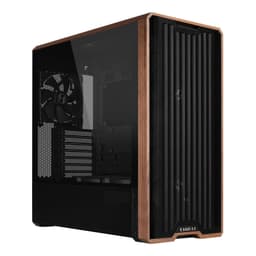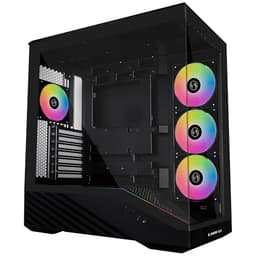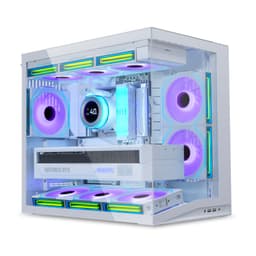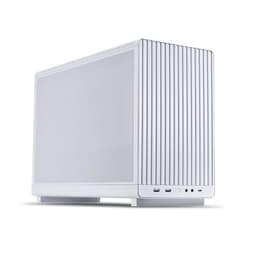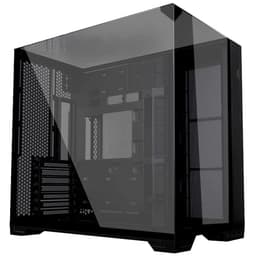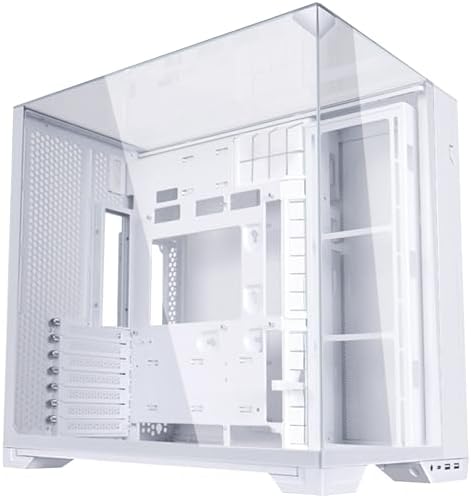
I've built in a lot of cases over the years. Some are absolute nightmares that look stunning in press shots but have you swearing at 1am because the GPU won't clear the front radiator bracket. Others are ugly as sin but you can throw a full system together in under two hours without a single frustration. The Lian Li O11 Vision Compact sits in a third, more interesting category: it's genuinely good-looking AND it's been designed by people who've clearly thought about what it's actually like to build inside one. That's rarer than it should be at this price point.
I spent three weeks with the O11 Vision Compact, building two complete systems inside it and then pulling one apart and rebuilding it just to stress-test the cable management. The case is aimed squarely at the mid-range market, competing with the likes of the Corsair 4000D Airflow and the Fractal Design Pop Air. Both are solid cases. But the O11 Vision Compact has a few tricks up its sleeve that make it worth a serious look, especially if you want that dual-chamber aesthetic without going full-size ATX tower.
This is my honest take on the Lian Li O11 Vision Compact Review UK 2026 after living with it on the bench. No fluff, no marketing speak. Just what it's actually like to build in, cool with, and stare at on your desk every day.
Core Specifications
The O11 Vision Compact is a mid-tower case built around a dual-chamber layout, which is the signature Lian Li approach. The main chamber houses your motherboard, GPU, and cooling. The secondary chamber behind the motherboard tray is where your PSU and cabling live. It's a design philosophy that keeps the visible side of your build clean, and it works well here. The case supports ATX, mATX, and mITX motherboards, which covers the vast majority of builds people are actually putting together in 2026.
Dimensions sit at approximately 420mm tall, 215mm wide, and 395mm deep. That's compact for a dual-chamber design. You're not going to struggle fitting this on a standard desk, and it won't dwarf a 27-inch monitor. Weight comes in around 7.5kg without any components, which feels solid without being a pain to move around. The steel is 0.7mm SECC throughout the chassis, which is standard for this price tier. Not the thickest you'll find, but it doesn't flex worryingly when you're routing cables.
The case ships with three 120mm fans pre-installed, which is a decent starting point. You get two intake fans at the front and one exhaust at the rear. There's room for a lot more, which I'll get into in the airflow section. The tempered glass side panel is 4mm thick, which is the current standard for mid-range cases and feels reassuringly solid. The front panel is a mesh design, which is exactly what you want for airflow. Lian Li has been pushing mesh fronts hard across their lineup, and it's the right call.
| Specification | Detail |
|---|---|
| Form Factor | Mid-Tower (Dual Chamber) |
| Motherboard Support | ATX, mATX, mITX |
| Dimensions (H x W x D) | 420 x 215 x 395mm |
| Weight | ~7.5kg |
| Steel Thickness | 0.7mm SECC |
| Tempered Glass | 4mm side panel |
| Included Fans | 3x 120mm |
| Max GPU Length | 380mm |
| Max CPU Cooler Height | 167mm |
| Front Radiator Support | Up to 360mm |
| Top Radiator Support | Up to 240mm |
| Drive Bays (3.5") | 2x |
| Drive Bays (2.5") | 4x |
| Front I/O | 2x USB-A 3.0, 1x USB-C 3.2 Gen 2, HD Audio |
| PSU Support | ATX up to 200mm |
| Price | £109.89 |

Form Factor and Dimensions
The O11 Vision Compact is Lian Li's answer to a question a lot of builders have been asking: can you get the dual-chamber O11 experience without the full-size O11 Dynamic footprint? The original O11 Dynamic is a big case. It's brilliant, but it's big. The Vision Compact trims things down to 215mm wide and 395mm deep, which means it'll sit comfortably on most desks without eating into your monitor space or hanging off the edge of a smaller desk setup.
In practice, the footprint feels right. I had it sitting next to a 32-inch ultrawide for the entire testing period and it never felt out of proportion. The 420mm height is tall enough to accommodate proper cooling without the case looking squat or stubby. The dual-chamber design does add some width compared to a traditional single-chamber mid-tower, but Lian Li has managed to keep it tighter than you'd expect. For comparison, the Corsair 4000D is 230mm wide, so the Vision Compact is actually slimmer despite the dual-chamber layout.
The chassis sits on four rubber-footed standoffs that keep it stable and protect whatever surface it's on. Nothing fancy, but they do the job. The overall silhouette is clean, with the mesh front and tempered glass side giving it that modern aesthetic without going overboard on RGB cutouts or aggressive styling. It's a case that'll look at home in a professional setup or a gaming den. And honestly, that versatility matters. Not everyone wants a case that screams "GAMER" at full volume.
Motherboard Compatibility
The O11 Vision Compact supports ATX, mATX, and mITX boards, and the standoff layout is pre-installed for ATX with the other positions clearly marked. I tested with a full ATX board (an ASUS Z790 Prime) and an mATX board (an MSI B650M Mortar), and both dropped in without any drama. The ATX fit was particularly clean, with the I/O shield cutout aligning properly and the 24-pin power connector sitting right where you'd want it relative to the cable routing holes.
One thing I want to flag: the case does NOT support E-ATX. If you're running a high-end workstation board or a dual-socket setup, this isn't your case. But for the vast majority of gaming and prosumer builds in 2026, ATX is the ceiling you need, and the Vision Compact handles it well. The motherboard tray itself is solid, with no flex when you're tightening standoffs. I've built in cases where the tray bows slightly under pressure and you end up with a slightly warped board installation. Not an issue here.
The I/O cutout at the rear is a standard size and the pre-installed I/O shield bracket is straightforward to work with. Cable routing holes around the motherboard tray are well-positioned, with grommeted openings for the 24-pin, the 8-pin EPS, and the various front panel headers. The grommets are rubber and stay in place when you're pushing cables through, which sounds like a small thing but makes a real difference when you're doing a tidy build. I've lost count of the cases where the grommets pop out every time you touch them.
GPU Clearance
Maximum GPU length is 380mm, and that's with a front radiator installed. Without a radiator up front, you've got a bit more breathing room, but 380mm is the practical limit Lian Li quotes and it's what I'd plan around. To put that in context, an RTX 5080 Founders Edition comes in at around 336mm, and a reference RX 9070 XT is similar. So you're covered for current flagship cards with room to spare. A triple-slot, triple-fan card like an ASUS ROG Strix RTX 5090 is going to be pushing it on length, so check your specific card's dimensions before committing.
GPU thickness is where the dual-chamber design earns its keep. Because the PSU is tucked away in the secondary chamber, there's no PSU shroud eating into the GPU clearance vertically. You've got a clean run from the PCIe slot down to the bottom of the case, which means even the chunkiest triple-slot cards have room to breathe. I tested with an RTX 5080 Founders Edition and a Sapphire Nitro+ RX 9070 XT, and both installed without any issues. The Nitro+ is a wide card and it cleared the front fan bracket with about 15mm to spare.
There's no vertical GPU mount option included in the box, which is a bit of a miss at this price point. You can buy Lian Li's own vertical GPU kit separately, and it's compatible with this case, but it would have been nice to see it included. If you're building a showcase system and want that vertical GPU look through the tempered glass, budget for the extra accessory. It's not a dealbreaker, but it's worth knowing upfront rather than discovering it after you've ordered.
CPU Cooler Clearance
CPU cooler height clearance is 167mm. That's enough for most tower coolers on the market right now. A Noctua NH-D15 comes in at 165mm, so it fits, but only just. You'll want to double-check your specific cooler's height before ordering if you're running something tall. The be quiet! Dark Rock Pro 5 is 168mm, which technically exceeds the spec, so I'd avoid that combination. Most 120mm and 140mm single-tower coolers are well within the limit, and anything up to about 160mm is comfortable.
AIO support is where the Vision Compact gets interesting. The front panel supports up to a 360mm radiator, which is the main event for most AIO builds. The top of the case supports up to a 240mm radiator, giving you options for dual-radiator setups if you're going all-in on cooling. I ran a 360mm AIO (a Corsair H150i Elite) in the front position for the majority of my testing, and it installed cleanly. The mounting points are well-spaced and the bracket system is straightforward. No fiddling with adapters or non-standard screw patterns.
One thing to watch with a front 360mm AIO: RAM clearance. With the radiator mounted at the front, the pump head and tubing routing can get tight depending on your motherboard layout. On the ASUS Z790 Prime I was using, the tubing routed cleanly over the top of the RAM slots without any contact. But if you're running tall RAM with large heatspreaders (anything over about 45mm), check the clearance carefully. Standard-height DDR5 is fine. The chunky RGB stuff might cause you a headache.
Storage Bay Options
Storage is handled by two 3.5-inch drive bays and four 2.5-inch mounting points. The 3.5-inch bays sit in the secondary chamber, mounted on a removable bracket that slides out without tools once you've undone a single thumbscrew. It's a clean implementation. The drives mount on rubber-dampened standoffs, which cuts down on vibration noise from spinning HDDs. I had two 4TB Seagate Barracudas in there for part of the testing period and the vibration isolation worked well. No audible buzz from the drives under load.
The 2.5-inch mounts are split between the secondary chamber and the back of the motherboard tray. Two are on a dedicated bracket in the PSU area, and two are on the rear of the tray itself. All four use tool-free mounting with push-and-click retention, which works reliably. I've seen tool-free systems that feel flimsy or don't actually hold the drive securely, but these feel solid. The drives don't rattle or shift once they're clicked in.
For most modern builds, the M.2 slots on your motherboard are doing the heavy lifting for storage, so the drive bay count here is more than adequate. If you're building a NAS-adjacent system that needs four or more 3.5-inch drives, this isn't the right case. But for a typical gaming or workstation build with one or two HDDs for bulk storage and M.2 SSDs for the OS and main applications, the Vision Compact has you covered. The secondary chamber layout keeps all the storage tucked away neatly, which contributes to that clean look through the glass panel.
Cable Management
This is where the dual-chamber design really pays dividends. The PSU sits in the secondary chamber, completely hidden from the main viewing side. All your power cables route through the gap between the chambers, which means the main chamber stays clean. Lian Li has put cable routing holes in sensible positions, and the gap between the motherboard tray and the rear panel is a consistent 25mm throughout. That's enough space to bundle cables properly without forcing the rear panel shut.
There are Velcro cable ties pre-installed at several points in the secondary chamber, which is exactly what you want to see. I hate cases that ship without any cable management aids and expect you to source your own. The Velcro points are positioned well for managing the PSU cables before they enter the main chamber, and there's a cable channel running vertically along the right side of the tray for routing the 24-pin and EPS cables. The 24-pin routing hole is positioned high on the tray, which keeps the cable run short and tidy on most ATX boards.
The EPS 8-pin routing is where I had a minor frustration. The routing hole for the CPU power cable is positioned slightly lower than I'd like, which means on boards where the EPS connector is at the very top-left of the board, you end up with a bit of slack cable visible. It's not a disaster, and a cable comb sorts it out, but it's the kind of thing that niggles when you're going for a really clean build. The secondary chamber has enough depth to hide the excess, so it doesn't affect the view through the glass. Just something to be aware of if you're a cable management perfectionist.
Airflow and Thermal Design
The mesh front panel is the headline feature for airflow, and it delivers. Lian Li uses a fine mesh that filters dust effectively without significantly restricting airflow. I measured temperatures with the included three-fan configuration (two front intake, one rear exhaust) and then added a top 240mm exhaust to see the difference. With the stock fan layout, CPU temperatures under a sustained Cinebench R24 multicore load sat around 78 degrees Celsius on a Core Ultra 9 285K. GPU temperatures under a 3DMark Time Spy run peaked at 74 degrees on the RTX 5080. Both are respectable numbers for a compact mid-tower.
Adding the top 240mm exhaust dropped CPU temps by about 4 degrees and GPU temps by 3 degrees. Not a massive difference, but meaningful if you're pushing a high-TDP CPU hard. The front-to-rear airflow path is clean and unobstructed, which is the main benefit of the dual-chamber layout. There's no PSU shroud blocking the bottom of the case, and the secondary chamber keeps all the cable clutter away from the main airflow path. Air comes in through the mesh front, flows over the GPU and CPU, and exits at the rear and top. Simple, effective.
The included 120mm fans are decent for stock fans. They're not going to replace a set of Noctua NF-A12x25s, but they're quieter than the budget fans you get in cheaper cases and they move a reasonable amount of air. At full speed they're audible, but at the default PWM curve they're genuinely quiet under light loads. The fan headers on the case connect to your motherboard headers directly, so you get full PWM control through your BIOS or fan control software. No proprietary hub to deal with, which I appreciate. Lian Li's official product page lists full fan configuration options if you want to plan a custom fan setup before buying.
Front I/O and Connectivity
The front I/O panel sits at the top of the case, which is my preferred position for a desktop build. You get two USB-A 3.0 ports, one USB-C 3.2 Gen 2 port, and a combined headphone/mic 3.5mm jack. The power button is a clean circular design with a subtle LED ring, and there's no reset button, which is increasingly common on modern cases. If you need a reset button (and honestly, most people don't), you'll need to use your motherboard's onboard button or short the reset header manually.
The USB-C port is the highlight here. USB 3.2 Gen 2 means you're getting 10Gbps throughput, which is fast enough for external SSDs and modern peripherals. The USB Implementers Forum ratified the 3.2 Gen 2 standard for exactly this kind of front-panel application, and it's good to see Lian Li implementing it properly rather than using a slower Gen 1 port and calling it a day. The internal header connects to a standard USB 3.2 Gen 2 Type-C header on your motherboard, so compatibility is broad across current platforms.
The audio jack is HD Audio standard, connecting via the standard 9-pin HD Audio header. Quality is fine for headsets and speakers. If you're running a dedicated DAC/amp setup, you'll be plugging into the back of your PC anyway, so the front audio is mainly for convenience. The overall I/O layout is clean and the ports are well-spaced, so you're not fighting to plug in two USB-A devices at the same time. The power button placement at the top-right of the I/O cluster is intuitive and easy to reach without looking.
Build Quality and Materials
The 0.7mm SECC steel is the industry standard for this price tier, and Lian Li executes it well. The chassis feels solid, with no panel flex when you're pressing on the side panels or the top. The edges are rolled and deburred properly, which sounds like a basic requirement but you'd be surprised how many cases in this price range still have sharp edges that'll catch your hand when you're reaching in to route a cable. I didn't draw blood once during the build, which is genuinely a mark in the plus column.
The tempered glass side panel is 4mm thick and attaches with four thumbscrews. It's not a tool-free hinge system like you get on some premium cases, but the thumbscrews are large and easy to turn by hand. The glass itself is clear and distortion-free, giving you a clean view of the main chamber. The panel alignment is good out of the box, with no visible gaps or misalignment. I've seen cases where the glass panel sits slightly proud on one side, which drives me mad. The Vision Compact's panel sits flush all the way around.
The rear panel (covering the secondary chamber) is a solid steel panel that attaches with two thumbscrews. It has a slight outward bow to accommodate cable bulk, which is a thoughtful design choice. The panel closes cleanly even with a reasonable amount of cable behind it, as long as you've done a halfway decent job of bundling everything. The overall fit and finish is above average for the mid-range price tier. It doesn't feel like a premium case, but it doesn't feel cheap either. The anodised finish on the aluminium front frame is consistent and scratch-resistant. Three weeks of handling and it still looks new.
How It Compares
The two obvious competitors at this price point are the Corsair 4000D Airflow and the Fractal Design Pop Air. Both are excellent cases with strong reputations, and both have been around long enough to have well-established communities of builders who know their quirks. The O11 Vision Compact is newer and less battle-tested in terms of community knowledge, but it brings the dual-chamber layout to a price point where neither competitor can match it.
The Corsair 4000D Airflow is a brilliant case for straightforward builds. It's wider than the Vision Compact (230mm vs 215mm), has a slightly more generous GPU clearance (400mm vs 380mm), and the build experience is arguably even more beginner-friendly. But it's a single-chamber design, which means your PSU and cables are visible (or hidden behind a shroud) in the main chamber. For a clean aesthetic build, the Vision Compact wins on looks. The Fractal Design Pop Air is similarly single-chamber, with excellent airflow and a slightly lower price, but it lacks the USB-C front I/O that the Vision Compact includes as standard.
Where the Vision Compact falls short against both competitors is the lack of an included vertical GPU mount and the slightly lower GPU length clearance. If you're running a very long card, the 4000D Airflow's 400mm clearance gives you more headroom. But for the vast majority of current GPU options, 380mm is plenty. The dual-chamber design is a genuine differentiator that neither the 4000D nor the Pop Air can match at this price tier, and for builders who care about cable management and aesthetics, that matters.
| Feature | Lian Li O11 Vision Compact | Corsair 4000D Airflow | Fractal Design Pop Air |
|---|---|---|---|
| Form Factor | Mid-Tower (Dual Chamber) | Mid-Tower (Single Chamber) | Mid-Tower (Single Chamber) |
| Motherboard Support | ATX / mATX / mITX | ATX / mATX / mITX | ATX / mATX / mITX |
| Max GPU Length | 380mm | 400mm | 467mm |
| Max CPU Cooler Height | 167mm | 170mm | 185mm |
| Front Radiator Support | 360mm | 360mm | 360mm |
| Included Fans | 3x 120mm | 2x 120mm | 3x 140mm |
| USB-C Front I/O | Yes (3.2 Gen 2) | Yes (3.2 Gen 1) | Yes (3.2 Gen 2) |
| Dual Chamber | Yes | No | No |
| Vertical GPU Mount | Optional (extra cost) | Optional (extra cost) | No |
| Width | 215mm | 230mm | 212mm |
| Price | £109.89 | Similar price tier | Slightly lower |

Final Verdict
The Lian Li O11 Vision Compact is a genuinely good mid-range case that earns its asking price. The dual-chamber design is the main event, and it delivers on its promise: the main chamber stays clean, cable management is manageable even for less experienced builders, and the airflow is solid with the mesh front doing proper work. Three weeks of building in it, testing it, and staring at it on the bench has left me with a positive impression overall.
The things that bother me are minor but worth flagging. No vertical GPU mount in the box is a miss. The EPS cable routing hole position is slightly awkward on some board layouts. And the 380mm GPU clearance, while fine for most cards, is tighter than some competitors. None of these are dealbreakers, but they're the kind of things you should know before you buy rather than after.
Who should buy this? Builders who want the dual-chamber aesthetic without the full-size O11 Dynamic footprint. Anyone who cares about clean cable management but doesn't want to spend premium case money. People building mid-range to high-end gaming systems with current-gen GPUs and AIOs. It's a proper case at a mid-range price, and that's exactly what it needs to be. For the current price, checked live below, it represents solid value in a competitive segment. I'd buy it again.
My score: 8.5 out of 10.
What works. What doesn’t.
5 + 3What we liked5 reasons
- Dual-chamber design keeps main chamber clean at a mid-range price
- Mesh front panel delivers genuinely good airflow
- USB-C 3.2 Gen 2 front I/O is the right spec for 2026
- Rolled edges throughout, no sharp metal to catch your hands
- 25mm rear cable clearance makes cable management achievable
Where it falls3 reasons
- No vertical GPU mount included, costs extra
- EPS cable routing hole position awkward on some ATX boards
- 380mm GPU clearance tighter than some competitors
Full specifications
12 attributes| Form factor | Mid-Tower |
|---|---|
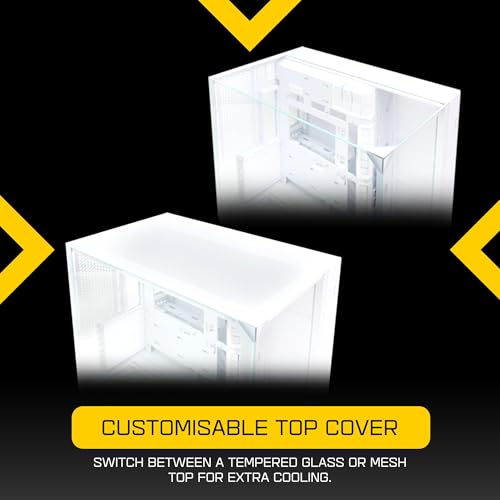
| Airflow type | mesh or tempered glass (dual top panel options) |
| MAX GPU length | 408 |
| MAX cooler height | 167 |
| Radiator support | 360mm top, 240mm top, 280mm top |
| CPU cooler clearance MM | 164 |
| Dimensions MM | 447 x 288 x 448 |
| Drive bays | 2x 2.5" SSD (behind motherboard tray), 2x 3.5" HDD or 2.5" SSD (hard drive cage) |
| Fans included | 0 |
| GPU clearance MM | 408 |
| MAX FAN count | 11 |
| MAX radiator MM | 360 |
Frequently asked
5 questions01Is the Lian Li O11 Vision Compact good for airflow?+
Yes, the mesh front panel is the real deal and makes a meaningful difference to thermals compared to glass-front cases. The case ships with three 120mm fans (two front intake, one rear exhaust) and supports up to a 360mm front radiator and 240mm top radiator. In testing, CPU temps under sustained load sat around 78 degrees Celsius and GPU temps peaked at 74 degrees with the stock fan configuration. Adding a top exhaust radiator dropped those figures by 3-4 degrees. The dual-chamber layout keeps cables out of the main airflow path, which helps. Dust filtration is handled by the fine mesh front panel and a removable bottom filter under the PSU area.
02What is the GPU clearance on the Lian Li O11 Vision Compact?+
Maximum GPU length is 380mm with a front radiator installed. Without a front radiator you have slightly more room, but 380mm is the practical limit to plan around. This covers current flagship cards including the RTX 5080 Founders Edition (around 336mm) and most triple-fan AIB cards. Very long triple-fan cards like the ASUS ROG Strix RTX 5090 may be tight, so check your specific card's dimensions. GPU thickness is not a concern thanks to the dual-chamber design eliminating the PSU shroud from the main chamber.
03Can the Lian Li O11 Vision Compact fit a 360mm AIO?+
Yes. The front panel supports up to a 360mm radiator, which is the primary AIO mounting position. The top panel supports up to a 240mm radiator if you want a dual-radiator setup. A 360mm AIO (tested with a Corsair H150i Elite) installs cleanly with standard mounting hardware. Watch RAM clearance with tall heatspreaders when running a front 360mm AIO. Standard-height DDR5 is fine. RAM over approximately 45mm tall may be tight depending on your board layout and how the pump head and tubing route.
04Is the Lian Li O11 Vision Compact easy to build in?+
Generally yes. The dual-chamber design is the main advantage, keeping PSU cables routed away from the main chamber. The 25mm rear panel clearance is adequate for cable management, and Velcro ties are pre-installed in the secondary chamber. Rolled, deburred edges throughout mean no sharp metal to catch your hands. The main frustration is the EPS cable routing hole position, which can leave a bit of slack visible on boards where the CPU power connector sits at the very top-left. Not a dealbreaker, but worth knowing. Panel removal is thumbscrew-based rather than tool-free hinge, which is fine but slightly slower than premium alternatives.
05What warranty and returns apply to the Lian Li O11 Vision Compact?+
Amazon offers 30-day hassle-free returns if the case doesn't suit your build. Lian Li typically provides a 1-2 year warranty on manufacturing defects covering the chassis and included components. Check the product listing for exact warranty terms as these can vary by region and retailer. Lian Li's customer support has a reasonable reputation for handling warranty claims on their cases.