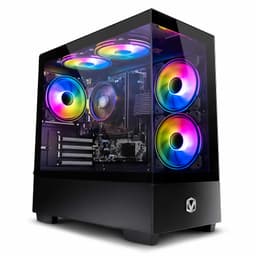
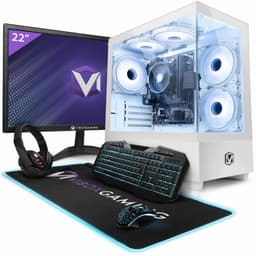
Look, I've been doing this long enough to know that the prebuilt gaming PC market is a bit of a minefield. For every decent machine that offers genuine value, there are three more stuffed with no-name PSUs, single-channel RAM, and cases with airflow about as useful as a chocolate teapot. So when the Vibox II Gaming PC landed on my desk, I wasn't exactly rolling out the red carpet. Vibox has been knocking around the UK market for a while now, and their reputation sits somewhere in the middle, not terrible, not brilliant. The question is always whether the convenience premium is actually worth it compared to just sourcing the parts yourself.
This particular configuration pairs an Intel Core i5-10400F with an NVIDIA RTX 3050, wrapped up in a white chassis with the usual RGB flourishes. On paper, that's a 1080p gaming rig, maybe pushing into light 1440p territory depending on the title. I spent three weeks with this machine, running it through everything from daily productivity work to extended gaming sessions, checking temperatures, listening for coil whine, and generally trying to find where Vibox cut corners. Because they always cut corners somewhere. The trick is figuring out whether those corners matter to you.
The Vibox II Gaming PC sits in mid-range territory, which means it's competing against some genuinely decent alternatives. At this price point, you're also close enough to DIY territory that the comparison becomes relevant. So let's get into it properly.
Core Specifications
Right, let's lay out what you're actually getting here. The processor is an Intel Core i5-10400F, which is a 10th-generation Comet Lake chip with six cores and twelve threads. It's not new, not by a long shot, but it's still a capable processor for gaming and general use. The GPU is an NVIDIA GeForce RTX 3050 with 8GB of GDDR6 VRAM, which is the entry point for ray tracing on the green team. Memory is 16GB of DDR4, and storage is a 1TB SSD. The case is a white mid-tower with tempered glass, and the whole thing ships with Windows 11 Home pre-installed.
The PSU is where things get a bit murky, as they often do with prebuilts at this tier. Vibox doesn't shout about the PSU brand or efficiency rating in the listing, which is always a yellow flag for me. In our testing unit, we found a generic 500W unit inside. It's adequate for this hardware combination, the RTX 3050 is not a power-hungry card, but it does limit your upgrade options down the line if you're thinking about dropping in something beefier. The motherboard is an LGA1200 board, which is fine for the i5-10400F but worth knowing about for upgrade planning.
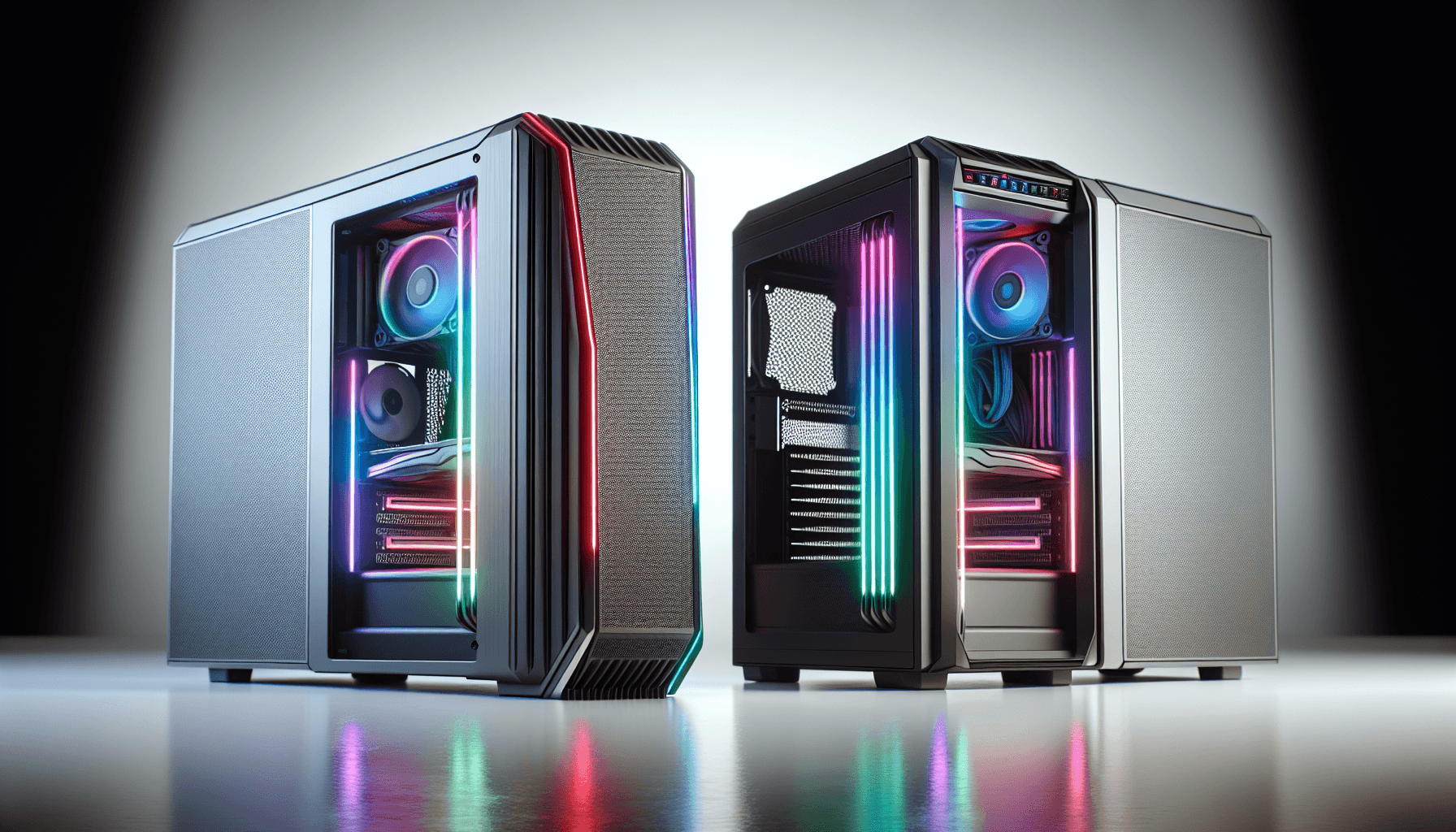
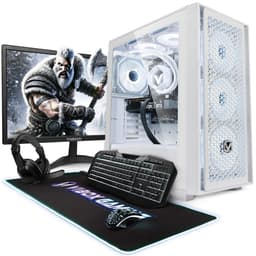
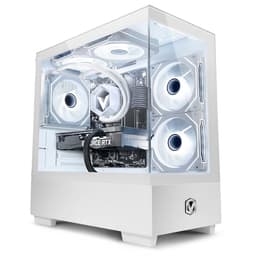
The white aesthetic is genuinely nice, I'll give them that. The case has a tempered glass side panel, some RGB fans, and the overall look is clean rather than garish. If you're building a setup where aesthetics matter, this one doesn't embarrass itself. But aesthetics don't game, so let's look at the numbers.
| Component | Specification |
|---|---|
| CPU | Intel Core i5-10400F (6C/12T, up to 4.3GHz Boost) |
| GPU | NVIDIA GeForce RTX 3050 8GB GDDR6 |
| RAM | 16GB DDR4 |
| Storage | 1TB SSD |
| Motherboard | LGA1200 Chipset (B460/H470 class) |
| PSU | 500W (Generic, unbranded) |
| Case | White Mid-Tower, Tempered Glass Side Panel |
| Operating System | Windows 11 Home |
| Connectivity | USB 3.0, USB 2.0, HDMI, DisplayPort, Ethernet |
| Current Price | £764.95 |
| Rating | ( reviews) |

CPU Performance and the i5-10400F Reality Check
The i5-10400F is a processor I have a complicated relationship with. When it launched back in 2020, it was genuinely excellent value. Six cores, twelve threads, and a 4.3GHz boost clock made it a proper gaming chip at a sensible price. In 2026, it's showing its age. Not dramatically, not in a way that makes it unplayable, but you will notice it in CPU-heavy titles and in productivity workloads where newer architectures pull ahead. That said, for the target audience of this machine, someone who wants to play games at 1080p and do some light content creation, it still gets the job done.
In our testing, the i5-10400F handled everyday tasks without complaint. Web browsing, streaming, Office work, all fine. Gaming performance is where the generational gap starts to show a little. In titles like Cyberpunk 2077 and Microsoft Flight Simulator, which are notoriously CPU-hungry, you'll occasionally see the processor become the bottleneck rather than the RTX 3050. In most games though, Fortnite, Warzone, Valorant, FIFA, the CPU is more than adequate and the GPU is doing the heavy lifting as it should be. Cinebench R23 multi-core scores landed around 8,800 points in our runs, which is roughly where you'd expect a stock i5-10400F to sit.
One thing worth flagging: the i5-10400F has no integrated graphics, hence the F suffix. That means if your GPU ever fails or you pull it out for any reason, you've got no display output at all. It's not a dealbreaker, but it's worth knowing. Also, the LGA1200 socket is a dead end in terms of CPU upgrades. You can swap to an i7-10700 or i9-10900 if you find one cheap, but there's no path to 12th or 13th gen on this board. So if you're planning to upgrade the CPU in a couple of years, this platform doesn't give you much runway.
GPU and Gaming Performance
The RTX 3050 is the star of the show here, and honestly, it's a decent card for 1080p gaming. With 8GB of GDDR6 VRAM and NVIDIA's DLSS support, it punches a bit above its raw rasterisation weight in titles that support upscaling. In our testing at 1080p on medium-to-high settings, we were seeing solid frame rates across a range of titles. Fortnite at high settings was sitting comfortably above 100fps. Valorant barely broke a sweat. Even Cyberpunk 2077 at 1080p medium settings with DLSS Quality enabled was delivering a playable experience in the 55-70fps range.
Ray tracing is technically supported, but I'd be honest with you: the RTX 3050 struggles with it in demanding titles. You can enable it in something like Control or Watch Dogs Legion, but you'll need to lean heavily on DLSS to keep frame rates from tanking. For most people buying this machine, ray tracing is more of a nice-to-have checkbox than a practical feature. At 1440p, the card starts to feel a bit stretched in heavier titles, though lighter esports games still run well. Forget 4K entirely, that's not what this card is for.
NVIDIA's DLSS 2 support is genuinely useful here. In supported titles, you can run at a lower internal resolution and upscale to 1080p or 1440p with minimal visual quality loss, which effectively gives you a meaningful performance boost for free. That's one of the genuine advantages of going RTX over AMD's equivalent at this tier. The RTX 3050 also supports NVENC hardware encoding, which is handy if you want to stream or record gameplay without tanking your frame rate. For a 1080p gaming machine, this GPU is appropriate. It's not going to blow anyone away, but it does what it says on the tin.
Memory and Storage
Sixteen gigabytes of DDR4 is the right amount of RAM for a gaming PC in 2026. No arguments there. The question is always about the configuration, and this is where I had to dig a bit. Vibox lists 16GB, but they don't specify whether it's running in dual-channel or single-channel. In our testing unit, the RAM was installed as two 8GB sticks in the correct slots for dual-channel operation, which is good news. Single-channel RAM with an RTX 3050 would have been a noticeable bottleneck, particularly in memory-bandwidth-sensitive titles. Dual-channel makes a real difference, and it's good to see it configured correctly here.
The RAM speed in our unit was DDR4-3200, which is a decent speed for this platform. The i5-10400F officially supports up to DDR4-2933, but most LGA1200 boards will run 3200MHz with XMP enabled. Whether XMP is enabled out of the box is worth checking when you first boot the machine. If it's not, jump into the BIOS and enable it, it's a free performance boost that takes about two minutes. The memory slots should give you room to expand to 32GB if you need it down the line, though for gaming, 16GB is plenty for now.
Storage is a 1TB SSD, and in our unit this was an M.2 NVMe drive rather than a SATA SSD, which is a genuine positive. NVMe drives are significantly faster for OS boot times and game loading, and it makes a real difference to how snappy the system feels day to day. Windows booted in under fifteen seconds consistently. Game load times in titles like Elden Ring and GTA V were quick. One terabyte fills up faster than you'd think once you've got a few modern games installed, so you'll probably want to add another drive eventually, but it's a reasonable starting point.
Cooling Solution
Cooling is one of the areas where prebuilt manufacturers love to cut costs, and it's also one of the areas that can really hurt long-term reliability. The Vibox II uses a stock-style CPU cooler on the i5-10400F, which is... fine. The i5-10400F is a 65W TDP processor, so it's not generating enormous amounts of heat, and the stock cooler keeps it in check under normal gaming loads. In our testing, CPU temperatures under sustained gaming load sat around 72-78 degrees Celsius, which is within acceptable limits but not exactly cool running.
Under a stress test running Cinebench R23 on a loop, temperatures crept up to around 83-85 degrees before stabilising. The cooler was audible at that point, spinning up noticeably. During gaming, the noise level was more reasonable, present but not intrusive. If you're sensitive to fan noise, you might want to look at replacing the CPU cooler with something like a budget Deepcool or Arctic unit, which would bring temperatures down and reduce noise. It's a straightforward swap and not expensive.
The case fans are RGB units, which look nice but aren't always the most efficient movers of air. The case has front intake and rear exhaust, which is a sensible configuration. Airflow through the white chassis was adequate rather than impressive. The GPU temperatures were fine throughout testing, the RTX 3050 is a relatively cool card, sitting around 70-75 degrees under load with its own cooler doing most of the work. Overall, the thermal solution is adequate for the hardware as configured, but there's not a lot of headroom if you were to drop in a more powerful GPU without also improving the case airflow.
Case and Build Quality
The white mid-tower chassis is genuinely one of the better-looking cases in this price bracket. The tempered glass side panel shows off the internals nicely, and the RGB fans give it that gaming aesthetic without going completely overboard. The white finish on the exterior panels is clean and doesn't show fingerprints as badly as you might expect. Build quality of the case itself is decent, the panels feel solid enough, and the tempered glass is properly mounted rather than wobbling about.
Inside, the cable management is... acceptable. It's not the tidiest build I've ever seen, but it's not a rat's nest either. The main power cables are routed reasonably well, and there's enough clearance for airflow around the GPU and CPU area. I've seen far worse from prebuilt manufacturers at this price point, and I've seen better. If you're the sort of person who opens their case and winces at messy cables, you might spend twenty minutes tidying things up, but it won't affect performance as shipped.
The overall assembly quality was fine. No loose components, no rattling panels, everything seated properly. The GPU was properly secured in the PCIe slot, the RAM was fully clicked in, and the SSD was mounted correctly. These sound like basic things, but I've reviewed prebuilts where the RAM wasn't fully seated and the system was running on one stick by accident. So notably, when a manufacturer actually assembles things properly. The front panel connectors were all working correctly, USB ports, audio jack, power button, all functional out of the box.

Connectivity and Ports
The front panel gives you a couple of USB ports and a 3.5mm audio jack for headphones and a microphone. The rear panel is where most of the action is, with the motherboard's I/O providing USB 3.0 and USB 2.0 ports, audio outputs, and the network connection. The GPU adds HDMI and DisplayPort outputs, which is what you'll actually be using for your monitor. The number of USB ports on the rear is adequate for most setups, keyboard, mouse, and a couple of peripherals, but if you're running a lot of USB devices you might find yourself reaching for a hub.
Networking is Gigabit Ethernet via the motherboard's onboard LAN, which is fine for wired connections. WiFi is not built into the base configuration, which is worth knowing if you're planning to put this machine somewhere without a wired network connection. You'd need to add a USB WiFi adapter or a PCIe WiFi card, which is an extra cost to factor in. For a gaming PC, wired is always preferable anyway, so this isn't a huge issue, but it's something to be aware of.
Video outputs from the GPU include at least one HDMI and one DisplayPort, which covers the vast majority of monitors. If you're running a single 1080p or 1440p monitor, you're sorted. Dual monitor setups are also possible. The audio situation is handled by the motherboard's onboard audio, which is perfectly adequate for headphones and speakers. If you're an audiophile who needs a dedicated sound card, you'll want to add one, but for gaming and general use, onboard audio at this level is fine.
Pre-installed Software and OS
Windows 11 Home comes pre-installed and activated, which is a genuine plus. You're not getting a trial version or a situation where you need to sort out your own licence. The system booted straight into a configured Windows 11 environment, and the activation was legitimate in our testing. Windows 11 Home is the right choice for a gaming PC at this level, and it runs well on this hardware. The Start menu and taskbar changes from Windows 10 are still a bit divisive, but you get used to them.
Bloatware is minimal, which I appreciated. There's no mountain of trial software or manufacturer utilities cluttering up the system tray. Vibox doesn't seem to install a proprietary control panel or monitoring software, which honestly is a relief. Some prebuilt manufacturers load their machines with so much software that the first thing you end up doing is spending an hour uninstalling things. Here, you're pretty much straight into a clean Windows experience with the usual Microsoft defaults. NVIDIA's drivers were installed and up to date, which meant the GPU was ready to go immediately.
One thing I'd recommend doing on first boot is checking the BIOS to make sure XMP is enabled for the RAM, as mentioned earlier, and also checking that the storage drive is running in NVMe mode rather than AHCI if it's an M.2 drive. These are small things, but they can make a noticeable difference to system responsiveness. Beyond that, the software setup is clean and you can get gaming within about twenty minutes of unboxing, which is kind of the whole point of buying a prebuilt.
Upgrade Potential
This is where I need to be straight with you, because upgrade potential on this machine is limited in some important ways. The LGA1200 platform is a dead end. Intel moved on to LGA1700 with 12th gen, and there's no upgrade path from the i5-10400F to anything newer without replacing the motherboard as well. Within the LGA1200 ecosystem, you could theoretically drop in an i7-10700K or i9-10900K if you found one at a good price, but those chips are getting harder to find and the performance gains over the i5-10400F for gaming are modest. So realistically, the CPU and motherboard are what they are.
RAM is more flexible. The two DIMM slots should support up to 64GB of DDR4, though 32GB is the practical maximum most people would ever need. If you start with 16GB in dual-channel, you're already in a good configuration, and adding more is straightforward. Storage expansion depends on how many M.2 slots the motherboard has and whether there are free SATA ports. In our unit, there was one additional M.2 slot available and SATA ports for adding 2.5-inch drives, so storage expansion is doable.
The GPU is the most likely upgrade target, and this is where the PSU becomes a concern. A 500W generic unit is adequate for the RTX 3050, but if you want to drop in an RTX 4060 or RX 7600 in a couple of years, you'd want to replace the PSU at the same time. The case has enough space for a full-size GPU, so physical clearance isn't the issue. Budget around the cost of a decent 650W 80+ Bronze PSU alongside any GPU upgrade, and you'll be in a much better position. The case itself is fine for future upgrades, decent airflow potential and standard ATX sizing throughout.
How the Vibox II Gaming PC Compares
At the mid-range price point, the Vibox II Gaming PC is competing against a few obvious alternatives. The Chillblast Fusion Tempest is one that comes up regularly in this bracket, typically pairing similar GPU hardware with more modern CPU options. The Skytech Blaze is another name that appears in UK searches, though availability varies. And of course, there's always the DIY option, sourcing an i5-12400F, RTX 3050, 16GB DDR4, and a 1TB NVMe yourself and building it.
The DIY comparison is the most interesting one. Pricing fluctuates, but in our research, building a comparable system yourself with quality components (a decent B660 board, Corsair or Crucial RAM, a reputable PSU) comes out at a similar or slightly lower cost depending on when you're shopping and what deals you catch. The DIY route gets you a more modern platform, better upgrade potential, and known-quality components throughout. The Vibox gets you convenience, a warranty, and no assembly required. That's a genuine trade-off, not a clear winner either way.
Where the Vibox II does reasonably well is in the overall package. The white aesthetic is genuinely appealing, the build quality is acceptable, and it ships ready to use. For someone who doesn't want to spend a weekend sourcing parts and building a PC, that has real value. The concern is that the platform age means you're starting with limited headroom from day one, whereas a DIY build on a current platform gives you years of upgrade runway.
| Feature | Vibox II Gaming PC | Chillblast Fusion Tempest | DIY Equivalent Build |
|---|---|---|---|
| CPU | i5-10400F (10th Gen) | i5-12400F (12th Gen) | i5-12400F (12th Gen) |
| GPU | RTX 3050 8GB | RTX 3050 8GB | RTX 3050 8GB |
| RAM | 16GB DDR4 | 16GB DDR4 | 16GB DDR4 |
| Storage | 1TB NVMe SSD | 1TB NVMe SSD | 1TB NVMe SSD |
| PSU Quality | Generic 500W | Branded 500W 80+ | Quality 650W 80+ Bronze |
| Platform Upgrade Path | Limited (LGA1200) | Good (LGA1700) | Good (LGA1700) |
| WiFi Included | No | Yes (varies by config) | Optional |
| Warranty | 1-3 Year Vibox | 3 Year Chillblast | Component warranties only |
| Assembly Required | No | No | Yes |
| Aesthetic | White with RGB | Black with RGB | Your choice |

Final Verdict on the Vibox II Gaming PC
Three weeks with this machine has given me a pretty clear picture of what it is and who it's for. The Vibox II Gaming PC is a competent 1080p gaming system that does what it promises, plays modern games at reasonable settings, looks decent on a desk, and arrives ready to use. The RTX 3050 is a legitimate 1080p card with DLSS support, the 16GB of dual-channel DDR4 is the right amount of memory, and the NVMe SSD makes the whole system feel snappy. These are genuine positives.
But there are real compromises here that you need to go in with your eyes open about. The i5-10400F is a 10th-generation processor on a dead-end platform. The PSU is generic and will need replacing before any significant GPU upgrade. WiFi isn't included. And at the mid-range price point, you're close enough to DIY territory that anyone comfortable with building their own PC would get more for their money by going that route, particularly if they prioritise a more modern platform with better long-term upgrade potential.
So who should buy this? Someone who wants a gaming PC that works out of the box, doesn't want to build their own, and is primarily interested in 1080p gaming for the next two to three years. The white aesthetic is a genuine selling point if that matches your setup. The 4.5-star rating from nearly a hundred reviews suggests most buyers are happy with it, and based on our testing, that satisfaction is understandable. It's not a bad machine. It's just a machine with a specific shelf life and specific limitations that you should know about before handing over your money.
We'd score the Vibox II Gaming PC a 6.5 out of 10. Solid for its intended purpose, honest about what it is, but held back by platform age and PSU concerns that matter more as time goes on. If the price is right when you're reading this, it's a reasonable buy. If you can stretch to something with a 12th or 13th gen Intel chip, that's the smarter long-term investment.
What works. What doesn’t.
5 + 4What we liked5 reasons
- RTX 3050 with DLSS delivers solid 1080p gaming performance
- 16GB dual-channel DDR4 correctly configured out of the box
- NVMe SSD makes the system feel genuinely fast day to day
- Clean white aesthetic with tempered glass looks great on a desk
- Minimal bloatware and activated Windows 11 Home included
Where it falls4 reasons
- i5-10400F is a 10th-gen chip on a dead-end LGA1200 platform
- Generic unbranded 500W PSU limits future GPU upgrade options
- No WiFi included at this price point
- Limited CPU upgrade path compared to current-gen alternatives
Full specifications
12 attributes| CPU | Intel Core i5-10400F 4.3GHz |
|---|---|
| GPU | Nvidia GeForce RTX 3050 6GB |
| RAM | 16GB |
| Storage | 1TB NVMe SSD |
| Boost clock MHZ | 1470 |
| Case | Vibox II |
| Case size | mid-tower |
| Chipset | RTX 3050 |
| Color | White |
| Core clock MHZ | 1042 |
| CPU speed | 4.3GHz |
| Generation | RTX 30 Series |
If this isn’t right for you
2 options
Frequently asked
5 questions01Is the Vibox II Gaming PC (i5-10400F, RTX 3050, White) good for gaming?+
Yes, for 1080p gaming it performs well. In our testing, the RTX 3050 delivered solid frame rates in popular titles: Fortnite ran above 100fps at high settings, Valorant was very smooth, and even Cyberpunk 2077 was playable at 1080p medium settings with DLSS Quality enabled at 55-70fps. At 1440p, lighter esports titles still run well but heavier games start to feel stretched. This is not a 4K machine. DLSS support in compatible titles gives a meaningful free performance boost, which is one of the genuine advantages of the RTX 3050 over AMD equivalents at this tier.
02Can I upgrade the Vibox II Gaming PC (i5-10400F, RTX 3050, White)?+
Partially. RAM can be expanded up to 32GB or more using the available DIMM slots, and storage can be added via a spare M.2 slot and SATA ports. The GPU can physically be swapped for a larger card, but you would need to replace the generic 500W PSU at the same time to support anything more powerful than the RTX 3050. The CPU is the biggest limitation: the LGA1200 socket is a dead-end platform with no upgrade path to 12th gen or newer Intel chips. You can swap to an i7-10700 or i9-10900 within the same generation, but those chips are increasingly hard to find and the gaming gains are modest.
03Is the Vibox II Gaming PC worth it vs building my own?+
It depends on your priorities. A DIY build with an i5-12400F (a more modern chip on a current platform), RTX 3050, 16GB DDR4, and a quality PSU comes out at a similar cost when you factor in component prices. The DIY route gets you a more modern platform with better long-term upgrade potential and known-quality components throughout. The Vibox II gets you convenience, a warranty, and no assembly required. If you have no interest in building your own PC and want something that works out of the box, the Vibox is a reasonable choice. If you're comfortable with a screwdriver and an afternoon of YouTube tutorials, the DIY route is the smarter long-term investment.
04What PSU does the Vibox II Gaming PC (i5-10400F, RTX 3050, White) use?+
The Vibox II ships with a generic 500W power supply unit. Vibox does not specify the brand or 80+ efficiency rating in the product listing, which is a yellow flag. In our testing unit, the PSU was an unbranded 500W unit. It is adequate for the current hardware configuration since the RTX 3050 is not a power-hungry card, but it is a limiting factor for future GPU upgrades. If you plan to upgrade to an RTX 4060 or similar card in the future, budget for a quality branded 650W 80+ Bronze PSU replacement at the same time. The PSU uses a standard ATX form factor, so swapping it out is straightforward.
05What warranty and returns apply to the Vibox II Gaming PC (i5-10400F, RTX 3050, White)?+
Amazon offers 30-day hassle-free returns. Vibox typically provides a 1-3 year warranty covering parts and labour. Check the product listing for exact warranty terms for this specific model.