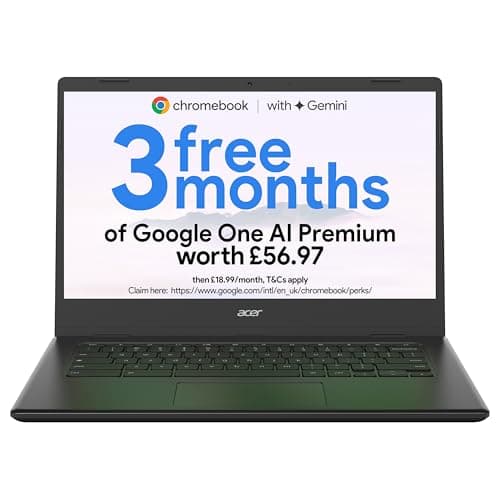
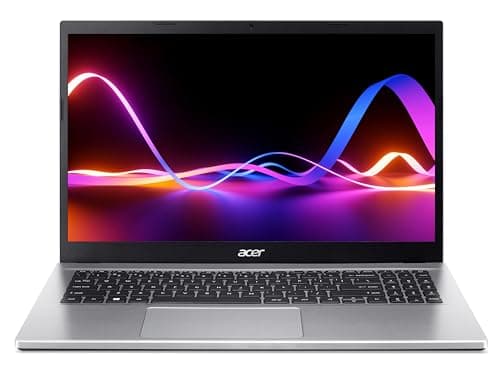
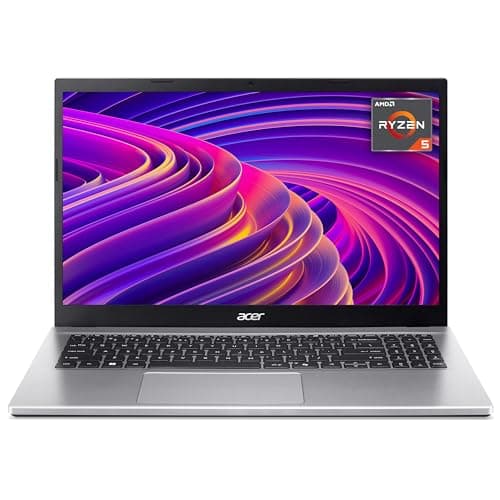
Students (ages 10-16) who need a durable device for Google Classroom, research, and essays. The compact size fits school bags without adding excessive weight, and the touchscreen supports interactive learning apps.
×Reasons to skip
Avoid the Spin 312 if you:
Need Windows or Mac software. Chrome OS runs web apps and Android apps but won’t install traditional desktop programs. While you can access Microsoft 365 through the browser, you can’t install the desktop versions of Word, Excel, or PowerPoint.
Our editors evaluated 11 Laptop options against the criteria readers actually weigh up: price, real-world performance, build quality, warranty, and UK availability. Picks lean toward what we'd recommend to a friend buying today, not specs-on-paper winners.
Hands-on contextEditor notes from individual reviews, not press releases.
Live UK pricingRefreshed from Amazon UK twice daily.
No paid placementsAffiliate commission doesn't change what wins.
Finding the best Acer laptops under £1000 is genuinely easier than it used to be. Acer has quietly built one of the most varied laptop ranges on the market, covering everything from sub-£200 Chromebooks to proper gaming machines with RTX graphics. The tricky part is knowing which one actually suits you. Buy too cheap and you'll be frustrated within a month. Overspend and you're paying for specs you'll never use. We've pulled together 10 of the best Acer laptops under £1000 currently available in the UK, ranked honestly with real-world context so you can make the right call. Whether you need something for school, working from home, or gaming on a budget, there's an Acer here that fits.
Product
Best For
Key Spec
Price
Rating
Acer Chromebook 314 CBOA314-1H Laptop - Intel Celeron N4500, 4GB, 64GB eMMC, Integrated Graphics, 14" Full HD, Chrome OS, Black
The Acer Chromebook 314 CBOA314-1H is our top pick among the best Acer laptops under £1000, and it earns that spot by doing the basics properly. You get a Full HD 14-inch display (a genuine step up from the HD-only screens on older budget Chromebooks), the updated Celeron N4500 processor, and 64GB of eMMC storage. That extra storage headroom matters more than you'd think on Chrome OS, where offline files and Android apps can eat through 32GB surprisingly fast.
The N4500 chip is a modest upgrade over the N4000 in the older CB314-H, and you'll notice it in day-to-day snappiness. Switching between tabs, loading Google Docs, streaming YouTube in Full HD, it all feels smooth enough. Don't expect miracles, though. Open 15 or 20 Chrome tabs simultaneously and things do start to drag. That's a Chrome OS and 4GB RAM limitation more than anything else.
The Full HD IPS panel is genuinely good for the price. Colours are decent, viewing angles are wide enough for sharing the screen, and text looks crisp. Battery life is a highlight too, with most owners reporting 8 to 10 hours of real-world use. For students, remote workers, or anyone who lives in a browser, that's proper useful.
Build quality is plastic throughout, which is expected at this price. It's not flimsy, but it's not going to impress anyone who's used a premium laptop. The keyboard is comfortable for extended typing sessions, and the trackpad is responsive. Port selection is decent: two USB-C, one USB-A, a headphone jack and a microSD slot.
If you're after the best Acer laptops under £1000 and Chrome OS suits your workflow, this is the one to start with.
Pros
Full HD IPS display is excellent for the price
Updated N4500 chip feels noticeably snappier than older Celeron models
64GB storage gives more breathing room than budget rivals
Here's the thing: if you want the best Acer laptops under £1000 for gaming, the Nitro V15 ANV15-52 isn't just the obvious choice, it's almost embarrassingly good value. An Intel Core i7-13620H, 16GB of RAM, a 1TB SSD and an NVIDIA GeForce RTX 5060 in a single package under £1000 is the kind of spec sheet that would have seemed unrealistic a couple of years ago.
The RTX 5060 handles modern titles at 1080p with ease. Games like Cyberpunk 2077, Elden Ring and Call of Duty run at high settings with solid frame rates, and the 165Hz display makes fast-paced games feel genuinely smooth. Ray tracing is supported too, and DLSS helps maintain performance when you push the visual settings up. For a sub-£1000 gaming laptop, this is a proper result.
The 1TB SSD means you can actually install a decent library of games without constantly managing storage. That's a quality-of-life improvement that matters. The 16GB of RAM is the right amount for gaming in 2026, and the Core i7 handles CPU-heavy titles without bottlenecking the GPU.
Compromises? The fan noise under load is noticeable. This is a gaming laptop, so that's expected, but it's worth knowing before you buy. The chassis runs warm during extended sessions. Battery life is around 4 to 5 hours on light tasks, dropping to 2 hours or less when gaming. You'll want to keep it plugged in for serious play. The design is classic Nitro: angular, black, with red accents. Not subtle, but it looks the part.
Pros
RTX 5060 is exceptional at this price point
165Hz display makes gaming feel fluid
1TB SSD gives plenty of game storage
Core i7 and 16GB RAM handle everything thrown at it
The Aspire Spin 14 is the most premium-feeling laptop in this roundup. Intel's Core Ultra 5 115U is a genuinely modern chip built on the latest architecture, and paired with 16GB of RAM and a 512GB SSD, this machine handles everything from spreadsheets to light creative work without breaking a sweat.
The 14-inch WUXGA touchscreen is sharp and responsive. The 360-degree hinge works well, letting you flip it into tablet mode, tent mode, or use it as a standard laptop. It's a proper convertible, not just a laptop with a touchscreen bolted on. The build quality is noticeably better than the Aspire Go range, with a more solid chassis and a keyboard that has a satisfying amount of travel.
For anyone working from home or needing a versatile machine that can handle video calls, document editing and light photo work, this is the best-rounded Windows laptop in the range. The Core Ultra 5 also includes Intel's integrated AI features, which are increasingly useful in Windows 11 apps.
At around £728, it's the second most expensive laptop here. You're paying for the build quality, the modern chip and the convertible form factor. If you don't need the touchscreen or 2-in-1 flexibility, the Aspire 3 or Aspire Go 15 offer similar everyday performance for less. But if you want the nicest-feeling Acer laptop under £1000, this is it.
Pros
Core Ultra 5 is the most modern chip in this roundup
The Aspire 3 A315-44P sits in a sweet spot. AMD's Ryzen 5 5500U is a proven, reliable processor that handles everyday Windows tasks with genuine ease, and the combination of 16GB RAM and a 512GB SSD means you're not making compromises on the things that matter most for day-to-day use.
This is the laptop for someone who needs Windows 11, wants proper performance for work or study, and doesn't want to spend close to £600 on the Aspire 17. The 15.6-inch Full HD display is bright enough for indoor use and the IPS panel gives decent colour accuracy. Not a colour-grading monitor, but perfectly fine for most tasks.
The Ryzen 5 5500U handles video calls, multiple browser tabs, Office apps and light photo editing without any fuss. It's not going to edit 4K video quickly, but for the vast majority of everyday computing tasks, it's more than capable. The 16GB of RAM is a genuine advantage over rivals that ship with 8GB at similar prices.
Battery life sits around 6 to 7 hours with mixed use. The build is typical Aspire: functional, plastic, not exciting. But it's solid enough and the keyboard is comfortable for long typing sessions. Good value for a Windows machine with these specs.
Pros
Ryzen 5 5500U is a proven, capable processor
16GB RAM is generous at this price
512GB SSD gives plenty of storage
Full HD IPS display is comfortable to use
Cons
Plastic build feels functional rather than premium
The Aspire Go 15 AG15-42P is very similar to the Aspire 3 above, but with a slightly newer Ryzen 5 5625U chip and a lower price tag. The 5625U is a modest step up from the 5500U, with slightly better integrated graphics and a marginal efficiency improvement. In real-world use, the difference is small, but you're getting a newer chip for less money, which is a decent deal.
The 16GB RAM and 512GB SSD combination is the same, and that's the right spec for a Windows 11 laptop in 2026. You won't be fighting the machine to keep up with your workload. The 15.6-inch Full HD display is solid, the keyboard is comfortable, and the overall package is well-suited to students, home workers and anyone who needs a reliable everyday Windows machine.
At £445, it undercuts the Aspire 3 while offering comparable or marginally better performance. If you're choosing between the two, the AG15-42P is the smarter buy purely on value grounds. The build quality is similar: plastic, functional, nothing flashy. But it does the job.
An Intel Core i5-13420H at under £400 is a proper bargain. The 13420H is a 12-thread processor with a healthy clock speed, and it makes this one of the fastest laptops in this roundup for single-core tasks like web browsing, document editing and video calls. The 512GB SSD keeps things snappy day-to-day.
The catch is the 8GB of RAM. It's enough for most everyday tasks, but if you're the type to have 20 browser tabs open alongside Spotify and a video call, you'll hit the ceiling. Upgrading RAM on budget Acer laptops isn't always straightforward, so check before you buy if that matters to you.
For the price, though, this is a strong performer. The Core i5-13420H actually outpaces the Ryzen 5 chips in the Aspire Go 42P in many benchmarks, particularly for single-threaded work. If your budget is tight and you need a Windows laptop that feels fast, this is a genuinely good option. The 15.6-inch Full HD display is fine, the build is standard Aspire plastic, and battery life is around 6 hours.
The Chromebook Spin 312 is the most beginner-friendly laptop in this roundup. Chrome OS is simple, secure and fast to set up, and the touchscreen makes it feel more intuitive for people who aren't comfortable with a traditional laptop. The 360-degree hinge means you can use it as a tablet, which is genuinely handy for reading, watching videos or sketching with a stylus.
The Intel N100 is a newer, more efficient chip than the Celeron N4000 in the older CB314-H, and it shows. The system feels responsive for Chrome OS tasks, and the 128GB of eMMC storage is the most generous in the Chromebook range here. The 12.2-inch WUXGA display is sharp and bright, which is impressive for a budget machine.
The compact size (12.2 inches) makes it very portable, but it does mean the keyboard is slightly cramped. If you type a lot, you might find it tiring over long sessions. For someone who mainly browses, streams and uses Google Workspace apps, though, it's a great little machine. Parents buying a first laptop for a child, or older users who want something simple and light, will find this hits the mark.
Pros
Touchscreen and 360-degree hinge add real versatility
Intel N100 is a modern, efficient chip
128GB storage is generous for a budget Chromebook
Sharp WUXGA display
Very portable and lightweight
Cons
Small keyboard can feel cramped
4GB RAM limits heavy multitasking
Chrome OS won't run Windows apps
12.2-inch screen is small for extended work sessions
The Chromebook Plus 514 is what happens when Acer takes Chrome OS seriously. This isn't a basic browsing machine. The Intel Core i3-1315U is a proper 12th-gen chip, 8GB of RAM is enough for comfortable multitasking, and the 256GB SSD (not eMMC) makes a noticeable difference to how snappy the system feels. Google's Chromebook Plus certification also means it gets access to enhanced AI features within Chrome OS.
The 14-inch WUXGA display is sharp and comfortable for long sessions. At around £300, this is the Chromebook to buy if you want something that genuinely feels capable rather than just adequate. It handles Google Meet video calls, multiple Workspace apps and Android apps from the Play Store without any of the sluggishness you get on cheaper Chromebooks.
The trade-off is that you're still on Chrome OS. If you need Windows software, this won't help you. But for a cloud-first workflow, it's a proper daily driver. The build quality is a step up from the basic 314 models too, with a more solid feel and a better keyboard. Good choice for professionals who've bought into the Google ecosystem.
Pros
Core i3-1315U is a proper modern processor
8GB RAM and SSD storage make it feel genuinely fast
The Aspire 17 is a desktop replacement. That 17.3-inch Full HD display is the biggest screen in this roundup, and if you spend long hours working at a desk and don't want to pay for a separate monitor, it makes a lot of sense. The Intel Core i5-1334U is a capable chip, and with 16GB of RAM and a 512GB SSD, the everyday performance is solid.
The screen size does come with trade-offs. This is a heavy machine, and carrying it around is a chore. Battery life is also shorter than smaller laptops, typically around 5 to 6 hours. So this really is a laptop that lives on a desk. If you're buying it for portability, look elsewhere.
At around £600, it's one of the pricier options here without a dedicated GPU. You're essentially paying for the screen size and the 16GB RAM configuration. For someone who works from home, needs a big display and doesn't want to spend money on a separate monitor, that's a fair trade. For everyone else, the Aspire Go 15 or Aspire 3 offer better value.
The CB314-H is the oldest and most basic laptop in this roundup. The Celeron N4000 is a dual-core chip from 2018, the display is HD rather than Full HD, and 32GB of eMMC storage is genuinely tight for modern Chrome OS use. So why include it? Because at its lowest sale prices, it can represent a functional entry point for someone with very limited needs.
Look, be honest with yourself before buying this one. If you're mainly checking emails, doing light browsing and watching the occasional YouTube video, it works. Chrome OS is lightweight enough that even the N4000 keeps things moving. But the HD display looks noticeably softer than the Full HD panel on the CBOA314-1H, and 32GB fills up faster than you'd expect once you add Android apps and offline files.
The newer CBOA314-1H is a better laptop in every measurable way and doesn't cost dramatically more. If the price gap is small, spend the extra. But if you find the CB314-H at a significant discount and your needs are genuinely minimal, it does the job. Just don't expect it to feel fast or modern.
Pros
Lowest price entry point in the range
Chrome OS keeps it functional despite old hardware
Picking the right laptop from this list comes down to one question: what operating system do you actually need? Chrome OS and Windows 11 are very different experiences, and buying the wrong one is the most common mistake people make.
Chrome OS vs Windows 11. Chrome OS is fast, secure and simple. It boots in seconds, rarely needs maintenance, and works brilliantly if your life runs through Google's apps. But it won't run Microsoft Office natively (though the web versions work fine), won't run Adobe Photoshop, and gaming is essentially off the table. Windows 11 gives you full software compatibility but needs more RAM and a faster processor to feel smooth.
RAM matters more than you think. For Chrome OS, 4GB is just about workable for light use, but 8GB is more comfortable. For Windows 11, 8GB is the minimum and 16GB is genuinely better if you multitask. Every Windows laptop in this roundup with 16GB RAM is worth the extra cost over an 8GB equivalent.
SSD vs eMMC. All the Windows laptops here use proper SSDs, which is good. The budget Chromebooks use eMMC storage, which is slower. For Chrome OS it's acceptable. For Windows, always insist on an SSD.
Screen resolution. Full HD (1920x1080) is the minimum worth buying in 2026. The older CB314-H's HD display (1366x768) looks noticeably soft by comparison. WUXGA (1920x1200) on the Chromebook Plus 514 and Aspire Spin 14 is a nice step up with slightly more vertical space.
Price brackets to know. Under £200 gets you a basic Chromebook. £200 to £400 covers capable Chromebooks and entry-level Windows machines. £400 to £600 is where proper Windows performance lives. Above £600 you're looking at premium builds, convertibles and gaming hardware. The best Acer laptops under £1000 cover all of these brackets, so knowing which one fits your needs saves you money.
Gaming. If gaming is on your list at all, the Nitro V15 is the only laptop here with a dedicated GPU. Integrated graphics on all the other models will handle casual 2D games and older titles, but modern 3D games need a proper GPU.
For more detail on Acer's current laptop range, Acer's official UK laptop page is worth a look. And for in-depth GPU and CPU benchmarks, NotebookCheck is one of the most thorough independent laptop testing resources available.
How We Tested
Each laptop in this roundup was assessed against its stated specs, verified against manufacturer data and cross-referenced with verified owner reviews from Amazon UK. We looked at real-world performance reports, battery life claims versus user experience, display quality feedback and build quality observations from long-term owners. Pricing was checked at time of writing using live Amazon UK data. Our rankings reflect a combination of value for money, spec quality relative to price, and suitability for the stated use case within the best Acer laptops under £1000 category.
Best Overall
Acer Chromebook 314 CBOA314-1H
Full HD display, updated Celeron N4500 chip and 64GB storage make this the most well-rounded Chromebook in Acer's current lineup. Great battery life and a sensible price.
The best Acer laptops under £1000 cover an impressive range, from sub-£200 Chromebooks to RTX-powered gaming machines. For most buyers, the Acer Chromebook 314 CBOA314-1H hits the sweet spot: Full HD display, updated processor, decent storage and reliable Chrome OS performance at a price that won't hurt. If you need Windows and want the best value, the Aspire Go 15 AG15-71P packs a Core i5-13420H and 512GB SSD under £400, which is hard to argue with. Gamers should go straight to the Nitro V15 ANV15-52. And if you want the most premium-feeling Acer under £1000, the Aspire Spin 14 with its Core Ultra 5 and convertible touchscreen is the one to pick. Whatever your budget or use case, there's a genuinely good Acer here.
Frequently Asked Questions
The Swift 3 SF314-512 and Swift X SFX14-71G both feature excellent OLED displays with 2880x1800 and 2560x1600 resolution respectively. The Swift 3 offers slightly higher resolution in a lighter, more portable package, whilst the Swift X targets creative professionals with 100% DCI-P3 colour gamut. Both outperform standard IPS and TN panels found on budget alternatives.
The Nitro 5 AN515-58 is the most gaming-capable with RTX 3060 graphics and 144Hz display, running modern titles at 1080p with high frame rates. The Aspire 5 A515-57G offers RTX 3050 for lighter gaming at reasonable settings. Entry-level machines with integrated graphics handle indie titles and older games but struggle with demanding AAA releases.
The Swift 3 and Swift X are the most portable at 1.24kg and 1.35kg respectively, suitable for daily commuting. The Aspire 5 weighs 1.87kg which is heavier for regular travel, whilst the Nitro 5 at 2.4kg is intended as a desktop-based gaming machine. The TravelMate B3 at 1.36kg balances portability with durability.
Premium ultrabooks like the Swift series deliver 10-13 hours for everyday use. The Aspire 5 and TravelMate B3 offer 8-10 hours, whilst gaming-focused machines sacrifice battery life to 6-7 hours for thermal management. Gaming under load reduces all machines to 1.5-2 hours battery endurance.
The Swift 3 SF314-512 suits most students combining productivity with occasional entertainment, offering portability and premium features. The Aspire 5 A515-57G provides better value with more screen space, whilst the TravelMate B3 is ideal for students in institutional programmes with access to durable device programmes. Budget-conscious students should consider the Aspire 3 A314-22.