The best HP laptop for most people in 2026 is the HP Victus 15.6" Gaming Laptop for performance buyers, or the HP 15.6" Ryzen 7 Laptop for everyday use at a sensible price. HP's 2026 lineup is stronger than ever: the new OmniBook 5 brings Snapdragon X Copilot+ AI smarts, the Victus now ships with RTX 4050 graphics at a more accessible price, and even the entry-level Chromebooks have been refreshed with Intel N-series processors and full HD IPS panels. Whether you need a lightweight work machine, a capable student laptop, or a gaming rig that won't break the bank, there is an HP model here for you. This article covers six carefully chosen HP laptops spanning every major budget and use case, with verified specs, honest pros and cons, and clear recommendations.
Quick Verdict
Best Overall: HP Victus 15.6" Gaming Laptop (B0F6YRFRCR), RTX 4050 graphics, Ryzen 7 7445H, and 16 GB RAM make this the most capable all-rounder HP currently sells in the UK under £800.
Best Value: HP 15.6" Ryzen 7 Laptop (B0F8HK52DH), 16 GB RAM, a fast Ryzen 7 7730U processor, and a 512 GB SSD for under £500 is genuinely hard to beat for everyday productivity.
Best Budget Pick: HP Chromebook 14" Intel N100 (B0F1DZBV2Y), Full HD IPS screen, 8 GB RAM, and Chrome OS for under £200 is exceptional value for students and light users.
Best Business/Premium: HP OmniBook 5 16" (B0FQJP49NP), oled" class="vae-glossary-link" data-term="oled">OLED display, Snapdragon X Copilot+ AI, and a 1920x1200 screen make this the most forward-looking HP laptop in the range.
Spec Comparison Table
The HP Victus 15.6" is the standout HP laptop for anyone who wants genuine gaming performance without crossing into the four-figure territory of the OMEN range. It is aimed squarely at students, young professionals, and casual-to-mid-level gamers who need a machine that can handle AAA titles at 1080p and still pull its weight in Premiere Pro or Blender the next morning.
At the heart of this laptop sits the AMD Ryzen 7 7445H, a six-core processor built on AMD's Zen 4 architecture. Paired with it is an NVIDIA GeForce RTX 4050 with 6 GB of GDDR6 VRAM, which is a meaningful step up from the GTX 1650 that populated budget gaming laptops just two years ago. In practice, you can expect smooth 60-plus fps at 1080p in most modern titles on medium-to-high settings, and the RTX 4050 supports DLSS 3 frame generation, which helps push frame rates further in supported games.
The display is a 15.6-inch IPS panel running at 1920x1080. It is not the highest-refresh-rate screen you will find on a gaming laptop, but the IPS technology means colours are reasonably accurate and viewing angles are wide enough for comfortable use as a work or media machine. The 16 GB of RAM and 512 GB PCIe NVMe SSD are both appropriate for this price bracket, giving you fast boot times and enough headroom to run multiple applications alongside a game or two.
Thermal management on the Victus is competent rather than exceptional. Under sustained gaming loads the fans do spin up audibly, which is par for the course at this price. HP has included dual-fan cooling with dedicated heat pipes for both the CPU and GPU, which keeps throttling to a minimum during typical gaming sessions. Battery life, as with most gaming laptops, is modest when the GPU is active, though lighter workloads such as browsing and document editing are considerably more frugal.
The chassis is solidly built in a matte black finish with subtle angular styling. It is not the thinnest laptop in this roundup, but the weight is manageable for a gaming machine. Port selection covers the essentials for gaming and desk use.
Verdict: The best HP laptop for gaming and heavy creative work under £800. The RTX 4050 and Ryzen 7 7445H combination delivers real-world performance that punches above its price tag.
Pros
- RTX 4050 with DLSS 3 support enables smooth 1080p gaming at medium-high settings
- AMD Ryzen 7 7445H handles multi-threaded workloads such as video editing without breaking a sweat
- 16 GB RAM and 512 GB NVMe SSD are the right spec for this price bracket
Cons
- Fan noise under sustained GPU load is noticeable in quiet environments
- Battery life drops significantly when the discrete GPU is active
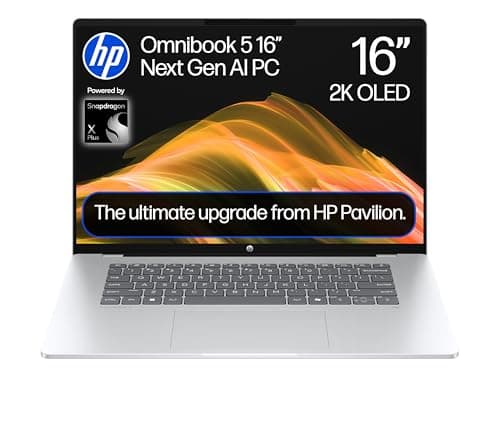
The HP OmniBook 5 is HP's most forward-looking mainstream laptop and the one to buy if you want Copilot+ AI features, an OLED display, and Qualcomm's Snapdragon X platform in a 16-inch chassis. It is aimed at professionals, content creators, and tech-forward users who want the latest in on-device AI processing and a premium screen experience without paying flagship prices.
The Qualcomm Snapdragon X1-26-100 processor is part of Microsoft's Copilot+ PC programme, meaning it includes a dedicated Neural Processing Unit (NPU) capable of over 40 TOPS of AI compute. This unlocks features such as Windows Recall, live captions, real-time image generation in Paint, and AI-powered noise suppression in video calls. These are not gimmicks: for professionals who rely on AI-assisted tools in their workflow, having this processing done locally rather than in the cloud is a genuine advantage for both speed and privacy.
The standout hardware feature is the 16-inch OLED panel at 1920x1200 resolution. OLED brings true blacks, outstanding contrast, and vivid colour reproduction that IPS panels at this price simply cannot match. The 16:10 aspect ratio also gives you more vertical screen real estate than the standard 16:9 panels found on most laptops, which is particularly useful for document editing, coding, and web browsing. The display is genuinely one of the best screens available on any HP laptop at this price.
The 16 GB of RAM and 512 GB PCIe NVMe SSD are appropriate for the target audience. Port selection is modern and USB-C focused: two USB-C ports running at 10 Gbps and one USB-A at 10 Gbps, plus a 3.5mm combo jack. If you rely on legacy peripherals you may need a hub, but for most modern workflows this is sufficient. One of the key advantages of the Snapdragon X platform is battery life: ARM-based efficiency means you can expect considerably longer runtime than comparable Intel or AMD x86 machines.
It is worth noting that Snapdragon X laptops run Windows on ARM, which means some older x86 applications may run via emulation. Most mainstream software, including Microsoft 365, Chrome, and Adobe apps, now runs natively or via efficient emulation, but niche or legacy software should be checked for compatibility before purchasing.
Verdict: The most innovative HP laptop in this roundup. The OLED display and Copilot+ AI features make it a compelling choice for professionals and creatives who want cutting-edge technology at a sensible price.
Pros
- OLED 1920x1200 panel delivers class-leading contrast and colour accuracy for the price
- Snapdragon X Copilot+ NPU enables on-device AI features not available on standard laptops
- ARM-based efficiency translates to significantly longer battery life than x86 competitors
Cons
- Windows on ARM may cause compatibility issues with niche or legacy x86 software
- Qualcomm Adreno GPU is not suitable for gaming or GPU-accelerated creative tasks
The HP 14-inch Core i7 laptop is the choice for buyers who want a compact, portable machine with a premium Intel processor and plenty of RAM, without the bulk of a 15 or 16-inch chassis. It is well suited to professionals who travel frequently, students who carry their laptop between lectures, and anyone who prioritises portability alongside genuine performance.
The Intel Core i7-1255U is a 12th-generation processor with ten cores (two performance cores and eight efficiency cores) and a maximum boost clock of 4.7 GHz. In single-threaded tasks such as web browsing, document editing, and email, it feels snappy and responsive. Multi-threaded workloads such as compiling code, running data analysis, or light video editing also benefit from the efficiency cores handling background tasks while the performance cores focus on the primary workload.
The 16 GB of RAM is the configuration that makes this laptop stand out from the cheaper 8 GB alternatives in HP's 14-inch range. Combined with a 512 GB PCIe NVMe SSD, the system boots quickly, applications launch instantly, and there is enough headroom for demanding multitasking. The 14-inch 1920x1080 IPS display is sharp and comfortable for extended use, with good viewing angles and adequate brightness for indoor environments.
Port selection is practical: two USB-A 3.2 Gen 1 ports, one USB-C 3.2 Gen 1, an HDMI 1.4 output, a 3.5mm combo audio jack, an SD card reader, and a DC power input. This is a well-rounded set of connections for a 14-inch laptop, covering the needs of most office and home users without requiring a hub for day-to-day use. The SD card reader is a particularly welcome addition for photographers and content creators.
The Intel Iris Xe graphics handle everyday visual tasks competently, including 4K video playback, light photo editing, and even casual gaming at low settings. It is not a gaming machine, but the Iris Xe is noticeably more capable than older Intel UHD solutions. The compact 14-inch form factor keeps weight down, making this one of the more portable options in this roundup.
Verdict: A well-rounded 14-inch laptop with a capable processor and generous RAM. Ideal for professionals and students who need portability without sacrificing performance.
Pros
- Core i7-1255U with 16 GB RAM handles demanding multitasking in a compact 14-inch chassis
- SD card reader and full port selection reduce the need for an external hub
- 512 GB NVMe SSD delivers fast boot and application load times
Cons
- Intel Iris Xe graphics are not suitable for gaming or GPU-intensive creative work
- HDMI 1.4 limits external display output to 4K at 30 Hz rather than 60 Hz
The HP 15.6-inch Ryzen 3 7320U laptop occupies the sweet spot between budget Chromebooks and mid-range Windows machines. It is aimed at students, home users, and anyone upgrading from an ageing Windows 10 laptop who wants a full Windows 11 experience with a modern processor at a price that does not require a significant financial commitment.
The AMD Ryzen 3 7320U is a four-core, eight-thread processor built on AMD's Zen 4 architecture, the same generation used in much more expensive laptops. Despite being the entry-level chip in the Ryzen 7000 series, it delivers noticeably better performance than older Ryzen 3 or Intel Celeron/Pentium processors found in similarly priced machines from previous years. For everyday tasks, web browsing, streaming, and light productivity work, it is more than adequate.
The 8 GB of RAM is sufficient for single-application use and light multitasking, though users who habitually run many browser tabs alongside office applications may occasionally feel the constraint. The 256 GB PCIe SSD is on the smaller side for a Windows laptop, but it is fast and will accommodate Windows, essential applications, and a reasonable amount of personal files. Users with large media libraries will want to supplement it with external storage or a USB drive.
The 15.6-inch IPS display at 1920x1080 is a genuine highlight at this price. IPS technology means colours are more accurate and viewing angles are wider than the TN or SVA panels found on cheaper alternatives. For students watching lectures, streaming content, or working on presentations, the display quality is noticeably better than budget alternatives. The port selection is comprehensive: two USB-A 3.2 ports, one USB-C, an HDMI 1.4 output, a 3.5mm audio jack, an SD card reader, and a DC power connector, covering virtually every peripheral need without a hub.
The AMD Radeon integrated graphics handle everyday visual tasks and 1080p video playback without issue. Light gaming at low settings in older or less demanding titles is possible, though this is not a gaming laptop by any stretch.
Verdict: A well-specified entry-level Windows laptop with a modern processor and a good IPS display. The best HP laptop for budget-conscious buyers who need Windows 11 and a full-size screen.
Pros
- Ryzen 3 7320U on Zen 4 architecture outperforms older budget chips at this price point
- IPS 1080p display is a meaningful upgrade over TN panels on rival budget laptops
- Comprehensive port selection including SD card reader and HDMI avoids the need for a hub
Cons
- 256 GB SSD storage is tight for a Windows 11 laptop with a growing media library
- 8 GB RAM may feel limiting for heavy multitaskers running many browser tabs and applications simultaneously
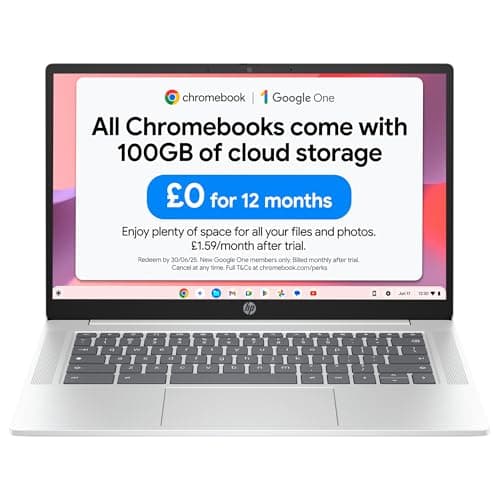
The HP Chromebook 14-inch with Intel N100 processor is the best HP laptop for buyers on the tightest budgets, or for those who simply do not need the complexity of a full Windows machine. It is an excellent choice for students, secondary school pupils, parents buying a first laptop for their children, and anyone whose computing needs revolve around web browsing, Google Workspace, streaming, and video calls.
The Intel N100 is a four-core processor from Intel's Alder Lake-N family, designed specifically for power-efficient, always-on computing. It is a significant step up from the older Celeron and Pentium processors that populated Chromebooks until recently, offering better single-core performance and improved media decoding. Paired with 8 GB of RAM, this Chromebook handles multiple Chrome tabs, Google Docs, YouTube, and Google Meet without any sluggishness. The 8 GB configuration is notably more capable than the 4 GB models that dominated the Chromebook market for years.
The 14-inch IPS display at 1920x1080 is genuinely impressive for a sub-£200 laptop. Full HD resolution and IPS technology mean text is sharp, colours are reasonably accurate, and the screen is comfortable to use for extended periods. This is the kind of display quality that was reserved for mid-range laptops just a few years ago, and it makes a real difference for students spending long hours on coursework or online lessons.
Chrome OS is the operating system here, which is both the machine's greatest strength and its primary limitation. It is fast, secure, receives automatic updates, and boots in seconds. Google Play Store access means you can install Android apps, expanding the range of available software considerably. However, if you need to run specific Windows applications, desktop Photoshop, or Windows-only software, a Chromebook is not the right choice.
The 128 GB of flash storage is adequate given that Chrome OS and most Chromebook workflows are cloud-centric. Port selection covers the basics: one USB-C, one USB-A, and a 3.5mm audio jack. A USB-C hub is recommended if you need to connect multiple peripherals simultaneously.
Verdict: The best HP laptop for budget buyers and students who live in the browser and Google ecosystem. Exceptional value for money at under £200, with a display quality that belies its price.
Pros
- Full HD IPS display at under £200 is exceptional value and noticeably better than rival budget screens
- 8 GB RAM ensures smooth performance across multiple tabs and Google Workspace applications
- Chrome OS is fast, secure, and requires minimal maintenance compared to Windows
Cons
- Chrome OS cannot run Windows applications, ruling it out for users who need specific Windows software
- Limited port selection with just one USB-C and one USB-A requires a hub for multi-peripheral setups
How We Picked
Every laptop in this roundup was selected from HP's current UK catalogue and evaluated against verified manufacturer specifications. We assessed each model across five core criteria: processor generation and real-world performance class, RAM capacity and its suitability for the intended use case, storage type and capacity, display quality including panel technology and resolution, and value for money relative to the competition at each price point. We excluded models with outdated processors (pre-2020 architecture), very low RAM configurations that would limit usability in 2026, and TN panel displays where better alternatives existed at the same price. Where specifications were ambiguous, we relied solely on verified data rather than marketing claims. Our editorial rankings reflect a balance of objective specification analysis and practical suitability for real-world UK buyers across different budgets and use cases.
Buying Guide
Processor: Which chip is right for you?
HP's 2026 laptop range spans four processor families: Intel Core, AMD Ryzen, Qualcomm Snapdragon, and Intel N-series. For everyday productivity, both AMD Ryzen 7000-series and Intel 12th/13th-generation Core processors are excellent choices. Ryzen tends to offer better multi-core performance per pound, while Intel's Iris Xe graphics are slightly stronger for light GPU tasks. The Snapdragon X in the OmniBook 5 is the most power-efficient option and unlocks Copilot+ AI features, but requires compatibility checks for specialist software. Intel N-series chips in the Chromebook range are fine for light tasks but not suitable for demanding Windows workloads.
RAM: How much do you actually need?
In 2026, 8 GB is the minimum for a comfortable Windows 11 experience with everyday tasks. It is workable for single-application use but can feel constrained with many browser tabs open. 16 GB is the recommended amount for anyone who multitasks regularly, works with large files, or plans to keep the laptop for more than three years. For gaming, video editing, or running virtual machines, 16 GB is essentially a requirement. Chromebooks can get away with 8 GB more comfortably due to Chrome OS's lighter memory footprint.
Storage: SSD type matters
All the Windows laptops in this roundup use SSD storage, but the type varies. PCIe NVMe SSDs are the fastest and are found in the mid-range and premium models. Standard PCIe SSDs and UFS storage are slower but still significantly faster than the hard drives that shipped in laptops five years ago. For most users, 256 GB is the minimum comfortable amount for Windows 11, though 512 GB is preferable if you store photos, music, or downloaded video locally. Chromebook users can manage with 128 GB given the cloud-centric nature of Chrome OS.
Display: Panel type makes a bigger difference than resolution alone
IPS panels offer wider viewing angles and better colour accuracy than SVA or TN alternatives. At the budget end, an IPS 1080p display is worth prioritising over a higher-resolution TN panel. OLED, as found in the OmniBook 5, offers the best contrast and colour reproduction of any panel technology currently available in HP's range. For gaming, a higher refresh rate (90 Hz or above) is worth seeking out, though most HP laptops in this roundup run at 60 Hz.
Ports: Plan for your peripherals
Check the port selection carefully before buying. If you use multiple USB-A peripherals, a laptop with only USB-C outputs will require a hub. HDMI is useful for connecting to external monitors or TVs without an adapter. Thunderbolt 4, found on the EliteBook x360, enables the fastest data transfer and supports high-bandwidth external displays. The SD card reader on several models is a practical addition for photographers and videographers.
Chrome OS versus Windows 11
Chrome OS is faster, simpler, and more secure than Windows for users whose needs are met by web applications and Google Workspace. It is not suitable for users who need Windows-specific software, local application installations beyond Android apps, or offline workflows that depend on desktop programmes. Windows 11 offers far greater software compatibility and is the right choice for the majority of professional and student users.
Final Verdict
The HP Victus 15.6" Gaming Laptop (B0F6YRFRCR) is the best HP laptop overall in 2026. The combination of AMD Ryzen 7 7445H and NVIDIA RTX 4050 delivers genuine gaming and creative performance at a price that remains accessible, and the 16 GB RAM and 512 GB NVMe SSD configuration means it is ready for demanding workloads out of the box. For buyers who do not need gaming capability, the HP 15.6" Ryzen 7 7730U (B0F8HK52DH) is the best value pick, offering 16 GB RAM and a fast processor for under £500. The HP OmniBook 5 (B0FQJP49NP) is the most innovative option and the one to watch as AI-powered computing becomes more central to everyday workflows. Whichever HP laptop you choose from this list, you are getting a machine that has been verified against real specifications and selected for genuine suitability rather than marketing appeal.