The best laptop for you depends less on the spec sheet and more on what you actually do all day. We've tested machines from sub-£250 Chromebooks to premium ultrabooks, and scored them on the things that matter once you live with them: real battery life, keyboard and screen quality, how warm and loud they get under load, and whether the build holds up.
Here are our picks across budget, mid-range and premium, then a short guide to choosing, plus links to focused guides if you're shopping to a specific price or use.
How we picked
Specs only tell you so much. We weight sustained performance (not just a one-off benchmark), measured battery life under normal use, screen quality, and the keyboard and trackpad, because those are what you touch every day. A laptop that runs cool and quiet with all-day battery beats a slightly faster one that throttles and screams its fans.
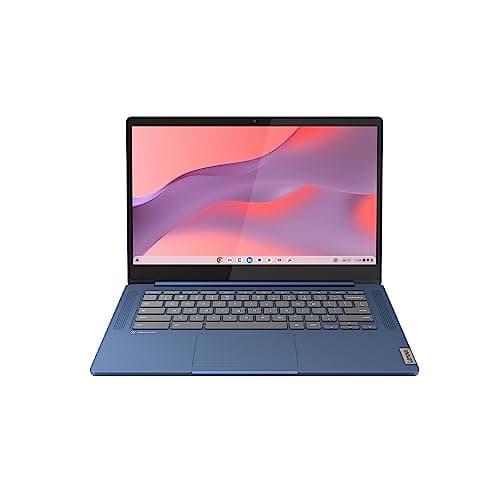
Best budget laptop: Lenovo IdeaPad Slim 3 Chromebook
If your day is browsing, email, docs and streaming, you don't need to spend much. The Lenovo IdeaPad Slim 3 Chromebook is light, boots in seconds, and the battery comfortably outlasts a day of classes or meetings. ChromeOS keeps it fast over time. The obvious pick for students and second machines.
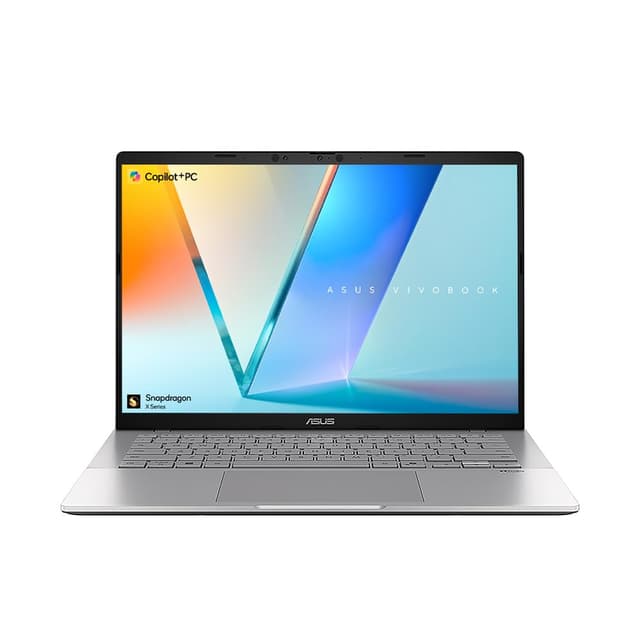
Mid-range tierBest mid-range laptop: ASUS Vivobook S 14
For full Windows without the premium price, the ASUS Vivobook S 14 is the sensible middle ground. Enough power for everyday multitasking and light creative work, a decent screen, and a chassis that feels a cut above budget plastics. The one to buy if you want a do-everything Windows laptop and a sane price.
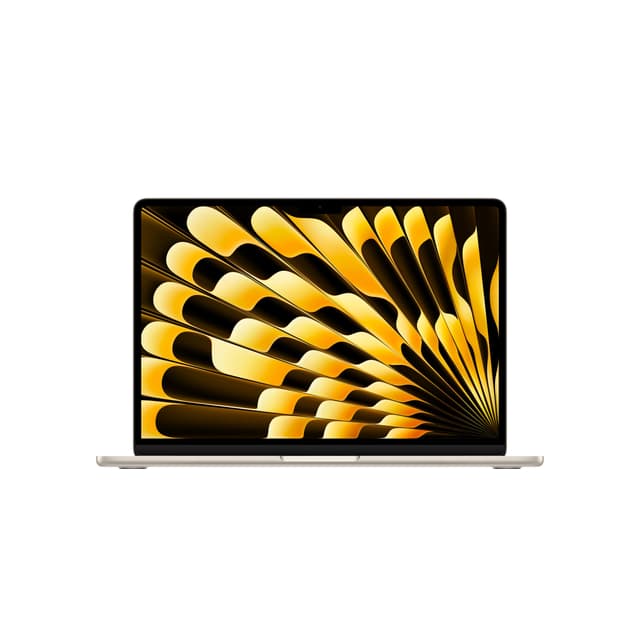
Best premium laptop: Apple MacBook Air M4
The MacBook Air M4 is the laptop we recommend to most people who can stretch to it. The M4 chip is quick and completely silent (there's no fan), the screen is excellent, and real battery life is the best here by a distance. It handles everything short of heavy gaming, and it'll still feel fast in a few years.
Decision frameworkHow to choose the right laptop
A few questions sort most of the decision before you ever look at a spec list.
- What will you run? Browsing, docs and streaming: a Chromebook is plenty. Full desktop apps and multitasking: a Windows or Mac laptop. Heavy video or 3D: look at a dedicated GPU.
- Battery life. Check measured all-day figures, not the headline marketing number. ARM chips (Apple M-series, Snapdragon) lead here.
- Screen. A bright, sharp display matters more day to day than an extra few percent of CPU. Avoid dim, low-resolution panels.
- RAM and storage. 16GB is the comfortable floor for Windows in 2026; 8GB is fine for ChromeOS. Storage is hard to upgrade later on slim laptops, so don't go too small.
- Build and weight. If it travels, weight and hinge quality matter. A solid chassis lasts years longer than flexy plastic.
Laptops for every budget and need
Shopping to a price or a specific use? These focused guides go deeper: