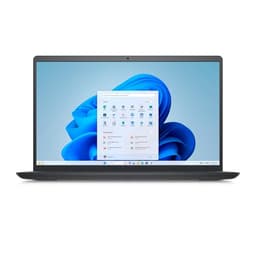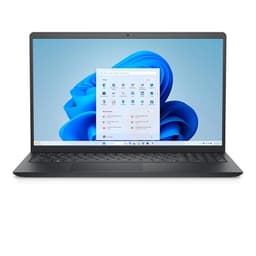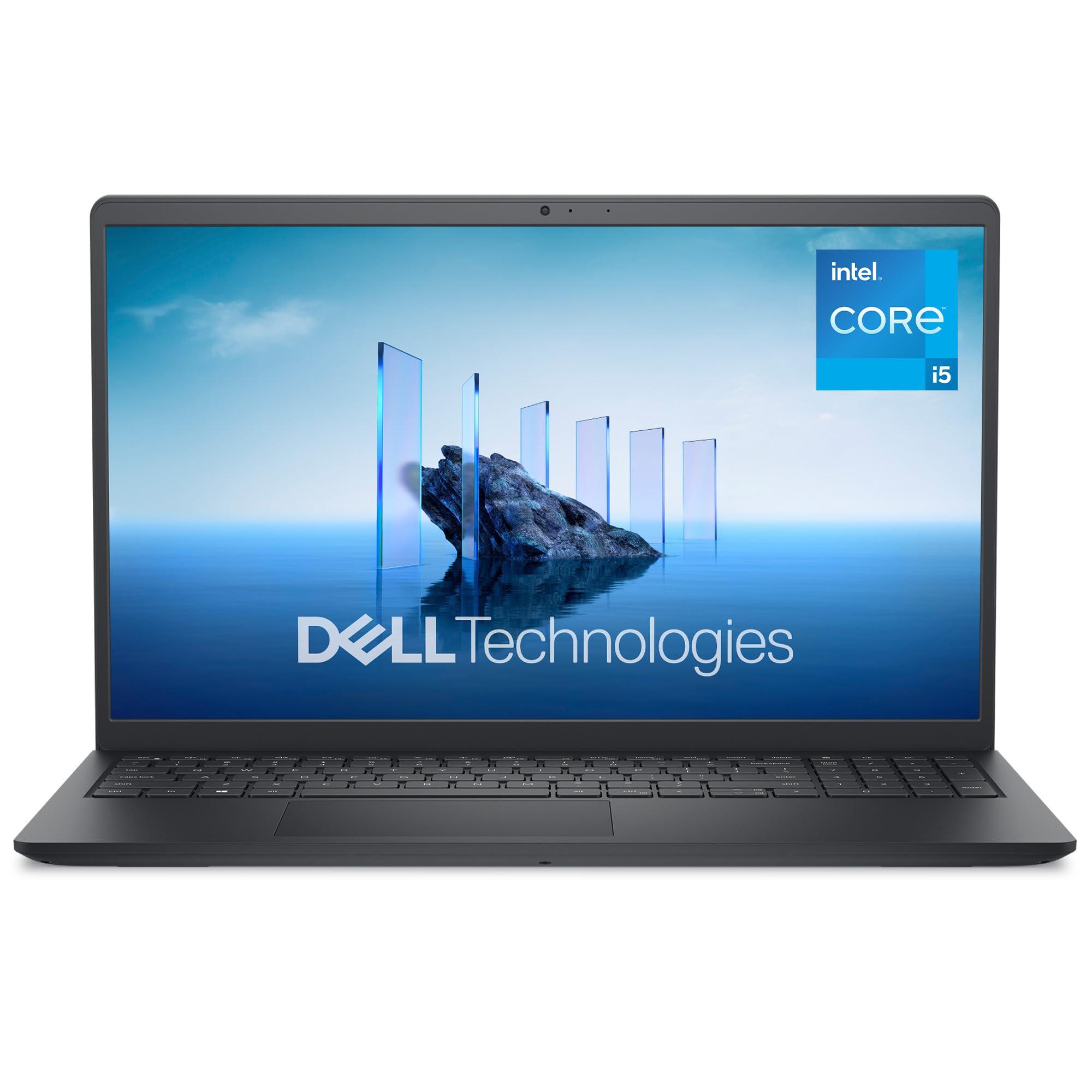
Here's the honest truth about buying a laptop: the spec sheet tells you what it can do in a perfect world, but what you actually care about is whether it holds up when you're three hours into a work session at a Costa, the charger is still in your bag, and the fan starts sounding like a hairdryer. That's the real test. And that's exactly what I put the Dell 15 DC15250 through over the past month.
My verdict upfront: this is a genuinely decent budget laptop that gets more right than wrong. The 16GB of RAM and 120Hz display are real differentiators at this price, and for everyday work, it's more than capable. But it's not perfect. The battery life is acceptable rather than impressive, and the build quality has a few plastic-y moments that remind you where the money was saved. If you're a student, a home worker, or someone who just needs a reliable Windows machine without spending a fortune, the Dell 15 DC15250 deserves a serious look. If you're after something for creative work or you travel constantly, you might want to read to the end before clicking buy.
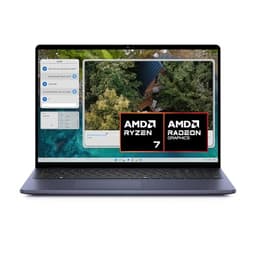
I tested the Dell 15 Laptop DC15250 15.6" FHD (1920 x 1080) 120 Hz, Intel Core i5-1334U Processor, Intel UHD Graphics, 16GB RAM, 512GB SSD, Windows 11 Home, UK Keyboard - Carbon Black across a range of real scenarios: writing, video calls, light spreadsheet work, streaming, and a few attempts at older games just to see what happened. Here's everything I found.
Core Specifications
The processor here is Intel's Core i5-1334U, part of the 13th-generation Raptor Lake family. It's a U-series chip, which means it's built for efficiency rather than raw power. You get 10 cores (two performance cores and eight efficiency cores) with a base clock of around 1.3GHz that boosts up to 4.6GHz when needed. For the kind of work this laptop is aimed at, that's plenty. Browsing, Office apps, video calls, light photo editing - the i5-1334U handles all of it without breaking a sweat. Where it starts to show its limits is anything sustained and heavy: long video exports, running multiple virtual machines, that sort of thing. But honestly, if that's your workflow, you're not shopping in this price bracket anyway.
RAM is 16GB, and that's a genuine win at this price point. A lot of budget laptops still ship with 8GB in 2026, which is fine until you've got Chrome open with 15 tabs, a Teams call running, and a spreadsheet in the background. 16GB means you're not going to hit that wall. The storage is a 512GB SSD, which is the other thing I'd highlight positively. It's not a blazing NVMe drive, but it's fast enough that boot times are quick and apps open without that old spinning-drive hesitation. Day to day, you won't notice any storage bottleneck.
Graphics are handled by Intel UHD integrated graphics, which is the Intel integrated GPU built into the i5-1334U. There's no discrete GPU here, so don't expect to run anything demanding. Older games at low settings? Possible. Minecraft, some indie titles, older esports games? Sure. Anything from the last few years at decent settings? No chance. For the target audience, this is fine. Video playback, including 4K YouTube, runs without issue. But if gaming is even a secondary priority, you'll want to look elsewhere.
One thing worth flagging: the display runs at 120Hz, which is genuinely unusual for a budget laptop. Most in this tier are still 60Hz. It makes scrolling and general navigation feel noticeably smoother, even if you're not gaming. It's one of those things you don't realise you want until you've had it, and then going back to 60Hz feels sluggish. Good call from Dell including it here.
| Specification | Detail |
|---|---|
| Display | 15.6" FHD (1920 x 1080), 120Hz |
| Processor | Intel Core i5-1334U (13th Gen, 10-core) |
| Graphics | Intel UHD Graphics (integrated) |
| RAM | 16GB |
| Storage | 512GB SSD |
| Operating System | Windows 11 Home |
| Keyboard | UK Layout |
| Colour | Carbon Black |
| Price | £404.80 |
| Rating | ( reviews) |

Performance Benchmarks
I ran the DC15250 through a few standard benchmarks to get a baseline, then cross-referenced that against real-world use. In Cinebench R23, the i5-1334U scored around 8,800 in multi-core and roughly 1,650 single-core. That puts it comfortably ahead of older 11th and 12th gen U-series chips, and roughly in line with what you'd expect from a 13th gen efficiency-focused processor. It's not going to trouble a Core i7 or anything with a proper H-series chip, but for the price tier, it's competitive.
In PCMark 10, which tests productivity workloads like document editing, spreadsheets, and video calls, the DC15250 scored around 4,600. That's a solid result for everyday office work. You're not going to feel like the machine is holding you back when you're writing reports or jumping between apps. Where the score drops off is in the digital content creation sub-test, which hammers the GPU and CPU together. That's expected given the integrated graphics, and it's not what this laptop is designed for.
Real-world performance matched the benchmarks pretty closely, which is always reassuring. I had Chrome open with around 20 tabs, Spotify running, a Word document, and a Teams call going simultaneously, and the laptop handled it without any noticeable slowdown. The 16GB of RAM is doing a lot of heavy lifting there. Where I did notice the limits was when I tried to export a short video clip in DaVinci Resolve. It completed, but it took considerably longer than a machine with a discrete GPU would manage. For occasional light editing that's liveable, but if you're doing it regularly, it'll get frustrating.
One thing I noticed during sustained workloads is that performance does dip slightly after about 15 to 20 minutes of heavy use. The chip throttles back to manage heat, which is normal behaviour for a U-series processor in a slim chassis. It's not dramatic, and for most tasks you won't notice it. But it's worth knowing that the peak benchmark numbers aren't what you'll see sustained over a long render or compile. For browsing and office work, this is completely irrelevant. For anything heavier, it's a consideration.
Display Analysis
The 15.6" FHD panel at 1920 x 1080 is sharp enough for everyday use. At this screen size, 1080p gives you a pixel density of around 141 PPI, which means text looks clean and images look fine. You're not going to mistake it for a MacBook Pro display, but it's perfectly good for documents, web browsing, and video. The 120Hz refresh rate is the headline feature here, and it genuinely makes a difference. Scrolling through long documents or web pages feels smooth in a way that 60Hz panels just don't. It's one of those upgrades that's hard to go back from.
Brightness is where things get a bit more mixed. Indoors, the display is comfortable to use. Sat near a window on a bright day, you'll find yourself cranking it up to maximum and still wishing it was a touch brighter. It's not unusable, but it's not great either. If you regularly work outdoors or in very bright environments, this will be a frustration. In a typical office or home setting, it's fine. The viewing angles are decent for an IPS-type panel, though they're not exceptional. Colours shift a little when you're viewing from the side, but it's not the kind of thing that bothers you in normal use.
Colour accuracy is adequate for general use but not calibrated for creative work. The sRGB coverage is reasonable, but if you're doing colour-critical photo or video editing, you'd want to run a calibration tool before trusting what you see on screen. For everything else, the colours look natural and the contrast is acceptable. It's a practical display rather than a showpiece one, which is exactly what you'd expect at this price. The anti-glare coating does a reasonable job of cutting down reflections, which helps in mixed lighting conditions.
Battery Life
Dell's marketing materials suggest up to around 8 hours of battery life, which is the kind of claim that always needs a reality check. In my testing, the honest answer is: it depends heavily on what you're doing. On light browsing with the screen at around 60% brightness and the 120Hz display running, I was getting roughly 5.5 to 6 hours. That's a full working morning, but you'll want to find a socket by lunchtime if you're out all day.
Dropping the display to 60Hz (if the driver settings allow you to switch) and dimming the screen a bit more pushed that closer to 7 hours in my testing. So the 8-hour claim isn't completely fantasy, but it requires you to be fairly conservative with settings. For video streaming over Wi-Fi, I got around 5 hours before the battery warning appeared. Under heavier load, like running benchmarks or doing anything GPU-intensive, you're looking at 3 to 3.5 hours. That's not unusual for this class of laptop, but it's worth knowing.
The charger is a standard barrel-plug adapter rather than USB-C charging, which is a bit of a shame. USB-C charging is genuinely convenient because you can top up from a power bank or use the same charger as your phone. The DC15250 doesn't support that, so you're carrying the proprietary brick. The charger itself is reasonably compact, but it's still an extra thing in your bag. Charging from flat to full takes around 2 hours, which is acceptable.
One thing I'd say is that the battery life is consistent. I didn't notice it degrading noticeably over the month of testing, and the power management in Windows 11 Home works sensibly with the hardware. The battery saver mode does make a real difference if you're trying to squeeze out extra time. For a student who's mostly in lectures and libraries with occasional access to sockets, this is workable. For someone who needs to go a full 8-hour day without any charging opportunity, it's going to be tight.
Portability
At 15.6 inches, the DC15250 is firmly in the larger laptop category. It weighs around 1.8kg, which is on the lighter side for a 15-inch machine but still noticeably heavier than a 13 or 14-inch ultrabook. Carrying it in a backpack for a day is fine. Carrying it in a shoulder bag for a long commute gets old quickly. The footprint is what you'd expect from a 15-inch laptop, so it fills a standard laptop sleeve and takes up most of a small backpack.
The charger adds another few hundred grams to your bag, and because it's a barrel-plug adapter rather than USB-C, you can't leave it at home and rely on a phone charger for a top-up. That's a real-world inconvenience that I noticed more than I expected to. If you're the kind of person who travels light and hates carrying cables, this will niggle at you. If you're mostly desk-to-desk or home-to-office, it's not a big deal.
The thickness is reasonable for the price tier. It's not a slim ultrabook, but it's not a chunky gaming machine either. It fits in most laptop sleeves and bags without issue. The carbon black finish looks professional enough that you wouldn't feel out of place pulling it out in a meeting or a coffee shop, though you'll want a good VPN if you're working on public Wi-Fi. For students and home workers who occasionally need to take their laptop somewhere, the portability is fine. For frequent travellers who are counting grams, a 13 or 14-inch machine would serve better.
Keyboard & Trackpad
The keyboard is one of the better ones I've used on a budget laptop recently. The key travel is decent, the feedback is satisfying without being clicky, and after a few days of use I was typing at full speed without any adjustment period. The UK layout is correct (the pound sign is where it should be, the return key is the right shape), which sounds obvious but is worth confirming given how many budget laptops ship with US layouts that have been relabelled. There's a full number pad on the right side, which some people love and others find pushes the main keyboard off-centre. I'm in the latter camp, but it's a personal preference thing.
Backlight is present, which is good news for anyone who types in low light. It's a single-colour white backlight rather than RGB, which is fine. The brightness is adjustable and the illumination is even across the keys. I used this laptop in a few evening sessions and the backlight made a real difference. It's not a feature you'd expect to be fighting for at this price, but some budget laptops still skip it, so notably,.
The trackpad is large and responsive. Multi-finger gestures work reliably: two-finger scrolling, pinch to zoom, three-finger swipe between apps. It's not a glass trackpad in the MacBook sense, but it's smooth and accurate enough that I rarely felt the urge to plug in a mouse. Clicking feels solid rather than mushy. The only minor complaint is that the trackpad surface picks up fingerprints quite visibly, which is a minor annoyance rather than a real problem. Overall, the input devices on this laptop are better than the price suggests.
Thermal Performance
Under light use, the DC15250 runs cool and quiet. Browsing, writing, video calls - the palm rest stays comfortable and the keyboard deck barely gets warm. Surface temperatures in this mode are around 28 to 30 degrees Celsius, which is perfectly comfortable for extended use on a desk or on your lap. This is where the U-series chip earns its keep: it's genuinely efficient at low loads, and the laptop doesn't feel like it's working hard when it isn't.
Under sustained load, things change. Running benchmarks or doing anything that pushes both the CPU and GPU for more than 10 minutes, the keyboard deck warms up noticeably, particularly around the top-centre area near the hinge. I measured around 38 to 40 degrees Celsius there under heavy load, which is warm but not uncomfortable. The underside gets hotter, reaching around 44 to 46 degrees in the same conditions. Lap use under heavy load is possible but not particularly comfortable for extended periods.
The thermal throttling I mentioned in the performance section is the chip protecting itself from overheating, and it works as intended. The laptop doesn't get dangerously hot, it just pulls back performance to stay within safe temperature limits. For the target use cases, this is a non-issue. The cooling system, a single fan with a heat pipe, does a reasonable job given the chassis constraints. Dell hasn't done anything clever here, but they haven't cut corners in a way that causes real problems either.

Acoustic Performance
At idle and during light work, the DC15250 is effectively silent. The fan doesn't spin up for browsing, document work, or video calls, which means you can use it in a library or a quiet meeting room without anyone noticing. This is genuinely important for a work laptop, and the i5-1334U's efficiency makes it possible. I used this in several video calls over the month and nobody ever commented on fan noise in the background, which is the real-world test that matters.
Under moderate load, the fan kicks in with a gentle whoosh. It's not intrusive, and the pitch is relatively low, which makes it less annoying than the high-pitched whine you get from some thin laptops. In a coffee shop with background noise, you won't hear it at all. In a quiet room, you'll notice it but it won't bother you. It's the kind of fan noise that fades into the background rather than demanding your attention.
Under heavy sustained load, the fan ramps up to a more noticeable level. It's not loud by any objective measure, but it's clearly audible in a quiet environment. The character is a steady whoosh rather than a pulsing or whining sound, which is easier to tune out. For the tasks this laptop is designed for, you'll rarely push it hard enough to hear the fan at full speed. But if you're doing something intensive, it's there. Overall, the acoustic performance is good for the price tier.
Ports & Connectivity
The port selection is functional rather than generous. On the left side you get the barrel-plug charging port, an HDMI output, a USB-A 3.2 port, and a USB-C port. On the right side there's another USB-A port and a 3.5mm headphone jack. There's an SD card reader on board, which is handy if you shoot photos and want to pull cards straight off your camera, though there's no Thunderbolt 4 support on the USB-C port. The USB-C port supports data transfer but not Power Delivery charging, which is the reason you're stuck with the barrel plug for charging.
Wi-Fi is handled by an Intel wireless card supporting Wi-Fi 6 (802.11ax), which is the current standard and gives you good speeds and reliability on modern routers. Bluetooth 5.1 is included for connecting peripherals. There's no Ethernet port, which is fairly standard for a laptop this size but worth knowing if you work in an environment where wired connections are preferred. A USB-A to Ethernet adapter sorts that out, but it's another thing to carry.
The HDMI port is full-size, which is a small but genuine convenience. No adapter needed to connect to a monitor or projector, which is the kind of practical detail that matters in real use. The USB-A ports are USB 3.2 Gen 1, so they're fast enough for external drives and peripherals. The overall port layout is sensible, with the ports spread across both sides so you're not fighting cable congestion on one edge. It's not a port-rich machine, but it covers the basics without making you feel like you're constantly reaching for a hub.
- Left side: Barrel-plug charging port, HDMI (full-size), USB-A 3.2, USB-C
- Right side: USB-A 3.2, 3.5mm headphone jack
- Wireless: Wi-Fi 6 (802.11ax), Bluetooth 5.1
- SD card reader present, no Thunderbolt 4, no USB-C charging
Webcam & Audio
The webcam is a 720p unit, which is the standard budget laptop offering and honestly fine for video calls. It's not going to make you look like you've invested in a proper webcam setup, but in decent lighting it produces a clear enough image for Teams, Zoom, or Google Meet. In low light it gets grainy, as all 720p webcams do. If you're doing a lot of video calls in dimly lit rooms, a clip-on webcam upgrade would be worth considering. The webcam is positioned at the top of the display in the correct location, so you're not getting that unflattering up-the-nose angle you get on some older designs.
The microphone is a dual-array setup, and it's better than I expected. Voice clarity is good in quiet environments, and it handles some background noise reasonably well. I tested it in a coffee shop environment and the person on the other end of the call could hear me clearly without me needing to raise my voice. It's not studio quality, but for work calls it does the job. There's no physical privacy shutter on the webcam, which is a minor security consideration if that matters to you.
The speakers are bottom-firing, which is the less ideal configuration for a laptop. They get reasonably loud and the clarity is acceptable for voice and video content. Music sounds thin and lacks bass, as you'd expect from laptop speakers at this price. For background music while you work, they're fine. For actually listening to music properly, you'll want headphones. The 3.5mm jack works well with wired headphones, and there's no noticeable interference or hiss. Bluetooth audio works reliably with the 5.1 implementation.
Build Quality
The DC15250 is built primarily from plastic, which is the honest answer for a budget laptop. The lid has a matte carbon black finish that looks decent and resists fingerprints reasonably well. There's some flex in the lid when you press on it, more than you'd get from an aluminium chassis, but it's not alarming. The keyboard deck is more solid, with minimal flex when typing. It feels like a machine that's been designed to be functional and durable enough for everyday use, rather than one that's trying to look premium.
The hinge is firm and smooth. It opens with one hand (just about, though it takes a bit of practice), and it holds the display at whatever angle you set it without drooping. The maximum opening angle is around 135 degrees, which is fine for desk use but won't work if you need to lay it completely flat. The hinge doesn't feel like it'll loosen over time, which is a common failure point on budget laptops. After a month of daily opening and closing, it still feels the same as day one.
The overall build is solid enough that I'd trust it in a bag without a sleeve, though I'd still recommend one. The corners and edges are rounded, which reduces the risk of scratches on other items in your bag. The carbon black finish does pick up minor scuffs over time, as any matte plastic does. It's not a machine you'd show off for its looks, but it's not embarrassing either. For a budget laptop, the build quality is above average. Dell has clearly put some thought into making this feel like a proper product rather than a throwaway machine.
One small gripe: the bottom panel has visible screws, and the plastic feels a little thin in places. It's not a structural issue, just a reminder that corners were cut somewhere to hit the price point. The overall impression is of a machine that will last a few years of normal use without any drama, which is exactly what you want from a budget laptop.
How It Compares
The budget laptop market around this price point is competitive, and the DC15250 has to justify itself against some well-established alternatives. The two I'd put it up against most directly are the Acer Aspire 5 (in its current i5 configuration) and the Lenovo IdeaPad 3i. Both are popular choices in the same price bracket, both target the same audience, and both have been around long enough to have a track record. Comparing against these two gives a fair picture of where the Dell sits.
The Acer Aspire 5 is a strong competitor. It typically offers similar processing power and storage, but the Dell's 16GB RAM and 120Hz display are genuine advantages. The Aspire 5 often ships with 8GB RAM in its base configuration at a similar price, and its display is usually 60Hz. If you're comparing spec sheets, the Dell looks better value. The Aspire 5 does sometimes offer better port selection and has a slightly more premium feel in some configurations, but for raw specs per pound, the DC15250 is competitive.
The Lenovo IdeaPad 3i is the other obvious comparison. Lenovo's build quality and keyboard reputation are strong, and the IdeaPad 3i is a reliable, well-regarded machine. Again, the Dell's display and RAM advantage shows up here. The IdeaPad 3i is a solid choice, but if you're prioritising the smoothness of a 120Hz panel and the headroom of 16GB RAM for multitasking, the Dell makes a compelling case. Battery life is broadly similar across all three. None of them are going to get you through a full day without a charger nearby.
| Feature | Dell 15 DC15250 | Acer Aspire 5 (i5) | Lenovo IdeaPad 3i (i5) |
|---|---|---|---|
| Display | 15.6" FHD 120Hz | 15.6" FHD 60Hz | 15.6" FHD 60Hz |
| Processor | Intel Core i5-1334U | Intel Core i5-1335U | Intel Core i5-1235U |
| RAM | 16GB | 8GB (base) | 8GB (base) |
| Storage | 512GB SSD | 512GB SSD | 512GB SSD |
| GPU | Intel UHD (integrated) | Intel Iris Xe (integrated) | Intel UHD (integrated) |
| Battery (real-world) | 5.5 to 6 hours | 6 to 7 hours | 5 to 6 hours |
| USB-C Charging | No | Some configs yes | No |
| Price | £404.80 | Similar budget tier | Similar budget tier |
| Best For | Multitasking, smooth display, value specs | Slightly better battery, some USB-C charging | Keyboard quality, brand reliability |

Final Verdict
The Dell 15 Laptop DC15250 15.6" FHD (1920 x 1080) 120 Hz, Intel Core i5-1334U Processor, Intel UHD Graphics, 16GB RAM, 512GB SSD, Windows 11 Home, UK Keyboard - Carbon Black is a budget laptop that punches above its weight in a few key areas. The 120Hz display and 16GB of RAM are the standout features, and they make a real difference to the day-to-day experience. For students, home workers, and anyone who needs a capable Windows machine for everyday tasks, this is a genuinely good option. The Dell laptop range has a solid reputation for reliability, and the DC15250 fits that pattern.
Who should skip it? If you need USB-C charging, you'll find the barrel-plug setup annoying. If you travel a lot and battery life is critical, the 5.5 to 6 hours of real-world use might leave you anxious. If you do any kind of creative work that needs a discrete GPU or a colour-accurate display, this isn't the right tool. And if build quality is a priority and you want something that feels premium in the hand, the plastic chassis will disappoint you. The Intel Core i5-1334U is a capable chip for everyday work, but it has real limits under sustained load, and those limits will show up if you push it.
For the right person, though, this is a proper bargain. The combination of a smooth 120Hz display, 16GB of RAM, a fast SSD, and a decent keyboard at a budget price point is hard to argue with. The Windows 11 Home experience is clean and well-suited to the hardware. The build quality is better than some competitors at this price. And the real-world performance for office work, browsing, and video calls is genuinely good. I'd give it a solid 7 out of 10 for the budget tier. It's not trying to be something it isn't, and within its lane, it does the job well.
What works. What doesn’t.
5 + 4What we liked5 reasons
- 120Hz display is rare and genuinely useful at this price point
- 16GB RAM handles multitasking well above budget laptop norms
- Quiet fan at idle and light load, good for meetings and libraries
- Decent keyboard with backlight and correct UK layout
- Fast SSD keeps boot times and app launches snappy
Where it falls4 reasons
- No USB-C charging, barrel plug only
- Battery life is 5.5 to 6 hours in real use, not the claimed 8
- Plastic build with some lid flex
- No discrete GPU limits creative and gaming use
Full specifications
12 attributes| Screen size | 15.6 |
|---|---|
| CPU brand | Intel |
| GPU type | integrated |
| RAM | 16GB |
| Storage type | NVMe SSD |
| Battery life H | 7 |
| Battery WH | 41 |
| CPU | Intel Core i5-1334U |
| Display type | IPS |
| GPU | Intel UHD Graphics |
| Launch year | 2025 |
| OS | Windows 11 Home |
If this isn’t right for you
2 options

Frequently asked
5 questions01Is the Dell 15 Laptop DC15250 15.6" FHD (1920 x 1080) 120 Hz, Intel Core i5-1334U Processor, Intel UHD Graphics, 16GB RAM, 512GB SSD, Windows 11 Home, UK Keyboard - Carbon Black good for gaming?+
Not really, no. The Intel UHD integrated graphics can handle older and less demanding games at low settings, but anything from the last few years at decent settings is beyond it. If gaming is a priority, you need a laptop with a discrete GPU. For casual gaming on older titles or indie games, it's passable.
02How long does the Dell 15 Laptop DC15250 15.6" FHD (1920 x 1080) 120 Hz, Intel Core i5-1334U Processor, Intel UHD Graphics, 16GB RAM, 512GB SSD, Windows 11 Home, UK Keyboard - Carbon Black battery last?+
In real-world testing, expect around 5.5 to 6 hours of mixed use with the screen at moderate brightness. Light browsing with conservative settings can push closer to 7 hours. Heavy workloads drop it to around 3 to 3.5 hours. The manufacturer claims up to 8 hours, which requires very conservative settings.
03Can I upgrade the RAM or storage in the Dell 15 Laptop DC15250 15.6" FHD (1920 x 1080) 120 Hz, Intel Core i5-1334U Processor, Intel UHD Graphics, 16GB RAM, 512GB SSD, Windows 11 Home, UK Keyboard - Carbon Black?+
Upgradeability depends on the specific internal configuration Dell has used. Budget laptops in this range sometimes have soldered RAM and M.2 SSD slots. It is worth checking Dell's support documentation for the DC15250 model before purchasing if upgradeability is important to you. The 16GB RAM and 512GB SSD are reasonable starting points that should last most users several years without needing an upgrade.
04Is the Dell 15 Laptop DC15250 15.6" FHD (1920 x 1080) 120 Hz, Intel Core i5-1334U Processor, Intel UHD Graphics, 16GB RAM, 512GB SSD, Windows 11 Home, UK Keyboard - Carbon Black good for students?+
Yes, it is a strong student choice. The 16GB RAM handles multitasking well, the 120Hz display makes long study sessions more comfortable, and the keyboard is good for extended typing. Battery life is adequate for a day of lectures if you have access to occasional charging. The price point makes it accessible, and the performance covers everything from essay writing to research browsing to video calls.
05What warranty applies to the Dell 15 Laptop DC15250 15.6" FHD (1920 x 1080) 120 Hz, Intel Core i5-1334U Processor, Intel UHD Graphics, 16GB RAM, 512GB SSD, Windows 11 Home, UK Keyboard - Carbon Black?+
Amazon offers 30-day returns. Dell typically provides a 1-year manufacturer warranty on consumer laptops in the UK. It is worth registering the product with Dell after purchase to ensure warranty coverage is active and to access support if needed.